GATE CAM: Open Gate Camera
ProRes Log, LUT grade & frames
Entwickelt für iPhone
Kostenlos · In-App-Käufe
- Altersfreigabe4+
- KategorieFoto und Video
- EntwicklerTakayuki Aoki
- SprachenEnglisch+ 1 weitere
- Größe17,3 MB
Verlinkt auf die offizielle App Store-Seite
Download.org hostet keine Datei von GATE CAM: Open Gate Camera. Die Schaltfläche öffnet die App-Seite bei App Store, wo Takayuki Aoki die App veröffentlicht. Eintrag zuletzt geprüft am 12.11.2026.
Screenshots
Info
Der Entwickler hat diesen Text nicht in Ihrer Sprache bereitgestellt.
GATE CAM is a cinema camera app that takes you from Open Gate capture to color grading, frame finishing, and social-ready export — all on iPhone.
Requires iPhone 15 Pro or later Pro models (Apple Log capable).
Not available on other iPhone models or iPad.
Don't stop at just recording and saving.
Shape the color, texture, and space of a single shot or a whole set of clips, and finish them into complete films right on your iPhone.
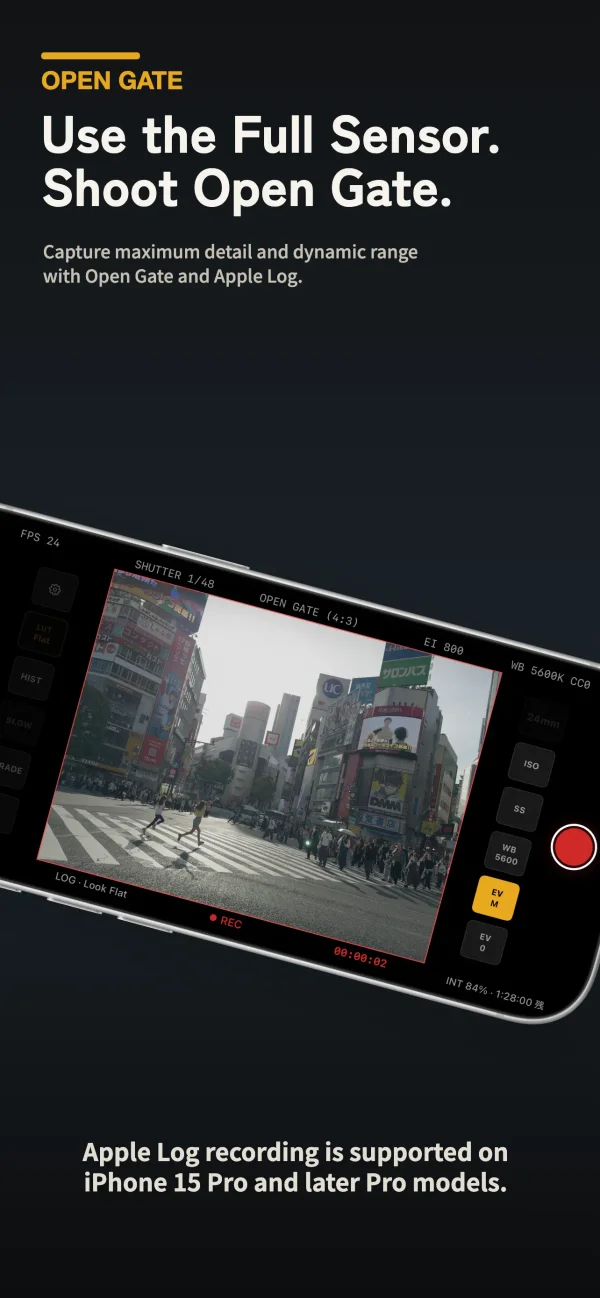
Record in 4:3 Open Gate, using more of the sensor.
Keep a wider view and more room than regular video, and capture the whole feel of the moment.
Record in ProRes with Apple Log to keep the tonal range,
so you can build your own look after the shoot.
SLOW capture is built in.
Match a 24 / 25 / 30 fps playback base and shoot SLOW at up to 60 fps.
Everyday motion becomes cinematic and dramatic in slow motion.
■ FEATURES
▶ Shoot wide with Open Gate
Record in 4:3 Open Gate.
Use more of the sensor and fill the frame edge to edge.
Keep people, light, background, and the sense of space in a single shot.
ProRes and Apple Log keep the tonal range, so you can shape the color afterward.
▶ SLOW capture
Supports 24 / 25 / 30 fps playback bases.
Shoot SLOW at up to 60 fps, matched to the base you choose.
Clips play back in slow motion automatically inside GATE CAM.
Turn small everyday moments into cinematic, dramatic shots.
(Free: up to 10 takes. Unlimited with GATE CAM+.)
▶ From capture to finish in CLIPS
Your footage is saved to CLIPS inside GATE CAM.
Spot SLOW and graded clips at a glance, then review, pick, and finish right after shooting.
Rotate footage inside CLIPS.
Export only the finished pieces to your Camera Roll.
Raw footage and finished work stay separate, so your Camera Roll doesn't fill up while you work.
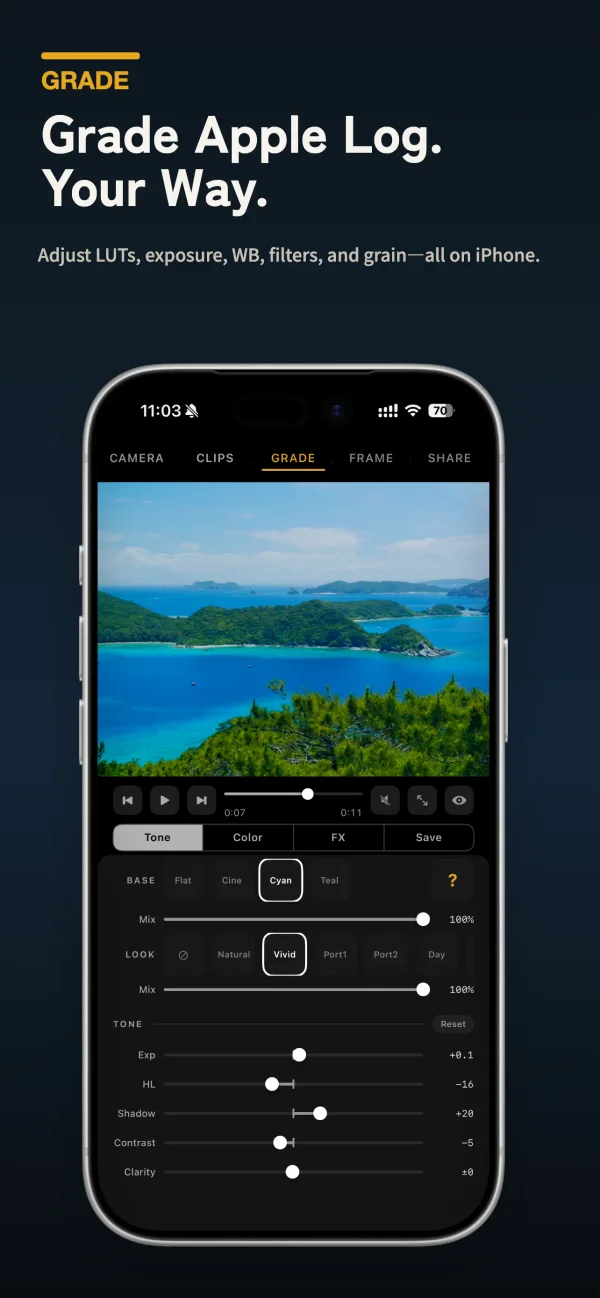
▶ Turn Log into your look
Choose a Base LUT and a Creative LUT, then adjust exposure, highlights, shadows, contrast, temperature, tint, and saturation.
Add Mist, Grain, Fade, and vignette to take plain footage to the color you want to show.
▶ Keep your go-to look
Save the grade for each clip.
Store the settings you use most as presets and get the same mood every time.
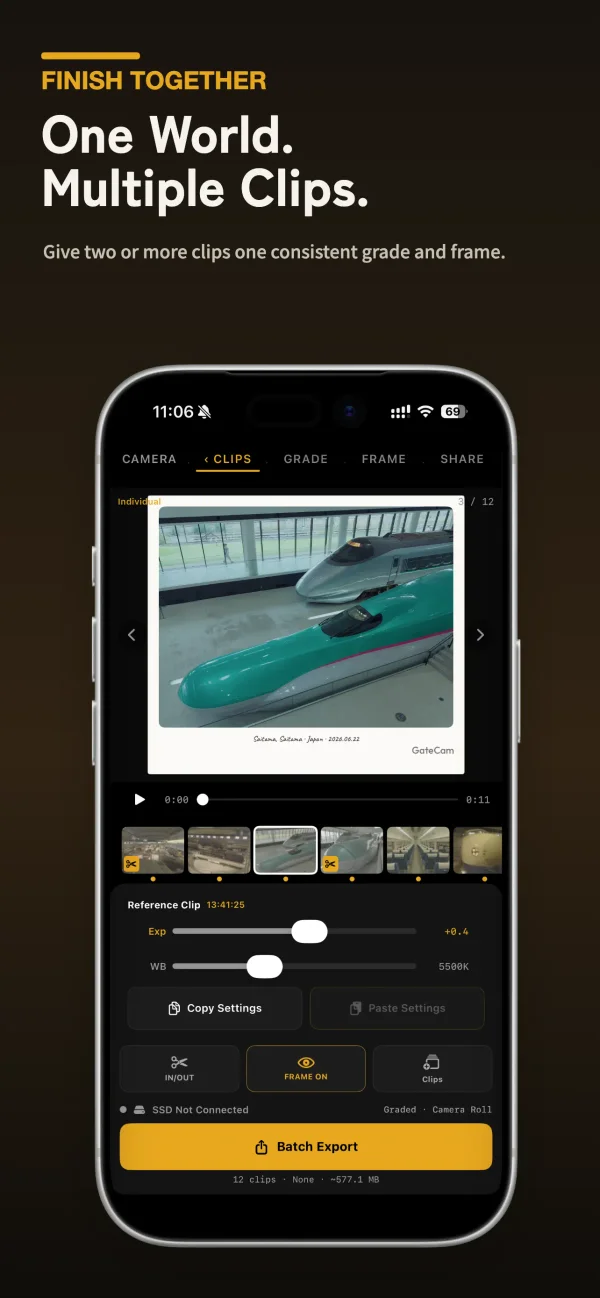
▶ One look across many clips
Pick two or more clips and match their color and frames to finish them together.
Give the cuts from a trip or a vlog the same tone in one pass.
(Exporting them together requires GATE CAM+.)
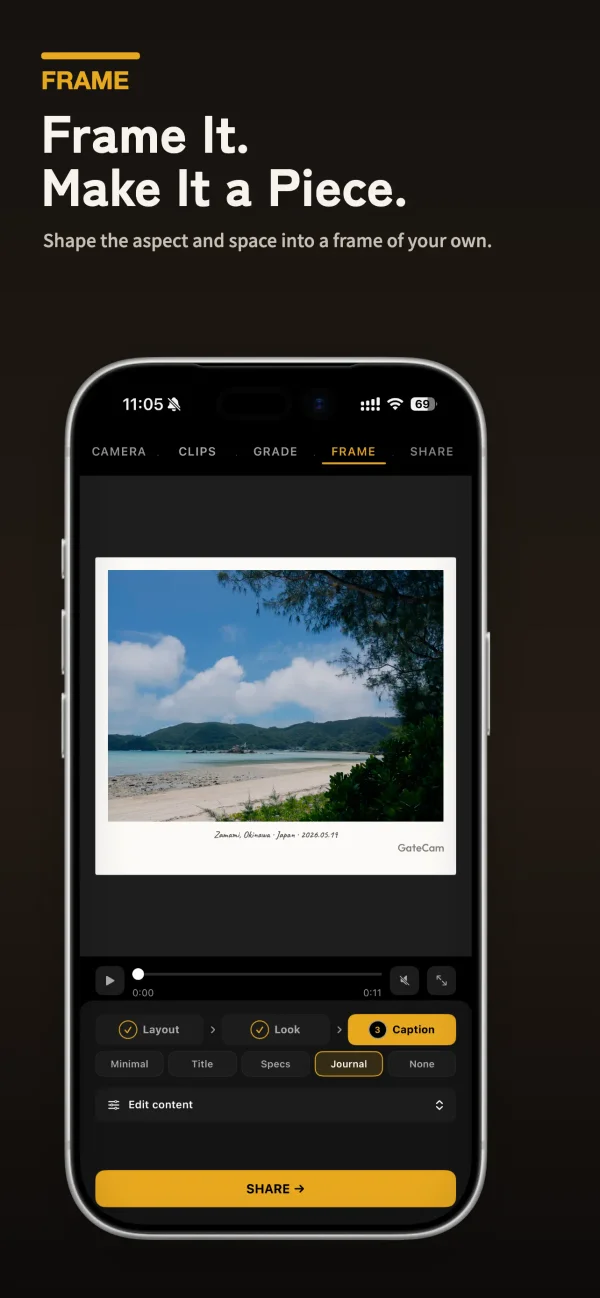
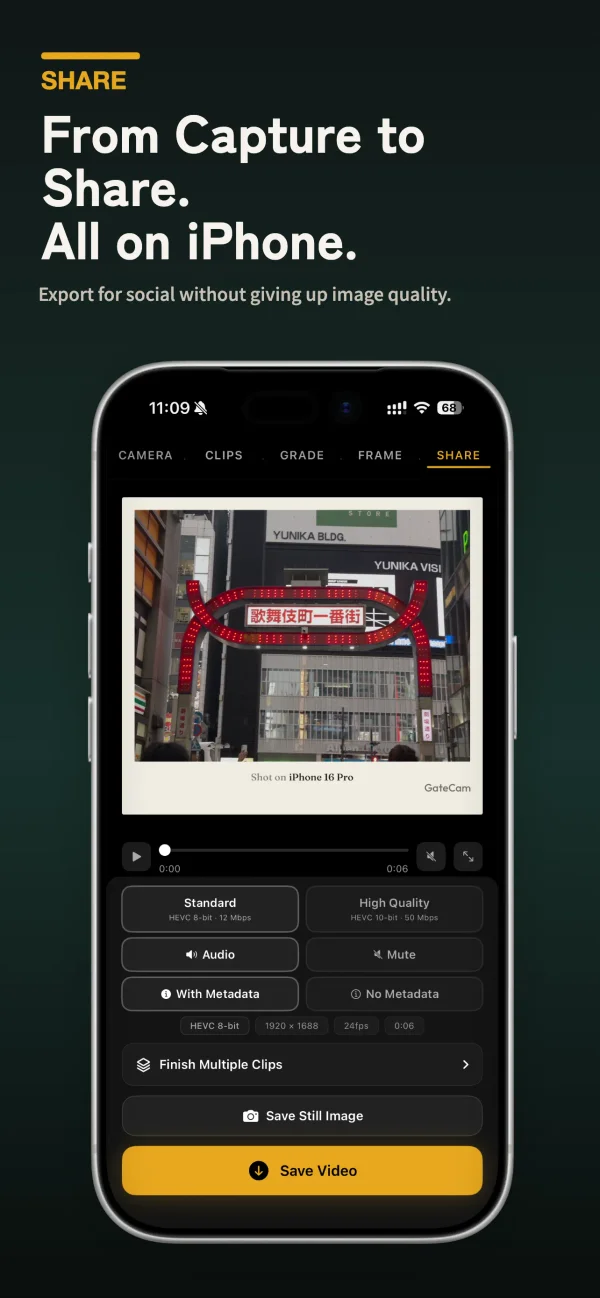
▶ Finish like a piece of work
Frames with metadata, rounded corners, still capture, and video export — all inside GATE CAM.
Turn your footage from a plain file into a still or a clip you want to share.
■ SUPPORTED FEATURES
・4:3 Open Gate capture
・ProRes recording (LT / 422 / HQ)
・Apple Log capture
・SLOW capture (1.5x / 2x / 2.5x)
・LUT preview
・Histogram
・EV / WB / SS / ISO controls
・Lens switching
・Base LUT / Creative LUT
・Mist / Grain / Fade / Vignette
・Grade saving / Preset saving
・Rotate footage in CLIPS
・Finish multiple clips together
・Frames / Metadata display
・Video export / Still capture
・Standard HEVC 8-bit export
■ GATE CAM+ (ONE-TIME PURCHASE, NO SUBSCRIPTION)
Capture, grading, and frame finishing are free.
GATE CAM+ adds:
・Unlimited SLOW capture (free: up to 10 takes)
・ProRes 422 / HQ recording (free: ProRes LT)
・Recording to an external SSD
・Saving directly to your Camera Roll
・Exporting multiple clips together
・Unlimited presets
・Frame export without the logo
・High-quality export (HEVC 10-bit, 50 Mbps)
- Available features vary by device, lens, resolution, and selected format.
- For iPhone 15 Pro or later Pro models (Apple Log capable) only.
- On iPhone 18 Pro (iOS 27), recording ProRes to the iPhone requires reserving Pro Video Storage in iPhone Settings (GATE CAM guides you). Not needed when recording to an external SSD.
Neue Funktionen
Version 1.2.2 · 29.09.2026
Ready for iOS 27.
・Record ProRes to iPhone 18 Pro (iOS 27). This requires reserving Pro Video Storage in iPhone Settings, and GATE CAM guides you when it's needed.
・Added "Recording space (ProRes)" to Settings. See how much of your reserved space is left, and change it in iPhone Settings.
・Minor fixes.
App-Datenschutz
Was Takayuki Aoki im App Store zum Umgang dieser App mit Daten angibt.
-
Keine Daten erfasst
Der Entwickler erfasst keine Daten von dieser App.
Die Datenschutzpraktiken können variieren, zum Beispiel je nach den von Ihnen verwendeten Funktionen oder Ihrem Alter.
Informationen
- Anbieter
- alps.tokyo
- Kategorie
- Foto und Video
- Version
- 1.2.2
- Aktualisiert
- 29.09.2026
- Veröffentlicht
- 13.04.2026
- Größe
- 17,3 MB
- Erfordert
- iOS 17.0 oder neuer
- Altersfreigabe
- 4+
- Preis
- Kostenlos
- In-App-Käufe
- Ja
- Sprachen
- Englisch, Japanisch
- Copyright
- © alps.tokyo
Das könnte Ihnen auch gefallen
-
 CinePro - AI Cinema CameraFoto und Video
-
 CinemaCameraFoto und Video
-
 WonderFilm: Cinema CameraFoto und Video
-
 Radiant: Film Camera & DigicamLog-Video, 4K, RAW & LUTs
-
 Film Vintage Camera: Retro CamFoto und Video
-
 Kamera Iphone & Raw & PresetsPro Camera + HD Fotos & Video
-
 DICA SeoulScharfe Vintage-Digitalkamera
-
 OpenCam: Open-Gate-KameraProfi-Video & Teleprompter
-
 Log Cam: Open Gate by RAW CamFoto und Video
-
 Filmkamera – PlivkaVideo & Foto mit echtem Look