
- Altersfreigabe4+
- KategorieLifestyle
- EntwicklerTAKASA WORKS
- SprachenEnglisch+ 4 weitere
- Größe63,3 MB
Verlinkt auf die offizielle App Store-Seite
Download.org hostet keine Datei von Genko Planner. Die Schaltfläche öffnet die App-Seite bei App Store, wo TAKASA WORKS die App veröffentlicht. Eintrag zuletzt geprüft am 24.11.2026.
Screenshots
Info
Der Entwickler hat diesen Text nicht in Ihrer Sprache bereitgestellt.
"How many pages a day do I need to make the deadline?"
"I don't have time to work out my pace."
"I might end up paying the late-submission surcharge…"
Let Genko Planner take care of those worries.
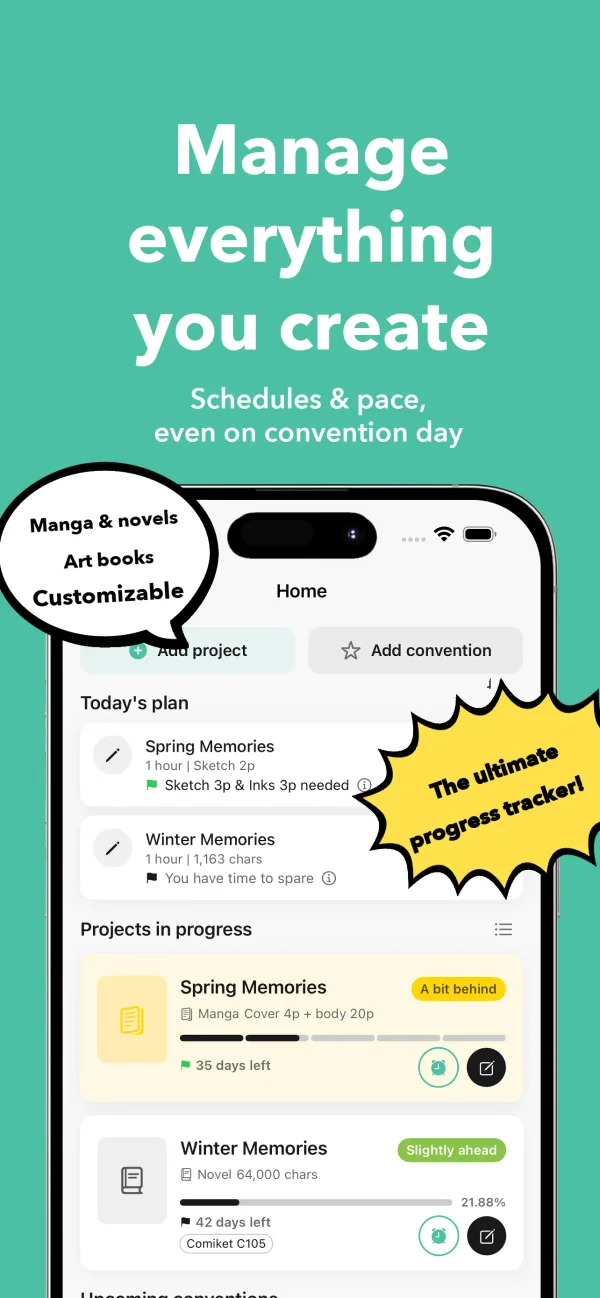
Genko Planner is a production planner for manga, novels, illustrations, merch, and every kind of creative project. It tracks your progress and pace so you can meet your print deadlines and finish your work in good health.
◆ Made for you if you…
- Always end up submitting your doujinshi at the last minute
- Want to manage several projects at once
- Want to see your work pace in numbers
- Want a tool to prepare for conventions
[Features]
◆ Automatic schedule for every step
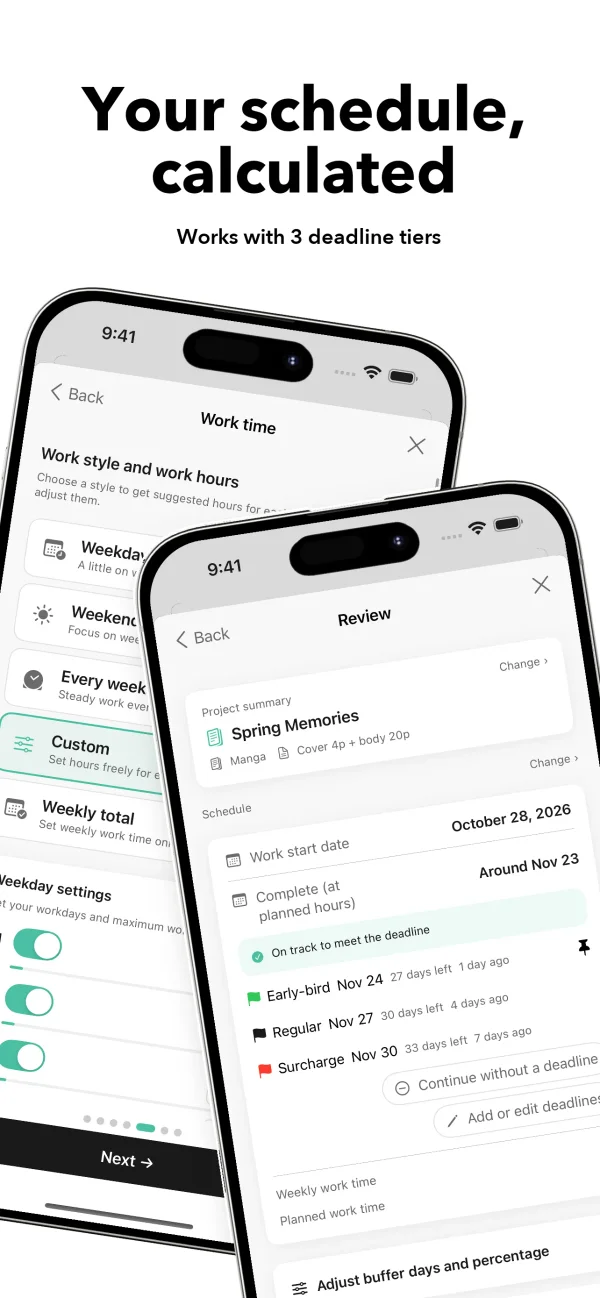
Enter your page count, available work hours, and deadline, and Genko Planner builds a schedule for each step and for the whole project.
Supports three print deadlines (early-bird, regular, and surcharge) and shows the big picture on a Gantt chart.
Register as many print shops as you like, and customize your steps freely.
Besides public holidays, you can set days off and days when you'll work more or less, for a schedule that fits real life.
◆ Pace analysis that catches delays early
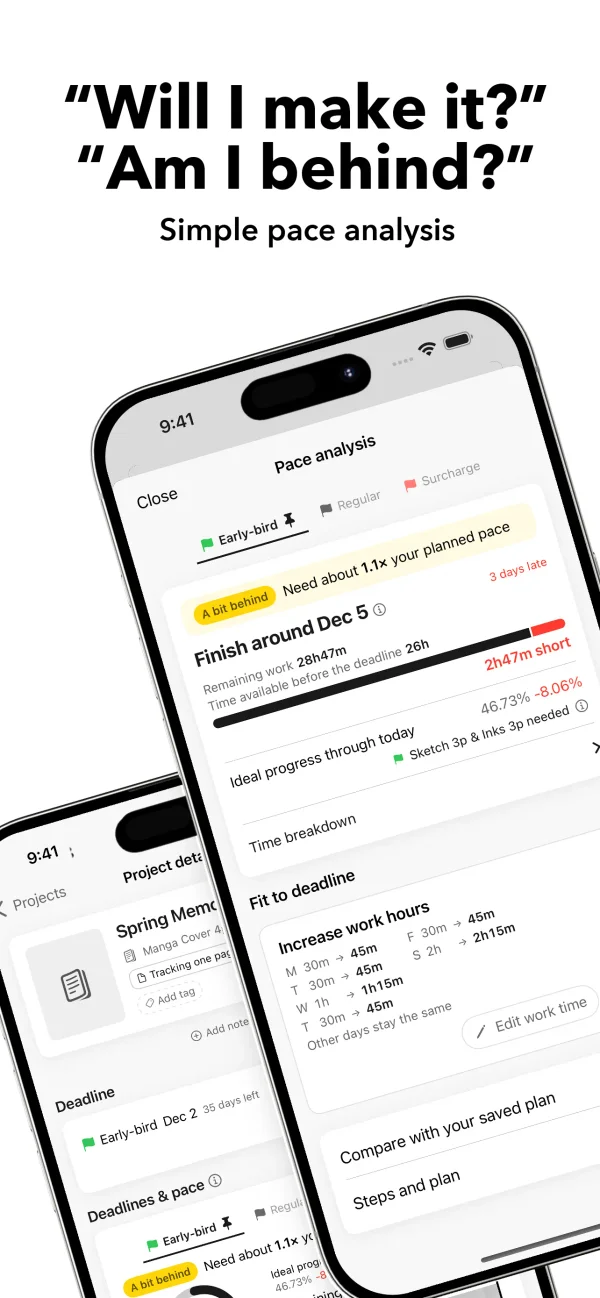
Every time you log progress, the app checks whether your current pace will meet the deadline.
Along with an 8-level status, it shows the pace you need, your current pace, missing work time, and more.
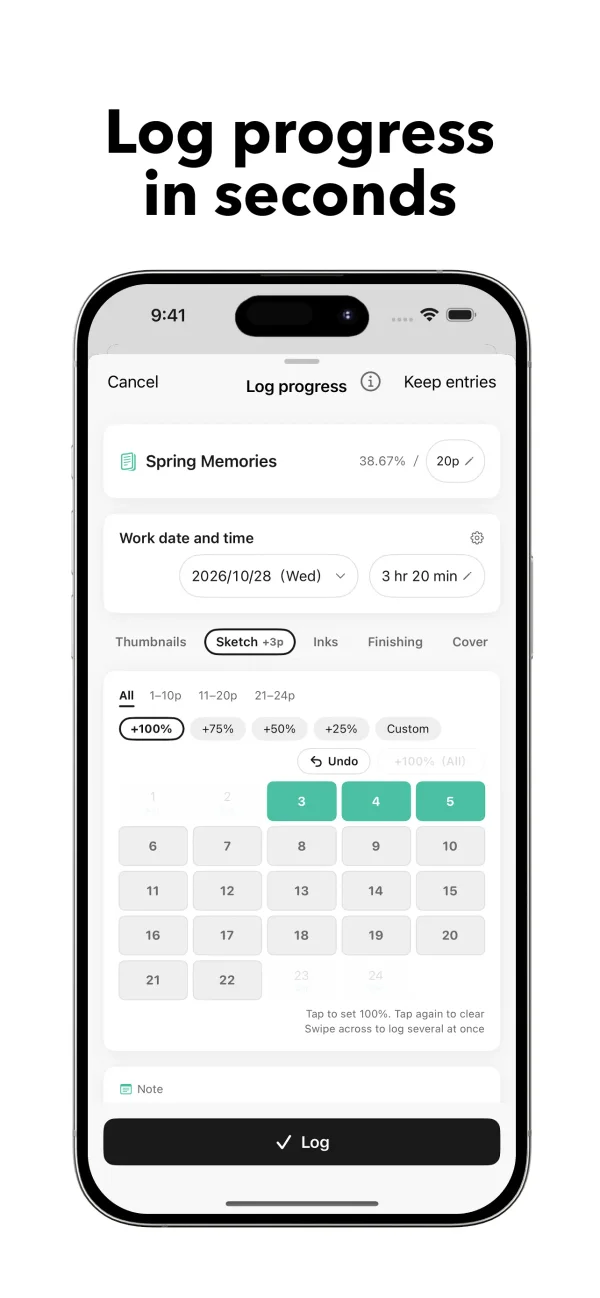
◆ Progress logs for each step
Log the cover and the main pages separately with a few taps.
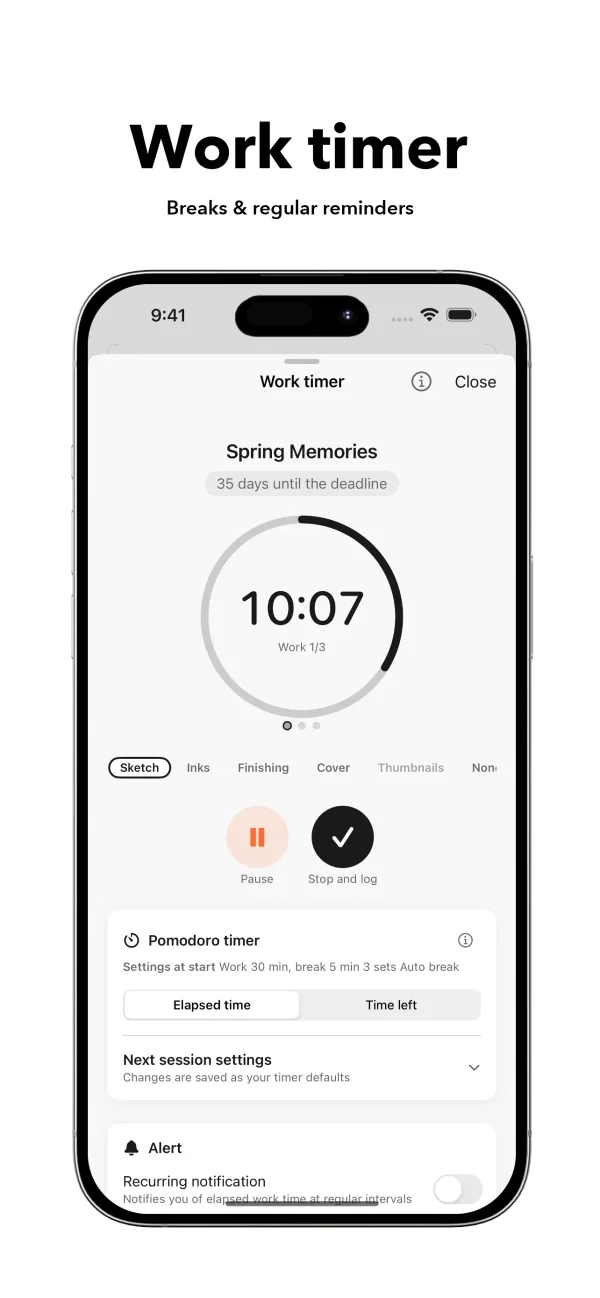
Log from the work timer and your work time is saved automatically.
The timer supports custom breaks and reminders at regular intervals.
◆ Convention planning
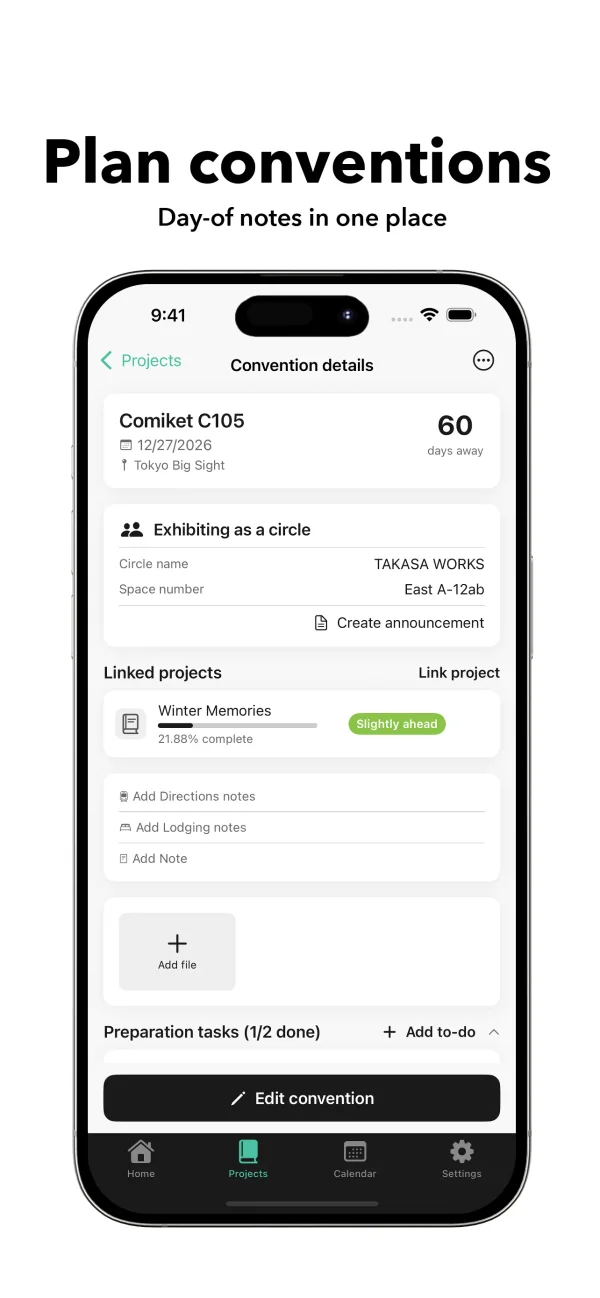
Includes presets for major conventions in Japan and South Korea, and you can add any event yourself.
Keep venue info, your circle's space, items to bring, shopping lists, and prep checklists in one place.
Link projects to conventions to see which project goes to which event.
◆ All-in-one calendar
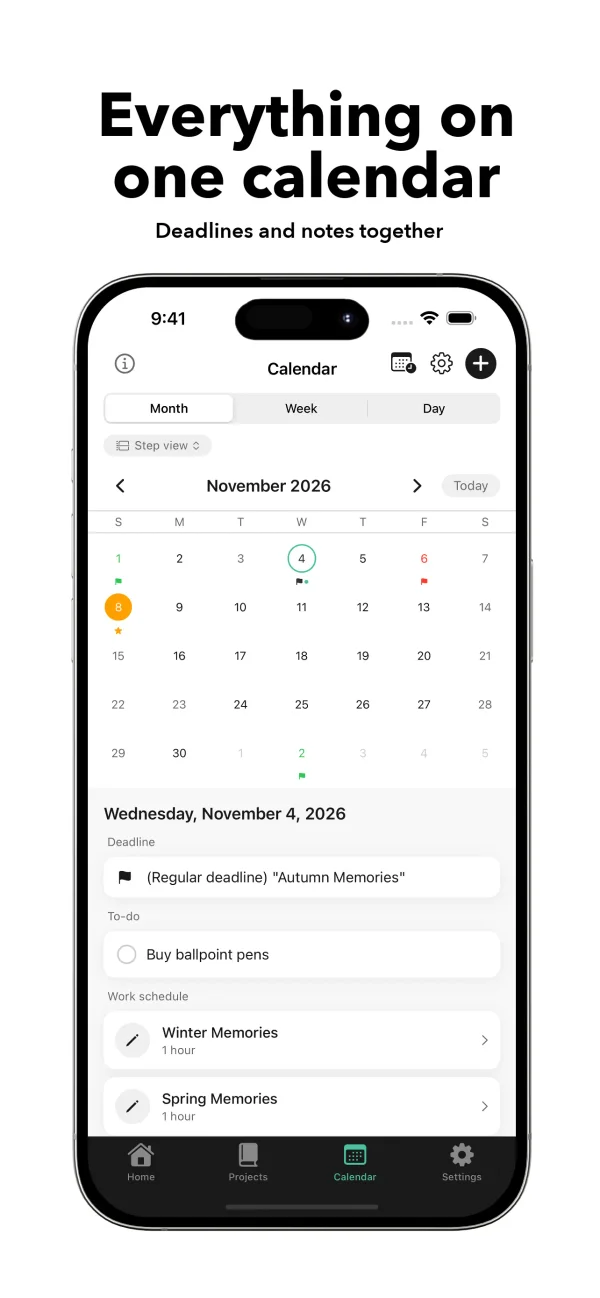
See deadlines, conventions, planned work, and work logs in month, week, and day views.
Add notes to leave to-dos in your schedule.
◆ Reports & sharing
See your monthly work time and page count in charts, and share progress cards on social media.
It's also fun to look back on how much you worked this year.
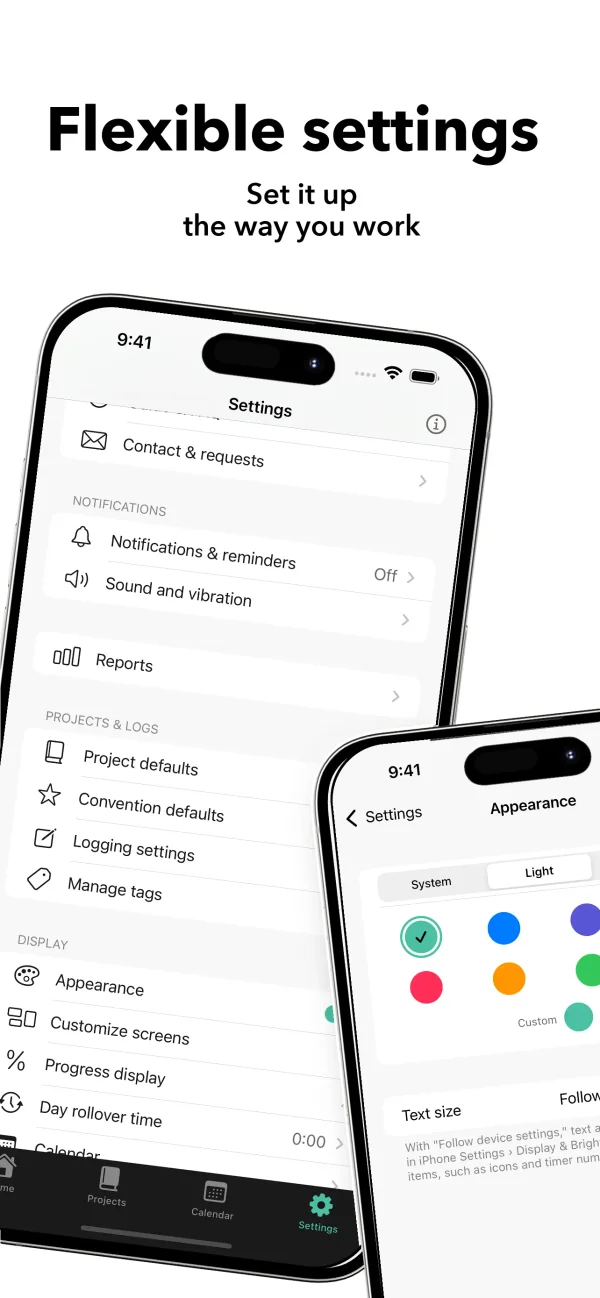
◆ Dark mode
◆ iCloud sync
Syncs automatically across your devices. Log on your iPhone, check on your iPad, and stay on top of things anywhere.
Choose your holiday calendar (United States, Japan, South Korea, Taiwan, Hong Kong, Macao, Singapore, or Malaysia) in Settings > Language & region, and your schedule follows it. Schedules are calculated in your planning time zone.
To protect your data, project names, step names, and notes you've saved are never translated automatically.
Get through crunch time with a plan, with Genko Planner!
Neue Funktionen
Version 1.23.1 · 19.11.2026
【New features】
• You can now add named deadlines to a deadline set in addition to Early-bird, Regular, and Surcharge. You can also change each deadline's flag color and name.
• You can now log partial progress on a panel, such as “50%”. Choose a percentage and tap, or long-press to set a precise value.
【Fixes and improvements】
• Adjusted the panel count field and the buttons and display on the logging screen.
• Fixed an issue where the app could occasionally quit while merging a backup.
• Fixed an issue where saving the range for additional work could change the panel count.
• Fixed an issue where progress on two-page spreads could be counted twice.
* If you use iCloud sync on multiple devices, please update all of them to the latest version.
App-Datenschutz
Was TAKASA WORKS im App Store zum Umgang dieser App mit Daten angibt.
-
Keine Daten erfasst
Der Entwickler erfasst keine Daten von dieser App.
Die Datenschutzpraktiken können variieren, zum Beispiel je nach den von Ihnen verwendeten Funktionen oder Ihrem Alter.
Informationen
- Anbieter
- TAKASA WORKS
- Kategorie
- Lifestyle
- Version
- 1.23.1
- Aktualisiert
- 19.11.2026
- Veröffentlicht
- 18.10.2026
- Größe
- 63,3 MB
- Erfordert
- iOS 17.0 oder neuer
- Altersfreigabe
- 4+
- Preis
- 4,99 €
- Sprachen
- Englisch, Japanisch, Koreanisch, Vereinf. Chinesisch, Tradit. Chinesisch
- Copyright
- © 2026 TAKASA WORKS
Das könnte Ihnen auch gefallen
-
 つくログLifestyle
-
 Min Habit - GewohnheitenEinfache tägliche Routinen
-
 Thermal - TagesbelegSchritte, Schlaf, Fotos — Bon
-
 帳(Tobari)Lifestyle
-
 Routine Task TimerLifestyle
-
 #OSHI for fan activitiesLifestyle
-
 Komoriba: Cozy Focus TimerLifestyle
-
 短歌アプリ『57577』- 縦書き画像作成。短歌だけのSNSLifestyle
-
 kotoca - Your Life Notebooks -Lifestyle
-
 MinDone - Declutter TogetherLifestyle