GeoStamp: Timestamp Camera
Time & Location Photo Stamps
Entwickelt für iPhone
Kostenlos
- Altersfreigabe4+
- KategorieFoto und Video
- EntwicklerWujie Yibang (fuzhou) Software Technology Co., Ltd
- SprachenEnglisch+ 1 weitere
- Größe3,4 MB
Verlinkt auf die offizielle App Store-Seite
Download.org hostet keine Datei von GeoStamp: Timestamp Camera. Die Schaltfläche öffnet die App-Seite bei App Store, wo Wujie Yibang (fuzhou) Software Technology Co., Ltd die App veröffentlicht. Eintrag zuletzt geprüft am 07.11.2026.
Screenshots
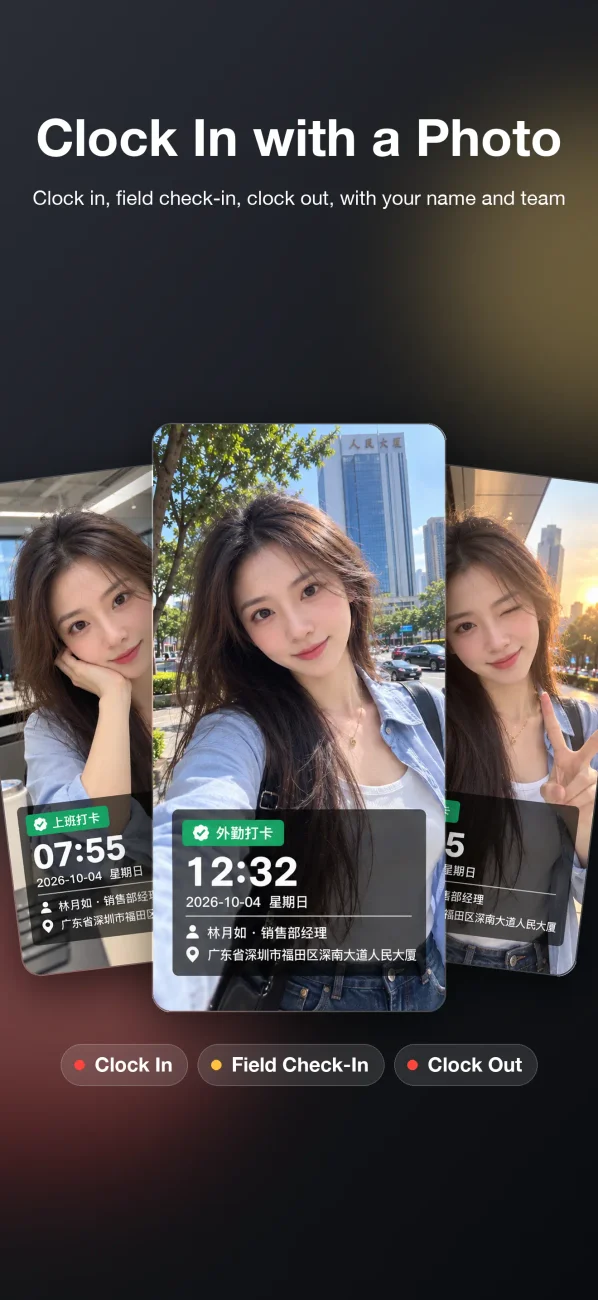


Info
Der Entwickler hat diesen Text nicht in Ihrer Sprache bereitgestellt.
GeoStamp is a native iOS camera that stamps the time, address and GPS coordinates right onto your photos. Use it for site inspections, store checks, field visits, clocking in and out, and travel memories.
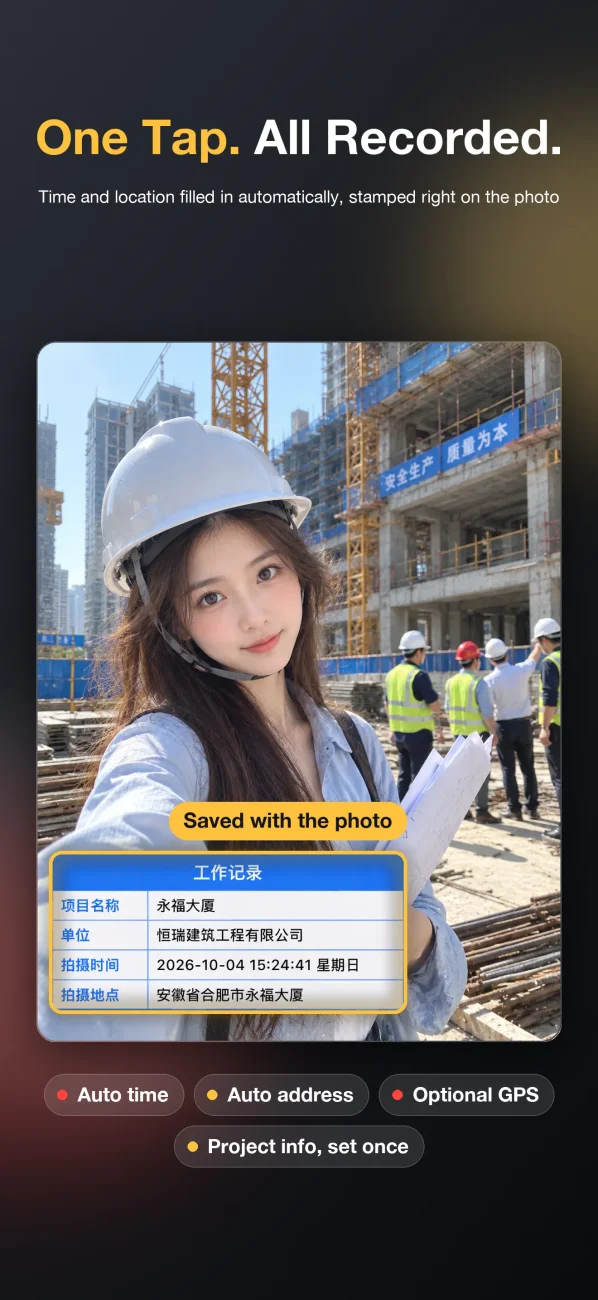
ONE TAP, ALL RECORDED
• Time, weekday and address are filled in automatically—no typing needed
• Optional GPS coordinates in decimal or degrees-minutes-seconds
• Set your project, company or name once and it's added to every photo
• Photos go straight to your library by default, or preview each shot first to save, share or add it to a collage
WORK LOG
• Card and table styles—the table is ideal for construction and site records
• Add a title, project, company, area and notes; empty fields stay off the photo
ATTENDANCE
• Clock In, Clock Out and Field Check-In; Auto shows Clock In before noon and Clock Out after
• Time to the second, plus your name, company / department and a note
TRAVEL
• 10 travel styles: Big Time, Film, Boarding Pass, Seal, Compass, Magazine, Frosted Glass, Postmark, Journal and Subtitle
• City, district and landmark detected automatically; add a one-line mood or travel note
• Live preview while editing—switch styles with one tap
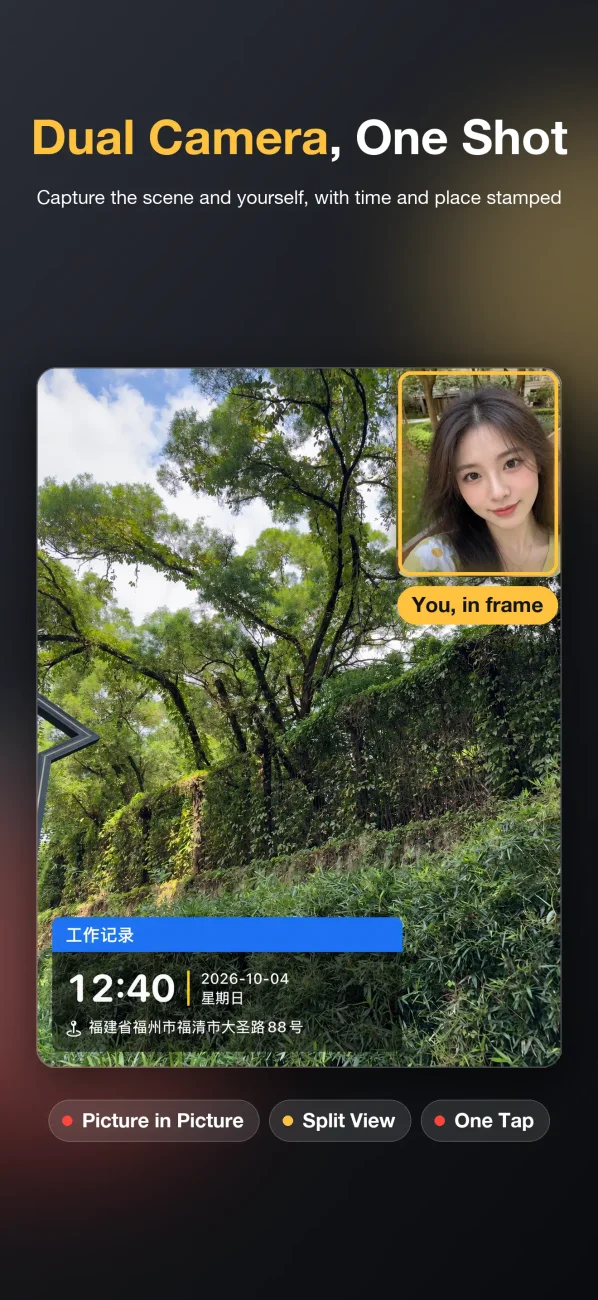
DUAL CAMERA
• Capture the scene with the back camera and yourself with the front, combined into one photo
• Picture-in-picture or split view; drag and resize the small window, with 16:9 / 1:1 / 4:5 / 5:4 / 9:16 ratios
• 5 border styles; double-tap the small window to swap views
• On devices that can't use both cameras at once, the back photo is taken first, then the front, and they're combined
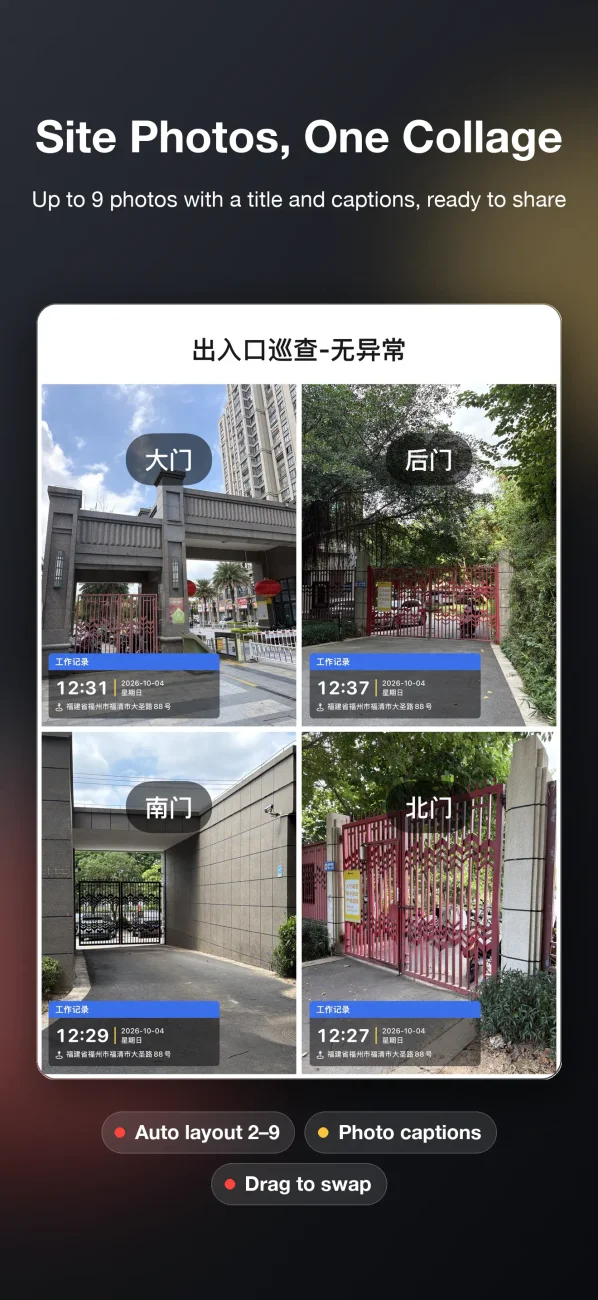
COLLAGE REPORTS
• Auto layout for 2–9 photos that adapts to how many you add
• Add a title and a caption for each photo; drag and resize captions
• Long-press to swap photos, and drag to adjust the visible area of cropped photos
• White or black background with adjustable spacing—one clear image to share with your team
CAMERA ESSENTIALS
• 4:3 / 16:9 / 1:1, flash, 3s / 10s timer, grid and zoom
• Place the watermark at any corner or as a bottom bar; adjust size and background opacity
• Each template keeps its own text; titles, moods and notes clear after 4 hours of inactivity so you don't have to delete them at a new place—restore them anytime
• Photos are collected in a dedicated "GeoStamp" album
• English and Simplified Chinese interface (follows system language)
PRIVACY & DATA
• No account required
• Photos stay in your on-device Photos library—nothing is uploaded to our servers
• Addresses come from Apple's location services
IMPORTANT NOTES
• Addresses need an internet connection. Offline, photos show coordinates only, or you can type a place name.
• Place names and watermark text can be edited manually—please record honestly.
• Camera, location and Photos access are requested on first use.
• The Journal style's handwriting font is a system font downloaded once on first use.
• Take photos only where permitted and respect others' privacy.
GeoStamp—one tap, time and place recorded.
App-Datenschutz
Was Wujie Yibang (fuzhou) Software Technology Co., Ltd im App Store zum Umgang dieser App mit Daten angibt.
-
Keine Daten erfasst
Der Entwickler erfasst keine Daten von dieser App.
Die Datenschutzpraktiken können variieren, zum Beispiel je nach den von Ihnen verwendeten Funktionen oder Ihrem Alter.
Informationen
- Anbieter
- Wujie Yibang (fuzhou) Software Technology Co., Ltd
- Kategorie
- Foto und Video
- Version
- 1.0
- Aktualisiert
- 05.10.2026
- Veröffentlicht
- 05.10.2026
- Größe
- 3,4 MB
- Erfordert
- iOS 16.0 oder neuer
- Altersfreigabe
- 4+
- Preis
- Kostenlos
- Sprachen
- Englisch, Vereinf. Chinesisch
- Copyright
- © 2026 Wujie Yibang (Fuzhou) Software Technology Co., Ltd
Das könnte Ihnen auch gefallen
-
 Zeitstempel-Kamera: TimeveraDatum und Uhrzeit auf Fotos
-
 Timestamp Camera – AgeStampDeine Fotos mit Alter & Datum
-
 Snap Stamp - Timestamp CameraFoto und Video
-
 CroGIF: Live Photo to GIFFoto und Video
-
 kmera | hands-free cameraFoto und Video
-
 Photo Ink - Timestamp ProofFoto und Video
-
 PiczoFoto und Video
-
 LightRoll Camera | Photo VideoFoto und Video
-
 Nowly — Zeitstempel-KameraDatum, Uhrzeit & Ort im Bild
-
 Timestamp Camera: GPS & TimeFoto und Video