GRADE — Live Grading
Live color to camera & LUT box
Entwickelt für iPhone, iPad
Kostenlos · In-App-Käufe
- Altersfreigabe4+
- KategorieFoto und Video
- EntwicklerRendeando SL.
- SprachenEnglisch
- Größe54,3 MB
Verlinkt auf die offizielle App Store-Seite
Download.org hostet keine Datei von GRADE — Live Grading. Die Schaltfläche öffnet die App-Seite bei App Store, wo Rendeando SL. die App veröffentlicht. Eintrag zuletzt geprüft am 23.11.2026.
Screenshots


Info
Der Entwickler hat diesen Text nicht in Ihrer Sprache bereitgestellt.
GRADE turns your iPad or iPhone into a live on-set grading station. Build a look while the camera rolls, and send it straight to the camera, or to the LUT boxes feeding the monitors on the floor.
STRAIGHT INTO THE CAMERA
ARRI cameras over the network (ALEXA 35, Mini LF and the rest of the CAP family): push the live look, switch the camera to any look — Default included — and back, or upload to the camera's own Look Library. RED cameras: live CDL over RCP2 and LUT upload, with the Log3G10 / REDWideGamutRGB working space. Find devices lists the monitors, LUT boxes and cameras on the set network without typing an IP.
MULTIPLE LUT BOXES, EACH WITH ITS OWN LOOK
Every LUT box on the network gets its own grade and keeps it. Work on camera A, switch to camera B, come back — your first look is exactly as you left it. Gang several boxes onto one grade when they should match, hold a monitor on what it is showing, and dial any box back with its own blend. FSI BoxIO and DM/XMP series, Teradek COLR.
A COMPLETE GRADING PIPELINE
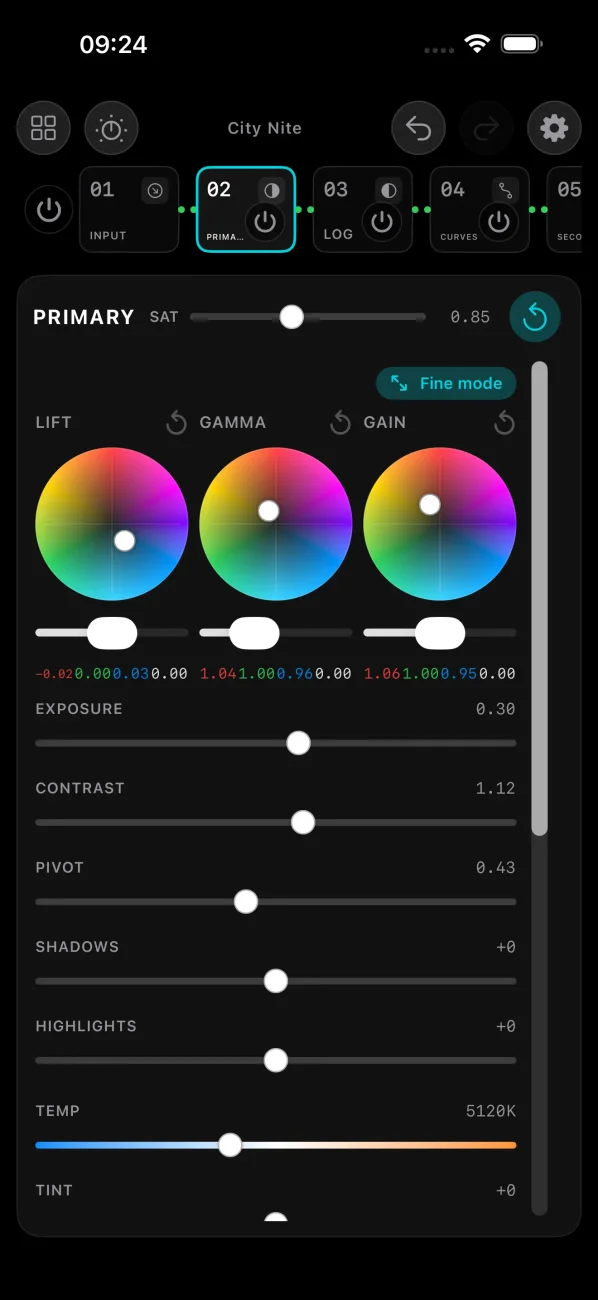
Seven nodes, in the order a colourist expects: Input, Primary, Log, Curves, Secondaries, LUT and Output.
• Lift / Gamma / Gain wheels, plus exposure, contrast, pivot, temperature, tint, saturation and colour boost
• Log wheels for lows, mids and highs with adjustable ranges
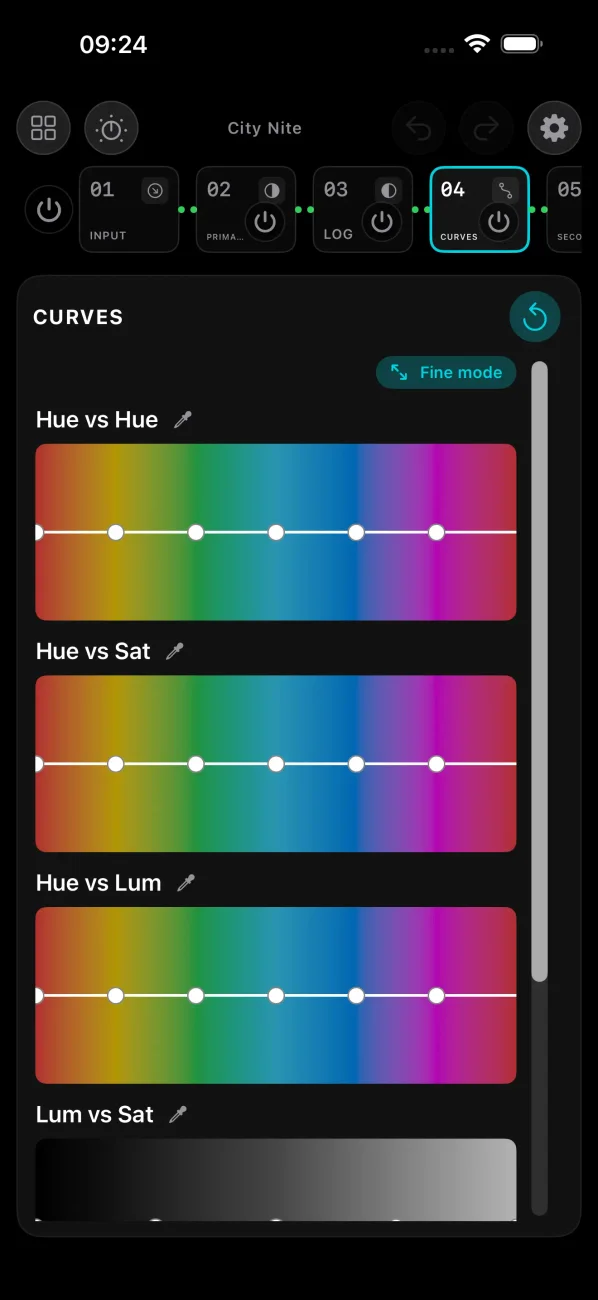
• Curves: Hue vs Hue, Hue vs Sat, Hue vs Lum, Lum vs Sat, Sat vs Sat, and a tone curve per channel
• Secondaries with a colour qualifier — tap a colour in the image to pick it
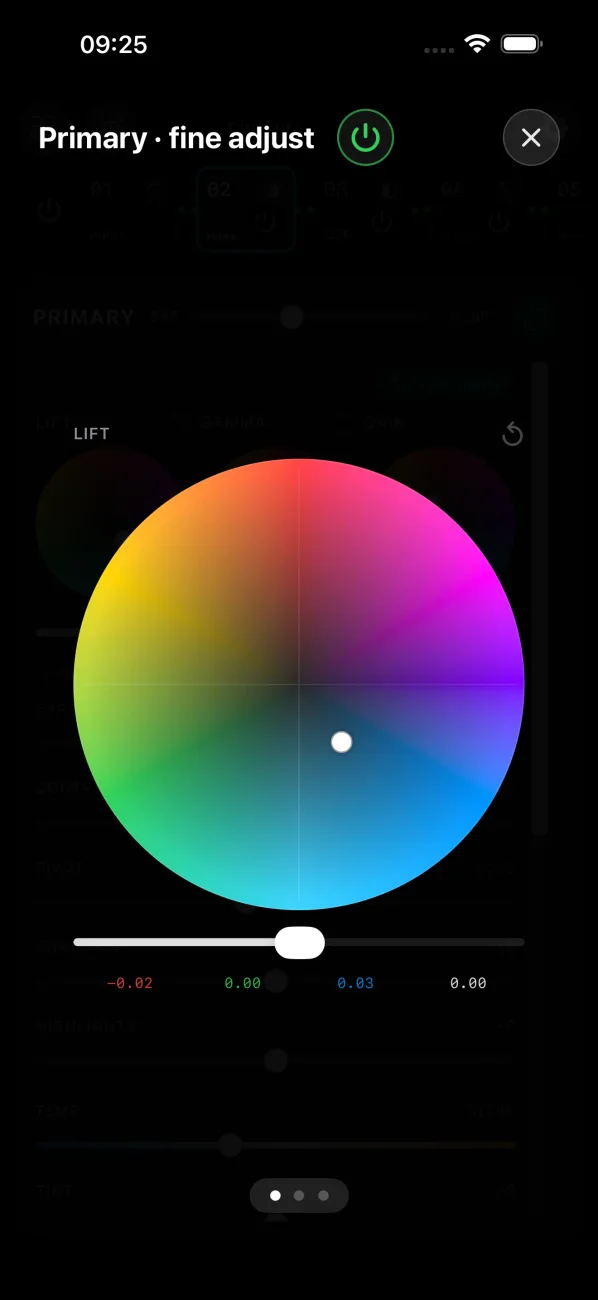
• Fine mode on every control for the small moves that matter
SCOPES YOU CAN TRUST
Waveform (luma, colour and RGB), RGB parade and vectorscope, live on the same screen as the grade (iPad).
ARRI COLOUR, DONE PROPERLY
Work in Rec.709, ARRI LogC3 (AWG3) or LogC4 (AWG4). The official ARRI render transforms are built in, so a Log signal is graded in Log and rendered to Rec.709 the way ARRI intends.
EVERY LOOK FORMAT, IN AND OUT
.cube, .3dl, .csp, .spi3d, .vlt, ASC CDL (.cdl / .cc / .ccc), ACES (AMF + CLF), ALE, ARRI .alf4 / .alf4c. Send looks to DaVinci Resolve as editable stills (CDL + LUT), through the cloud or over the local network with GradeSync for Mac.
LOOKS THAT TRAVEL
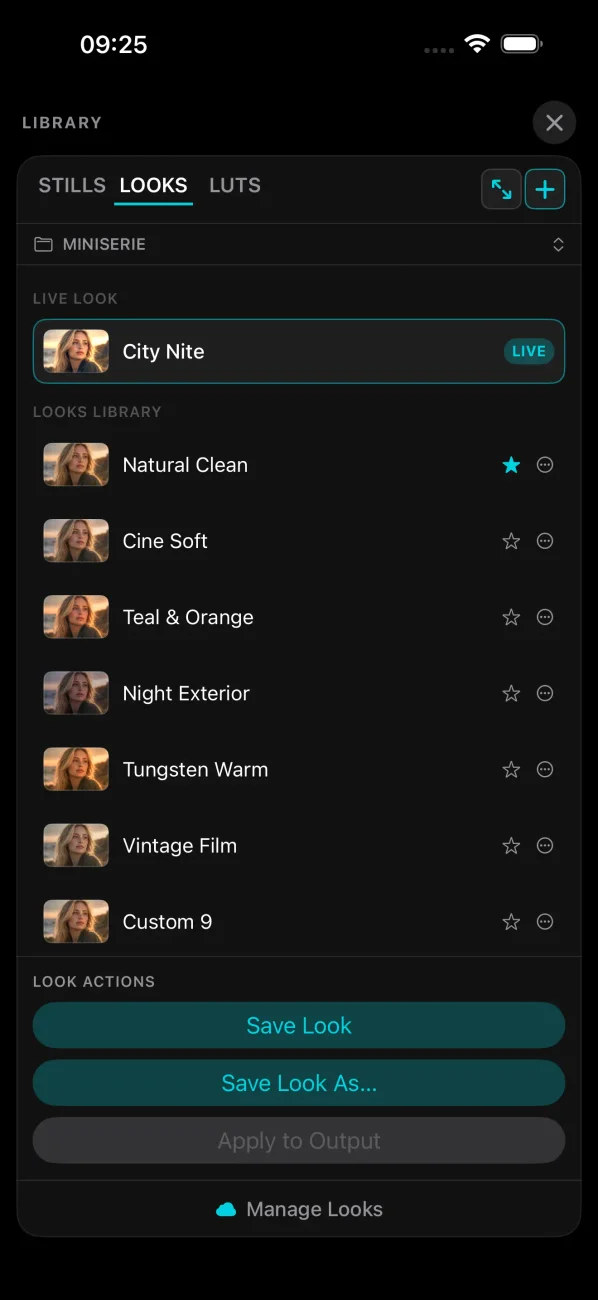
Save looks to a library that syncs to your account and follows you to any iPad or iPhone. Organise them by project.
BUILT FOR THE JOB
Shot lists with scene and take, stills with notes and CDL values, a session log, and PDF reports to hand off at wrap.
WHAT YOU NEED
A camera or LUT box on the same network as the device: ARRI or RED cameras, FSI BoxIO / DM / XMP, or Teradek COLR. Live video reaches the iPad through an Accsoon SeeMo (SDI or HDMI). Without them you can still build looks, import and export LUTs and organise your library, but there is nothing to send them to.
TRY IT
Fifteen days free, with everything unlocked. After that GRADE Pro is €349/year or €49/month, and it renews until you cancel. Manage or cancel any time in your Apple account settings. Payment is charged to your Apple ID at confirmation of purchase.
Terms of Use: https://www.apple.com/legal/internet-services/itunes/dev/stdeula/
Privacy Policy: https://grade-app.click/privacy/
Neue Funktionen
Version 1.5.2 · 17.11.2026
• Disguise: grade each screen's CDL on its own, without overwriting the others. Send LUT places its layer right above the screen's CDL.
• OUTPUT › ROUTER: control a Blackmagic Videohub from GRADE.
• Shared sessions: the devices of an account work on the same grade, and another team can join with a code and a role.
• LUT node: quick pick to try one LUT after another, plus favorites.
• Looks now carry the whole grade: bypassed nodes, the LUT node and its working space.
• Secondaries: the qualifier's selection shown on a colour disc.
• Log node: see on the monitor which part of the picture each wheel touches.
• Hue curves zoom onto a range and wrap around the spectrum.
• Jog rings on the wheels, a fine dial per parameter, and one undo step per gesture.
• LUT boxes can live outside a group and be dragged into one; links show who leads and who follows.
• Fixes and stability improvements.
App-Datenschutz
Was Rendeando SL. im App Store zum Umgang dieser App mit Daten angibt.
-
Mit Ihnen verknüpfte Daten
Können erfasst und mit Ihrer Identität verknüpft werden.
- Kontaktinformationen
- Benutzerinhalte
- Kennungen
Die Datenschutzpraktiken können variieren, zum Beispiel je nach den von Ihnen verwendeten Funktionen oder Ihrem Alter.
Informationen
- Anbieter
- Rendeando SL.
- Kategorie
- Foto und Video
- Version
- 1.5.2
- Aktualisiert
- 17.11.2026
- Veröffentlicht
- 12.09.2026
- Größe
- 54,3 MB
- Erfordert
- iOS 17.0 oder neuer
- Altersfreigabe
- 4+
- Preis
- Kostenlos
- In-App-Käufe
- Ja
- Sprachen
- Englisch
- Copyright
- © 2026 Rendeando SL
Das könnte Ihnen auch gefallen
-
 LookPocketFoto und Video
-
 bit.ctrlFoto und Video
-
 Camera Lens Crop FactorFoto und Video
-
 FrameScope ViewfinderFoto und Video
-
 Chroma 98 - Pro Photo EditorFoto und Video
-
 AntTake: Camera ReportFoto und Video
-
 EV CalcFoto und Video
-
 LightscopeLog-Video: HDR & Color Grading
-
 CalcuLightFoto und Video
-
 Ant CineKitFoto und Video