- Altersfreigabe4+
- KategorieDienstprogramme
- EntwicklerJONATHAN MARK SCHULMAN
- SprachenEnglisch
- Größe18,4 MB
Verlinkt auf die offizielle App Store-Seite
Download.org hostet keine Datei von Greyline FT8. Die Schaltfläche öffnet die App-Seite bei App Store, wo JONATHAN MARK SCHULMAN die App veröffentlicht. Eintrag zuletzt geprüft am 14.11.2026.
Screenshots




Info
Der Entwickler hat diesen Text nicht in Ihrer Sprache bereitgestellt.
Greyline FT8 is a highly portable, capable amateur radio app designed specifically for field operation with an iOS device.
I designed this app because I got very used to my full-stack FT8 solution: GridTracker, WSJT-X, PSK Reporter, WRL Desktop, several browser tabs, and more. But I didn't want the bulk and weight of a full Windows PC in the field. At the same time, while there are excellent and lightweight FT8 iOS solutions out there, they were lacking features I really wanted.
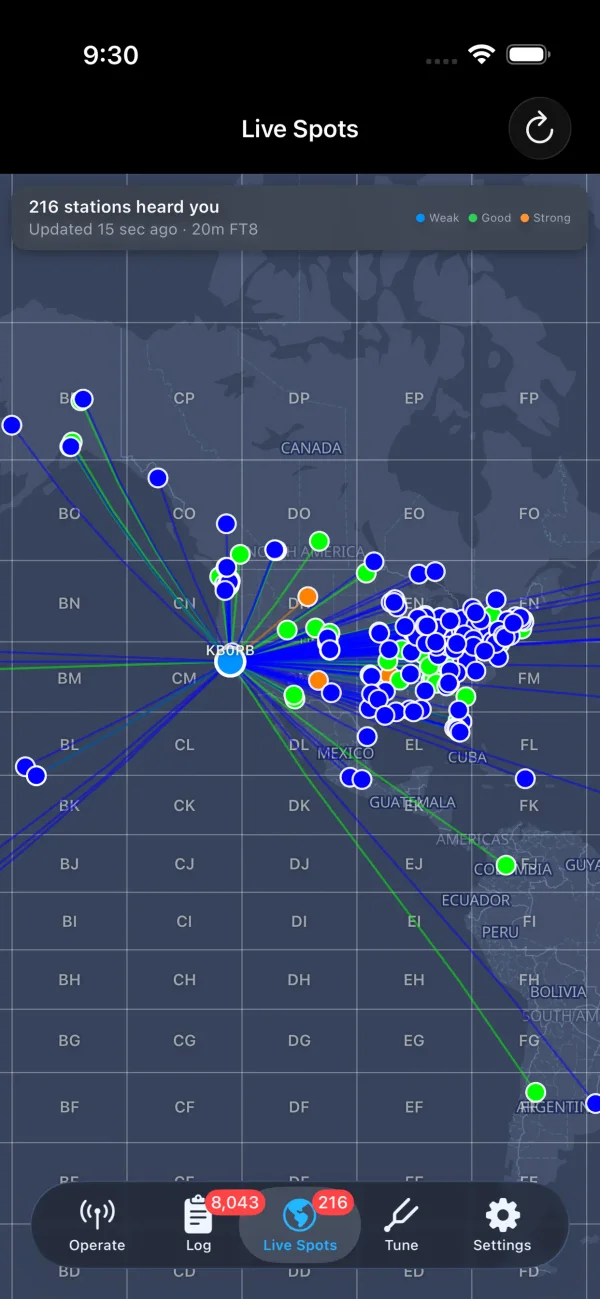
Greyline is everything you need and nothing you don't. It automatically locates your grid square, performs callsign and calling station DXCC lookups (internet access required), and can even show you real-time spot data from PSK Reporter. Want to adjust your directional antenna? Now you've got the info you need to do it!
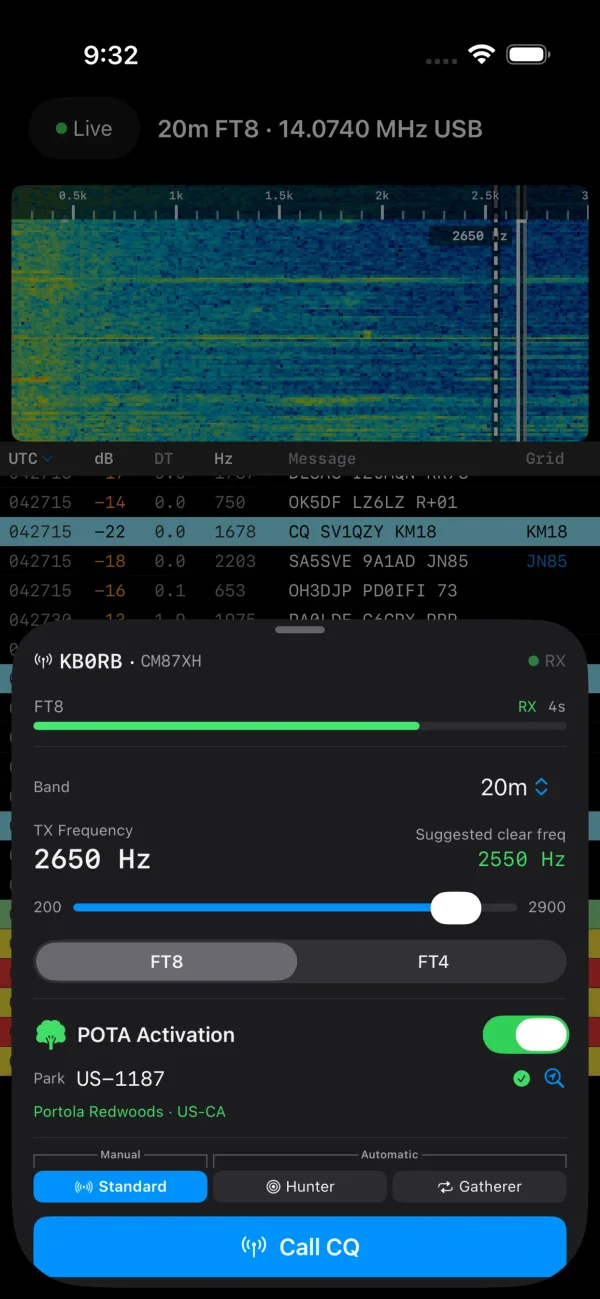
Greyline also incorporates automated calling features. Gatherer mode calls CQ, responds to the first reply it gets, finishes the QSO and returns to calling CQ all without your input. On the other side of things, Hunter mode listens for CQ calls and pounces on them, finishing a QSO then returning to the live band to find the next. Or, take control of the conversation yourself with standard mode. That's the experience you're already used to from WSJT-X and other digital mode apps.
Some other noteworthy features are:
- Intelligent automatic free frequency selection
- Dynamically adjusted audio delay for virtually drift-free message timing
- PSK Reporter integrated Live Spots
- Direct-to-QRZ, WRL and private Cloudlog logging and ADI export
- Configurable waterfall settings
- CQ addendums
- CQ filtering for contesting and general courteous operation
- Configurable retransmissions
- Intelligent log recovery (didn't get that last 73 but want to log the contact anyway? Now you can!)
- Log import and export
- Antenna tuning
- POTA Autospotting
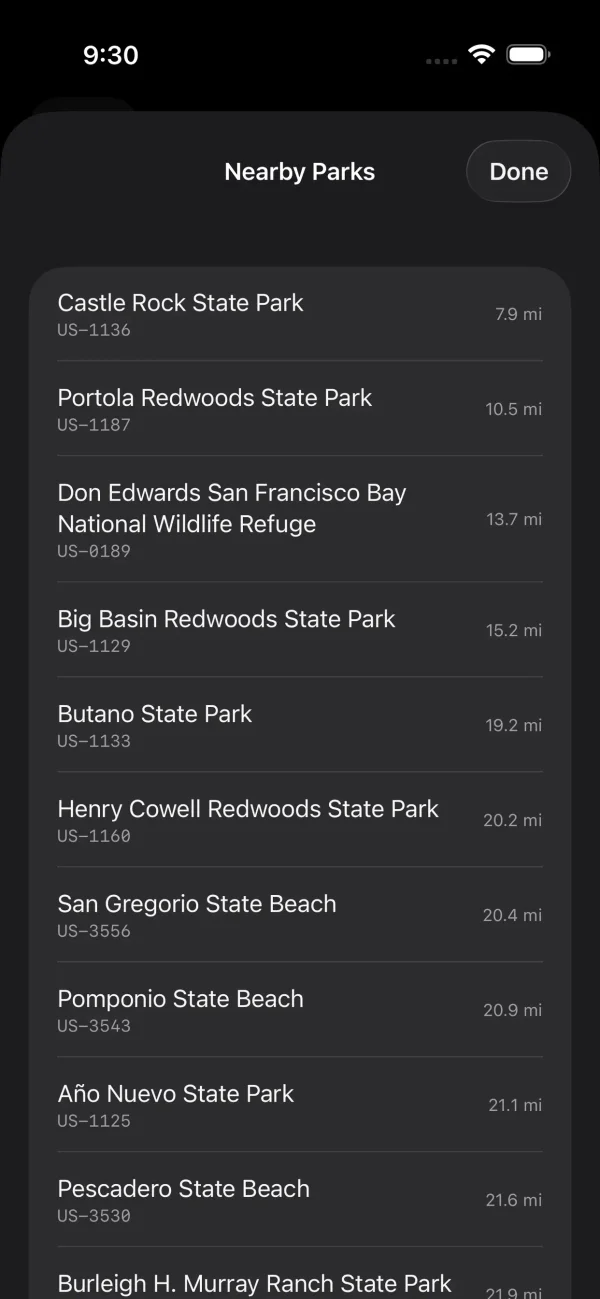
- One touch POTA activation and POTA.app-compatible ADIF export
- Multiple POTA activation support
- And so much more!
Greyline uses audio VOX and not serial PTT. Most radios support this with simple cabling or an audio interface like a Digirig. For helpful tips on cabling and configuring popular radios, visit the Support URL below.
Built by a ham, for hams, I'm very open to your feedback and hope Greyline can be your field companion.
Want to share your own Field Notes (https://greylineft8.com/fieldnotes.html)? Email me at support@greylineft8.com!
Neue Funktionen
Version 1.6.1 · 08.11.2026
“The one with UDP logging improvements”
Love Greyline? Stop by my Ko-Fi! https://ko-fi.com/kb0rb
**NOTE** - The WRL logging API is a work in progress, and I will continue to improve the app as their API evolves! What we have here now takes full advantage of what the service currently supports. Stay tuned for more features!
Be sure to check the release notes for prior versions to see what's new! I update the app regularly in response to feedback like yours. Read them at https://greylineft8.com/changelog.html
Remember that Greyline now has a comprehensive user manual at https://greylineft8.com/userguide.html - you’ll also find a button in the Settings view to take you there
Shoutouts:
N1CDV - UDP troubleshooting
Features:
- UDP broadcast now works with GridTracker 2 and N1MM: choose the appropriate WSJT-X or ADIF text format under Settings > UDP Broadcast
- Introduced a “Send a test” button. Configure your IP and port, then Open GridTracker 2. Go to Settings > General and look for packets from Greyline FT8 after pressing the button in the app.
That’s it, that’s all, folks! Thanks for bringing me on your activations - now get out there and POTA on. 73!
App-Datenschutz
Was JONATHAN MARK SCHULMAN im App Store zum Umgang dieser App mit Daten angibt.
-
Keine Daten erfasst
Der Entwickler erfasst keine Daten von dieser App.
Die Datenschutzpraktiken können variieren, zum Beispiel je nach den von Ihnen verwendeten Funktionen oder Ihrem Alter.
Informationen
- Anbieter
- JONATHAN MARK SCHULMAN
- Kategorie
- Dienstprogramme
- Version
- 1.6.1
- Aktualisiert
- 08.11.2026
- Veröffentlicht
- 11.06.2026
- Größe
- 18,4 MB
- Erfordert
- iOS 26.5 oder neuer
- Altersfreigabe
- 4+
- Preis
- 3,99 €
- Sprachen
- Englisch
- Copyright
- © Jon Schulman 2026
Das könnte Ihnen auch gefallen
-
 ECHOCAT - Ham Radio RemoteDienstprogramme
-
 iFTxDienstprogramme
-
 Radio MessengerDienstprogramme
-
 RadioMailDienstprogramme
-
 qFT8: Amateurfunk, SWL und SDRFT8 und Digimodes für Funker
-
 Packet CommanderDienstprogramme
-
 PSKReporter Client: FT8 MapDienstprogramme
-
 Handi-Talky CommanderDienstprogramme
-
 ShackPilot: Ham Radio RemoteDienstprogramme
-
 Mercury HF ModemDienstprogramme