
- Altersfreigabe12+
- KategorieProduktivität
- EntwicklerKamanu Composites, LLC
- SprachenEnglisch
- Größe32,1 MB
Verlinkt auf die offizielle App Store-Seite
Download.org hostet keine Datei von Grug Notes. Die Schaltfläche öffnet die App-Seite bei App Store, wo Kamanu Composites, LLC die App veröffentlicht. Eintrag zuletzt geprüft am 17.11.2026.
Screenshots

Info
Der Entwickler hat diesen Text nicht in Ihrer Sprache bereitgestellt.
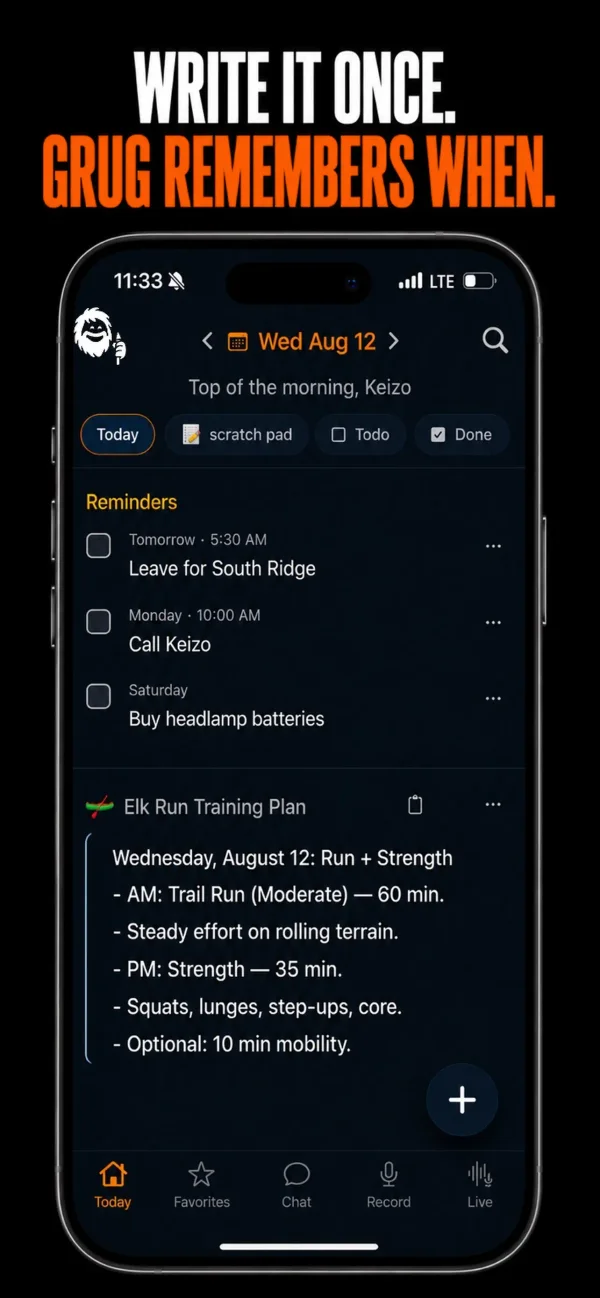
A daily notes app for people who work on their feet. Its live voice mode doesn't just take dictation: it finds your notes, edits them, answers questions, and even does the math, all while you talk. Get what's in your head onto the page, minus the clutter.
LIVE MODE: TALK, AND IT ACTS
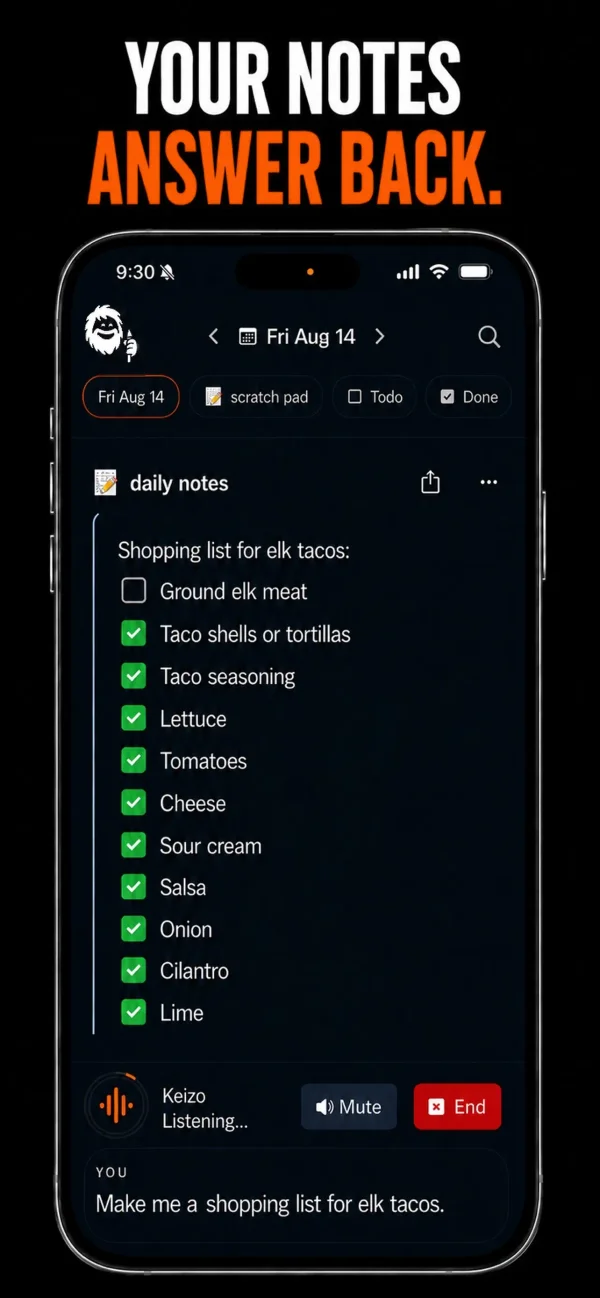
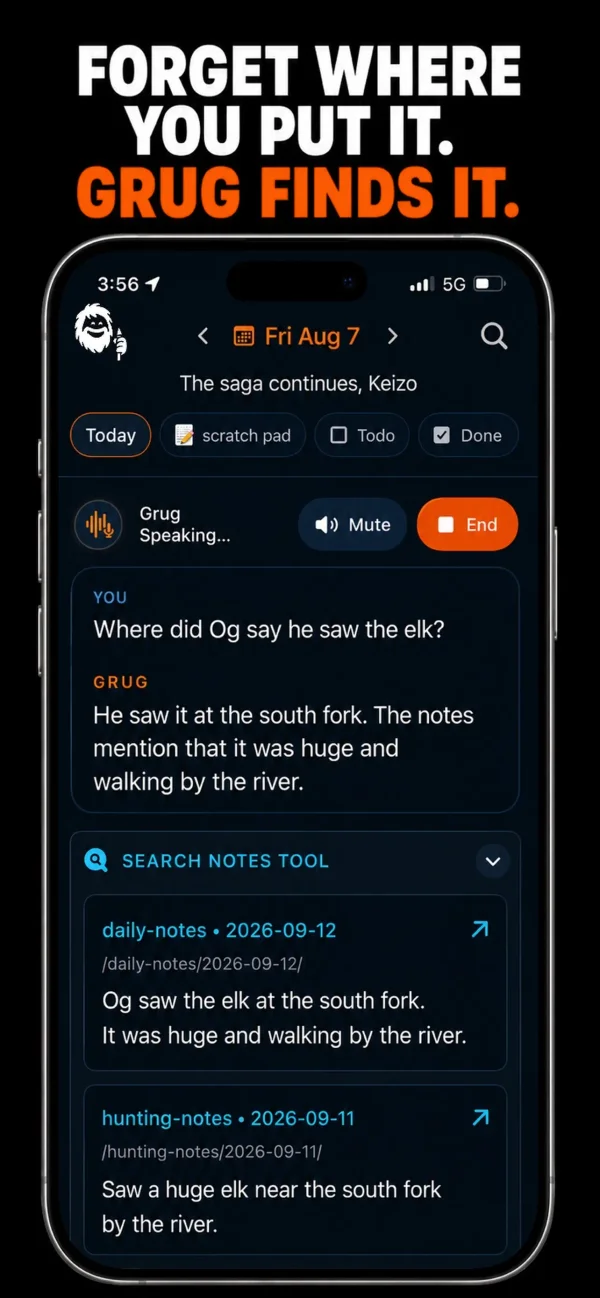
This isn't dictation. Live mode understands what you mean and does it, in real time:
• Find anything: ask "what did I note about the trip budget?" and the note surfaces.
• Edit hands-free: add to, rewrite, or clean up a note by talking.
• Ask anything: get answers from your notes, or quick answers to anything else.
• Do the math: say "what's 15% of 2,400?" and get the answer on the spot.
CAPTURE BY VOICE
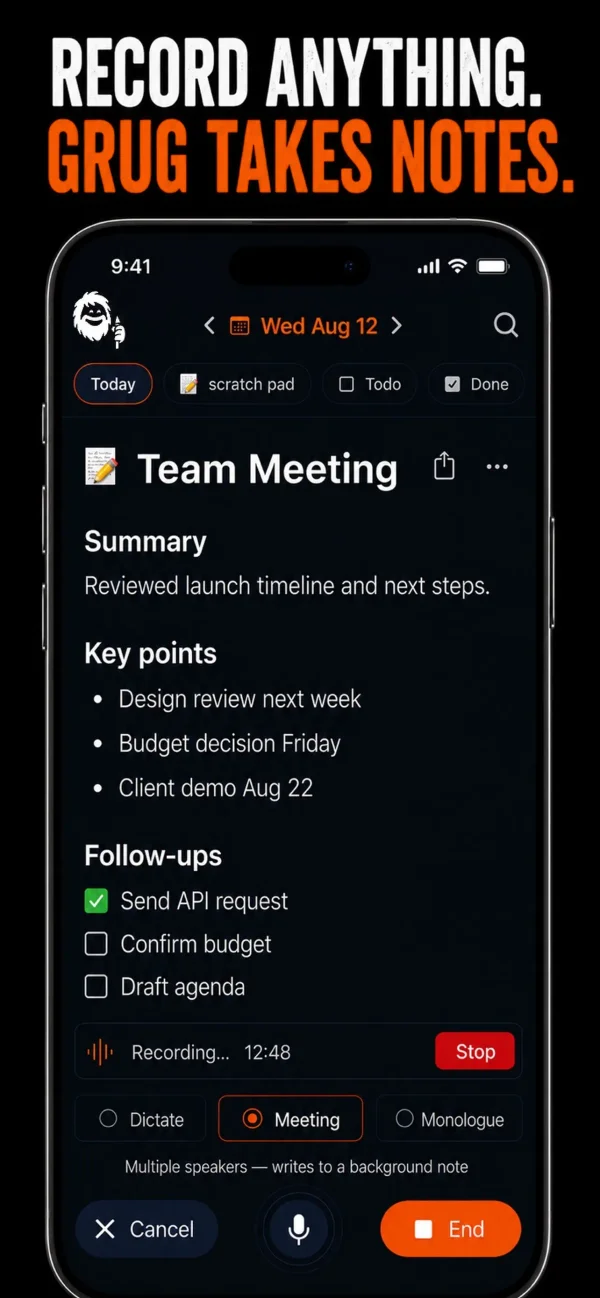
Just want it written down? Tap record and talk — your words become clean, transcribed notes instantly.
MEETINGS, HANDLED
Record and transcribe entire meetings, then get clean, searchable notes. Pair with your own notes and use AI to summarize.
YOUR PERSONAL WIKI
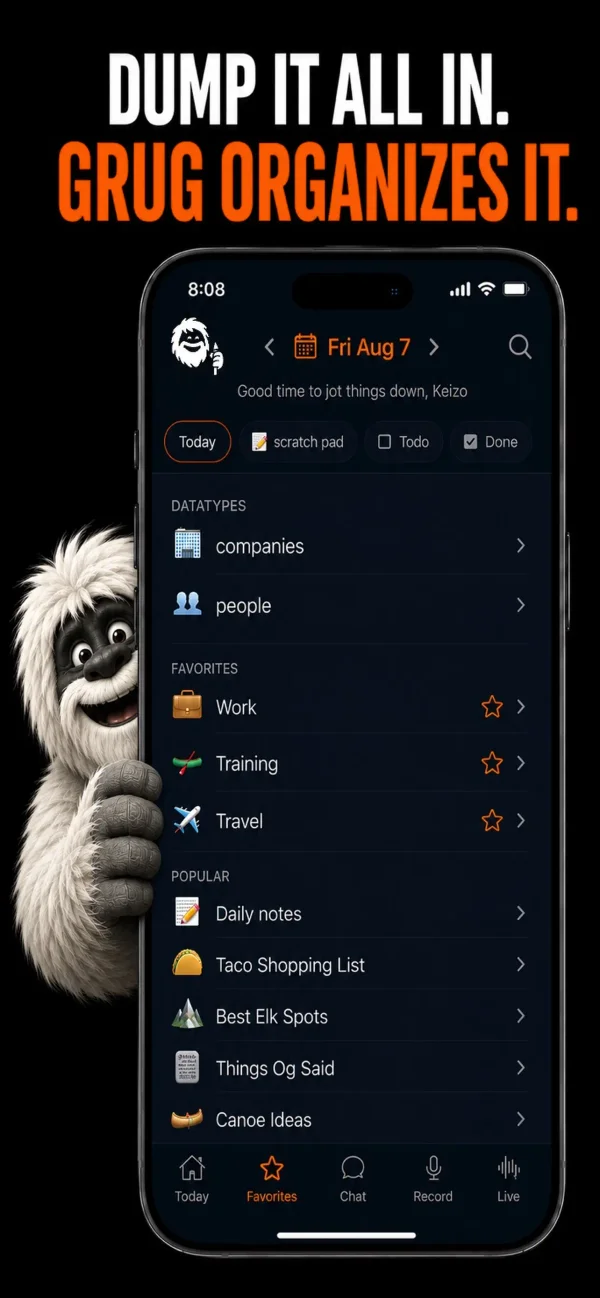
Mention a person, company, or date and Grug Notes tags it for you, then builds a page that pulls together every note where it comes up. A second brain, minus the busywork.
PLAN IT WITH GRUG CHAT
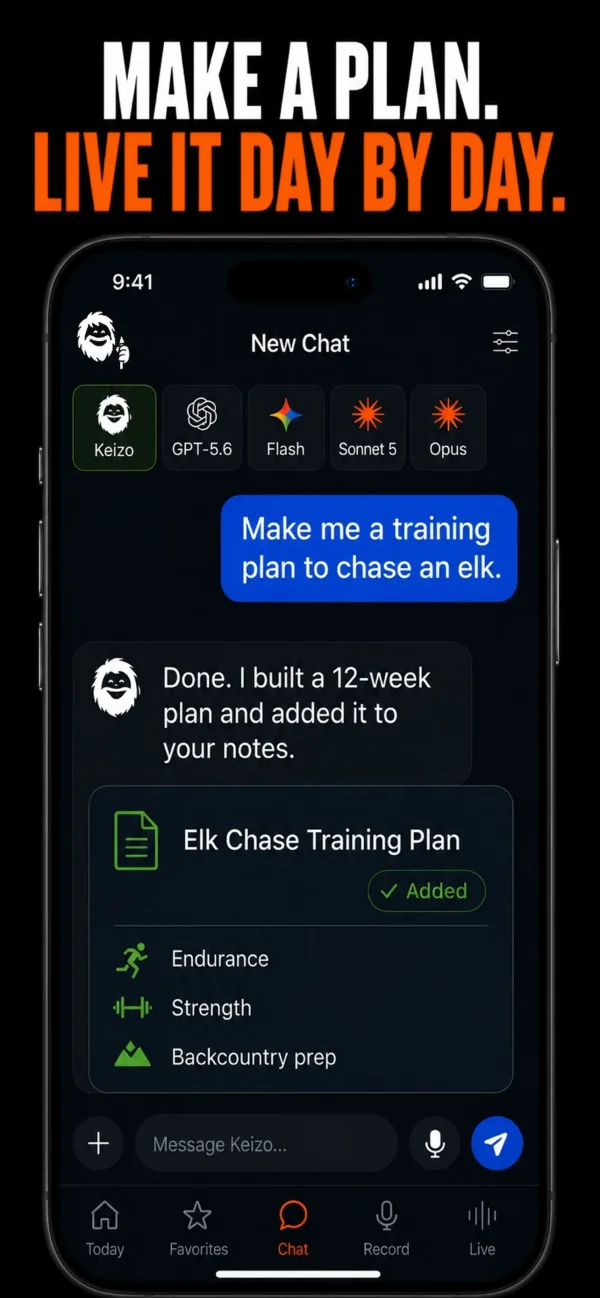
Organize each day with prompts you choose — Goals, Tasks, Training, whatever fits. Then tell Grug Chat what you're working toward and it drafts the plan straight into your days: training for a race, next week's jobs, a simple travel itinerary. You review everything it proposes before it lands.
CHATGPT, GEMINI, AND CLAUDE. ONE APP.
Grug Chat runs on the models you already know — ChatGPT, Gemini, Claude, Grok, and more — with one subscription. Pick a favorite, or ask several at once and compare their answers.
WORKOUTS FROM APPLE HEALTH
Plan the training, then let the results log themselves. Connect Apple Health and every workout becomes a note on the day it happened — distance, duration, pace, heart rate, and calories, right next to what you planned. Read-only, opt-in, and only from the workout apps you approve.
PICK UP ANYWHERE
Notes sync automatically between your phone and the web. Start anywhere, pick up right where you left off.
BUILT BY A CANOE SHOP
We build canoes for a living, on our feet all day with our hands full. Every notes app we tried was made for someone sitting at a desk. So we built the one we actually needed: talk to it, and it works. No keyboard required.
Download and start talking.
—
Terms of Use: https://grugnotes.com/tos/
Privacy Policy: https://grugnotes.com/privacy/
Neue Funktionen
Version 1.0.19 · 26.10.2026
A big update: photos in notes, a page for every note, new All Notes and Reminders pills, and calls with Grug that follow you from note to note.
Photos
- Add photos to a note from its page, with the camera or from your library. Photograph a page and it's cropped and squared up for you. Grug reads the text in a photo a few seconds later.
- Tap Photo in the bottom bar, or press and hold + on Today and slide to the camera, for a quick photo note.
- Share a photo to Grug Notes from the Photos app.
- Photos taken offline upload when you're back online.
Notes
- Tapping a note opens its own page, with Call Grug, Meeting, Chat and Dictate along the bottom. Tap a note's text and its page opens with the cursor where you tapped.
- Notes you've read fold to one line, with their formatting in the preview. A new one (a forwarded email, something a scheduled task wrote) stays open under a dot until you read it. A prompt's settings choose how its notes fold.
- All Notes, next to Today: every note in one list, newest first.
- Reminders: a new pill with every dated item, overdue first, then by day. The Todo pill now holds both Todo and Done.
- Tap a date badge to change a reminder or event: its day, time, end time and Remind me.
- The + at the end of Today's pills starts a document, even offline. Grug names it once it has some text, and you can rename it in its page's header.
- A journal's page starts with a form for the details its notes record, and a note that holds details gets a Data pill.
- Each day on Today ends with the chats started that day.
- No more empty Daily Notes card: a day with no notes offers a row to start one.
Calls with Grug
- Talk while Grug connects, and talk over it while it speaks.
- A call from Today follows you from note to note. Ask Grug to open a note, change one that isn't open ("add cheese to my grocery list"), go to another day, or write something down in a new note.
- Hanging up with no connection keeps Grug's last edit and sends it once you're back online.
Meetings
- A meeting that goes quiet for 10 minutes asks whether to keep recording, right from the lock screen, and stops itself after 25 quiet minutes. Recordings stop at 4 hours.
- A meeting recorded with no credits left is kept, and transcribed once you have credits again.
Chat
- Chat suggests ways to start, like a training plan, a trip or a look back at your week. Settings has a new Help section with step-by-step guides.
- When a chat turns to planning athletic training, Grug suggests switching it to GPT-6.1 Sol. Each chat reopens on the model it last answered with.
Also
- Home, Chat, Call Grug, Photo and Favorites share one bar along the bottom. Tap Home on Today to scroll back to the top.
- On Today, the day changes only on a full sideways swipe, and the calendar follows your finger in from the left edge.
- Dictation keeps your note formatted while it listens.
- A few short tips on Today for getting started.
- Signing out now also ends that sign-in on the server.
- Many smaller fixes and polish.
App-Datenschutz
Was Kamanu Composites, LLC im App Store zum Umgang dieser App mit Daten angibt.
-
Mit Ihnen verknüpfte Daten
Können erfasst und mit Ihrer Identität verknüpft werden.
- Käufe
- Kontaktinformationen
- Benutzerinhalte
- Kennungen
- Nutzungsdaten
- Diagnose
Die Datenschutzpraktiken können variieren, zum Beispiel je nach den von Ihnen verwendeten Funktionen oder Ihrem Alter.
Informationen
- Anbieter
- Kamanu Composites, LLC
- Kategorie
- Produktivität
- Version
- 1.0.19
- Aktualisiert
- 26.10.2026
- Veröffentlicht
- 18.06.2026
- Größe
- 32,1 MB
- Erfordert
- iOS 17.0 oder neuer
- Altersfreigabe
- 12+
- Preis
- Kostenlos
- In-App-Käufe
- Ja
- Sprachen
- Englisch
- Copyright
- © 2026 Kamanu Composites, LLC
Das könnte Ihnen auch gefallen
-
 Chrono: Notes, Routine & GoalsProduktivität
-
 Typewall: Notizen & PinnwandMindmap, Ideen & Haftnotizen
-
 Ramble: Voice NotesProduktivität
-
 Unloc — Earn Your Screen TimeProduktivität
-
 Pixly – Storage CleanerProduktivität
-
 NoteVelaProduktivität
-
 BETTERLIST - Get stuff doneProduktivität
-
 Notepods: Functional NotesProduktivität
-
 OLE MobileProduktivität
-
 RudePomoProduktivität