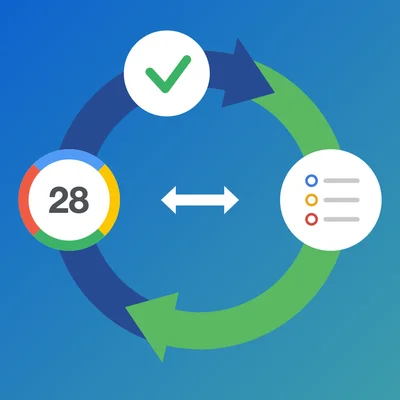
gtsync: Sync Tasks & Reminders
Connect Google Calendar to iOS
Entwickelt für iPhone, iPad
4,99 €
- Altersfreigabe4+
- KategorieProduktivität
- EntwicklerFlorian Kaiser
- SprachenEnglisch
- Größe9,4 MB
Verlinkt auf die offizielle App Store-Seite
Download.org hostet keine Datei von gtsync: Sync Tasks & Reminders. Die Schaltfläche öffnet die App-Seite bei App Store, wo Florian Kaiser die App veröffentlicht. Eintrag zuletzt geprüft am 12.11.2026.
Screenshots
Info
Der Entwickler hat diesen Text nicht in Ihrer Sprache bereitgestellt.
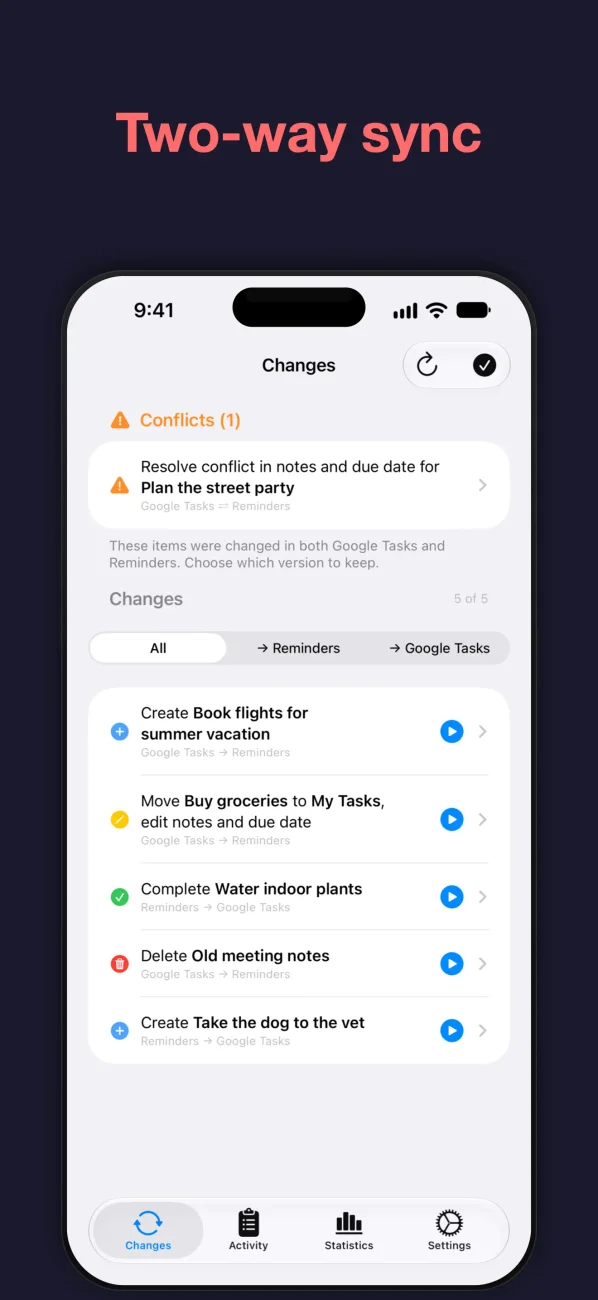
Two-way sync between Google Tasks (including tasks in Google Calendar) and the Reminders app (including Reminders in the Calendar app).
A seamless way to keep everything you need to do synchronized across both platforms. gtsync securely connects Google Tasks to the Reminders app. Add a reminder using Siri on your commute, and it's waiting for you alongside your tasks in Google Calendar on your laptop. Check an item off in your browser, and it clears from your iPhone. One unified workflow, zero friction.
Sync and organization
• Bi-directional sync between the Reminders and Google Tasks apps
• Sync reminders in the native Calendar app and tasks in the Google Calendar app
• Sync titles, notes, completion status, and due dates
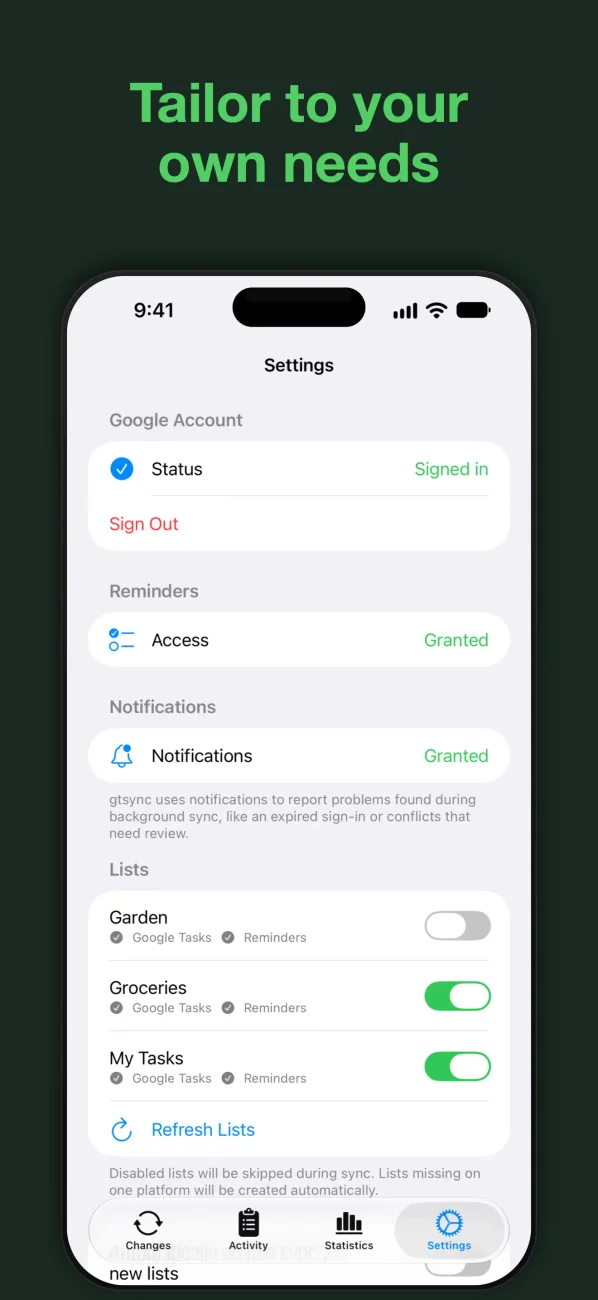
• Discover and match task lists and reminder lists
• Choose which lists are included
• Automatically include new lists if you want
• Create a missing list automatically when needed
Review and resolve changes
• See pending creates, updates, and deletions before applying them
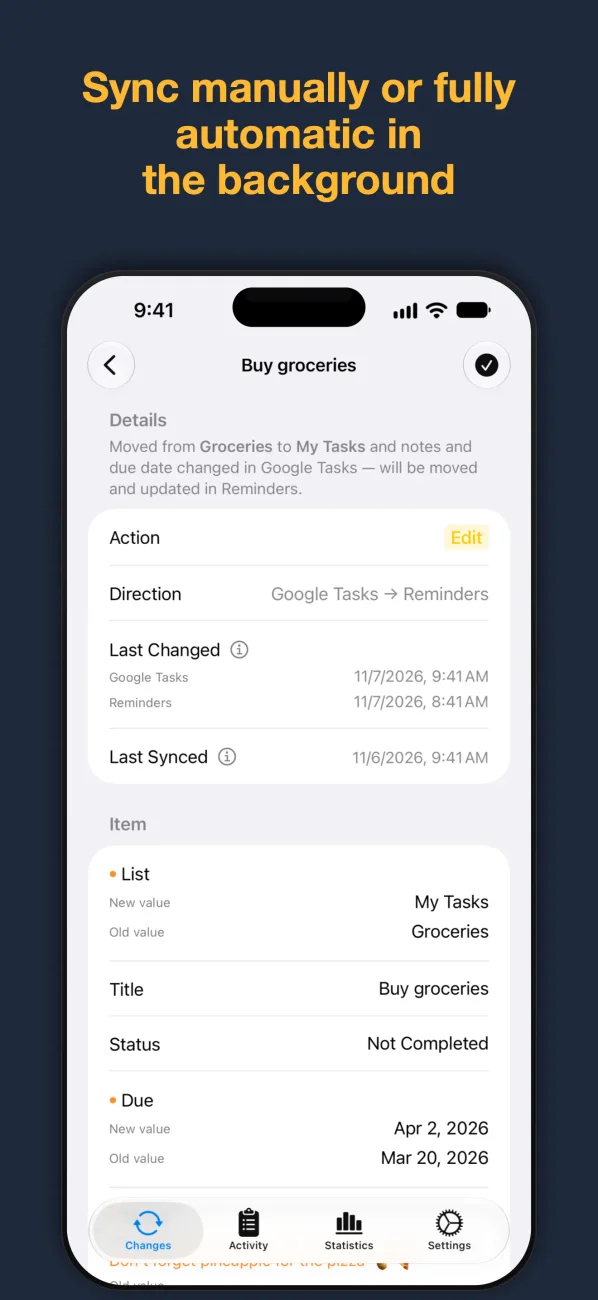
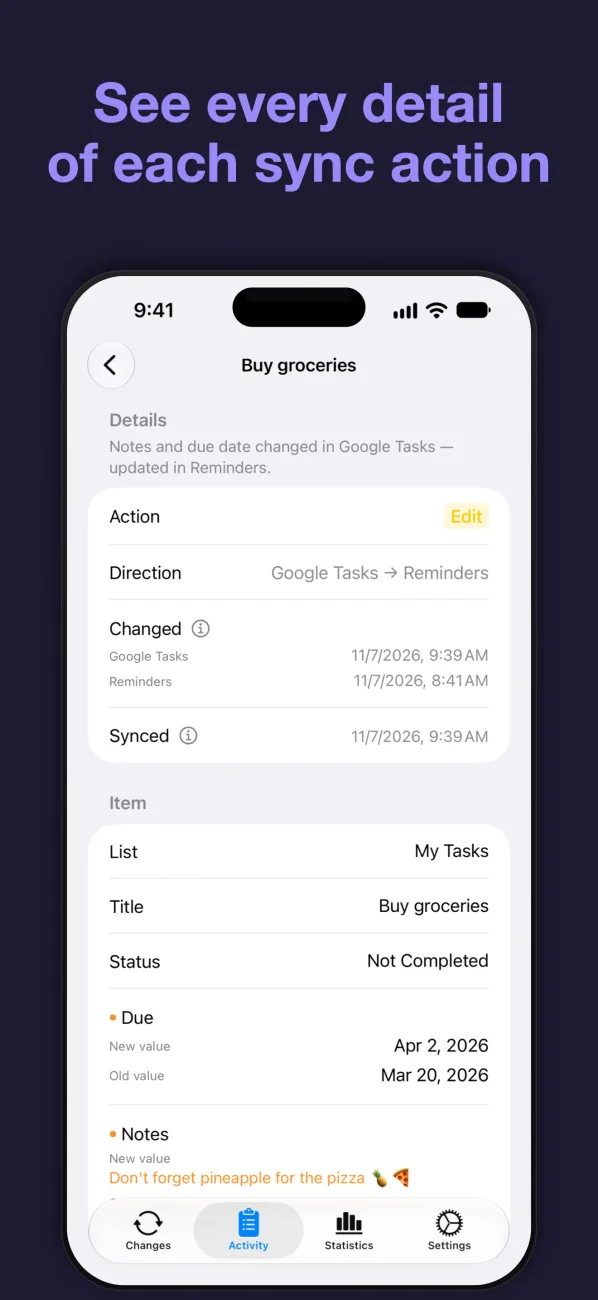
• Review the direction, list, timestamp, and changed fields for each item
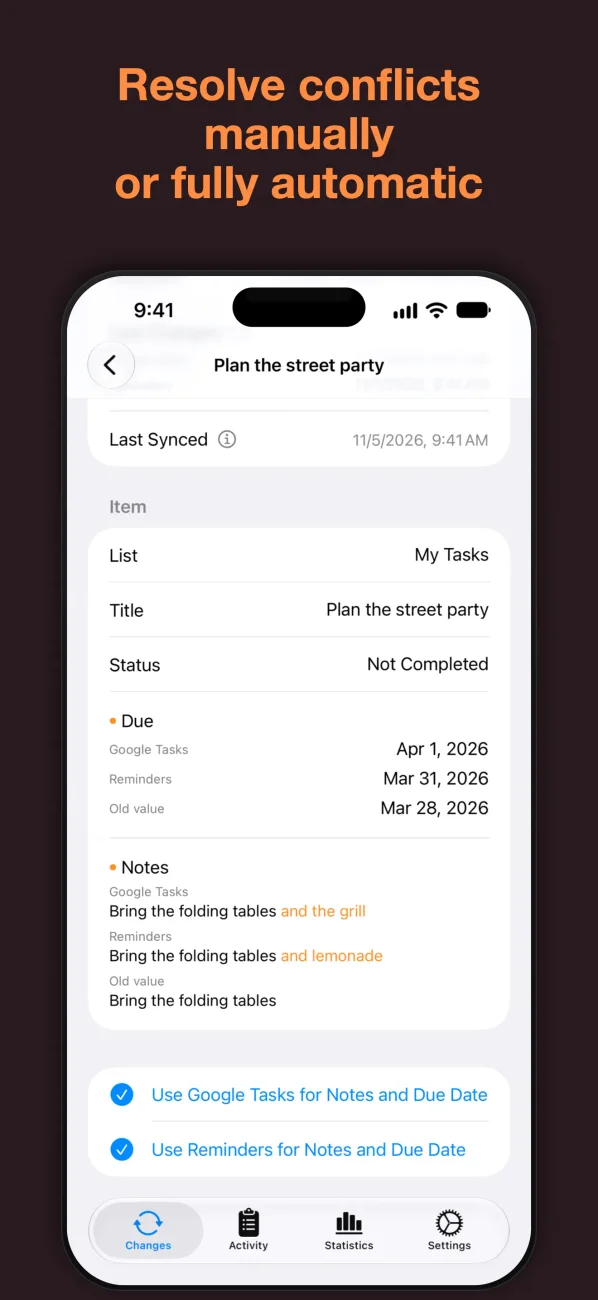
• Compare both versions when an item changed in both services
• Choose whether to keep the Google Tasks or Reminders version
• Optionally resolve conflicts automatically using the most recently modified version
Automatic and on-demand sync
• Optional background sync takes care of staying in sync
• Use the Siri Shortcuts action to sync on demand, in an automation, or when you open a task app
• Get notified about conflicts and other issues that need your attention
Safety and visibility
• Configurable safety threshold for large batches of automatic changes
• Automatic sync pauses when the threshold is exceeded so you can review first
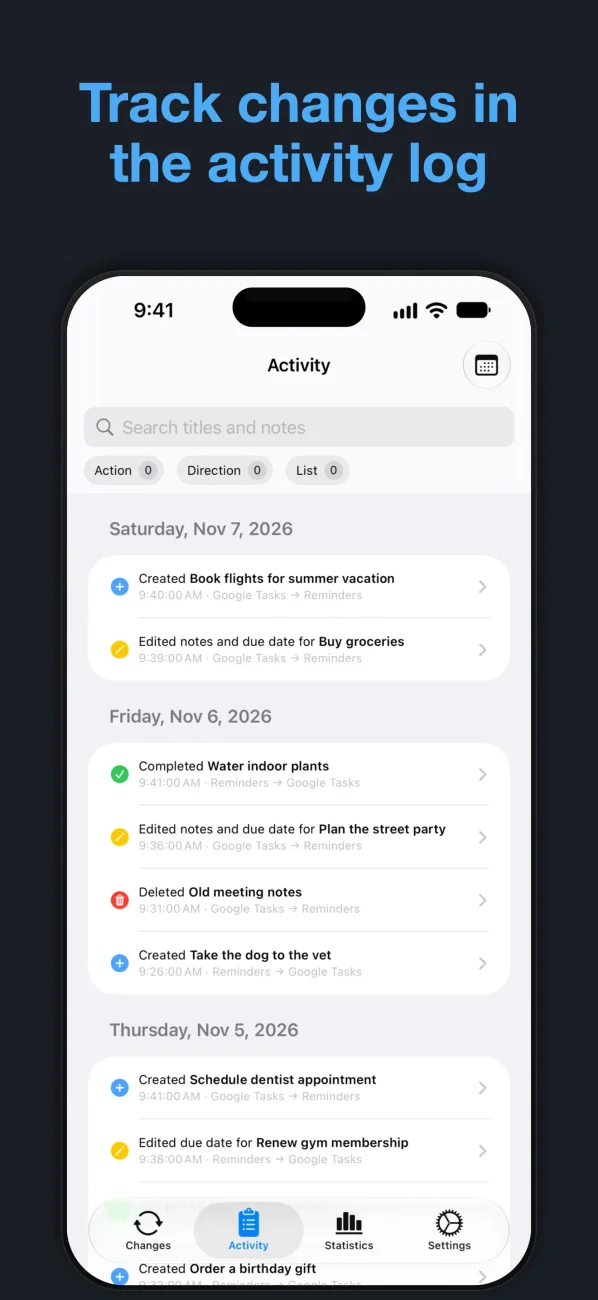
• Activity history with sync actions, errors, and timestamps
• Progress indicators and the ability to stop an in-progress sync
Statistics
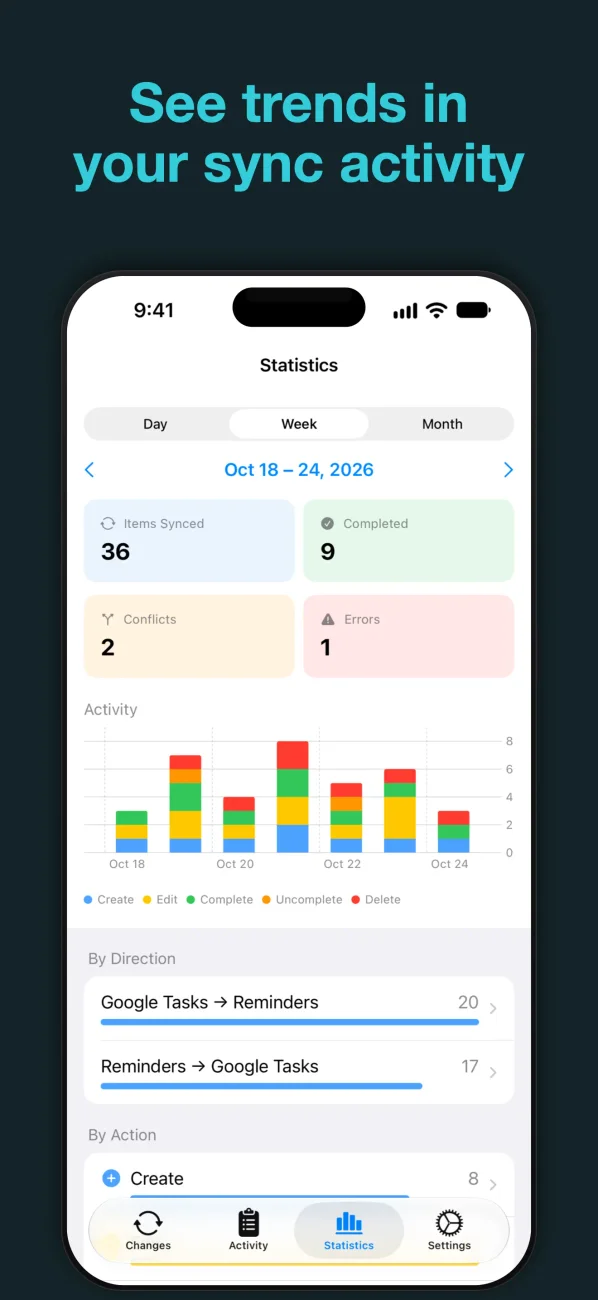
• Day, week, and month views of your sync activity, with quick navigation between periods
• At-a-glance totals for items synced, completed, conflicts, and errors
• Activity chart showing creates, edits, completions, uncompletions, and deletions over time
• Breakdowns by direction, action, and list
• Tap any breakdown to see the matching entries in your activity history
Privacy
• Sync processing and sync history stay on your device
• Connects directly to Reminders and your Google account
Limitations
gtsync syncs titles, notes, completion state, and due dates between Reminders and Google Tasks. The following fields do not sync due to platform differences and limitations:
• Attachments
• Alerts / reminders
• Priority
• Recurrence (repeating tasks)
• Time-specific due dates (reduced to date-only values)
Neue Funktionen
Version 1.13 · 12.11.2026
New features:
• Find older activity with “Search older entries” when searching a long activity history.
Improvements:
• Retry changes after temporary connection or service failures, keeping retry progress when the app restarts.
• Show “Failed, will retry”, “Written after retrying” and “Given up” in Activity so you can follow retry outcomes.
• Improve alignment on the Statistics screen on iPad.
Bug fixes:
• Keep unapplied changes and unresolved conflicts available for the next sync, including after cancelling a sync.
• Avoid treating unsaved changes as completed when saving to Reminders fails, while retaining changes already saved in Google Tasks.
• Sync empty titles correctly in both directions between Google Tasks and Reminders.
• Preserve existing list connections when Google Tasks or Reminders temporarily returns no lists.
• Report an error when an item in Reminders or its destination list disappears before a change can be saved.
• Keep sign-in secure by stopping if required security information cannot be generated.
App-Datenschutz
Was Florian Kaiser im App Store zum Umgang dieser App mit Daten angibt.
-
Nicht mit Ihnen verknüpfte Daten
Können erfasst werden, sind aber nicht mit Ihrer Identität verknüpft.
- Nutzungsdaten
- Diagnose
Die Datenschutzpraktiken können variieren, zum Beispiel je nach den von Ihnen verwendeten Funktionen oder Ihrem Alter.
Informationen
- Anbieter
- Florian Kaiser
- Kategorie
- Produktivität
- Version
- 1.13
- Aktualisiert
- 12.11.2026
- Veröffentlicht
- 27.04.2026
- Größe
- 9,4 MB
- Erfordert
- iOS 26.2 oder neuer
- Altersfreigabe
- 4+
- Preis
- 4,99 €
- Sprachen
- Englisch
- Copyright
- © Florian Kaiser
Das könnte Ihnen auch gefallen
-
 SyncBridge TasksProduktivität
-
 Parchment: Agenda & Daily NoteProduktivität
-
 Morgen Kalender & PlanerZeitblöcke & To-do-Liste
-
 Unforgetful: Nichts vergessenAufgaben-Erinnerungen bei ADHS
-
 Omi AI – Rekorder & AI ResümeeAI Aufnahme Transkript Resümee
-
 ADHD Planner & Notes: Saner.AIProduktivität
-
 Littlebird AIProduktivität
-
 Finalist: TagesplanerDein Tag: Kalender & Aufgaben
-
 Mem – Your Personal AI AgentProduktivität
-
 Make for iOSProduktivität