
Helmrig Shell
The terminal that never drops
Entwickelt für iPhone, iPad
Kostenlos · In-App-Käufe
- Altersfreigabe4+
- KategorieEntwickler-Tools
- EntwicklerNikita Kislitsin
- SprachenEnglisch
- Größe38,7 MB
Verlinkt auf die offizielle App Store-Seite
Download.org hostet keine Datei von Helmrig Shell. Die Schaltfläche öffnet die App-Seite bei App Store, wo Nikita Kislitsin die App veröffentlicht. Eintrag zuletzt geprüft am 12.11.2026.
Screenshots
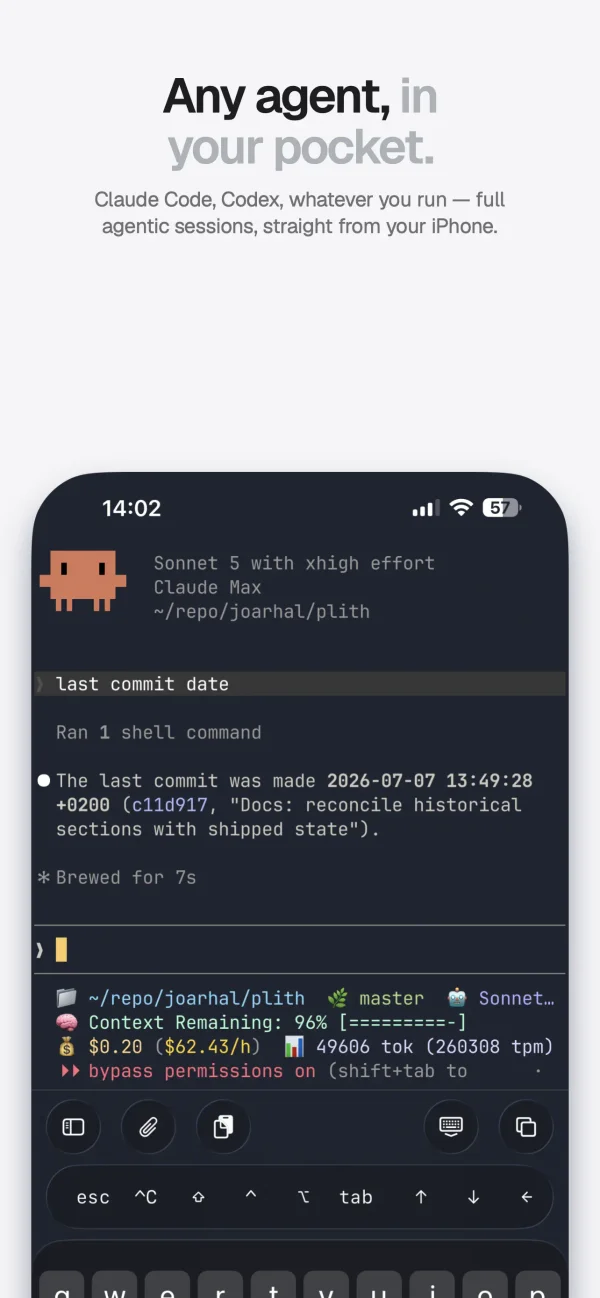

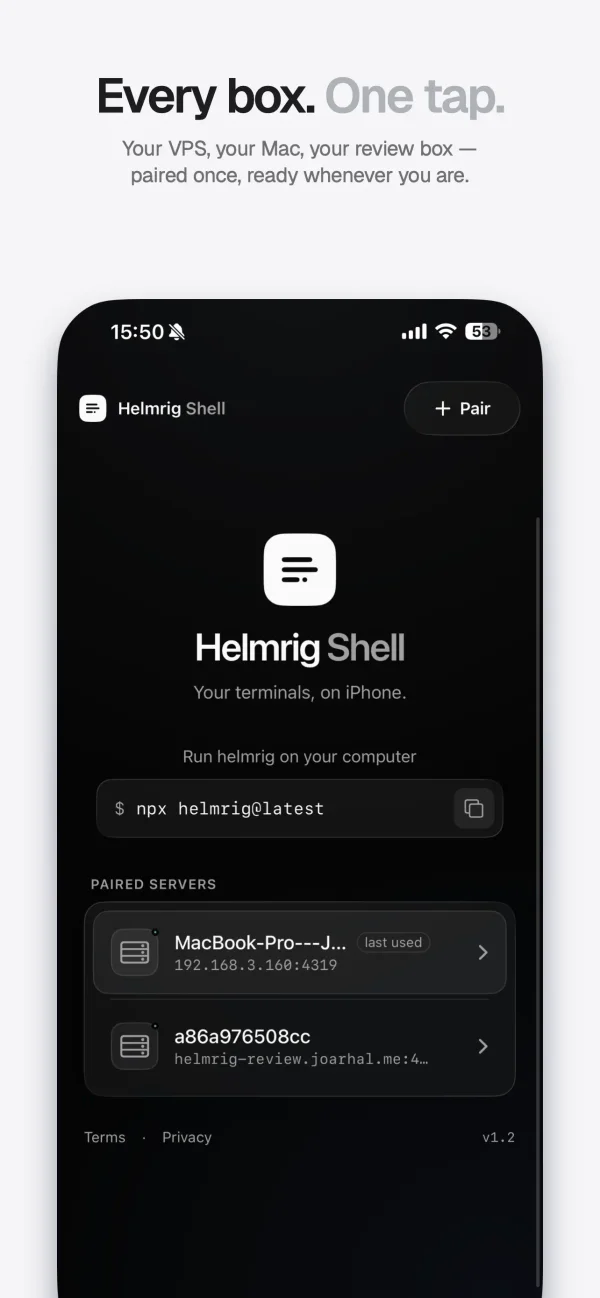

Info
Der Entwickler hat diesen Text nicht in Ihrer Sprache bereitgestellt.
The terminal from your desk, now on iPhone and iPad.
Helmrig Shell is a native terminal — btop, tmux, vim, true color, ligatures, full escape-sequence support, rendered natively. Not a web view, not a cut-down mobile shell. A real desktop terminal that feels like the one you already use.
Your sessions run on your own Mac or server. The iPad or iPhone is just the window — so they never drop. Lock the screen, lose signal, switch to another app, come back hours later: every tab, every running process, your full scrollback, exactly where you left it. No reconnect dance, no lost output.
Drop a file onto the terminal and it uploads to your machine, with the full path dropped straight into your command line. Hand a screenshot to a CLI tool, attach a file to a running command — it just works, as if the file were already there.
Built on libghostty for the rendering you'd expect from a desktop terminal. Hardware keyboard shortcuts, split panes, tabs that name themselves after what's running. Designed for iPad first, not ported from somewhere else.
Works anywhere over an end-to-end encrypted connection — at your desk, on the couch, or across the world. Not limited to your local network.
Helmrig Shell requires a subscription to use. A free trial is available, after which continued access requires Helmrig Shell Pro at $8.99/month. Payment is charged to your Apple Account. The subscription renews automatically unless cancelled at least 24 hours before the end of the current period. Manage or cancel anytime in your Apple Account settings.
WHAT IT IS
A window into your own machine. Your shell, your tools, your environment — running where they always have, now reachable from your iPad.
WHAT IT NEEDS
A Mac or Linux machine you control, running the Helmrig server. Setup takes one command.
PRIVACY
No third-party SDKs. No analytics. No crash reporting. Helmrig Shell servers never see terminal output. Full policy at helmrig.app/shell-privacy.html
CONTACT
hi@helmrig.app
Support Link: https://helmrig.app/support
Privacy Policy: https://helmrig.app/shell-privacy.html
Terms of Use (EULA): https://helmrig.app/shell-terms.html
Neue Funktionen
Version 1.2 · 09.07.2026
- Now on iPhone — Helmrig Shell runs on your phone too, with a redesigned keyboard
accessory bar: a scrolling key row with arrows, modifiers, and hold-to-repeat, plus
a tap-to-switch tabs menu
- Waking the iPad no longer garbles the terminal — the screen repaints cleanly after
sleep, lock, or Stage Manager, with no manual resize to fix the picture
- Rename any tab with ⌘⇧R — custom names stick around
Also:
- Arrow and navigation keys no longer double-fire when held
- Backspace now repeats properly on the on-screen keyboard
- Reconnecting after a long sleep re-validates and restores the live session
App-Datenschutz
Was Nikita Kislitsin im App Store zum Umgang dieser App mit Daten angibt.
-
Nicht mit Ihnen verknüpfte Daten
Können erfasst werden, sind aber nicht mit Ihrer Identität verknüpft.
- Diagnose
Die Datenschutzpraktiken können variieren, zum Beispiel je nach den von Ihnen verwendeten Funktionen oder Ihrem Alter.
Informationen
- Anbieter
- Nikita Kislitsin
- Kategorie
- Entwickler-Tools
- Version
- 1.2
- Aktualisiert
- 09.07.2026
- Veröffentlicht
- 13.06.2026
- Größe
- 38,7 MB
- Erfordert
- iOS 26.0 oder neuer
- Altersfreigabe
- 4+
- Preis
- Kostenlos
- In-App-Käufe
- Ja
- Sprachen
- Englisch
- Copyright
- © 2026 Nikita Kislitsin
Das könnte Ihnen auch gefallen
-
 TermRover - SSH TerminalEntwickler-Tools
-
 rootshell: Local Terminal, SSHVPN over SSH and tssh
-
 Cmux RemoteEntwickler-Tools
-
 Moshi: herdr/tmux via SSH/MOSHAgent-Terminal für Codex CLI
-
 Prompt 3Entwickler-Tools
-
 T3 Code - Remote Claude & moreEntwickler-Tools
-
 CMD: SSH, Terminal, NetzwerkSSH-Client & Netzwerk-Tools
-
 Blink Shell, Build & CodeEntwickler-Tools
-
 HermexEntwickler-Tools
-
 Locker SSHPures SSH-Terminal-Erlebnis