- Altersfreigabe4+
- KategorieBildung
- EntwicklerUPGRADE WEB DESIGN COMPANY
- SprachenEnglisch
- Größe35,9 MB
Verlinkt auf die offizielle App Store-Seite
Download.org hostet keine Datei von Hodori. Die Schaltfläche öffnet die App-Seite bei App Store, wo UPGRADE WEB DESIGN COMPANY die App veröffentlicht. Eintrag zuletzt geprüft am 20.11.2026.
Screenshots

Info
Der Entwickler hat diesen Text nicht in Ihrer Sprache bereitgestellt.
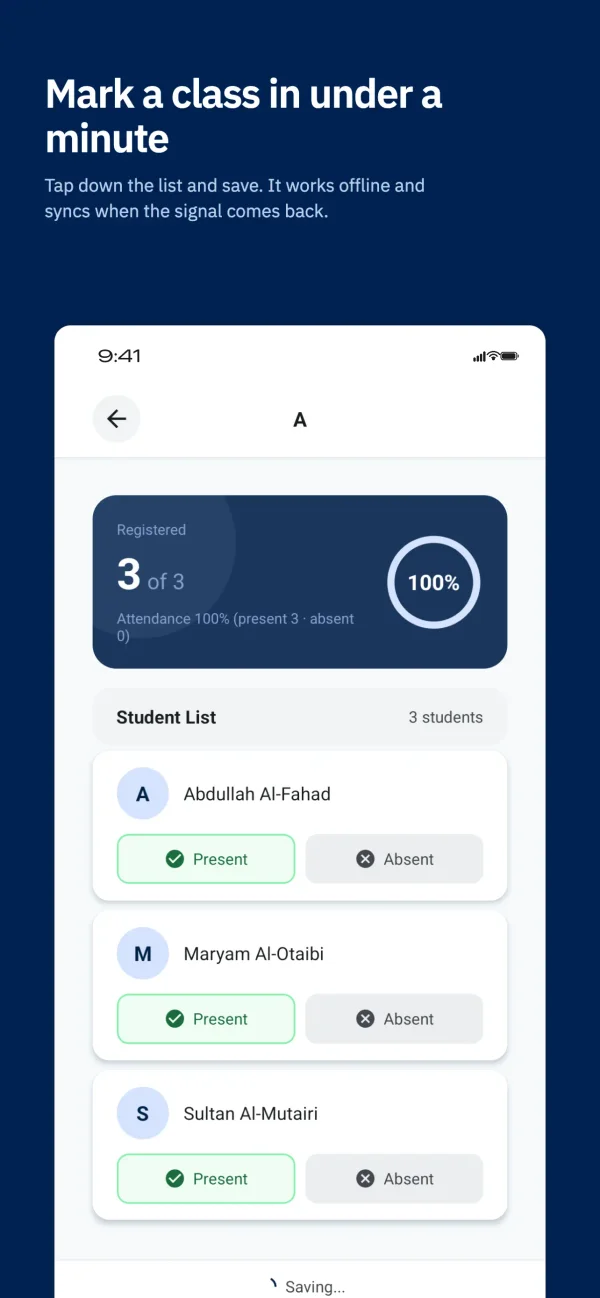
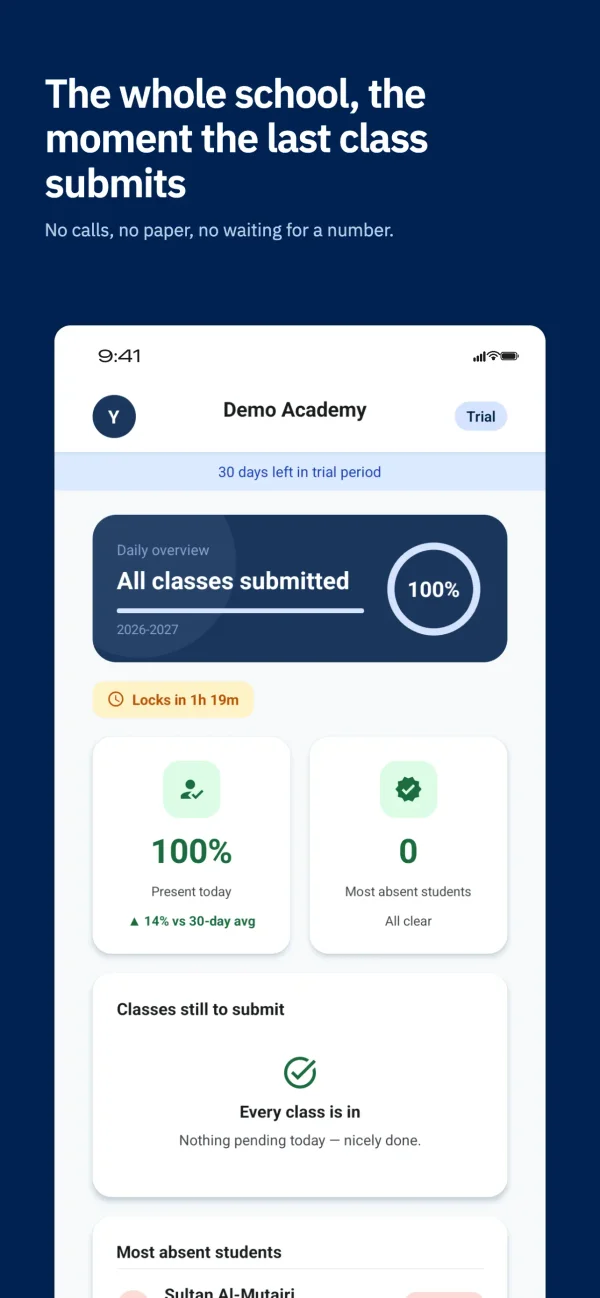
Hodori is a school attendance system for Kuwaiti schools, nurseries and kindergartens. Teachers take the roll call on their phone in about a minute. Supervisors see which classes are still missing. The office has the school-wide figure the moment the last class submits.
THE MORNING, AS IT ACTUALLY RUNS
The teacher opens the app, taps present or absent down the class list, and saves. It works with no signal — marks are held on the device and sync by themselves when the connection returns, so a corridor with no reception never costs you a register.
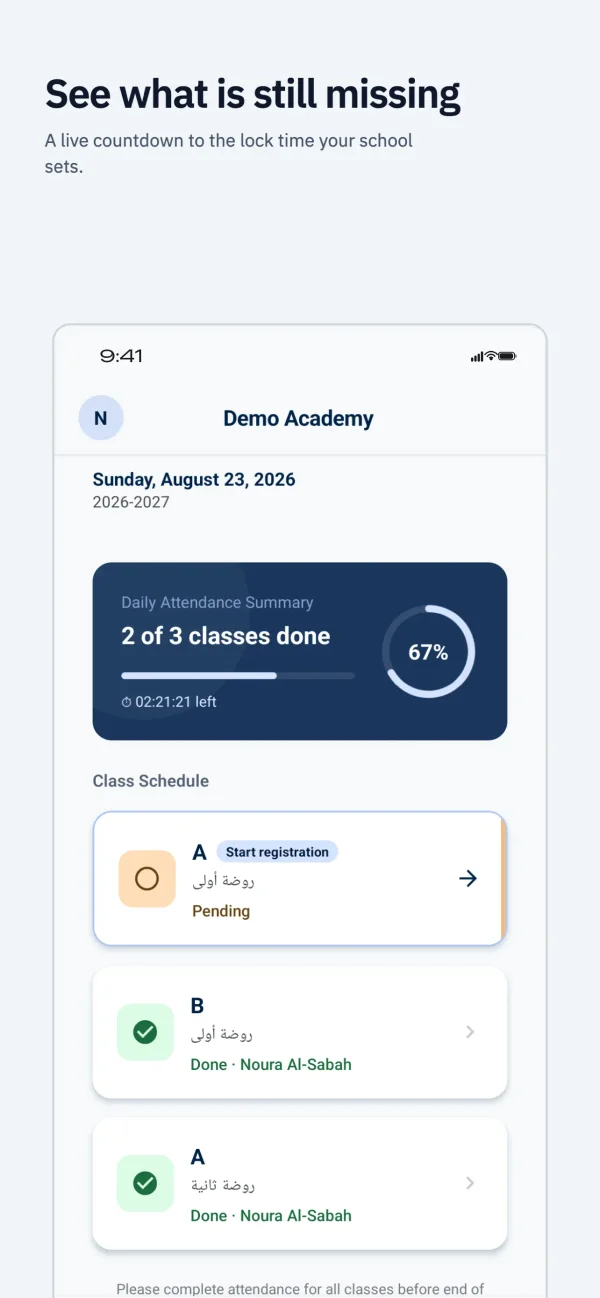
The supervisor sees their grades at a glance: which classes are in, which are still pending, and how long is left before marking closes.
The administrator gets the whole school — today's rate, the trend, and the spreadsheet the ministry asked for.
THE DAY CLOSES WHEN YOUR SCHOOL SAYS IT CLOSES
Set one lock time for the academic year. Teachers see a live countdown. After it passes, marking is refused — and that refusal happens on the server, in Kuwait time, so changing a phone's clock achieves nothing. Any class still unmarked at the end of the night is finalised automatically, so a class someone forgot never becomes a missing day.
NOTHING IS QUIETLY CHANGED
Every record created or edited is written to an audit log with the user, the time, the old value and the new one. Editing a record after lock time requires a written reason before it will save. When a parent disputes a day, the answer is a line in a log rather than someone's recollection.
THE SPREADSHEET THEY ASKED FOR, IN TWO TAPS
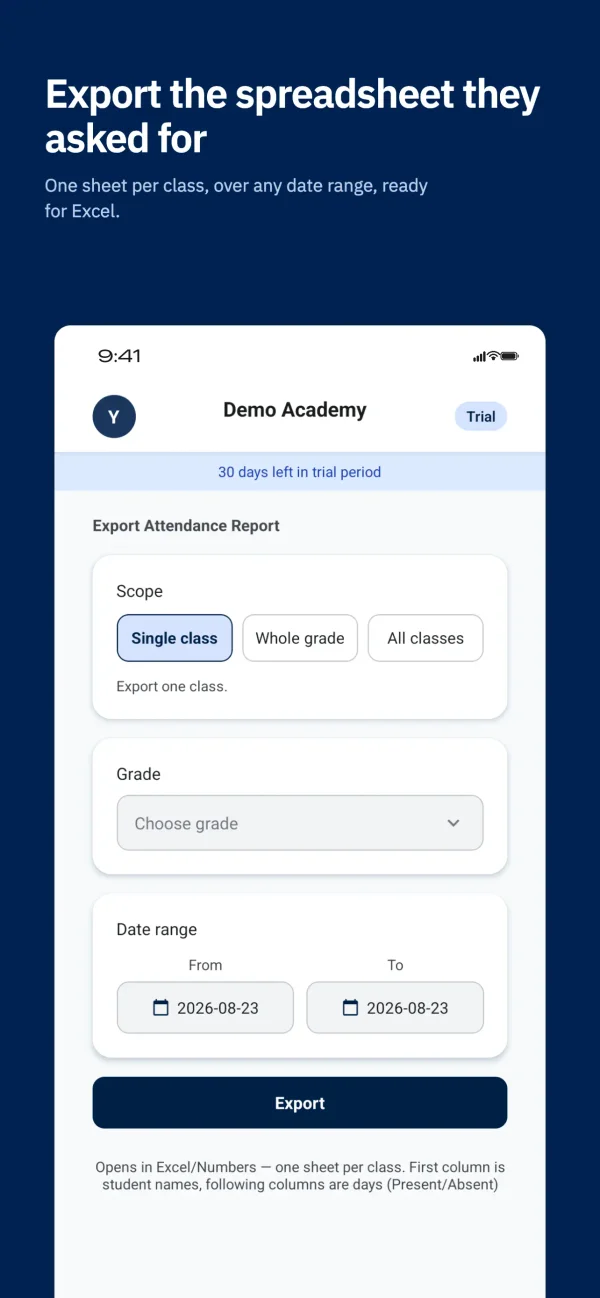
Export one class, a whole grade, or the entire school across any date range. One sheet per class, names down the first column, days across the top. It opens in Excel and Numbers with no cleanup. Alongside it: seven, thirty and ninety-day averages, a rate trend, today by class, and the students whose absences are adding up.
THREE ROLES, EACH SEEING ONLY THEIR OWN
Teacher — their assigned classes, today's roll call, a countdown to lock time, and their own past submissions.
Supervisor — the grades they supervise, class-level rates, and the roster behind any figure.
Administrator — grades, classes, students, staff, lock time, the academic year, the audit log and the school's subscription.
Every school runs as its own isolated instance. Permissions are enforced in the database, not hidden in the interface, so one school can never see another's students.
ARABIC AND ENGLISH, PER PERSON
Arabic is not a translation layer. The whole interface mirrors: the sidebar moves to the right, tables reverse, numbers stay readable. Each member of staff picks their own language, and the same school can run in both at once. Grade names, class names, student names and reasons are stored exactly as you type them.
A daily reminder arrives on school mornings before marking closes, so the roll call does not get lost in the first lesson.
GETTING STARTED
Register your school and it runs as its own instance from the first morning. Setup is grades, classes, students and staff — an afternoon of typing, or a spreadsheet upload. Then teachers just open the app.
Hodori requires a school account. Staff accounts are created by your school's administrator.
A product of Upgrade Web Design Company, Kuwait.
Neue Funktionen
Version 1.0.1 · 10.09.2026
Sign in faster: Hodori now works with iCloud Keychain. After you sign in, your iPhone offers to save your password, and next time it suggests it right above the keyboard, filled in with Face ID or Touch ID.
App-Datenschutz
Was UPGRADE WEB DESIGN COMPANY im App Store zum Umgang dieser App mit Daten angibt.
-
Mit Ihnen verknüpfte Daten
Können erfasst und mit Ihrer Identität verknüpft werden.
- Kontaktinformationen
- Benutzerinhalte
- Kennungen
- Sonstige Daten
Die Datenschutzpraktiken können variieren, zum Beispiel je nach den von Ihnen verwendeten Funktionen oder Ihrem Alter.
Informationen
- Anbieter
- UPGRADE WEB DESIGN COMPANY
- Kategorie
- Bildung
- Version
- 1.0.1
- Aktualisiert
- 10.09.2026
- Veröffentlicht
- 09.09.2026
- Größe
- 35,9 MB
- Erfordert
- iOS 15.1 oder neuer
- Altersfreigabe
- 4+
- Preis
- Kostenlos
- Sprachen
- Englisch
- Copyright
- © 2026 UPGRADE WEB DESIGN COMPANY