
HoldON: Screen Time Control
App Blocker, Focus & Limits
Entwickelt für iPhone
Kostenlos · In-App-Käufe
- Altersfreigabe4+
- KategorieProduktivität
- EntwicklerRonald Radhames Santana Franco
- SprachenEnglisch
- Größe18,2 MB
Verlinkt auf die offizielle App Store-Seite
Download.org hostet keine Datei von HoldON: Screen Time Control. Die Schaltfläche öffnet die App-Seite bei App Store, wo Ronald Radhames Santana Franco die App veröffentlicht. Eintrag zuletzt geprüft am 18.11.2026.
Screenshots
Info
Der Entwickler hat diesen Text nicht in Ihrer Sprache bereitgestellt.
Your thumb opens the app before you've decided to.
HoldOn catches that automatic reach and creates a moment to choose before the scroll starts.
BREAK THE AUTOPILOT
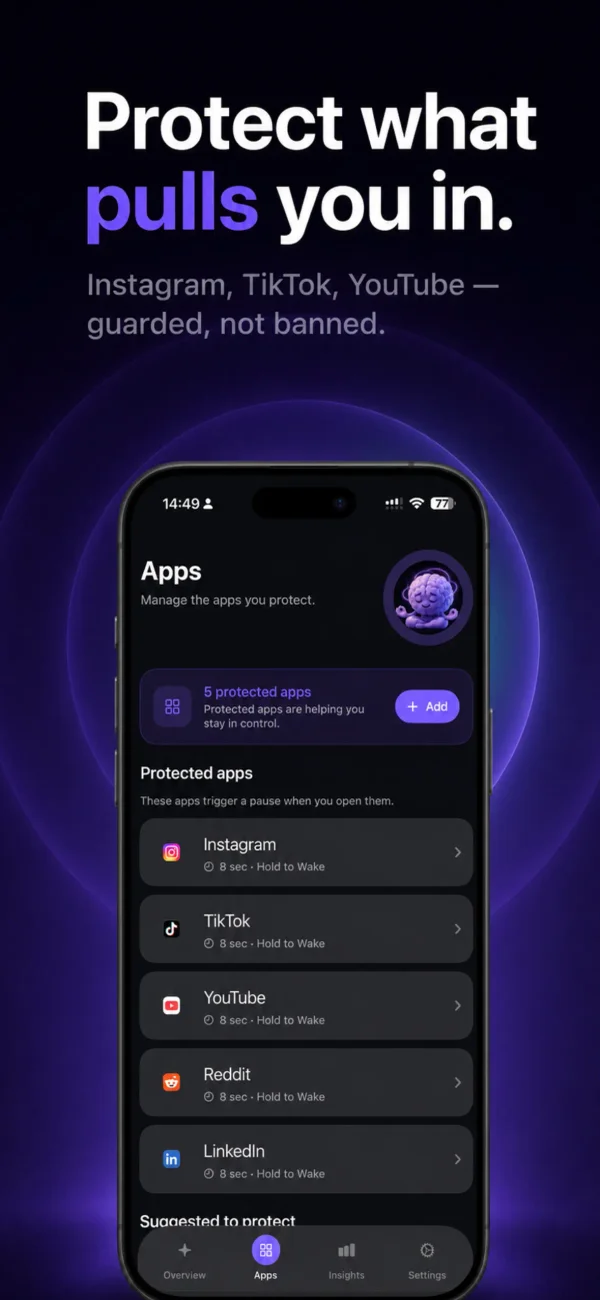
Choose the apps and websites that pull you in most.
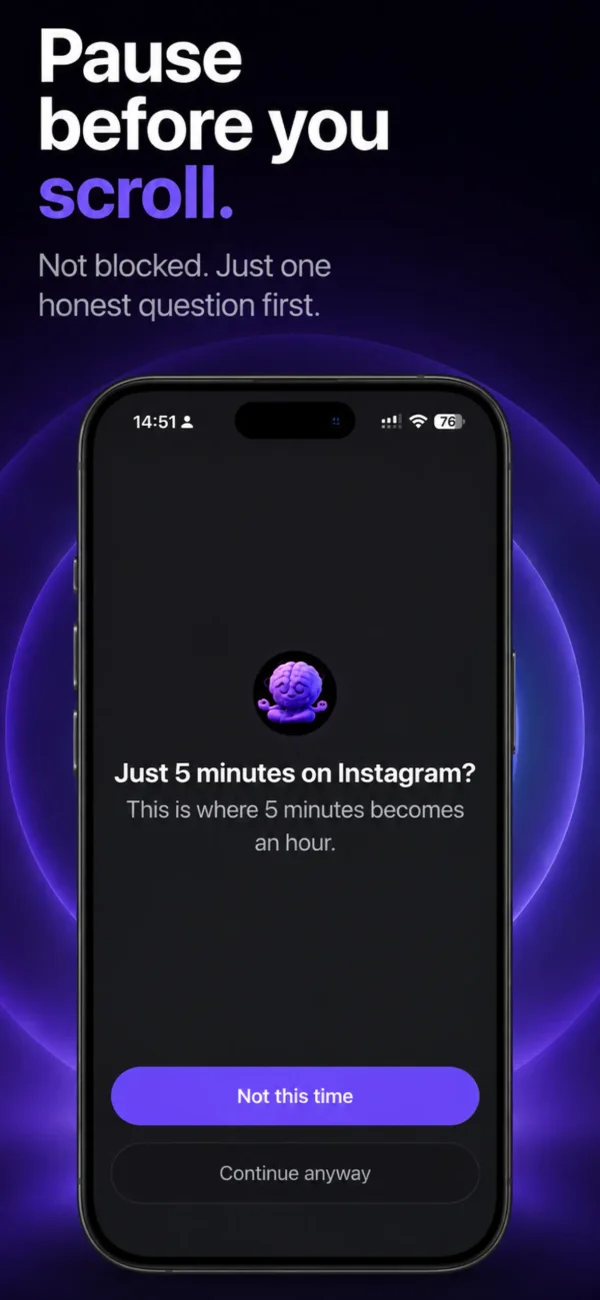
The next time you try to open one, HoldOn interrupts the automatic pattern and asks you to make the decision consciously.
No hard lock. No guilt.
Just a moment between impulse and action.
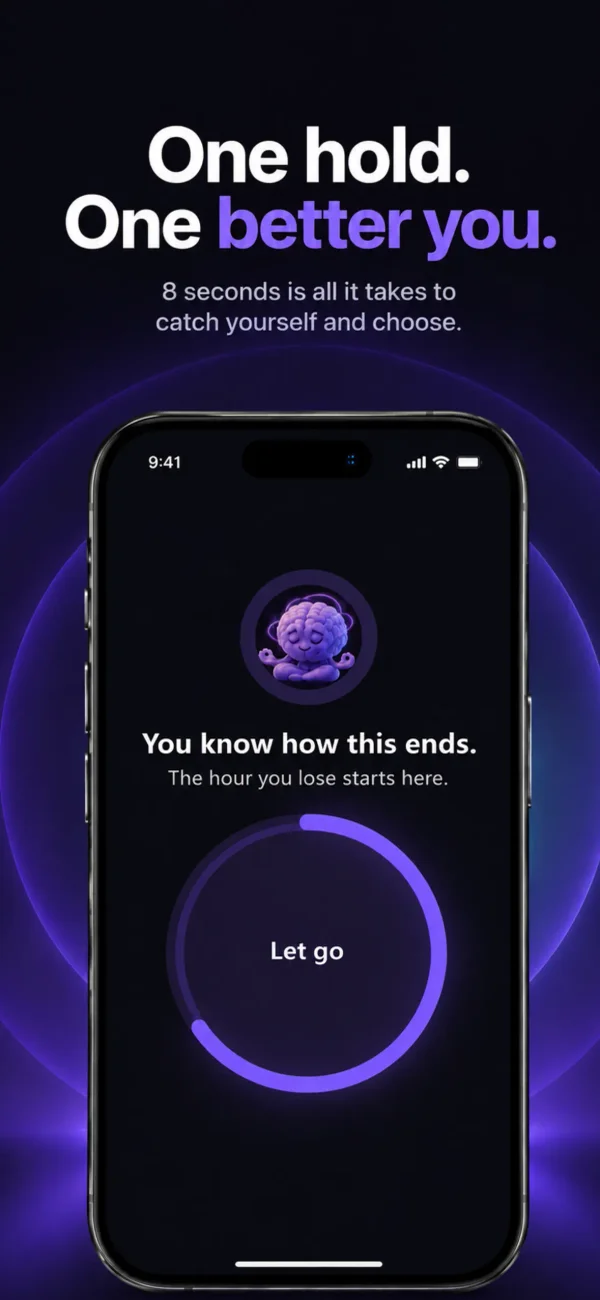
HOLD TO WAKE
HoldOn's signature intervention makes continuing an active choice.
Press and hold for 8 seconds while HoldOn brings your attention back to the decision.
Change your mind?
Just let go.
If you still want the app, finish the hold and continue intentionally.
CHOOSE HOW MUCH TIME YOU ACTUALLY NEED
If you decide to continue, choose a session from 1 to 10 minutes.
When that time ends, HoldOn protects the app again.
Need more time? You can choose again.
The goal isn't to stop you from using your phone.
It's to stop 10 intentional minutes from becoming 45 unconscious ones.
OTHER WAYS TO PAUSE
Different moments call for different interventions:
• Hold to Wake — actively hold before continuing
• Breathing — slow down with a guided breathing pause
• Reflection — notice the urge before reacting
• Intention Check — reconnect with why you're opening the app
Choose the experience that works best for you.
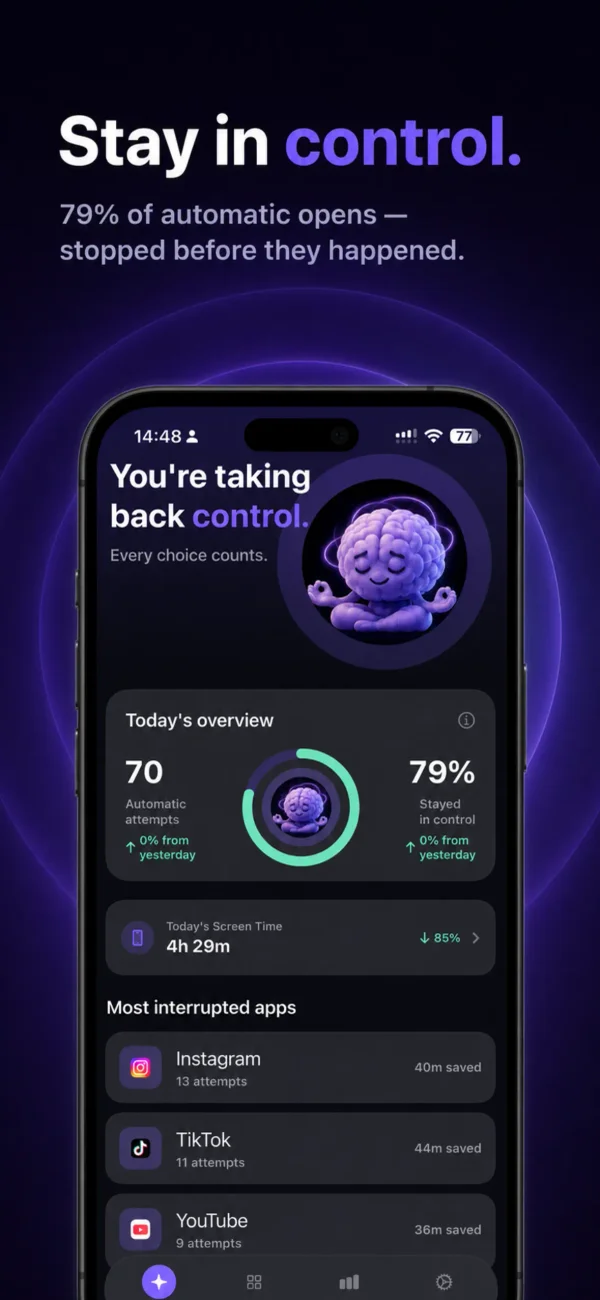
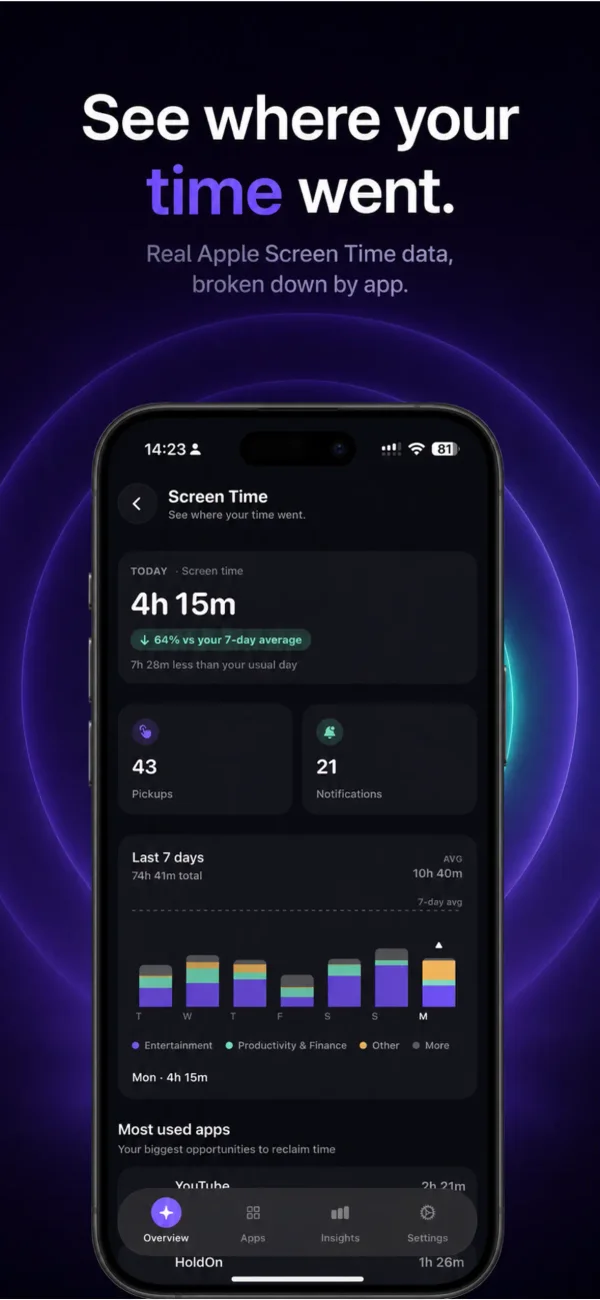
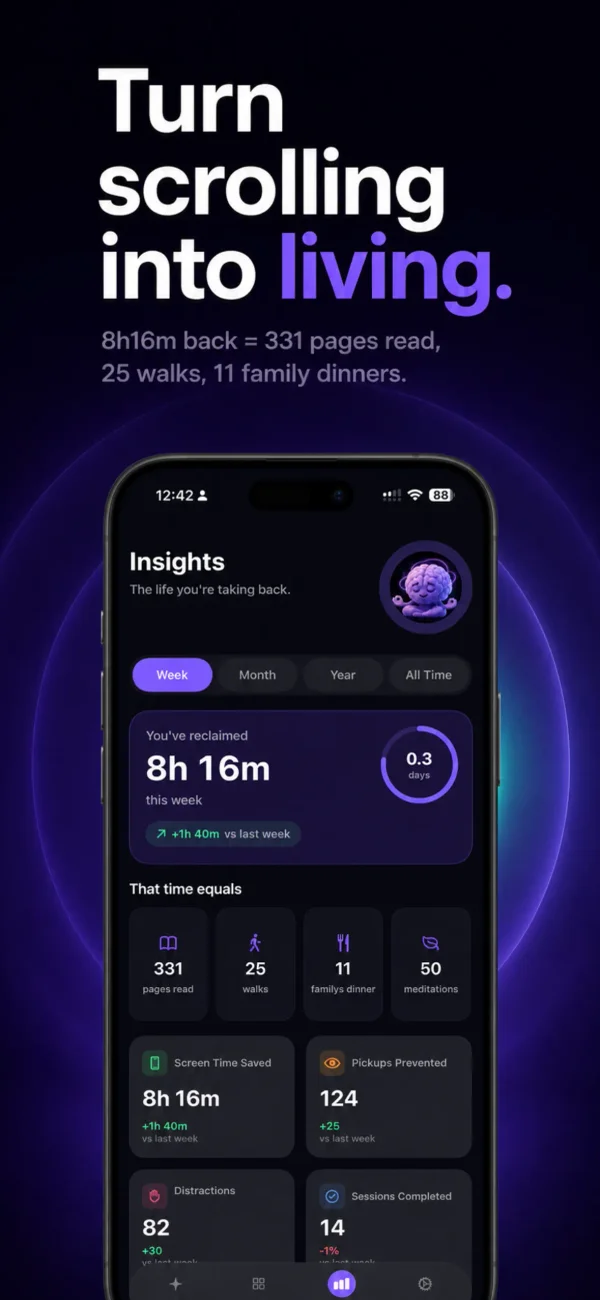
SEE YOUR PROGRESS
HoldOn helps you see what happens when you interrupt autopilot:
• Conscious decisions
• Attempts interrupted
• Time reclaimed
• Current and longest streaks
• Weekly progress
Over time, the goal is simple:
less automatic scrolling, more intentional use.
YOU'RE ALWAYS IN CONTROL
HoldOn creates friction without taking away your freedom.
You always have a way to stop protection, change your settings, or consciously continue.
Your attention is your life.
Take it back.
HoldOn is free to try. Premium unlocks the full intervention library and Insights.
Privacy Policy: https://www.getholdon.com/privacy.html
Terms of Use (EULA): https://www.apple.com/legal/internet-services/itunes/dev/stdeula/
Neue Funktionen
Version 1.0.4 · 06.10.2026
• A sharper Hold screen. Let go of the ring and it now counts as a real win: a conscious decision, saved to your progress.
• New, more direct messages on the shield and in your notifications.
• When the minutes you chose are up, HoldOn now tells you plainly and pauses the app.
• Polish and fixes.
App-Datenschutz
Was Ronald Radhames Santana Franco im App Store zum Umgang dieser App mit Daten angibt.
-
Nicht mit Ihnen verknüpfte Daten
Können erfasst werden, sind aber nicht mit Ihrer Identität verknüpft.
- Käufe
- Kennungen
- Nutzungsdaten
Die Datenschutzpraktiken können variieren, zum Beispiel je nach den von Ihnen verwendeten Funktionen oder Ihrem Alter.
Informationen
- Anbieter
- Ronald Radhames Santana Franco
- Kategorie
- Produktivität
- Version
- 1.0.4
- Aktualisiert
- 06.10.2026
- Veröffentlicht
- 31.07.2026
- Größe
- 18,2 MB
- Erfordert
- iOS 17.6 oder neuer
- Altersfreigabe
- 4+
- Preis
- Kostenlos
- In-App-Käufe
- Ja
- Sprachen
- Englisch
- Copyright
- © 2026 HoldON
Das könnte Ihnen auch gefallen
-
 StreakMe: Daily HabitsProduktivität
-
 Uglify Screen TimeProduktivität
-
 ScreenCard: BildschirmzeitApps sperren, Zeit verdienen
-
 Sprout: Verdien BildschirmzeitWeniger Handy, mehr Leben
-
 App Blocker & Focus: RewireFokus Website limit & Blocker
-
 Ridan: Stop ScrollingProduktivität
-
 Bildschirmzeit: App SperreWeniger Handy, mehr Fokus
-
 Otium: Einfach Apps blockierenBildschirmzeit reduzieren
-
 Ransom: Exercise Screen TimeProduktivität