HTML Code Play
CSS, JavaScript & Code Editor
Entwickelt für iPhone, iPad, iPod touch
Kostenlos · In-App-Käufe
- Altersfreigabe4+
- KategorieBildung
- EntwicklerMerbin Joe
- SprachenEnglisch
- Größe50,7 MB
Verlinkt auf die offizielle App Store-Seite
Download.org hostet keine Datei von HTML Code Play. Die Schaltfläche öffnet die App-Seite bei App Store, wo Merbin Joe die App veröffentlicht. Eintrag zuletzt geprüft am 14.11.2026.
Screenshots
Info
Der Entwickler hat diesen Text nicht in Ihrer Sprache bereitgestellt.
Turn a web development lesson into something you can try. HTML Code Play brings explanations, editable examples and a runnable workspace together, so you can move from reading HTML, CSS or JavaScript to observing the result of your own changes.
A practical place to begin
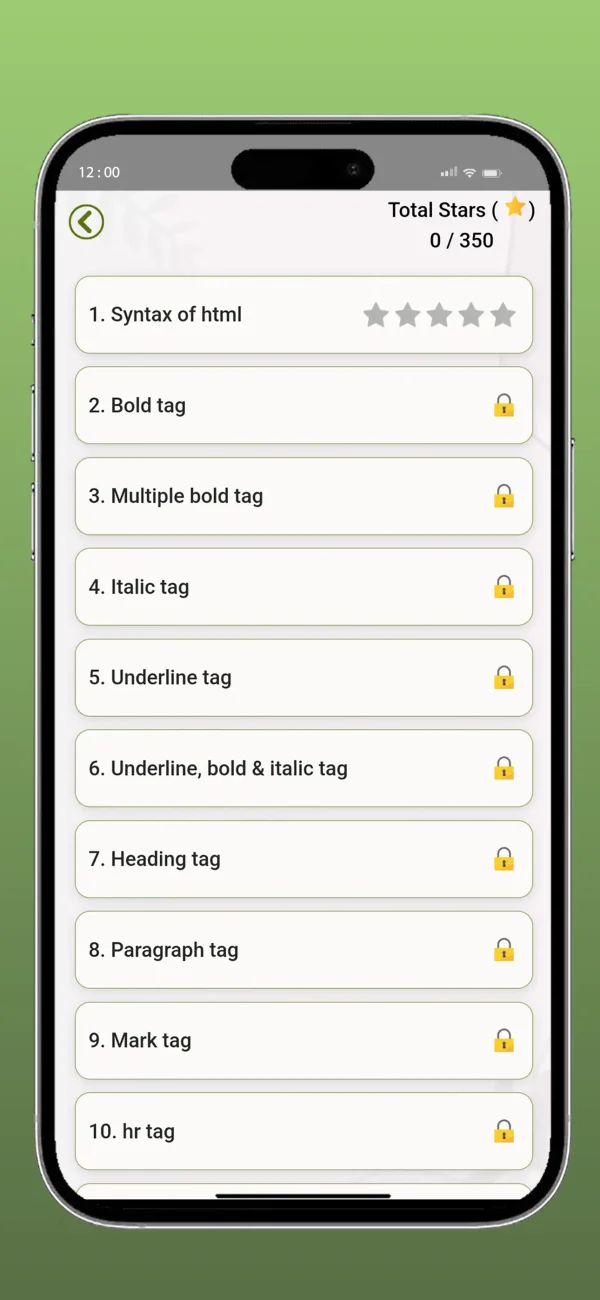
Browse 11 web technology topics covering markup, styling, scripting, vector graphics and additional front-end libraries. Choose a tutorial, read the concept and inspect its full example. The Try it in editor action opens that code in the workspace, ready for you to run and adapt. Work through nearby tutorials with Previous and Next, or search the catalog for a particular lesson or section.
Experiment with real code
Use the HTML, CSS and JavaScript editor to test a layout, adjust a style or explore a browser interaction. Syntax highlighting helps distinguish the parts of your code. Undo and redo let you revisit edits, while Find and Go to line help you navigate a longer example. Adjust the editor font size and choose a starting template when useful.
Create a new document, open an HTML file or save an experiment to return to later. Save As gives you a separate copy, and file sharing lets you pass your code through the device's available sharing options. Run your work in the app to compare the source with its output.
Check what you understood
Tutorials connect to topic quizzes and practice challenges. Fill missing parts of a program, reveal a hint when you need one and use the answer feedback to revisit your reasoning. Quiz results help you decide which lesson deserves another look. You can return to the example and test the idea rather than treating the result as the end of the exercise.
Practice from different angles
Six coding game modes offer distinct tasks. Reorder code blocks in Code Builder, predict results in Output Detective and inspect mistakes in Bug Hunt. Fill the Gap focuses on missing tokens, Match Lab pairs terms with meanings, and Rapid Fire adds timed true-or-false questions. Activity paths save scores and unlock the following level; replay available challenges to work on an earlier result.
Keep a personal learning notebook
Pin a tutorial you want to revisit and save a short note alongside it. Your progress view tracks reading, quizzes and practice by technology, with a skill map and a suggested next learning plan. Continue a lesson from Home, complete the daily challenge and see your streak and challenge badges. Optional reminders help you return to learning when notification permission is granted.
Learning controls include larger fonts, high contrast and reduced motion. These settings apply to the learning experience, while the editor has its own text-size control. Lesson notes, progress and activity results are stored locally on your device and do not imply a cloud backup or cross-device account.
Recognize your practice
Separate assessments for HTML, CSS and JavaScript include in-app achievement certificates that you can save or share. Certificates record activity within this app; they are not accredited educational or professional qualifications.
Community code posts use an internet connection. Examples that depend on external libraries or other online resources also need connectivity. The app offers optional Pro subscriptions; available plans and their terms are shown in the app.
Terms of Use
https://www.apple.com/legal/internet-services/itunes/dev/stdeula/
Neue Funktionen
Version 13.4 · 18.10.2026
Refreshed the entire app design.
Added many new coding examples.
Redesigned the compiler for a better coding experience.
Fixed bugs for smoother performance.
App-Datenschutz
Was Merbin Joe im App Store zum Umgang dieser App mit Daten angibt.
-
Daten, die zum Tracking Ihrer Person verwendet werden
Können verwendet werden, um Sie über Apps und Websites anderer Unternehmen hinweg zu verfolgen.
- Nutzungsdaten
-
Nicht mit Ihnen verknüpfte Daten
Können erfasst werden, sind aber nicht mit Ihrer Identität verknüpft.
- Nutzungsdaten
Die Datenschutzpraktiken können variieren, zum Beispiel je nach den von Ihnen verwendeten Funktionen oder Ihrem Alter.
Informationen
- Anbieter
- Merbin Joe
- Kategorie
- Bildung
- Version
- 13.4
- Aktualisiert
- 18.10.2026
- Veröffentlicht
- 13.09.2017
- Größe
- 50,7 MB
- Erfordert
- iOS 15.0 oder neuer
- Altersfreigabe
- 4+
- Preis
- Kostenlos
- In-App-Käufe
- Ja
- Sprachen
- Englisch
- Copyright
- © Codeplay