
- Altersfreigabe4+
- KategorieProduktivität
- EntwicklerRick Maddy
- SprachenEnglisch
- Größe4,3 MB
Verlinkt auf die offizielle App Store-Seite
Download.org hostet keine Datei von iLogger. Die Schaltfläche öffnet die App-Seite bei App Store, wo Rick Maddy die App veröffentlicht. Eintrag zuletzt geprüft am 12.11.2026.
Screenshots



Info
Der Entwickler hat diesen Text nicht in Ihrer Sprache bereitgestellt.
iLogger is the only app you will need to log and record all of your activities. If it happened, you can log it. User definable logs allow you to keep track of the events you want and how you want them. iLogger comes with sample logs to get you started quickly but you can set it up any way you desire to fit your needs.
NOTE: The free version is fully functional but it limits you to 15 entries. A single one-time in-app purchase will remove the restriction on the number of entries you can enter.
Here is a small list of things you can keep track of:
• Food / Diet / Calories
• Exercise / Fitness
• Running / Jogging / Biking / Hiking
• Car Maintenance
• Gas Mileage
• Consulting time / Work
• Project construction
• Trip Diary
• Flight Log
• Dive Log
• Swim Log
• Medical / Medication
• Sleep / Dreams
• Money
• Ham Radio
• Anything you want to keep track of
Quickly import your existing logs directly from your computer. You can also export your logs from iLogger directly to your own computer or via email. Built-in backup and restore to/from your own computer ensures you always have a copy of your data.
Quickly find your events using iLogger's powerful filtering, searching, and sorting capabilities.
Data entry is made easy with autofill and quick copy.
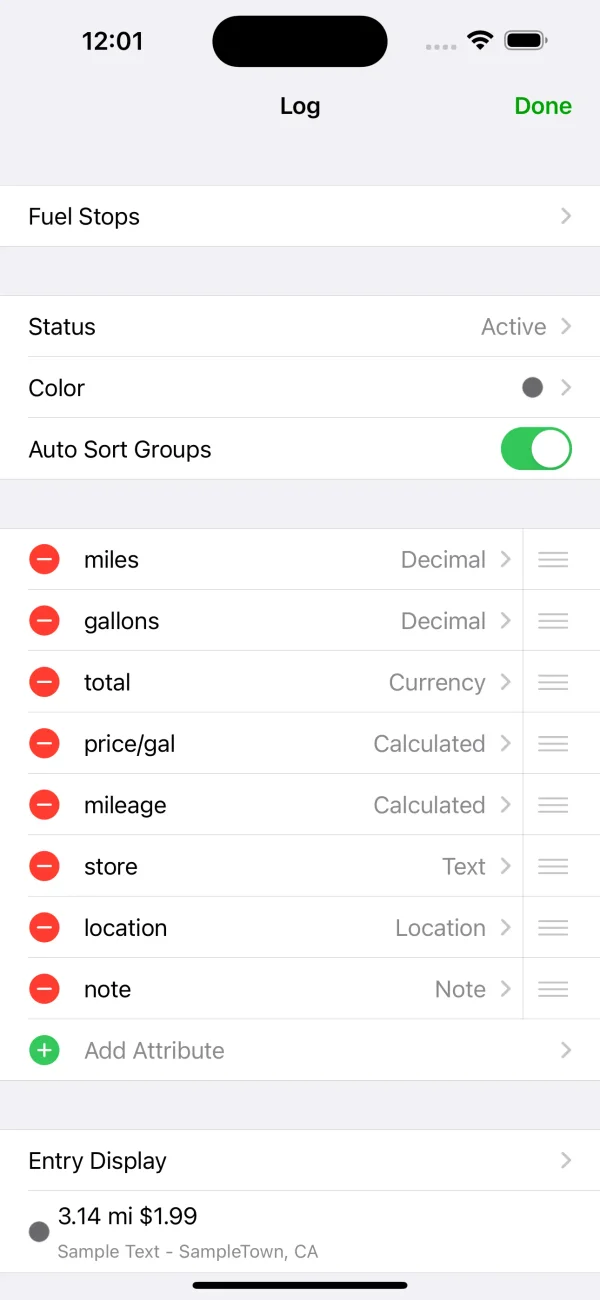
iLogger allows you to enter the following types of data:
• Text
• Note/Comment
• Date
• Time
• Duration
• Currency
• Count
• Numbers (Integer, Decimal)
• Yes/No
• Web Address
• Email Address
• Phone Number
• Location (GPS, address, city, etc.)
• Voice Memo
• Calculated (use basic math on other attributes and values)
• Lookup List (user defined list of values)
Store up to 20 photos for each of your entries. Use existing photos or take a photo with the built-in camera.
Share your data with others. Email logs to co-workers or friends and family. Other users of iLogger can import your shared logs directly simply by tapping a link in the email.
Customize entry lists to display exactly the data you want to see. Apply colors to logs or individual entries to make them stand out.
See a summary of the entry list you are viewing. Shows entry count and totals and averages of your data.
Generate a report of your logs viewable on your computer. Includes a print friendly version of your entries.
Protect access to your data with a passcode. Keep others out of your data. The passcode feature functions just like the version built into your iOS device.
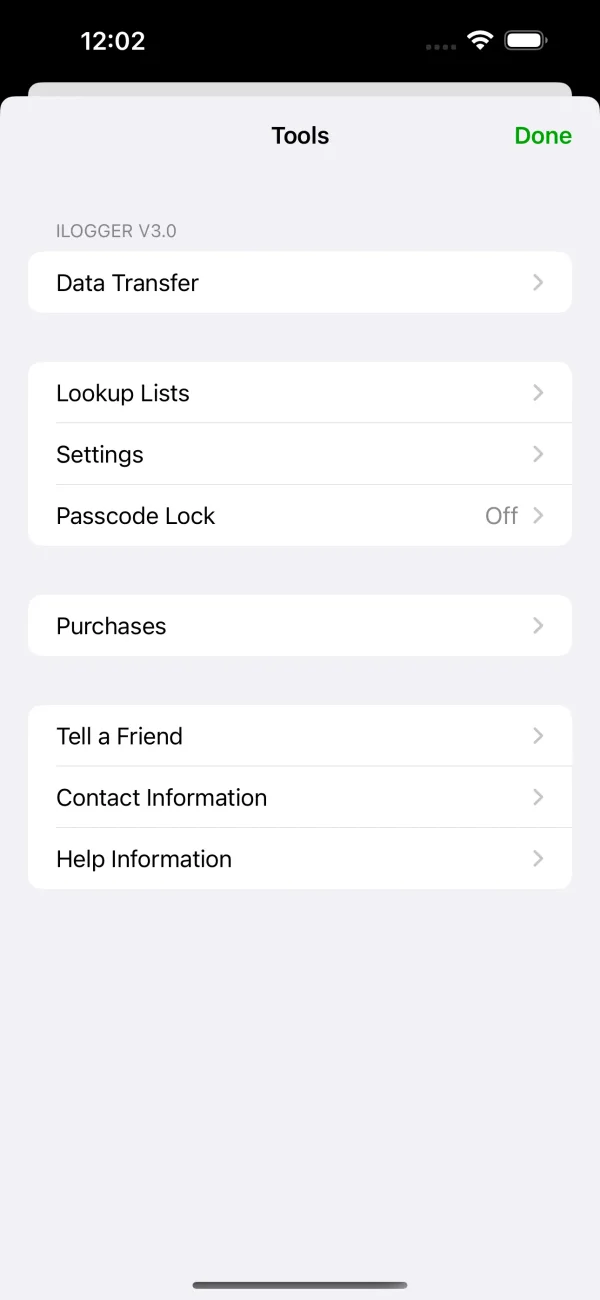
The Tools menu gives you access to:
• Data Transfer (Backup, Restore, Import, Export, Reports)
• Lookup List maintenance
• Settings (Display Options, Sorting Options)
• Passcode Lock
• Contact Information
• Help Information
Please visit https://www.maddysoft.com/ilogger for additional information and contact information for iLogger.
Neue Funktionen
Version 3.0.2 · 11.12.2024
Bug Fixes
• When adding a new entry while in List mode, the date now matches the date currently at the top of the list.
• Fixed crash trying to delete an entry from the entry list.
• Fixed crash trying to move a group to a new parent.
App-Datenschutz
Was Rick Maddy im App Store zum Umgang dieser App mit Daten angibt.
-
Keine Daten erfasst
Der Entwickler erfasst keine Daten von dieser App.
Die Datenschutzpraktiken können variieren, zum Beispiel je nach den von Ihnen verwendeten Funktionen oder Ihrem Alter.
Informationen
- Anbieter
- Richard Maddy
- Kategorie
- Produktivität
- Version
- 3.0.2
- Aktualisiert
- 11.12.2024
- Veröffentlicht
- 10.06.2009
- Größe
- 4,3 MB
- Erfordert
- iOS 15.0 oder neuer
- Altersfreigabe
- 4+
- Preis
- Kostenlos
- In-App-Käufe
- Ja
- Sprachen
- Englisch
- Copyright
- © 2009-2024 Rick Maddy
Das könnte Ihnen auch gefallen
-
 Event Logger 3.0Produktivität
-
 LogsitProduktivität
-
 Sink: Habit & Event TrackerProduktivität
-
 Headspace LiteProduktivität
-
 Timestamper: Activity TrackerProduktivität
-
 Relog: Task LoggerProduktivität
-
 Lognote: Notizen & NotizbuchNotizblock mit Zeitstempel
-
 Logger - Log, Track & JournalOrte, Ereignisse, Zeit, Notiz
-
 Keep Track - Daily NotebookProduktivität
-
 Timeline Journal – Daily DiaryProduktivität