
ILoveIMG: Compress & Resize
Reduce KB, Resize & Convert
Entwickelt für iPhone, iPad, iPod touch
Kostenlos
- Altersfreigabe4+
- KategorieProduktivität
- EntwicklerPratik Zinzala
- SprachenEnglisch
- Größe56,0 MB
Verlinkt auf die offizielle App Store-Seite
Download.org hostet keine Datei von ILoveIMG: Compress & Resize. Die Schaltfläche öffnet die App-Seite bei App Store, wo Pratik Zinzala die App veröffentlicht. Eintrag zuletzt geprüft am 23.11.2026.
Screenshots


Info
Der Entwickler hat diesen Text nicht in Ihrer Sprache bereitgestellt.
iLoveIMG – Photo Compressor, Editor & Privacy Toolkit
Your complete on-device photo, document, and privacy toolkit for iPhone and iPad.
Compress large photos from MB to KB, resize images to exact pixel dimensions, convert HEIC/JPG/PNG formats, scan documents, extract text with OCR, create passport and ID photos, remove backgrounds, and protect your privacy — all in one fast, lightweight app.
Everything runs directly on your device, keeping your photos and documents private while delivering results in seconds.
COMPRESS & RESIZE WITH PRECISION
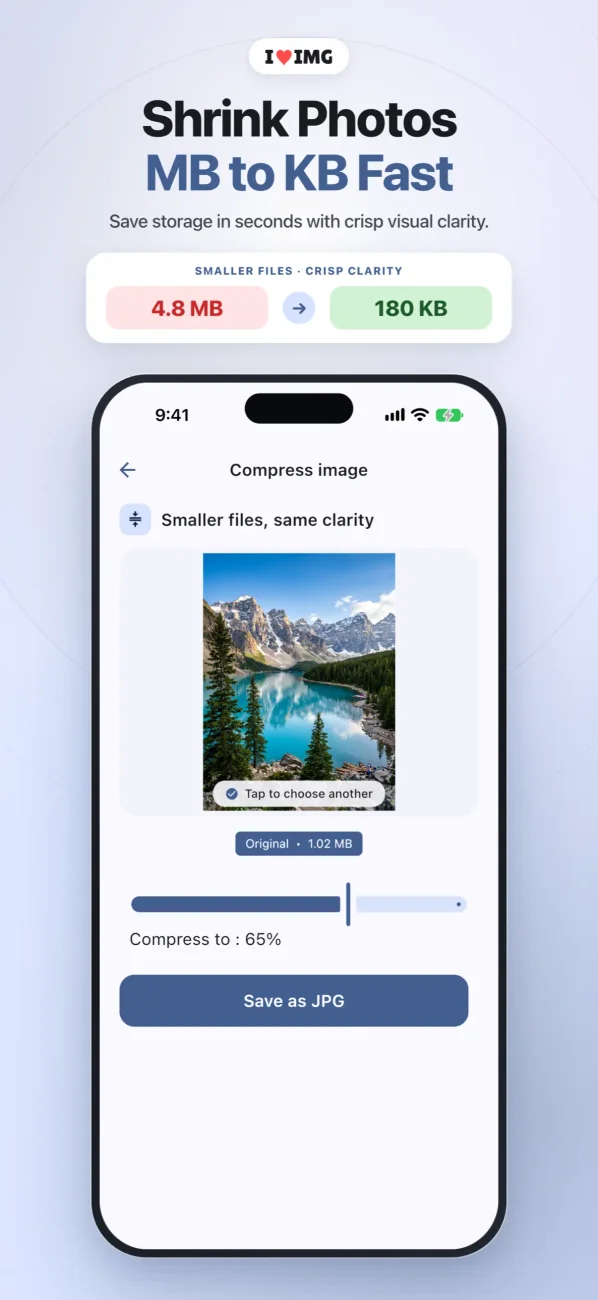
• Compress Image: Reduce large photo file sizes with an adjustable 1–100% compression slider while maintaining visual clarity. Perfect for emails, online forms, uploads, and saving storage space.
• Resize Image: Set exact width and height in pixels with an optional aspect-ratio lock, live dimension preview, and JPG or PNG export.
SMART ON-DEVICE AI TOOLS
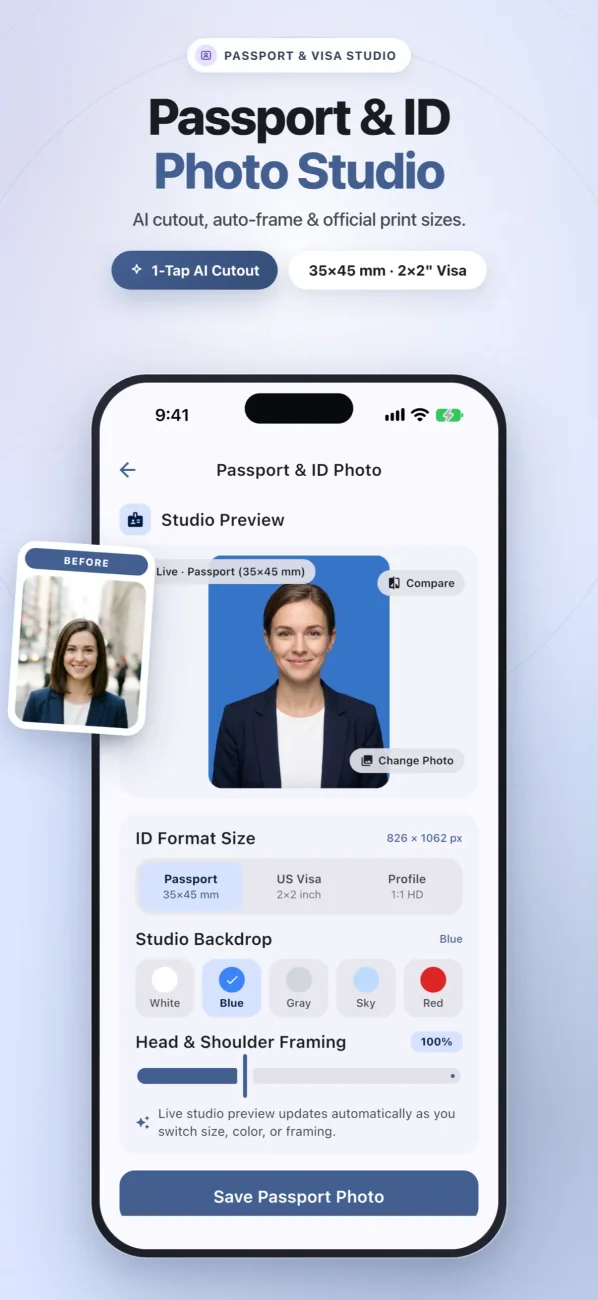
• Passport & ID Photo Studio: Automatically frame portraits with AI subject cutout, 5 studio background options (White, Blue, Gray, Sky, and Red), head-and-shoulder framing controls, and predefined photo sizes:
- Passport: 35 × 45 mm
- US Visa: 2 × 2 inches
- HD Profile: 1:1
• Remove Background: Remove image backgrounds in one tap and save clean, high-quality transparent cutouts.
• AI Document Scanner: Scan receipts, invoices, notes, and paper documents using your camera or photo library. Features automatic corner detection, perspective correction, and four scan filters: Magic, Crisp B&W, Grayscale, and Natural.
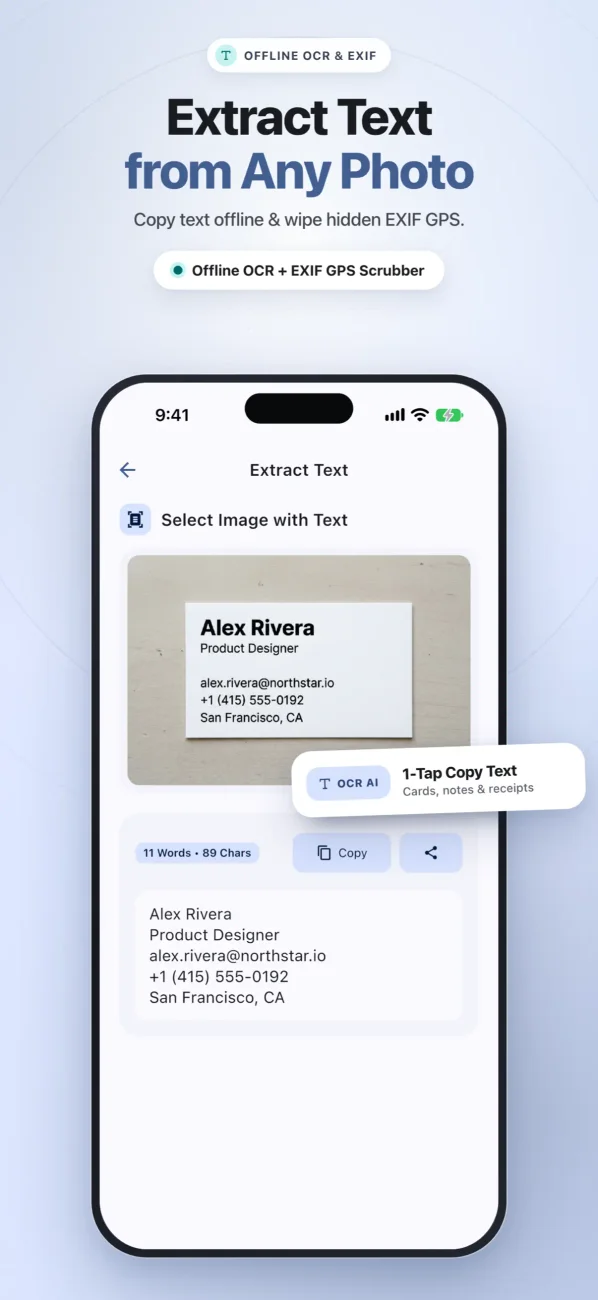
• Extract Text (OCR): Recognise and copy text from photos, business cards, receipts, and screenshots completely offline. Copy and share extracted text with one tap.
PRIVACY & PROTECTION
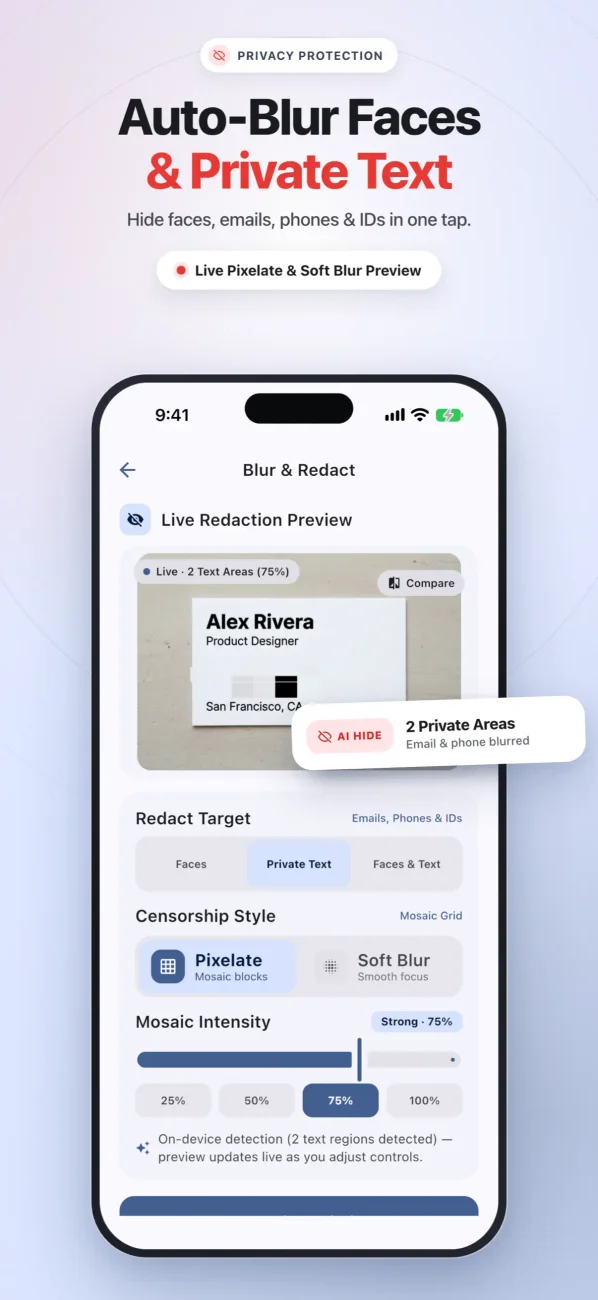
• Blur & Redact: Automatically detect and hide faces, email addresses, phone numbers, and sensitive IDs using Pixelate or Soft Blur effects. Adjust intensity with a real-time preview.
• Metadata & EXIF Scrubber: Inspect image metadata and remove hidden GPS location coordinates before sharing photos online.
• Watermark: Add custom text or copyright watermarks with adjustable opacity, positioning, and instant preview.
FORMAT CONVERTERS & QUICK EDITS
• HEIC to JPG: Convert Apple HEIC photos into universally compatible JPG files for websites, online forms, and Windows PCs.
• JPG to PNG: Convert JPG images to PNG whenever you need a different image format.
• PNG to JPG: Convert PNG images into lightweight JPG files for easier sharing and smaller file sizes.
• Photo Editor: Edit images with powerful yet simple tools:
- Free crop and preset aspect ratios: 1:1, 16:9, 4:3, and 3:2
- Rotate in 90° steps
- Flip horizontally or vertically
- Adjust brightness, contrast, and saturation
• Merge Images: Combine two photos side by side or stack them vertically. Perfect for before-and-after comparisons and paired layouts.
BUILT FOR IPHONE & IPAD
• 100% On-Device Processing: Compress, scan, blur, and extract text locally on your device to help keep your files private.
• Adaptive Layouts: Enjoy thoughtfully designed layouts for iPhone, foldable displays, and iPad split-pane screens.
• Make It Yours: Personalise your workspace with 6 accent colour themes and optional haptic feedback.
• Free to Use: Access all core tools for free, supported by ads with optional rewarded unlocks.
ONE APP. EVERY PHOTO TASK.
From compressing photos and scanning documents to creating ID pictures and protecting sensitive information, iLoveIMG brings all your essential image tools together in one convenient place.
Download iLoveIMG today and handle every photo, scan, and privacy task in seconds!
Neue Funktionen
Version 1.1.0 · 22.11.2026
Our biggest iLoveIMG update yet! Introducing 10+ brand-new on-device photo, document, and privacy tools.
NEW TOOLS IN THIS VERSION
• Passport & ID Photo Studio: Auto-frame portraits with 1-tap AI subject cutout, 5 studio backdrops (White, Blue, Gray, Sky, and Red), framing controls, and ready-to-use sizes for Passport (35 × 45 mm), US Visa (2 × 2 in), and 1:1 HD Profiles.
• AI Document Scanner: Scan receipts, invoices, and documents using your camera or photo library. Enjoy automatic corner detection, perspective correction, and Magic, Crisp B&W, Grayscale, or Natural filters.
• Extract Text (OCR): Recognize, copy, and share text from photos, business cards, and screenshots completely offline.
• Blur & Redact: Automatically detect and hide faces, email addresses, phone numbers, and sensitive IDs using Pixelate or Soft Blur with adjustable intensity and real-time preview.
• Remove Background: Remove image backgrounds and create clean, high-quality transparent cutouts with one tap.
• Metadata & EXIF Scrubber: Inspect camera information and remove hidden GPS location data before sharing photos.
• HEIC to JPG Converter: Convert Apple HEIC photos into universally compatible JPG files in seconds.
• Watermark, Photo Editor, Resize & Merge Images: Crop with preset aspect ratios, rotate, flip, adjust brightness, contrast, and saturation, add custom copyright watermarks, resize images to exact pixel dimensions, and combine two images side by side or vertically.
IMPROVEMENTS & DESIGN
• Redesigned Interface: A refreshed experience built for iPhone, foldable displays, and two-pane iPad screens.
• Personalization: Customize your workspace with 6 accent color themes and optional haptic feedback controls.
• Faster Performance: Enjoy faster on-device processing and improved reliability across all tools.
LOVE THE UPDATE?
Your feedback means a lot to us! If you're enjoying iLoveIMG, please leave us a quick rating on the App Store. Your support helps us continue building useful new tools for you.
Thank you for using iLoveIMG!
App-Datenschutz
Was Pratik Zinzala im App Store zum Umgang dieser App mit Daten angibt.
-
Daten, die zum Tracking Ihrer Person verwendet werden
Können verwendet werden, um Sie über Apps und Websites anderer Unternehmen hinweg zu verfolgen.
- Nutzungsdaten
-
Mit Ihnen verknüpfte Daten
Können erfasst und mit Ihrer Identität verknüpft werden.
- Nutzungsdaten
-
Nicht mit Ihnen verknüpfte Daten
Können erfasst werden, sind aber nicht mit Ihrer Identität verknüpft.
- Kennungen
- Nutzungsdaten
- Diagnose
Die Datenschutzpraktiken können variieren, zum Beispiel je nach den von Ihnen verwendeten Funktionen oder Ihrem Alter.
Informationen
- Anbieter
- Pratik Zinzala
- Kategorie
- Produktivität
- Version
- 1.1.0
- Aktualisiert
- 22.11.2026
- Veröffentlicht
- 22.01.2026
- Größe
- 56,0 MB
- Erfordert
- iOS 15.3 oder neuer
- Altersfreigabe
- 4+
- Preis
- Kostenlos
- Sprachen
- Englisch
- Copyright
- © 2026 Pratik Zinzala
Das könnte Ihnen auch gefallen
-
 PDF komprimieren & verkleinernDatei komprimieren PDF
-
 Image Converter-JPG to PDFConvert Photo & Image to PDF
-
 Bild konverter zu JPG-JPEG-PNGHEIC to JPEG FotoKonverter
-
 PDF Zusammenfügen -PDF trennenPDF dateien vereinen im zweite
-
 PDF Komprimieren: ReduzierenPDF-Kompressor Smallpdf-Größe
-
 iLovePDF - PDF Editor & ScanPDF signieren und konvertieren
-
 CloudConvertProduktivität
-
 Smallpdf: Scanner & PDF-EditorKomprimieren,konvertieren,OCR
-
 Der BildkonverterKonvertieren JPG, PNG, HEIC
-
 Video & Foto KompressorKamerarolle reinigen