ILW LightMapper
Projection Mapping App
Entwickelt für iPhone, iPad, Mac, iPod touch
Kostenlos · In-App-Käufe
- Altersfreigabe4+
- KategorieFoto und Video
- EntwicklerStuart Griese
- SprachenEnglisch
- Größe404,9 MB
Verlinkt auf die offizielle App Store-Seite
Download.org hostet keine Datei von ILW LightMapper. Die Schaltfläche öffnet die App-Seite bei App Store, wo Stuart Griese die App veröffentlicht. Eintrag zuletzt geprüft am 23.11.2026.
Screenshots
Info
Der Entwickler hat diesen Text nicht in Ihrer Sprache bereitgestellt.
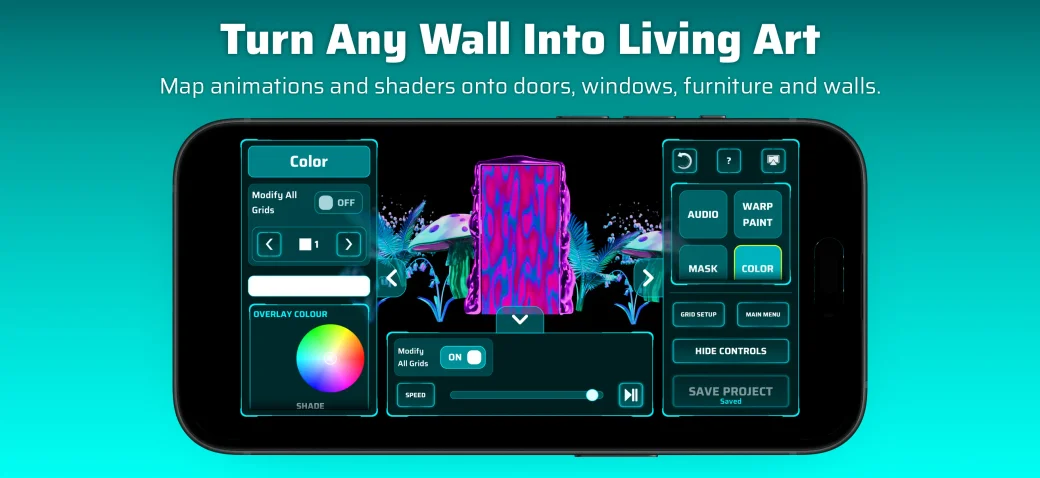
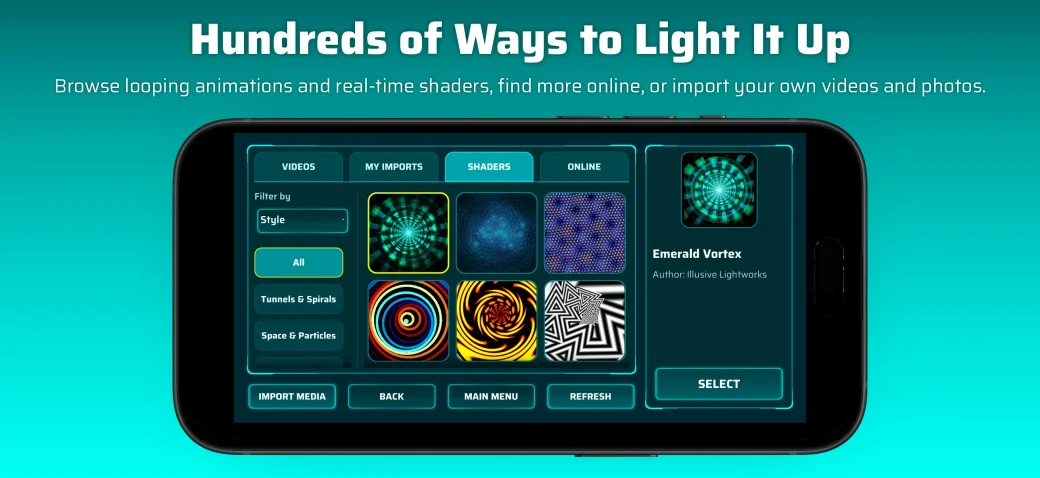
LightMapper is a beginner-friendly projection mapping tool for iPhone, iPad and Mac, designed for artists, creators, and anyone exploring light-based art. Choose from a library of artwork, built-in animated shaders and free online videos, or import your own videos. Calibrate your projection with intuitive controls, then cast it wirelessly to transform any surface with animated light.
You can save your projects so everything is ready exactly how you left it each time you return.
LightMapper includes a growing library of downloadable visuals, with new artwork added over time.
FEATURES
CONTENT & LIBRARY
• Browse and download projection visuals directly in the app
• 240+ built-in animated shaders with adjustable speed, size and more
• Search and download free online videos
• My Imports: your own videos, organized in one library
CASTING
• Cast your projection wirelessly over AirPlay
• Keep casting while the app is minimized in picture-in-picture
SETUP & CALIBRATION
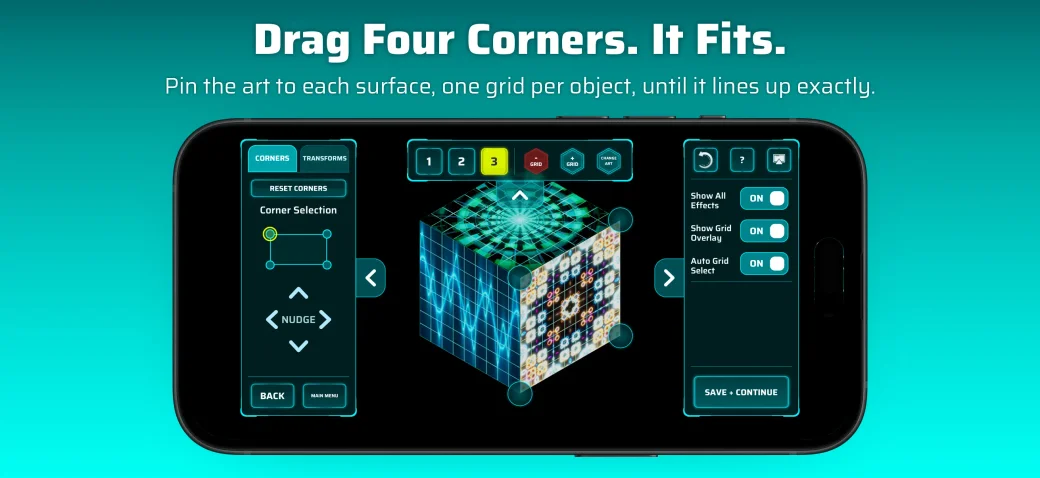
• Add multiple grids for complex projection setups
• Four-point corner adjustment for precise alignment
• Touch and drag each grid to position
• Two finger scale and rotation touch controls
CREATIVE TOOLS
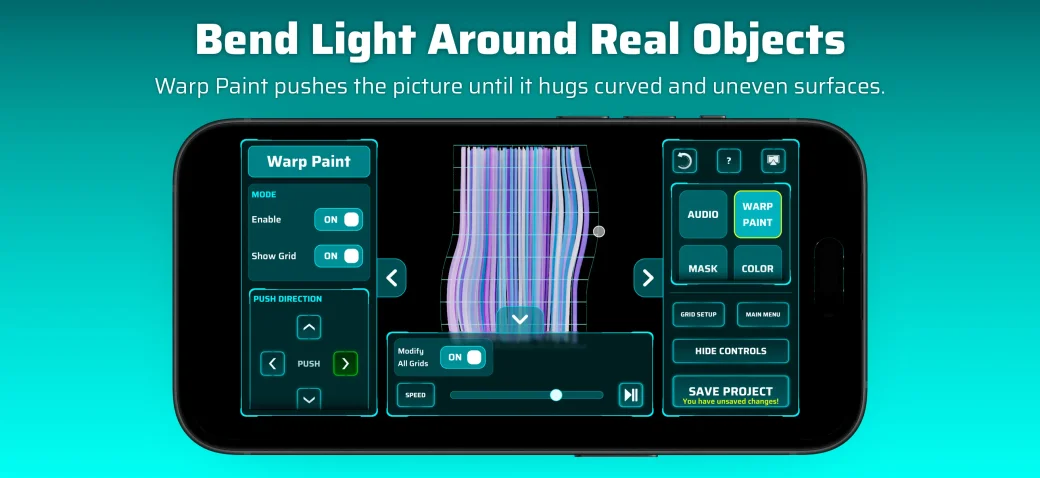
• Warp Painting – apply localized distortion to match surfaces (global)
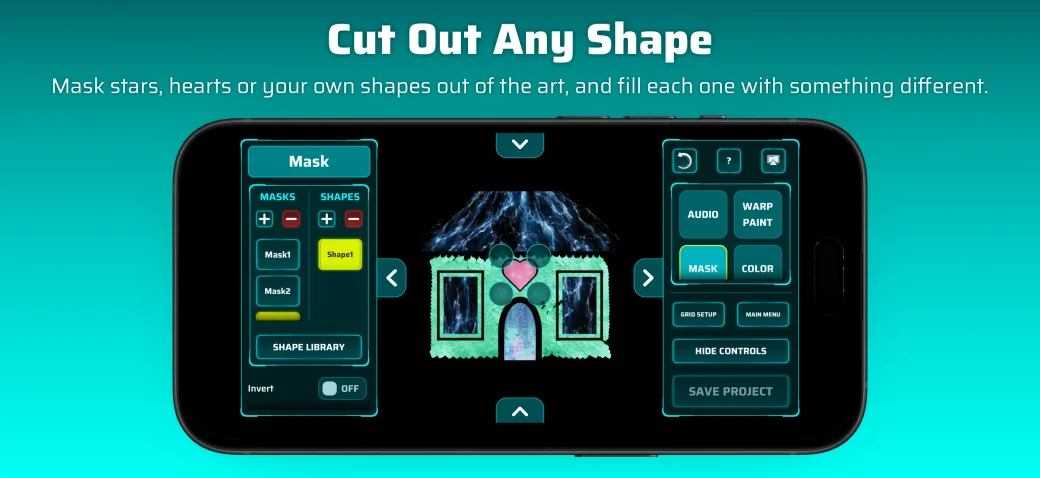
• Masking – additive and subtractive masks. Use built-in shapes or build your own library of custom shapes from images (per-grid)
• Color Controls – adjust hue, saturation, and brightness (per-grid or global)
• Speed Controls – slow down or speed up visuals (per-grid or global)
• Transparent Backgrounds – set black to be transparent for layering (per-grid or global)
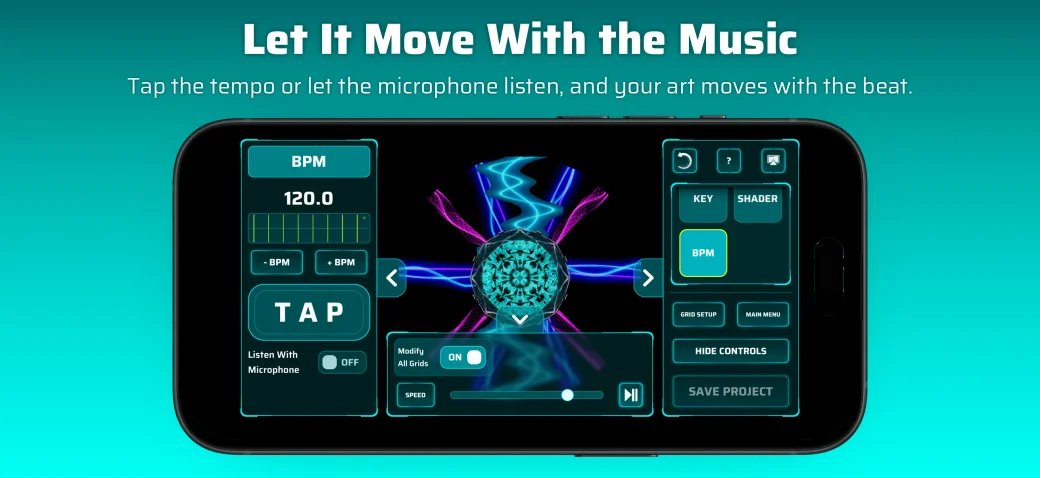
• Beat Sync – let the microphone listen to your music, or tap the beat yourself, so shader effects move with it
WORKFLOW & CONTROL
• Timeline scrubbing for video playback (per-grid or global)
• Undo support while editing
• Grid overlay for alignment
PROJECT MANAGEMENT
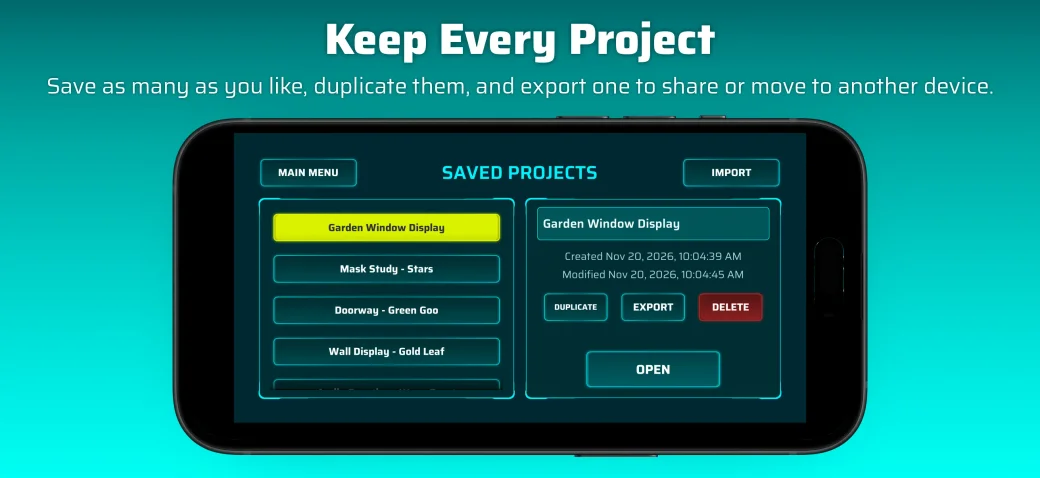
• Save, rename, duplicate and delete your projects, and switch between them easily
• Export a project as a file and import it on another iPhone, iPad or Mac (Pro)
• Projects keep their proportions across different screen shapes
PERFORMANCE & SETTINGS
• Edge smoothing toggle for softer or sharper visuals
• Screen resolution and cast quality controls for performance vs sharpness
INTERFACE
• Clean, sci-fi inspired UI designed for creative workflows
• Eight colour themes, including Dark and Light (all eight with Pro)
LIGHTMAPPER PRO
LightMapper is free to use with every tool, shader and artwork, and one saved project. LightMapper Pro unlocks unlimited projects, project export and all colour themes.
• Yearly: $29.99 per year, with a 7-day free trial
• Monthly: $4.99 per month
Payment is charged to your Apple ID account at confirmation of purchase. The subscription renews automatically unless it is cancelled at least 24 hours before the end of the current period, and a free trial becomes a paid subscription unless cancelled before it ends. Manage or cancel it in your Apple ID account settings. Projects you have already made are never deleted.
Terms of Use: https://illusivelightworks.com/terms/
Apple's standard licence agreement: https://www.apple.com/legal/internet-services/itunes/dev/stdeula/
Privacy Policy: https://illusivelightworks.com/privacy/
Neue Funktionen
Version 1.6.2 · 23.11.2026
• New look: every screen redrawn, cleaner and easier on a phone.
• 240+ new shaders: live animated art with adjustable sliders.
• Beat sync: let the mic listen to the music, or tap the beat yourself.
• Colour themes: eight colours plus Dark and Light.
• Light Mapper Pro: unlimited projects, project export and colour themes, with a free trial. The free plan keeps one project and all the shaders.
• Fixes: several crashes fixed, and the Calibrate bar and help pop-ups now fit on iPhone.
App-Datenschutz
Was Stuart Griese im App Store zum Umgang dieser App mit Daten angibt.
-
Mit Ihnen verknüpfte Daten
Können erfasst und mit Ihrer Identität verknüpft werden.
- Kontaktinformationen
- Benutzerinhalte
- Kennungen
- Nutzungsdaten
- Diagnose
Die Datenschutzpraktiken können variieren, zum Beispiel je nach den von Ihnen verwendeten Funktionen oder Ihrem Alter.
Informationen
- Anbieter
- Stuart Griese
- Kategorie
- Foto und Video
- Version
- 1.6.2
- Aktualisiert
- 23.11.2026
- Veröffentlicht
- 10.06.2025
- Größe
- 404,9 MB
- Erfordert
- iOS 15.0 oder neuer
- Altersfreigabe
- 4+
- Preis
- Kostenlos
- In-App-Käufe
- Ja
- Sprachen
- Englisch
- Copyright
- © 2025 Illusive Lightworks
Das könnte Ihnen auch gefallen
-
 Viso - Projection MappingFoto und Video
-
 HappyMapperFoto und Video
-
 One Big Projector: MappingBeamer-Shows fur Deko und VJ
-
 Gaussian SplatKingFoto und Video
-
 Lightcraft JetsetFoto und Video
-
 Immersal MapperFoto und Video
-
 SoleGraphic - DJ Video MakerFoto und Video
-
 Record3D — 3D VideosFoto und Video
-
 SimulonFoto und Video
-
 STL Buddy Fast 3D Scanner AppScan Anything into a 3D model