image to file
export your images to pdf
Entwickelt für iPhone, iPad
Kostenlos · In-App-Käufe
- Altersfreigabe4+
- KategorieProduktivität
- EntwicklerGeert Stroom
- SprachenEnglisch
- Größe22,2 MB
Verlinkt auf die offizielle App Store-Seite
Download.org hostet keine Datei von image to file. Die Schaltfläche öffnet die App-Seite bei App Store, wo Geert Stroom die App veröffentlicht. Eintrag zuletzt geprüft am 16.11.2026.
Screenshots
Info
Der Entwickler hat diesen Text nicht in Ihrer Sprache bereitgestellt.
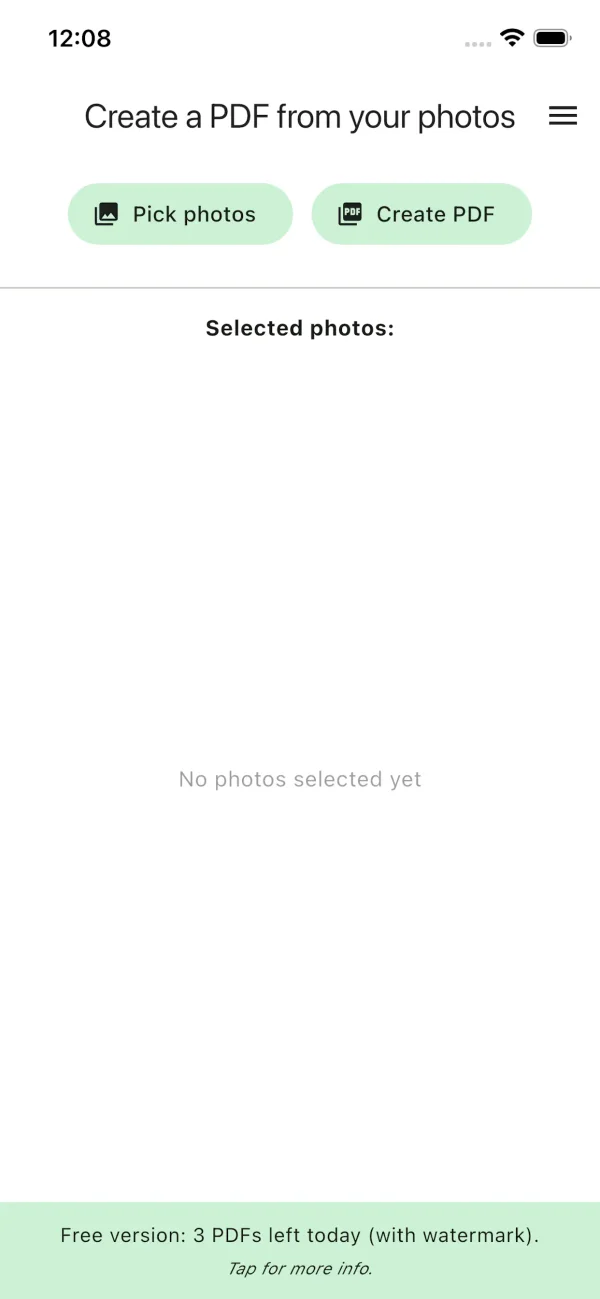
Turn images into clean, share-ready files (eg. PDF) in seconds. Image to File is the fastest way to scan, organize and send documents right from your iPhone or iPad.
Whether you’re scanning receipts for expenses, homework for school, contracts for clients or drawings from your kids, Image to File makes everything feel simple and polished.
Turn Photos into Perfect PDFs
- Import one or multiple photos from your camera roll;
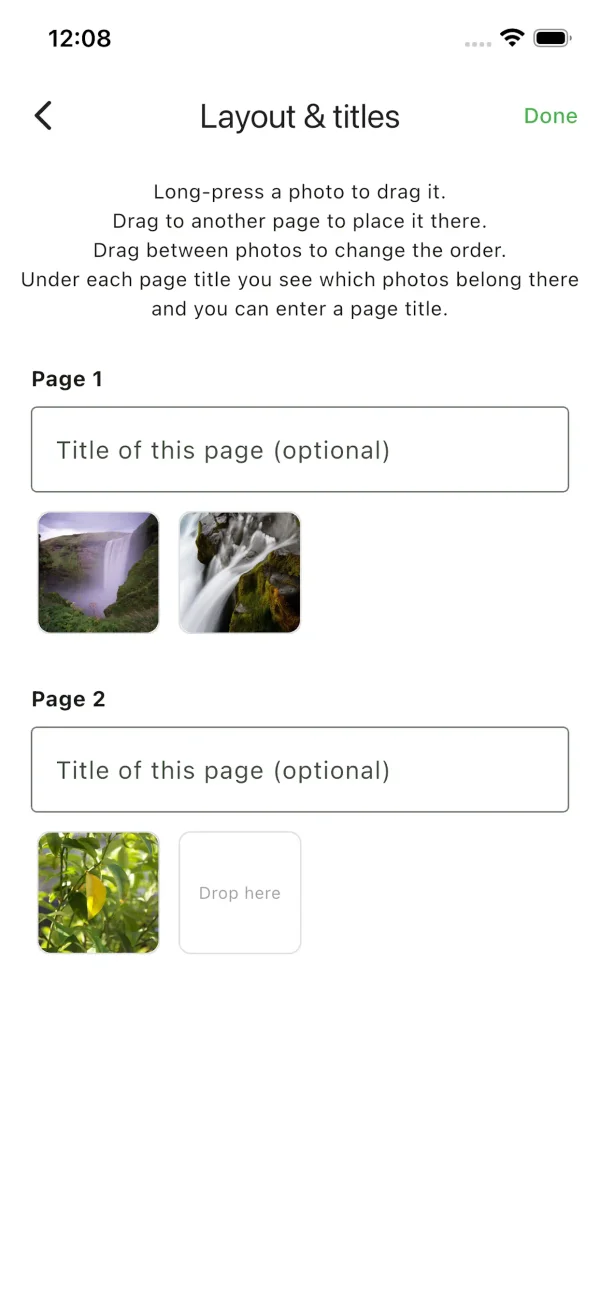
- Arrange pages with a simple drag & drop interface;
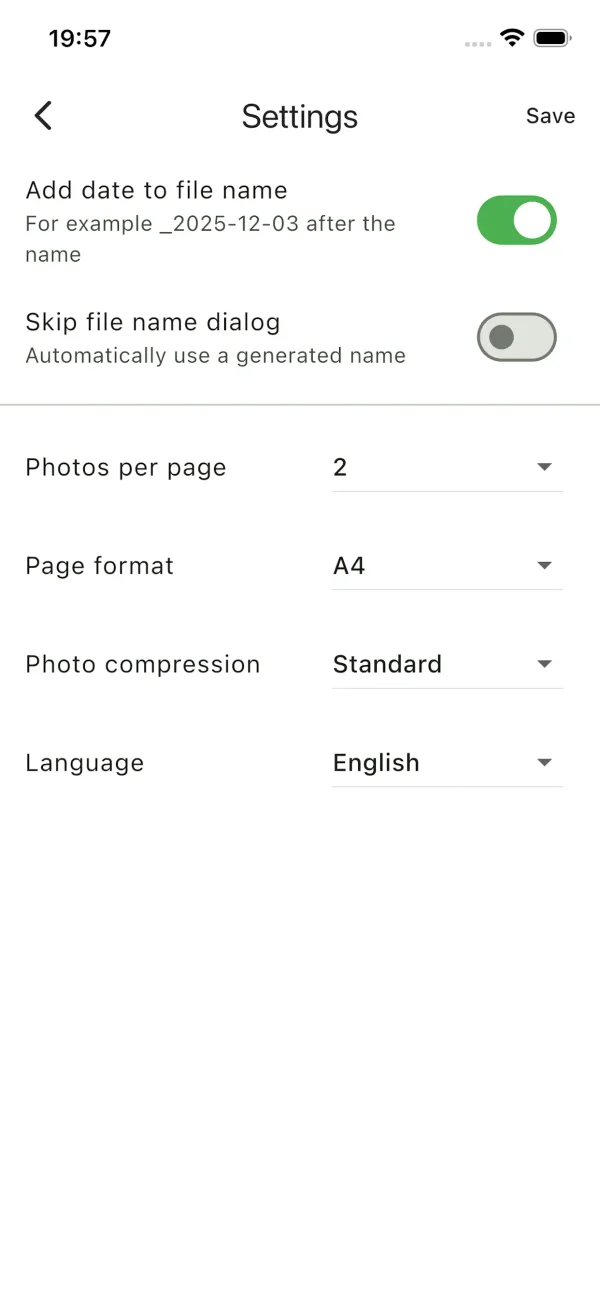
- Choose how many photos per page (1 or 2 on free, up to 4 with Premium);
- Add an optional title for each page to keep long documents clear;
- Pick your page size: A4 (free) or A4 & US Letter (Premium).
Smart Layout & Easy Sharing
- See all selected photos at a glance and reorder them in seconds;
- Automatically compress images for smaller PDF file sizes;
- Create your PDF with a single tap, then share via Mail, Messages, AirDrop, etc.;
- Keep everything tidy with automatic file naming and optional date suffix.
Built for Everyday Use
- History screen: quickly reopen, share or delete previously created PDFs;
- Option to skip the file name dialog and use an automatic name – perfect when you’re in a hurry;
- Works great on both iPhone and iPad;
- No account required; just install and start converting;
Free vs. Premium
Use Image to File for free with:
- Up to 3 PDFs per day
- 1 or 2 photos per page
- A small “Created with Photo → PDF (free)” watermark
Upgrade to Image to File Premium for a one-time purchase and get:
- Unlimited PDF creations – no daily limits;
- No watermark on your documents;
- Up to 4 photos per page for compact multi-page PDFs;
- Extra layout options and page formats (A4 & US Letter);
Stop emailing yourself photos or fighting with complex scanners. With Image to File, your documents look clean, professional and ready to share – every single time.
Neue Funktionen
Version 1.0.1 · 12.12.2025
New:
In the layout screen you can now tap a photo to preview it in a larger size, so you can easily double-check you picked the right image.
We also improved overall stability (especially on iPad) and fixed a few minor bugs.
App-Datenschutz
Was Geert Stroom im App Store zum Umgang dieser App mit Daten angibt.
-
Keine Daten erfasst
Der Entwickler erfasst keine Daten von dieser App.
Die Datenschutzpraktiken können variieren, zum Beispiel je nach den von Ihnen verwendeten Funktionen oder Ihrem Alter.
Informationen
- Anbieter
- Geert Stroom
- Kategorie
- Produktivität
- Version
- 1.0.1
- Aktualisiert
- 12.12.2025
- Veröffentlicht
- 09.12.2025
- Größe
- 22,2 MB
- Erfordert
- iOS 16.6 oder neuer
- Altersfreigabe
- 4+
- Preis
- Kostenlos
- In-App-Käufe
- Ja
- Sprachen
- Englisch
- Copyright
- © Geert Stroom
Das könnte Ihnen auch gefallen
-
 Friendly Reminder: WidgetsProduktivität
-
 TimePay: Work Hours & PayProduktivität
-
 Bamly: Baby Feeding ScheduleProduktivität
-
 Doc Scanner – PDF Scan & OCRProduktivität
-
 ShForm – AI Form BuilderProduktivität
-
 Convert Images To Pdf!Produktivität
-
 FMGS A320Produktivität
-
 ArkioProduktivität
-
 Bleep - Visual Ideas & NotesProduktivität
-
 Regelmäßige ErinnerungenStündliche Benachricht