
IndieForge
For independent developers
Entwickelt für iPhone, iPad, Mac, iPod touch
Kostenlos
- Altersfreigabe17+
- KategorieDienstprogramme
- Entwickler旭东 王
- SprachenEnglisch
- Größe72,7 MB
Verlinkt auf die offizielle App Store-Seite
Download.org hostet keine Datei von IndieForge. Die Schaltfläche öffnet die App-Seite bei App Store, wo 旭东 王 die App veröffentlicht. Eintrag zuletzt geprüft am 20.11.2026.
Screenshots


Info
Der Entwickler hat diesen Text nicht in Ihrer Sprache bereitgestellt.
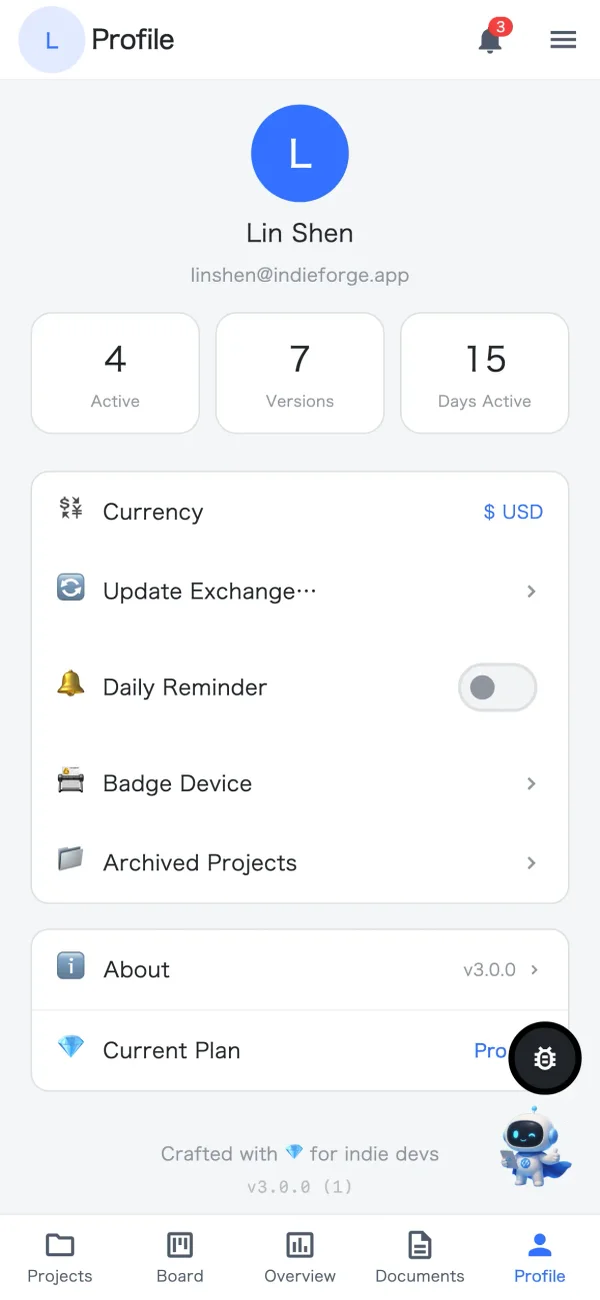
IndieForge is an all-in-one productivity app designed for indie developers, solo entrepreneurs, and side-project builders. Whether you’re juggling multiple apps, managing version iterations, tracking income and expenses, or simply reflecting on how far you’ve come—IndieForge serves as your personal command center.
No team required, no complex setup needed. Just you, your projects, and a tool that truly understands the way indie developers work.
【Organized by Version, Not by Sprint】
Every project is centered around versions: tasks belong to versions, and versions belong to projects. When you’re ready to ship, you can clearly see exactly what’s changed in a given version, and IndieForge will automatically generate a formatted changelog for you.
A four-column Kanban board (To-Do, In Progress, Review, Done) supports drag-and-drop workflows. You can filter tasks by version, tag, or "Focus for Today"—highlighting your top priorities so you can concentrate on what matters most.
【Gain Clarity on Revenue, Investment, and Net Profit】
Stop guessing whether your projects are profitable. Track income and expenses for each project, and let IndieForge provide a profit-and-loss analysis—both for individual projects and your entire portfolio. Stacked bar charts visualize revenue trends over the last six months, and profit margins are visible at a glance, helping you decide where to invest your time and capital.
【Project File Archiving, Consistent Across All Your Devices】
Attach Word documents, Excel spreadsheets, PDFs, design files, images, and other project assets directly to your projects. Files are automatically categorized by type and can be linked to specific versions or referenced within individual tasks.
Data is stored locally by default. Once you sign in and enable cloud sync, your latest progress stays perfectly in sync across your iPhone, iPad, Mac, and Apple Watch. Files are loaded on demand—thumbnails appear first, followed by the full files—with local cache managed automatically.
【Development Journal: Document Your Creative Journey】
Use the built-in development journal to record breakthroughs, setbacks, lessons learned, and key milestones. You can link entries to specific projects or versions, and even capture your mood for the day. The journal exists independently of your projects—because your personal story spans far beyond any single product.
【Create Shareable Progress Cards】
Generate beautifully designed cards from your development logs, version updates, milestones, development streaks, and monthly revenue—then export them as images to share on social media. Your progress deserves to be seen.
【Streaks, Milestones, and Intrinsic Motivation】
Building on your own is no small feat. Track your development streaks, hit milestones, and use daily reminders to turn the habit of "making a little progress every day" into a routine. From your first user and first dollar of revenue to your 100th completed task—every achievement is recorded.
【Deeply Integrated with the Apple Ecosystem】
Fully optimized for iPhone, iPad, Mac, and Apple Watch. Use desktop widgets to get an instant overview of your streaks, daily tasks, and revenue. Keep tabs on your development sessions via Live Activities on your Lock Screen or the Dynamic Island. Plus, the Apple Watch companion app lets you view and complete your daily tasks right from your wrist.
【Get Started for Free】
The free version includes core features for managing projects, versions, and Kanban boards. If you need more projects, additional storage, or advanced capabilities, you can explore optional plans within the app.
Build with intention. Forge your path with IndieForge.
Terms of Use: https://www.apple.com/legal/internet-services/itunes/dev/stdeula/
Neue Funktionen
Version 3.0.0 · 09.11.2026
Added Team Collaboration & Workspaces: Invite members, assign roles (Owner/Admin/Member), and manage collaboration scope via seat-based access.
Added In-App Notification Center: A centralized hub for comments, task assignments, status updates, workspace invitations, and system messages.
Added Version-Based Project Organization: Tasks are linked to versions, which in turn belong to projects; automatically generates formatted changelogs upon release.
Added Four-Column Kanban Board & "Focus for Today": Drag-and-drop tasks across "To-Do," "In Progress," "Under Review," and "Done" stages; filter by version, tag, or "Focus for Today."
Added Revenue & Net Profit Tracking: View revenue, investment, and profit data by individual project or across your entire portfolio, with stacked bar charts showing six-month trends.
Added Project File Archiving: Organize documents, spreadsheets, PDFs, design drafts, and images by type; link files to specific versions, with on-demand loading for large files.
Added Development Journal & Sharing Cards: Document breakthroughs, setbacks, and reflections; export milestones, "streak" counts, and monthly revenue as shareable images.
Added Streak Tracking, Achievement Milestones, and Daily Reminders.
Added Apple Platform Integration: Desktop widgets, Live Activities, Dynamic Island support, and an Apple Watch companion app.
Added Support for Foldable & Landscape Layouts: Dynamic navigation and content layout adjustments based on available width (breakpoints at 600px and 840px), independent of device orientation.
Improved In-App Sync Terminology: Standardized "iCloud Sync" to "Cloud Sync" to better reflect the actual backend synchronization mechanism.
Fixed: A layout collapse in the activity timeline caused by unbounded height under certain data configurations.
Fixed: Horizontal overflow of investment records on the Finance page when viewed on narrow screens (e.g., iPhone in portrait mode).
Fixed: Hard-coded English month names; dates and months now display using localized formatting when the app is used in a Chinese-language environment.
App-Datenschutz
Was 旭东 王 im App Store zum Umgang dieser App mit Daten angibt.
-
Keine Daten erfasst
Der Entwickler erfasst keine Daten von dieser App.
Die Datenschutzpraktiken können variieren, zum Beispiel je nach den von Ihnen verwendeten Funktionen oder Ihrem Alter.
Informationen
- Anbieter
- 旭东 王
- Kategorie
- Dienstprogramme
- Version
- 3.0.0
- Aktualisiert
- 09.11.2026
- Veröffentlicht
- 13.07.2026
- Größe
- 72,7 MB
- Erfordert
- iOS 15.5 oder neuer
- Altersfreigabe
- 17+
- Preis
- Kostenlos
- Sprachen
- Englisch
- Copyright
- © wang xudong
Das könnte Ihnen auch gefallen
-
 DevPocket: Developer UtilitiesDienstprogramme
-
 保号:手机号码停机提醒Dienstprogramme
-
 Qinote - App-EntwicklungLerntutorial
-
 APPSHOW3Dienstprogramme
-
 Audio Stem SplitterGesang und Instrumente trennen
-
 LifeMark - 余生短暂,把时间留给对的人和值的事Dienstprogramme
-
 NetLens: Wi-Fi ScannerDienstprogramme
-
 Updraft - App DistributionDienstprogramme
-
 LocalMind: Ollama & LM StudioPrivate KI, lokal und vernetzt
-
 WiFi Analyzer: AR ToolkitDienstprogramme