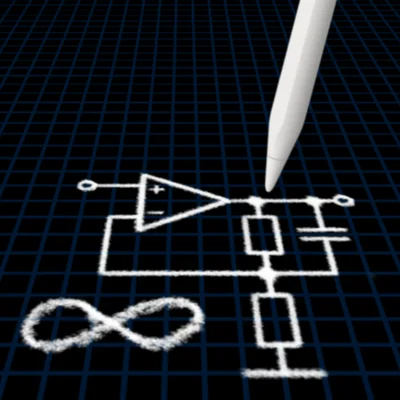
Infinity Sketch
Grid-based schematic sketching
Entwickelt für iPhone, iPad
Kostenlos
- Altersfreigabe4+
- KategorieGrafik und Design
- EntwicklerJosef Woess
- SprachenEnglisch
- Größe22,1 MB
Verlinkt auf die offizielle App Store-Seite
Download.org hostet keine Datei von Infinity Sketch. Die Schaltfläche öffnet die App-Seite bei App Store, wo Josef Woess die App veröffentlicht. Eintrag zuletzt geprüft am 21.11.2026.
Screenshots

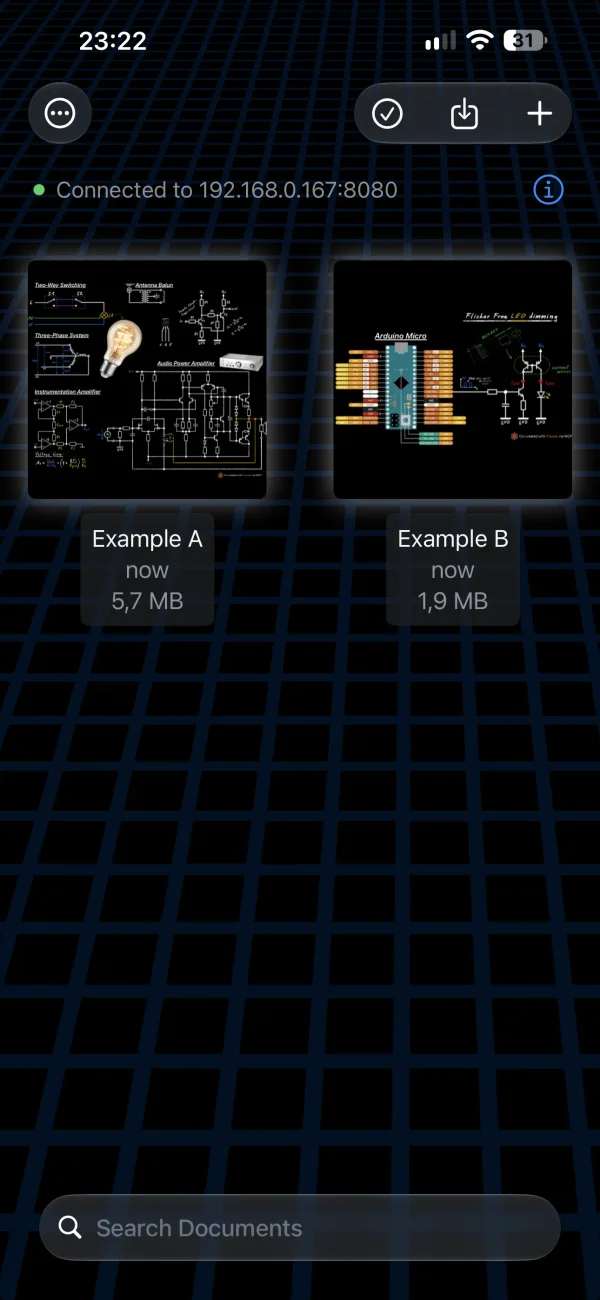
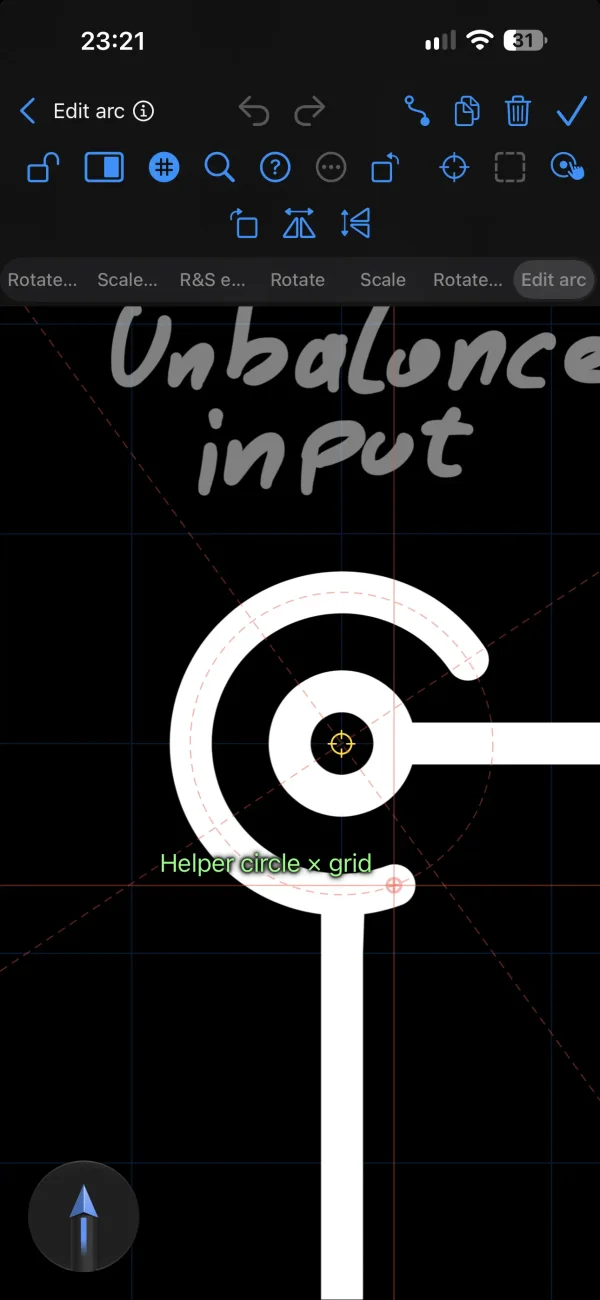

Info
Der Entwickler hat diesen Text nicht in Ihrer Sprache bereitgestellt.
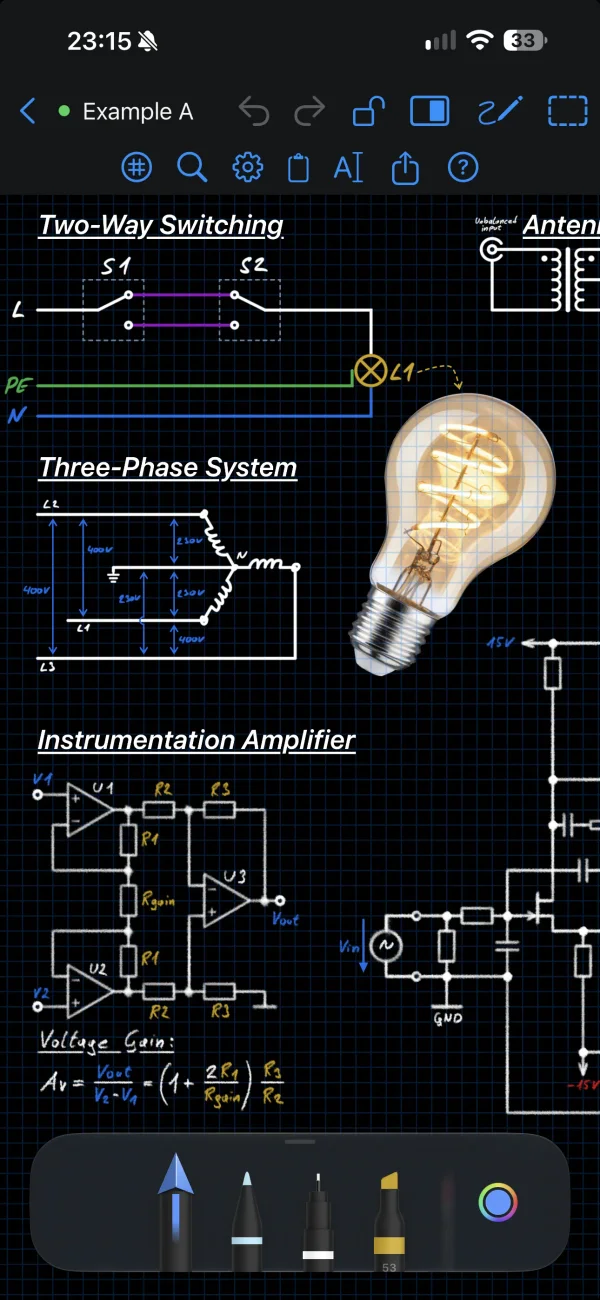
Infinity Sketch is the ultimate tool for fast grid based sketching of any kind, now enhanced with seamless image support. Built on top of Apple’s default drawing canvas, it introduces a powerful, fully customizable grid and line editing system, making it ideal for quickly sketching precise schematics. Easily paste images from your system pasteboard to use as backgrounds or symbols, boosting your creative workflow.
It is completely free with no hidden charges, no in-app purchases, and no internet connection required. It works entirely offline, so you can sketch anytime, anywhere, without interruptions or freemium distractions.
Whether you're using Apple Pencil on iPad or finger drawing on iPhone, Infinity Sketch adapts to your workflow, offering a modern, document-based interface that fits your needs. With its practically infinite canvas, you’ll never run out of space to create.
What sets Infinity Sketch apart is its combination of hand-drawn symbols with straight, grid-based lines. This approach delivers clean, professional-looking results with an artistic touch, making your sketches both functional and visually appealing.
Key Features:
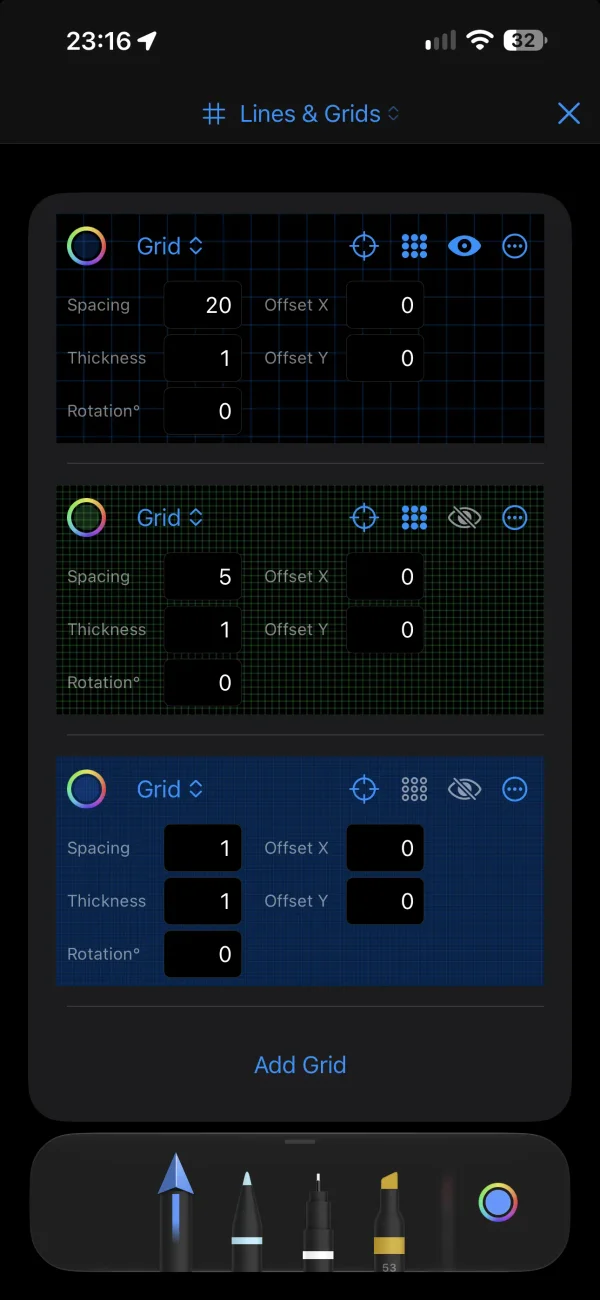
Fully customizable grid for precision sketching
Seamless Apple Pencil integration on iPad
Supports finger drawing on iPhone and iPad
Huge canvas for unrestricted creativity
Image support: Paste images from pasteboard as backgrounds or symbols for enhanced creativity
Combines freehand symbols and grid-based lines for unique, artful results
Pro Tip: Easily Annotate Screenshots
Paste a screenshot from the pasteboard into Infinity Sketch using the Insert Image icon. Choose "Pin selected images to background" from the Rectangle Select menu to lock it for annotation. Unpin to edit again.
Whether you're sketching circuit diagrams, flowcharts, or any other schematic, Infinity Sketch offers the tools to make your designs shine.
Privacy Policy:
https://www.circuitshepherd.com/privacy-policy-for-Infinity-Sketch.html
Neue Funktionen
Version 2.5 · 18.11.2026
ARROWS
A new pen places arrows: drag from where the arrow starts to where it points. Each end has its own shape — ten of them, from a plain end to open and filled heads — with the head's size and angle. The palette's color swatches and color picker set an arrow's color, as they set a pen's. Arrows move, turn and scale without their heads distorting, and they snap like strokes.
LINE TYPES AND PRESETS
Solid, dashed, dotted, dash-dot or a pattern you type, fitted to the arrow's length and corners. Save a look as a named preset and use it again in every document; a preset keeps the color you have.
BENDS AND POINTS
Drag the middle of a straight piece to bend an arrow. Select point picks one point of an arrow: move it, type its position, make it a corner or a smooth point, or delete it. Add point shows a plus sign in the middle of every piece; tap one to add a point there, then drag it to bend the arrow. Corners turn round, sharp or beveled.
FRONT AND BACK OBJECTS
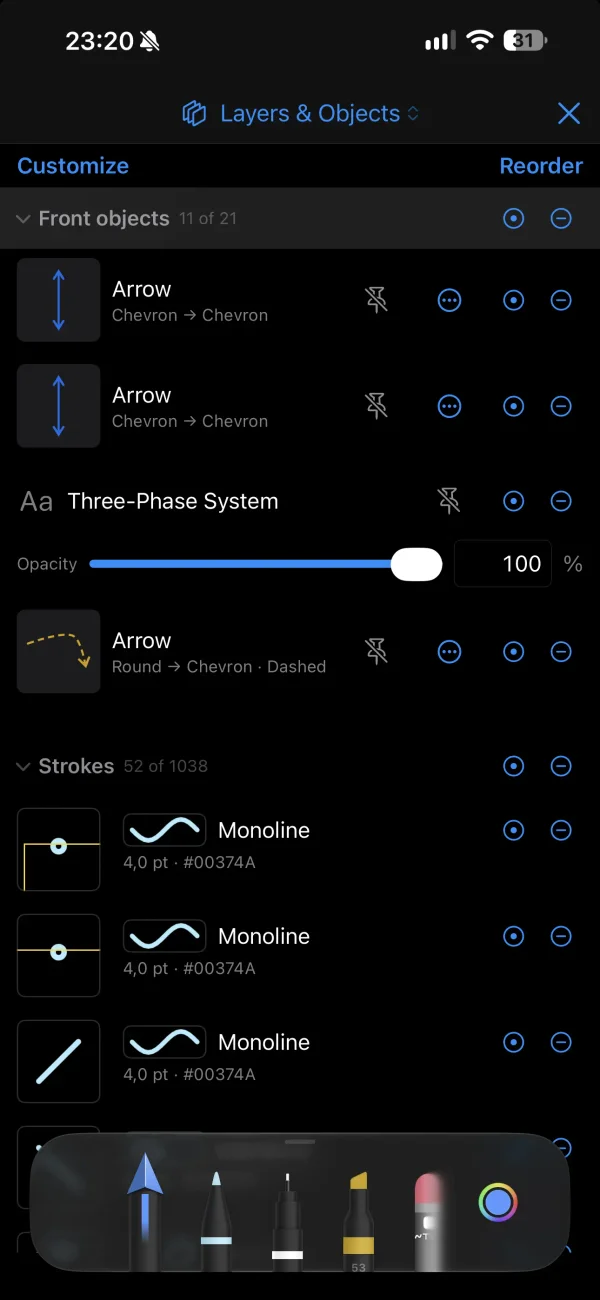
Texts, images and arrows sit above your strokes or behind the strokes and grids, in any order among each other. Drag a row between the two sections of the Layers panel, or set the layer in Properties.
BRING TO FRONT FOR OBJECTS
The Bring to Front / Send to Back pen also reorders the texts, images and arrows a drag crosses, with a switch per kind, strokes included. Change layer moves them between Front and Back objects; Pinned too includes pinned ones.
ERASER FOR OBJECTS
The eraser is the app's own now. In Object mode it removes the texts, images and arrows it touches as well as strokes, with a switch per kind; Pixel mode cuts strokes, at five widths. Pinned objects stay unless Pinned too is on, and one drag is one Undo step. With the iPad's Apple Pencil double tap set to the eraser, a double tap switches to it and back.
SNAP TO ARROWS
An arrow's ends, middle and points and the arrow itself are snap targets, with their own group in the Snapping panel.
DOCUMENT BROWSER
Long-press a document to rename, duplicate, share, export as PNG or delete it. Sort by date, name or size, search by name, select all, and drag documents in and out.
AGENTS
With infsketch-server v1.5.0 an AI agent places, reshapes and restyles arrows, moves objects between the layers and wraps text. While an agent works the device stays awake, and where the app says the server is out of reach there is a Reconnect button. Tap a document's name or its sync dot for its sync status and its "Sync this document to the server" switch.
App-Datenschutz
Was Josef Woess im App Store zum Umgang dieser App mit Daten angibt.
-
Keine Daten erfasst
Der Entwickler erfasst keine Daten von dieser App.
Die Datenschutzpraktiken können variieren, zum Beispiel je nach den von Ihnen verwendeten Funktionen oder Ihrem Alter.
Informationen
- Anbieter
- Josef Woess
- Kategorie
- Grafik und Design
- Version
- 2.5
- Aktualisiert
- 18.11.2026
- Veröffentlicht
- 08.10.2024
- Größe
- 22,1 MB
- Erfordert
- iOS 18.0 oder neuer
- Altersfreigabe
- 4+
- Preis
- Kostenlos
- Sprachen
- Englisch
- Copyright
- © 2024 Josef Wöss
Das könnte Ihnen auch gefallen
-
 Snap Draw IsoGrafik und Design
-
 Grafika - Notiz und SkizzeIhr elektronisches Notizbuch
-
 Part3D: 3D-CAD & ModellierenStarkes CAD für Hobbyisten
-
 Poster Maker Flyer Maker PostaGrafik und Design
-
 MeshPaper: Wallpaper GeneratorGrafik und Design
-
 OmniGraffle 3Präzise, schöne Grafiken
-
 CAD Smart Modeling – 3D CAD3D CAD Modellierung & Design
-
 Graph Paper ProGrafik und Design
-
 Zeichenbrett | LeuchtkastenTisch-Zeichen-App
-
 Flowpaper: Zeichnen AnimierenSkizzenbuch & Animationen