
- Altersfreigabe4+
- KategorieLifestyle
- EntwicklerIntecular
- SprachenEnglisch
- Größe72,3 MB
InvisHome ist bei App Store derzeit möglicherweise nicht verfügbar
Bei unserer letzten Prüfung war der Store-Eintrag nicht erreichbar. Der Link führt weiterhin zur offiziellen App Store-Seite.
Screenshots




Info
Der Entwickler hat diesen Text nicht in Ihrer Sprache bereitgestellt.
On iPhone Duo, InvisHome makes more of the inner display. Browse rooms beside their controls in wide layouts, follow setup illustrations and instructions side by side, or use the tabletop guide with the illustration above the current step.
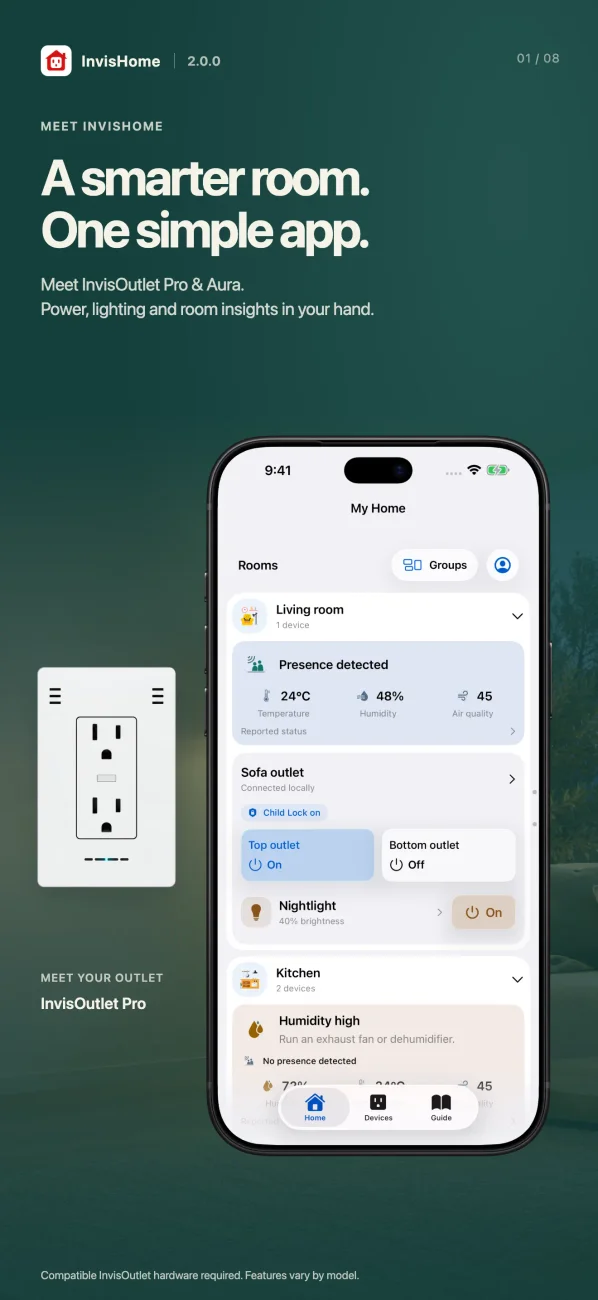
Your outlet can do more than power a plug. InvisHome brings InvisOutlet Pro and InvisOutlet Aura together in one app, with guided setup, room insights, and lighting you can make your own.
START WITH YOUR OUTLET
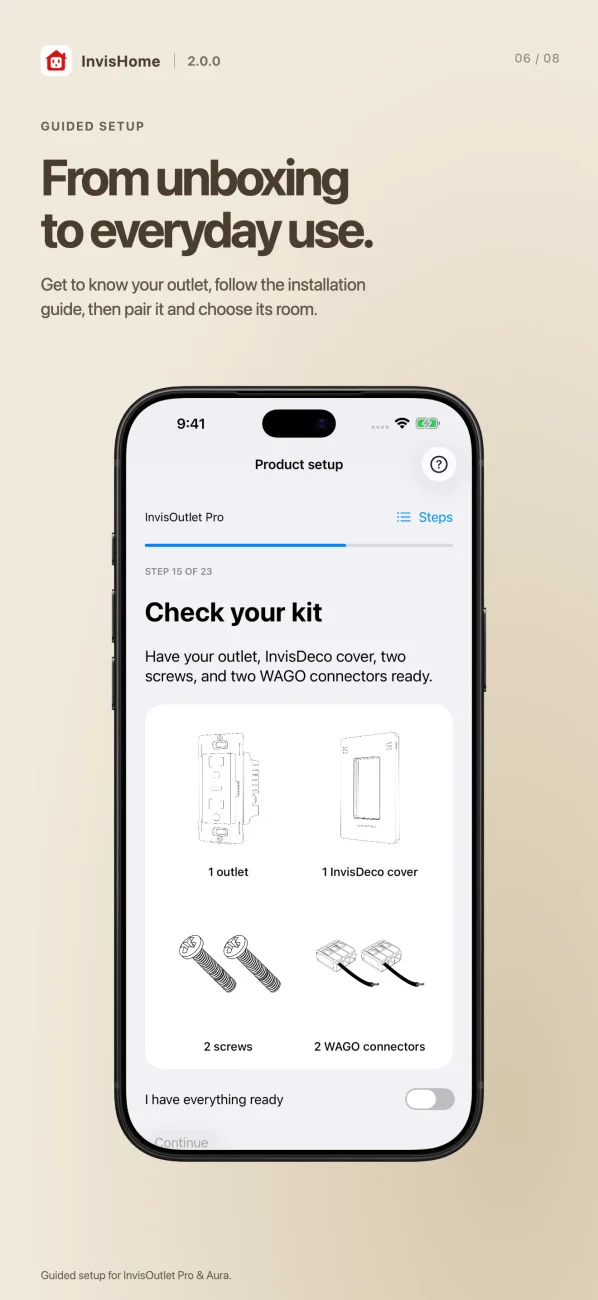
Meet your product before connecting it. Follow illustrated steps from installation preparation to pairing, choose a room, and try the controls. Learn what each feature does, with guidance you can pause and return to. Explore the guide before creating an account.
SEE WHAT MATTERS IN EACH ROOM
With InvisOutlet Pro, see presence, temperature, humidity, and air-quality readings together. Room summaries bring elevated air quality, bVOC, or humidity forward, so the most relevant information is easier to spot. Open a room's sensor panel for more detail and readings from its individual outlets.
CONTROL FROM YOUR HOME SCREEN
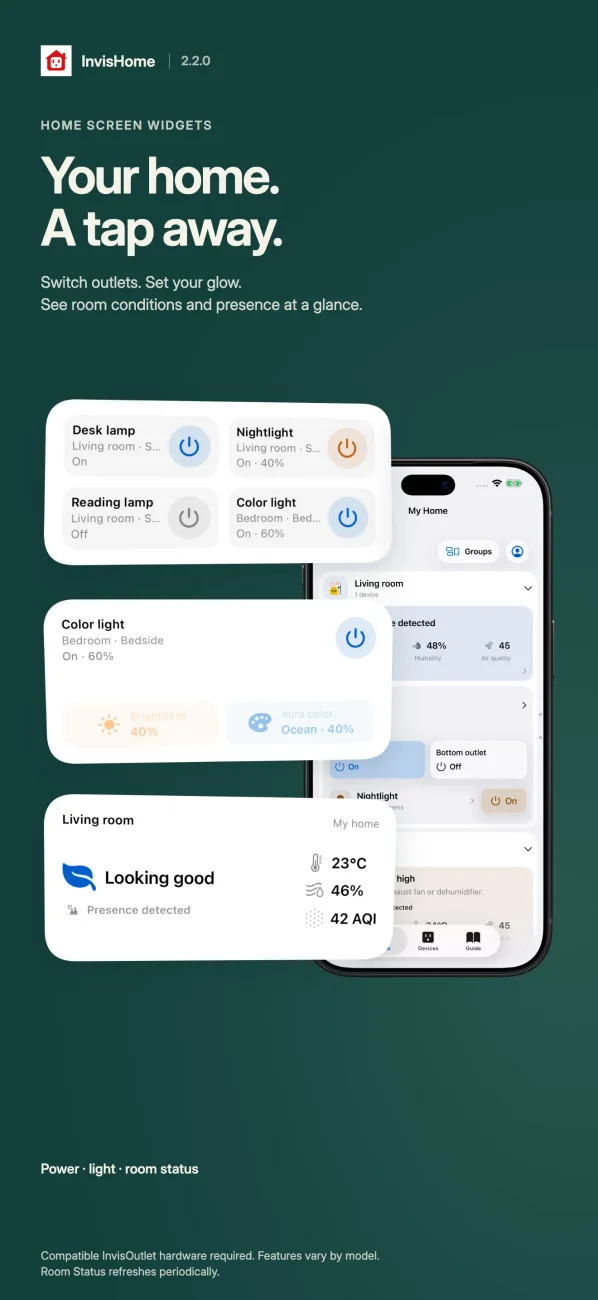
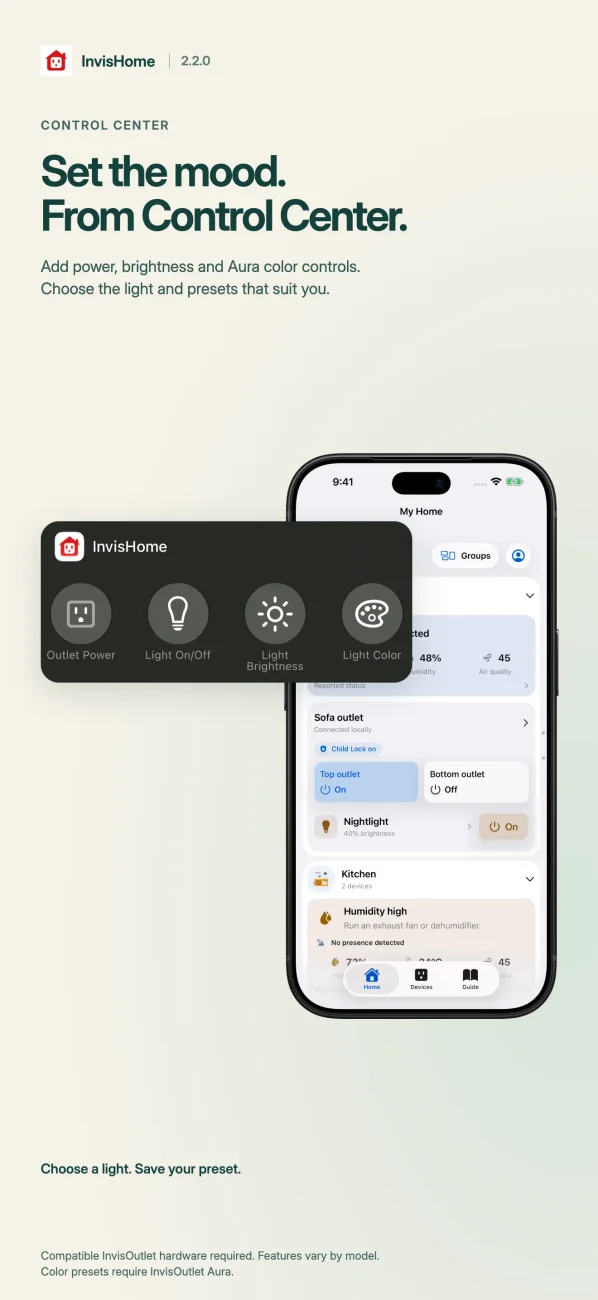
Add small or medium widgets for your selected outlets and lights. Set a brightness shortcut for Pro or Aura, or choose a steady-color shortcut for Aura. A Room Status widget keeps occupancy visible alongside environmental readings and alerts. On iOS 18 or later, add outlet power, light power, brightness, and Aura color controls to Control Center.
Open InvisHome once and sign in to configure your controls. Compatible hardware is required, and features depend on the outlet model. Room widgets refresh periodically; they are not continuous occupancy monitors.
POWER AT YOUR FINGERTIPS
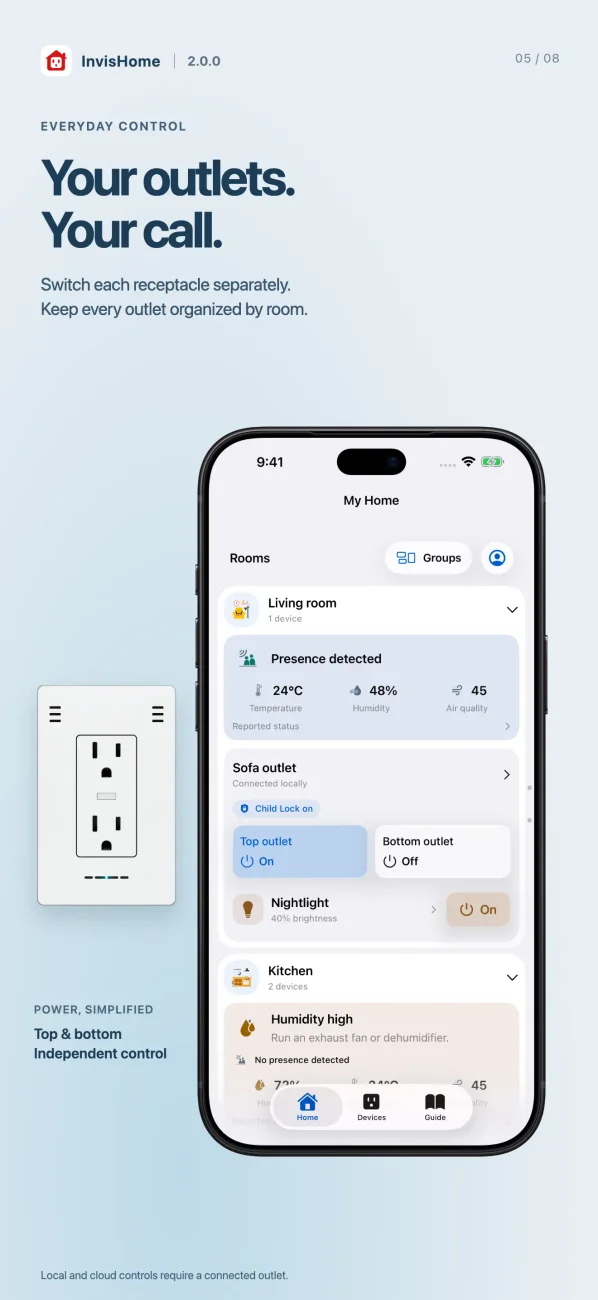
Switch the top and bottom receptacles separately. Name them after what is plugged in and keep multiple outlets organized by home and room. Use local or cloud controls when your outlet is connected.
A WARMER WELCOME WITH PRO
Adjust InvisOutlet Pro's warm nightlight with a dimmer or quick brightness presets. Choose adaptive lighting that responds to ambient light, or enable presence-based nightlight behavior.
MAKE ROOM FOR COLOR WITH AURA
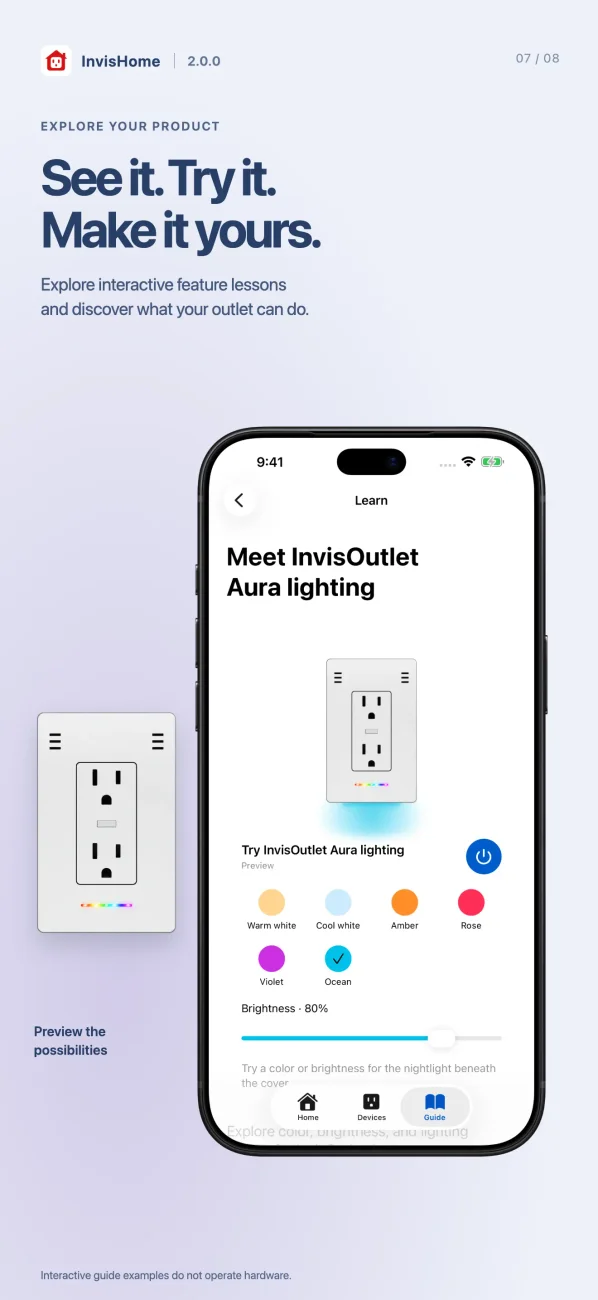
Give InvisOutlet Aura a look of its own. Choose a color, adjust white temperature and brightness, or explore lighting effects. Turn the light on or off directly from its collapsed controls, then expand when you want to fine-tune it.
GET TO KNOW YOUR HARDWARE
Find feature lessons, indicator explanations, calibration guidance, and device settings in the app. The redesigned Home, Devices, and Guide views keep everyday controls and setup help close at hand.
CONNECT WITH MATTER
Pair compatible InvisOutlet hardware and manage its Matter access is now easier than ever. Sharing Matter access between your iPhone and iPad through iCloud requires the same Apple Account, iCloud Keychain enabled on each device, and the same InvisHome account.
Download InvisHome to explore your next InvisOutlet or get more from the one already in your home.
Neue Funktionen
Version 2.2.4 · 21.11.2026
Re-pairing an InvisOutlet with Matter now keeps its existing name and room. Software Updates shows the target version, and you can recheck the installed versions if progress stalls.
App-Datenschutz
Was Intecular im App Store zum Umgang dieser App mit Daten angibt.
-
Mit Ihnen verknüpfte Daten
Können erfasst und mit Ihrer Identität verknüpft werden.
- Kontaktinformationen
- Benutzerinhalte
- Kennungen
- Diagnose
-
Nicht mit Ihnen verknüpfte Daten
Können erfasst werden, sind aber nicht mit Ihrer Identität verknüpft.
- Nutzungsdaten
- Diagnose
Die Datenschutzpraktiken können variieren, zum Beispiel je nach den von Ihnen verwendeten Funktionen oder Ihrem Alter.
Informationen
- Anbieter
- Intecular LLC
- Kategorie
- Lifestyle
- Version
- 2.2.4
- Aktualisiert
- 21.11.2026
- Veröffentlicht
- 11.01.2025
- Größe
- 72,3 MB
- Erfordert
- iOS 17.0 oder neuer
- Altersfreigabe
- 4+
- Sprachen
- Englisch
- Copyright
- © 2026 Intecular LLC
Das könnte Ihnen auch gefallen
-
 Wrist AssistantLifestyle
-
 InvisihomeLifestyle
-
 HomeCare für HomeKitGeräte überwachen & reparieren
-
 Habitat — 3D Smart HomeLifestyle
-
 Vulpo für Home AssistantSmart Home Dashboard & Widgets
-
 HomeriseLifestyle
-
 3R-InstallerLifestyle
-
 Droplet by HydrificLifestyle
-
 HomeBatterien für HomeKitAkkustand-Widget & Warnungen
-
 Third RealityLifestyle