iReport App
A Reporting App for Teachers
Entwickelt für iPhone, iPad, iPod touch
Kostenlos
- Altersfreigabe4+
- KategorieBildung
- EntwickleriSAMS Limited
- SprachenEnglisch
- Größe19,1 MB
Verlinkt auf die offizielle App Store-Seite
Download.org hostet keine Datei von iReport App. Die Schaltfläche öffnet die App-Seite bei App Store, wo iSAMS Limited die App veröffentlicht. Eintrag zuletzt geprüft am 15.11.2026.
Screenshots


Info
Der Entwickler hat diesen Text nicht in Ihrer Sprache bereitgestellt.
The iReport App helps teachers write school reports faster and more efficiently
Writing and submitting interim, end-of-term and end-of-year reports for multiple classes of students is already easier and faster with iSAMS’ School Reporting module – and the iReport App brings report-writing functionality to every teacher’s mobile device, whether smartphone or tablet.
With the iReport App, teachers can write and submit grades, assessments and school reports wherever they are – on school trips, in the classroom and on the move.
Intuitive and easy to use, it gives your teaching staff the opportunity to manage their time even more efficiently and complete time-consuming report writing tasks more quickly, and at their own convenience.
The official iSAMS iReport App requires each user to have the iTeacher App installed on the same device. The iReport App links directly with your school’s iSAMS management information system, where all school data is stored.
As soon as you log in, your dashboard presents three tabbed pages: Status, Reports, and Assessments.
Status Page
All news items which display in the iSAMS Report Wizard appear here, followed by buttons to go to the Statement Bank page and the About page.
Reports Page
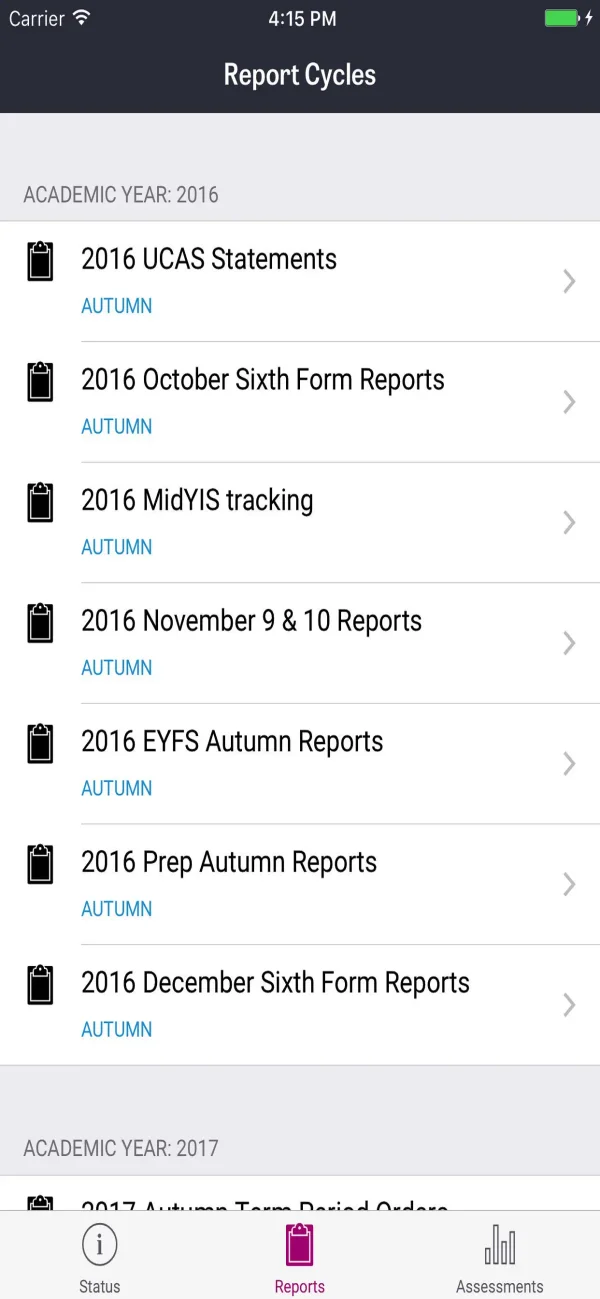
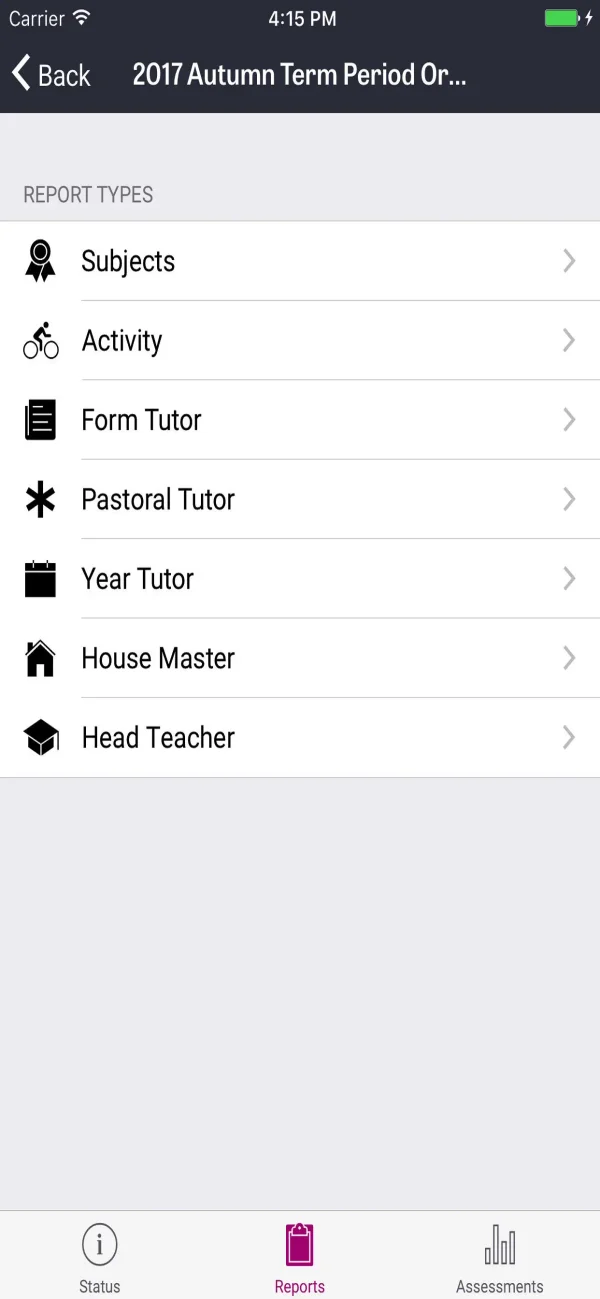
The Reports page displays all active reporting cycles, for example: End of Term Reports. Tapping on each reporting cycle gives the teacher a list of Report Types relevant to that cycle, as well as any associated with their particular role, such as Year Tutor.
From here, teachers can easily navigate between subjects and sets, and:
Write general comments for all students, to appear on all reports in that particular set
Quickly find and navigate between students
Add statements from the Statement Bank
Write personalised reports for each student for each subject or activity
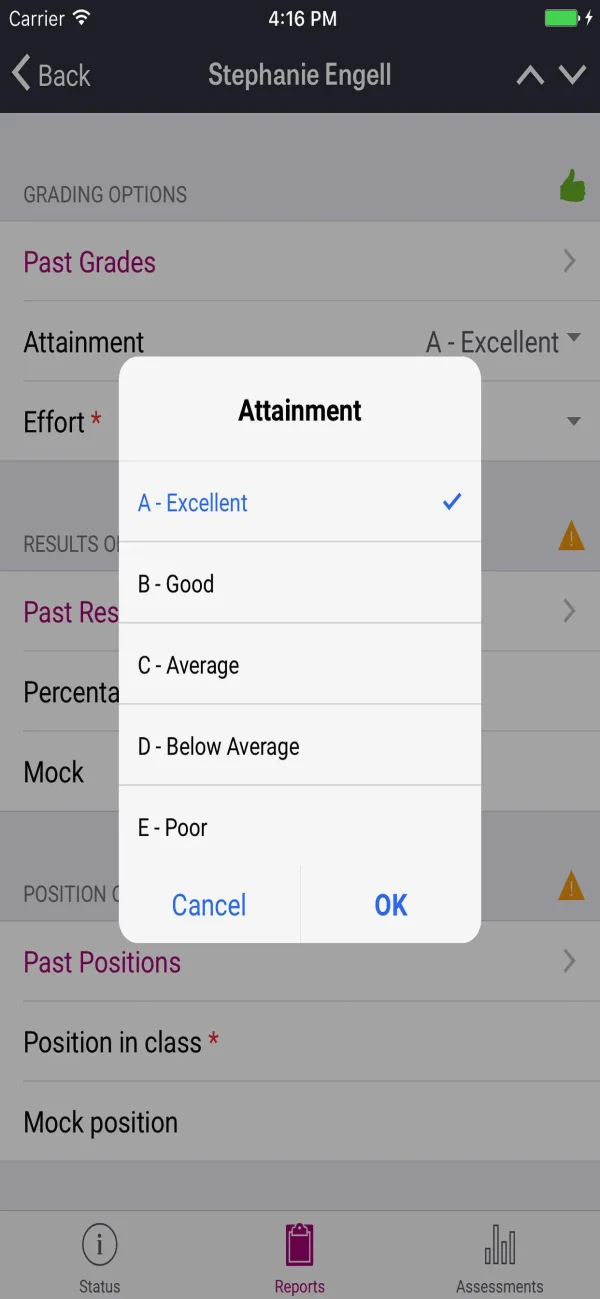
Add grades, results, positions and comments – and save the status of each report
View each student’s past grades, results, options, comments and full reports – useful for quickly commenting on students’ personal progress.
Mandatory fields are marked and validated via the iReport App.
iSAMS administrators can assign certain teachers as proof readers, who can proofread reports and mark them as complete or incomplete; return them back to the report writer with a comment; or flag them. Teachers receive a notification if there’s any more work for them to do on each report.
Assessments Page
The Assessments page has the same navigation as the Reports page, all the way to individual students’ pages. Each student’s assessment data can be entered directly in the Students page. A footer indicating student totals is displayed, along with buttons to mark all and save all student assessment data.
Please note: The iReport App is a native app downloaded onto teachers’ mobile devices and tablets. This provides enhanced security and quicker access to information. It must be installed by your school in conjunction with the iTeacher App for it to be accessible to teachers and only works in conjunction with the iSAMS management information system.
Neue Funktionen
Version 2.0.11 · 23.02.2024
FIX - Fixed an issue that caused the dashboard not to load after authentication.
FIX - Fixed an issue that caused some views not to load and present a [object object] error.
FIX - Fixed an issue that caused the bottom nav buttons to appear too dark on dark colour schemes.
App-Datenschutz
Was iSAMS Limited im App Store zum Umgang dieser App mit Daten angibt.
-
Mit Ihnen verknüpfte Daten
Können erfasst und mit Ihrer Identität verknüpft werden.
- Diagnose
Die Datenschutzpraktiken können variieren, zum Beispiel je nach den von Ihnen verwendeten Funktionen oder Ihrem Alter.
Informationen
- Anbieter
- iSAMS Limited
- Kategorie
- Bildung
- Version
- 2.0.11
- Aktualisiert
- 23.02.2024
- Veröffentlicht
- 02.10.2017
- Größe
- 19,1 MB
- Erfordert
- iOS 13.0 oder neuer
- Altersfreigabe
- 4+
- Preis
- Kostenlos
- Sprachen
- Englisch
- Copyright
- © 2018 iSAMS Limited
Das könnte Ihnen auch gefallen
-
 Firefly for StudentsBildung
-
 Firefly for ParentsBildung
-
 Matific: Math GameBildung
-
 Reading Eggs - Learn to ReadBildung
-
 IXL - Math, English, & MoreBildung
-
 edX Lern-Apps – LernkurseFernstudium, 2000 Kurse
-
 Intellecto Kinder Lern SpieleZahlen Zählen Lernen Kleinkind
-
 Astra AI: Lernen für PrüfungenMathe & Hausaufgaben lösen
-
 Englisch Lernen - FluentikaSprechen Sie mit dem KI -Tutor
-
 Doktor Arzt Kinderspiele 2-5Krankenhaus Spiele für Baby