
Ironworker Pro
Weld guide, calc & references
Entwickelt für iPhone, iPad, iPod touch
2,99 €
- Altersfreigabe4+
- KategorieDienstprogramme
- EntwicklerAntonio Pebworth
- SprachenEnglisch
- Größe5,0 MB
Verlinkt auf die offizielle App Store-Seite
Download.org hostet keine Datei von Ironworker Pro. Die Schaltfläche öffnet die App-Seite bei App Store, wo Antonio Pebworth die App veröffentlicht. Eintrag zuletzt geprüft am 21.11.2026.
Screenshots

Info
Der Entwickler hat diesen Text nicht in Ihrer Sprache bereitgestellt.
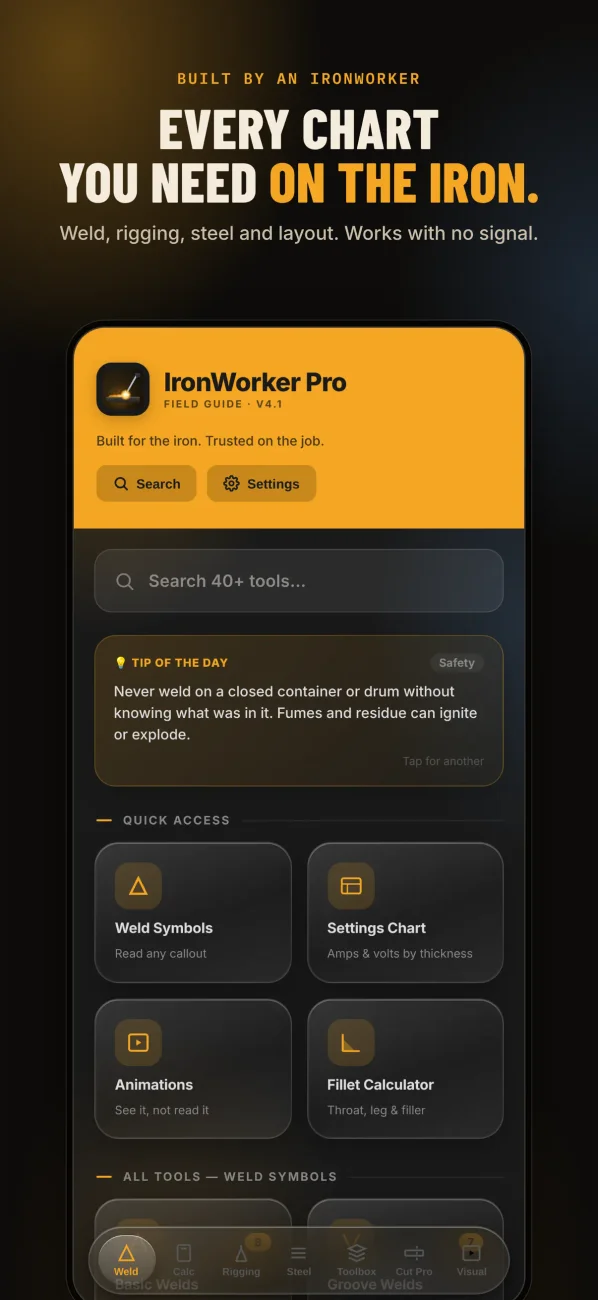
Every chart you need on the iron. In your pocket.
IronWorker Pro is the field reference built by a working structural ironworker, not a software company. Weld symbols and settings, rigging and fall clearance, steel and bolt charts, a feet-inch calculator, animated guides and now Cut Pro. Almost all of it works with no signal on the deck.
CUT PRO: CUT STEEL, WASTE LESS
Type in your sticks and plate parts. Cut Pro works out the fewest pieces to buy, uses your rack drops first, and draws a cut sheet for every stick and every sheet of plate. Then it builds one clean material order, with sizes, lengths, grades and weights, that you can email or text straight to your supplier.
WELDING
Weld symbols: read any callout, fillet, groove and supplementary symbols
Weld Setting Wizard and Settings Chart: amps and volts by process and thickness
NEW: NR-232 field wire settings for .068, .072 and 5/64, from Lincoln’s data sheet
Fillet weld and heat input calculators, preheat lookup, electrode and gas guides
Weld defects, CJP and backgouge, rebar weld sizes, stud welding, test prep
RIGGING & SAFETY
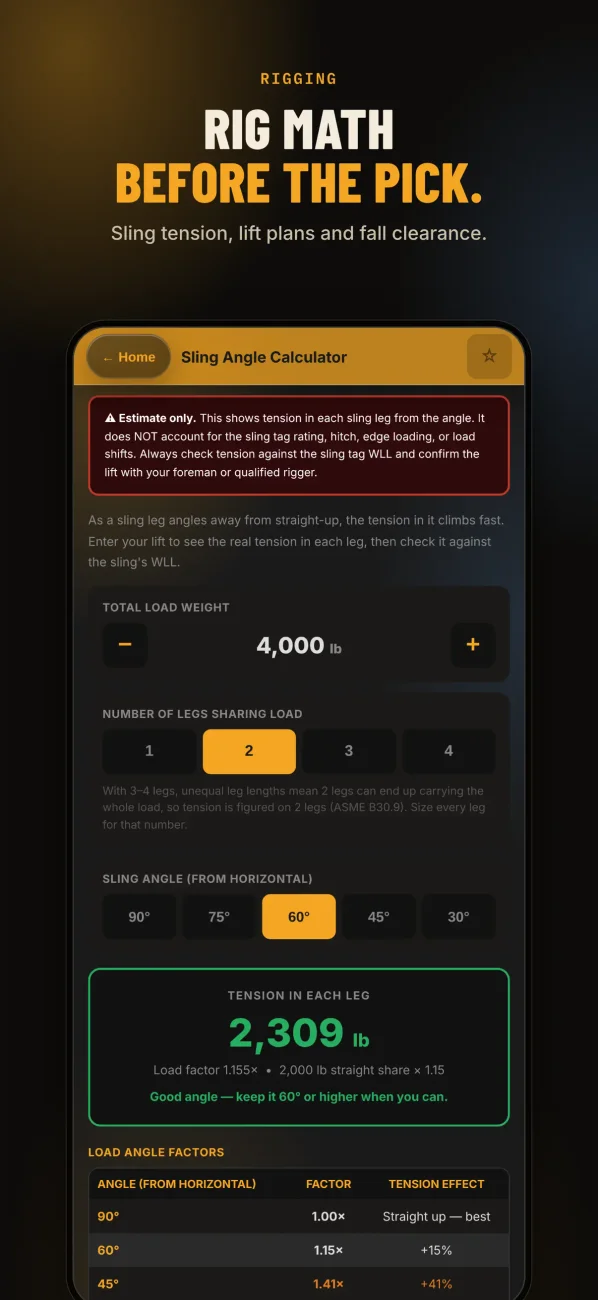
Sling angle calculator: real tension in every leg
Lift plan, rigging hardware, crane hand signals and load charts
Fall clearance with free-fall warnings
Pre-lift, fall protection and hot work checklists that sign off to your Job Log
STEEL & LAYOUT
Beam, channel, angle, HSS and pipe shapes and weights
Bolts, edge distance, torque and turn-of-nut
Pipe handrail and rails, copes and hole layout, deck and stud estimates
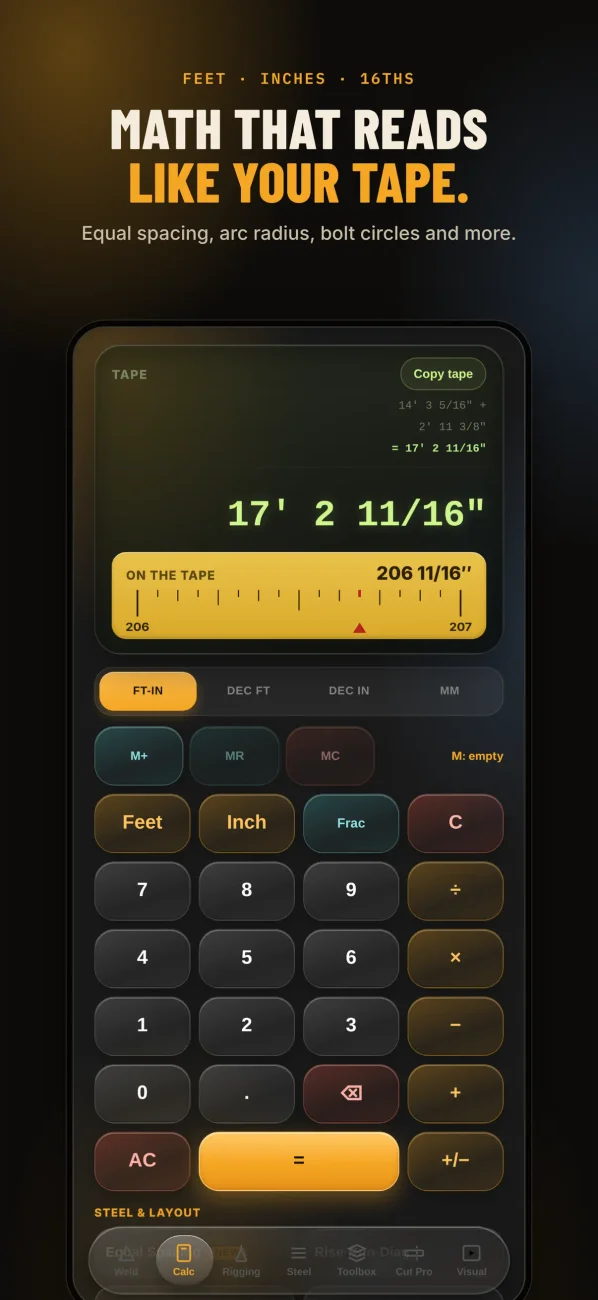
A CALCULATOR THAT READS LIKE YOUR TAPE
Feet, inches and 16ths. Every length also shows on a tape blade so you know exactly which tick to pull to. Equal Spacing gives every running mark, Arc Radius works off a chord and rise, Bolt Circle gives X/Y for every hole. Plus rise-run-diagonal, stairs, plate weight and trig. Your tape history saves.
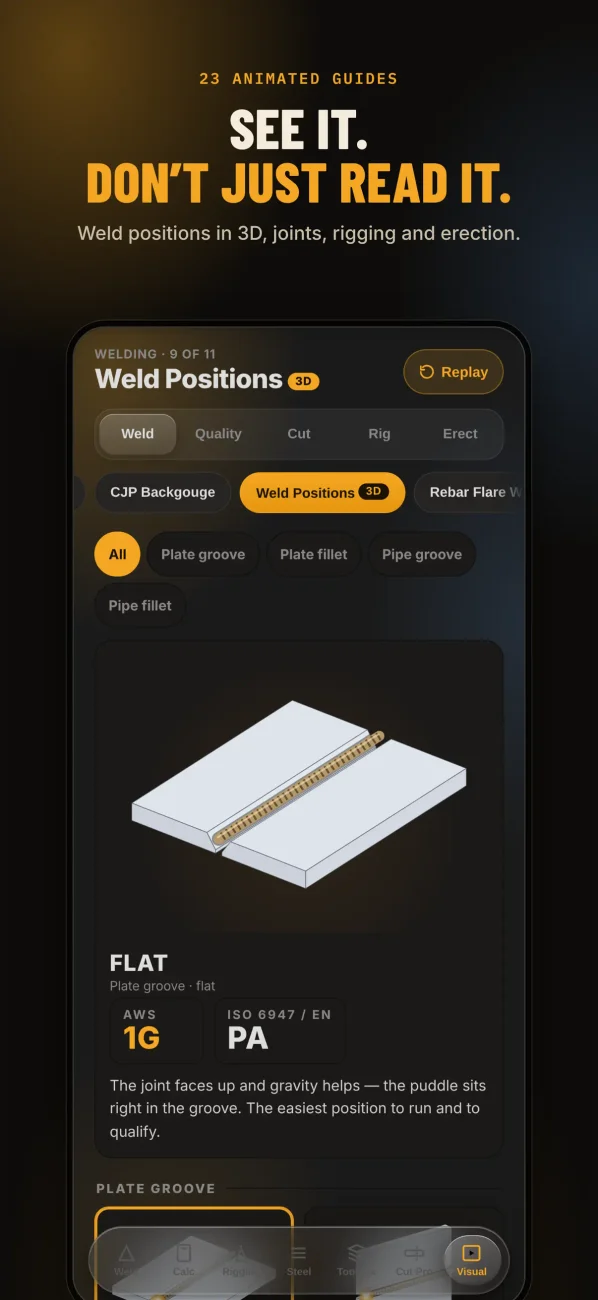
SEE IT, DON’T JUST READ IT
23 animated guides grouped into Weld, Quality, Cut, Rig and Erect, including weld positions in 3D.
YOUR RECORDS
Job Log with photos and photo markup, and an hours tracker
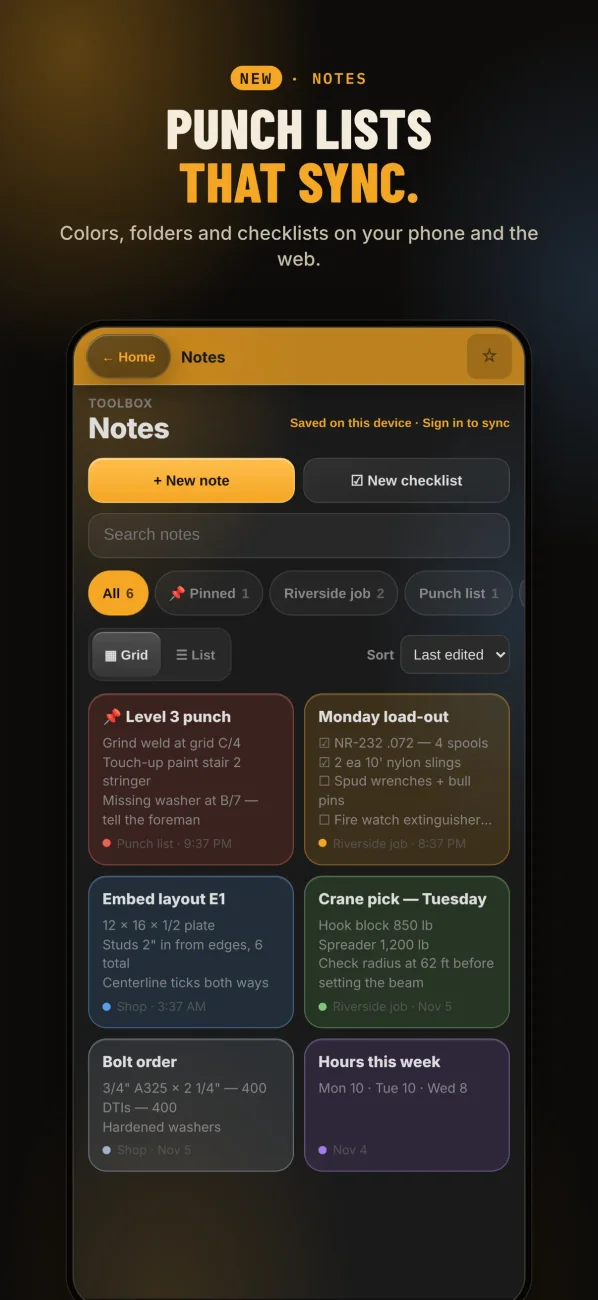
NEW: Notes and punch lists with colors, folders, pins and checklists
Free account: back up your log, photos, hours and notes and restore them on a new phone. Notes sync with ironworkerpro.com.
Bought the app? Sign in and Pro Tools on ironworkerpro.com unlocks with the same account.
MADE FOR THE JOB
Big glove-friendly buttons and Glove Mode
7 themes plus the new Liquid Glass look
No ads
DISCLAIMER
IronWorker Pro is a reference and training aid. It does not replace your training, a competent or qualified person, or the job’s documents. The approved drawings, specifications, your WPS, the lift plan, the manufacturer’s instructions, applicable codes (such as AWS, ASME, RCSC and OSHA) and your site safety rules always govern. Weld settings are typical starting points, rigging numbers are estimates, and Cut Pro and calculator results are only as good as what you enter. Check every cut, measurement, weld and pick before you act on it. The full disclaimer and sources are in the app under Settings › Disclaimer & Sources and at ironworkerpro.com/disclaimer.
Built on the iron, for the iron.
Neue Funktionen
Version 4.2 · 18.11.2026
IronWorker Pro 4.2 - built for the iron.
NEW: MY TOOLS
Pin your 5 most-used tools to the top of the home screen. Tap Edit, pick them in the order you want, done.
NEW: SUN MODE
Bright day on the deck? Tap Sun on the home screen for a solid, high-contrast look you can read in full sun. Tap again to go back.
ALL-NEW HOME SCREEN
Dark steel, a weld glow, and a greeting that changes with the time of day. Tap the logo and see what happens.
CUT PRO - SHOW YOUR WORK
Every cut sheet now shows how it was figured: saw kerf, mill trim, which drops get kept, and plate spacing. Change any of them in one tap so the count matches your shop.
SMOOTHER EVERYWHERE
Faster, smoother scrolling. A cleaner bottom tab bar that no longer covers the last tools on the page. New dark launch
App-Datenschutz
Was Antonio Pebworth im App Store zum Umgang dieser App mit Daten angibt.
-
Mit Ihnen verknüpfte Daten
Können erfasst und mit Ihrer Identität verknüpft werden.
- Käufe
- Kontaktinformationen
- Benutzerinhalte
Die Datenschutzpraktiken können variieren, zum Beispiel je nach den von Ihnen verwendeten Funktionen oder Ihrem Alter.
Informationen
- Anbieter
- Antonio Pebworth
- Kategorie
- Dienstprogramme
- Version
- 4.2
- Aktualisiert
- 18.11.2026
- Veröffentlicht
- 04.06.2026
- Größe
- 5,0 MB
- Erfordert
- iOS 15.0 oder neuer
- Altersfreigabe
- 4+
- Preis
- 2,99 €
- Sprachen
- Englisch
- Copyright
- © 2026 Antonio Pebworth
Das könnte Ihnen auch gefallen
-
 Proceq GPR SubsurfaceDienstprogramme
-
 Proceq GPRDienstprogramme
-
 GearPointDienstprogramme
-
 Fabora: Rechner für MetallbauStahlbau, Schweißen, Gewicht
-
 Trimble-ConnectDienstprogramme
-
 Construction Master Pro CalcDienstprogramme
-
 Feet and Inches CalculatorDienstprogramme
-
 Construction Master 5 CalcDienstprogramme
-
 PSEDienstprogramme
-
 TV-Fernbedienung - FlickyFür Samsung・LG・Philips・Sony