- Altersfreigabe4+
- KategorieBildung
- EntwicklerKEEGAN JAMES MCCARTHY
- SprachenEnglisch
- Größe5,1 MB
Verlinkt auf die offizielle App Store-Seite
Download.org hostet keine Datei von ISS Repeater. Die Schaltfläche öffnet die App-Seite bei App Store, wo KEEGAN JAMES MCCARTHY die App veröffentlicht. Eintrag zuletzt geprüft am 17.11.2026.
Screenshots

Info
Der Entwickler hat diesen Text nicht in Ihrer Sprache bereitgestellt.
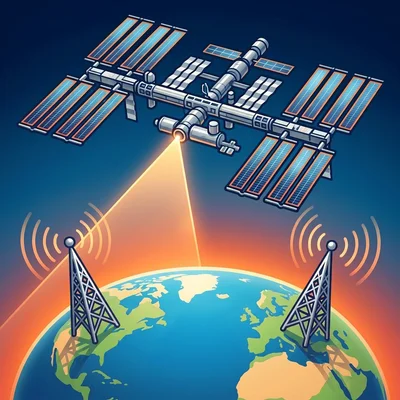
Most satellite trackers tell you when the ISS passes over you. This app tells you when you and a second station are within radio range for communicating.
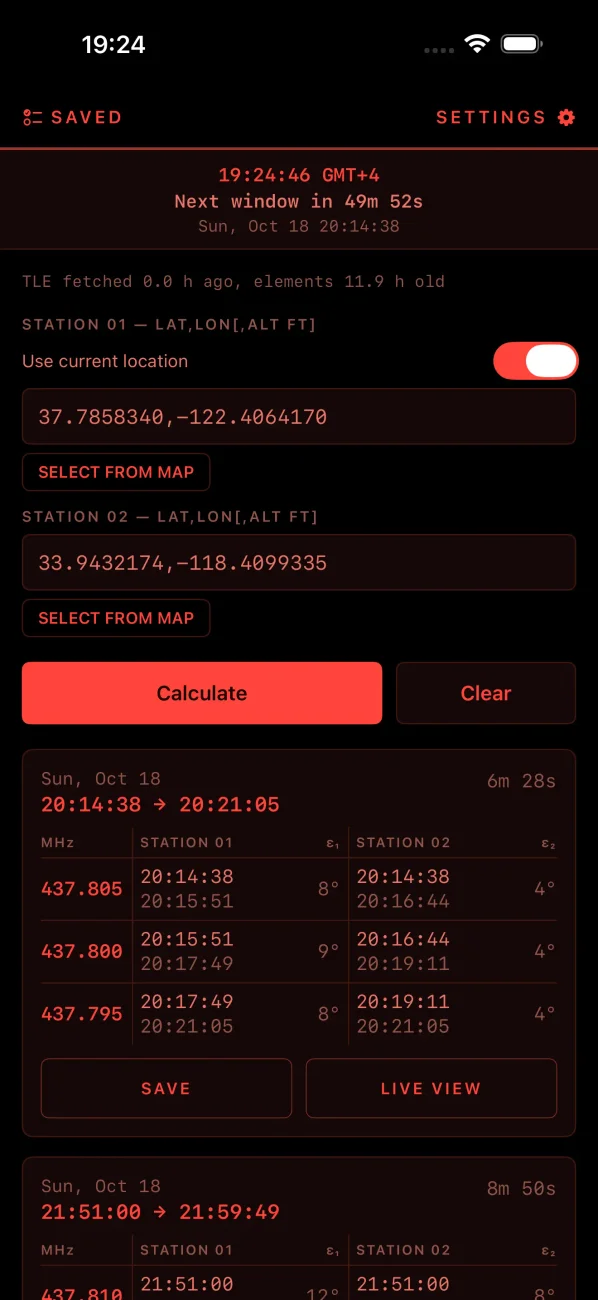
The ISS carries a cross-band FM repeater. To make a contact through it, the station has to be above your horizon and above the other operator's at the same moment. ISS Repeater finds those windows for any two stations, up to seven days ahead.
TWO STATIONS, OR ONE
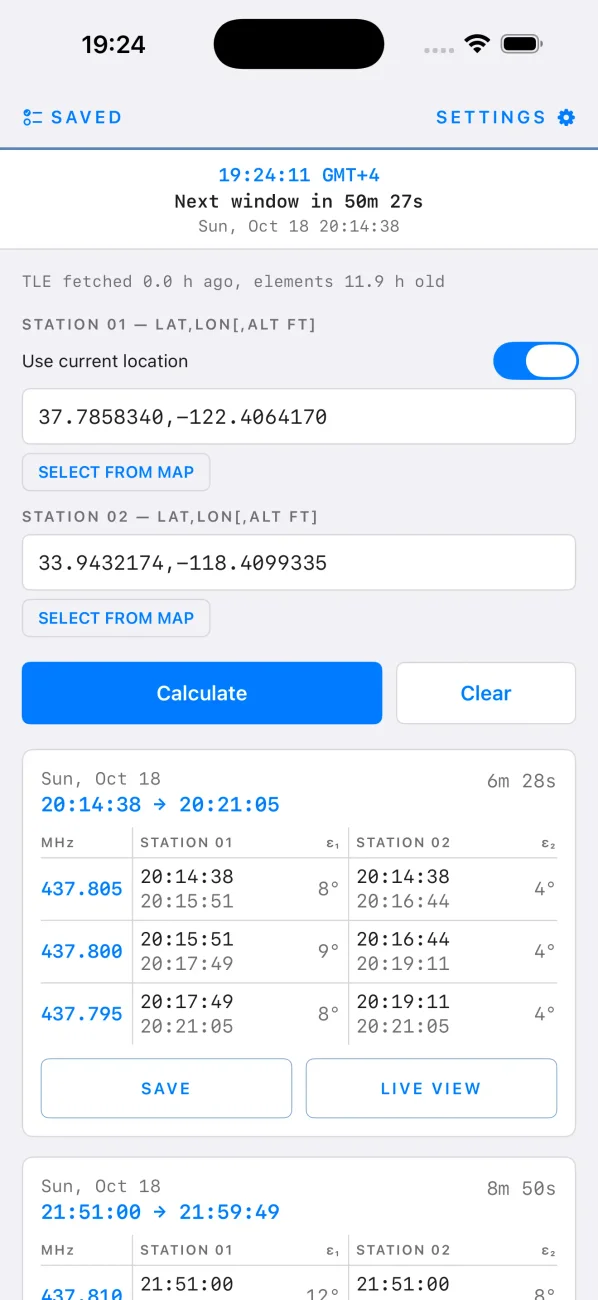
In DUAL mode, enter both stations and get back only the windows you can actually share. In SINGLE mode it works as a straightforward pass planner for listening to the repeater yourself.
Coordinates go in three ways: typed, dropped as a pin on a map, or taken from your phone's own GPS fix.
A DOPPLER SCHEDULE, NOT JUST A PASS TIME
The downlink drifts about 20 kHz from one end of a pass to the other. Each result card lays out five receive channels across 437.790-437.810 MHz and tells you when to move to each one and when to leave it - separately for each station, so both operators can work from the same plan.
FIND IT IN THE SKY
Tap LIVE VIEW and hold the phone up. The camera shows the horizon, the compass points, the whole arc of that pass, and a marker on where the ISS is right now. When it is out of frame, an arrow points the way to turn. Azimuth, elevation and range are read out along the bottom.
Bearings are TRUE, not magnetic. The app carries the World Magnetic Model and corrects for declination at your own coordinates, so what you see lines up with a rotator readout or a map.
SAVE A PASS, GET A REMINDER
Tap SAVE on any window to keep it. Saved passes keep their numbers current against freshly fetched orbital elements, and an optional notification arrives ten minutes before each one opens.
NIGHT MODE
Black background, red text, for use at the radio without wrecking your dark adaptation.
PRACTICAL NOTES
- Orbital elements come from CelesTrak, with AMSAT as a fallback, and are cached on the phone. Once they are there, searching, Doppler planning and the sky finder all work with no connection at all. You can paste your own element set instead if you prefer.
- The app predicts geometry, not equipment. The repeater is powered down for some crew operations, EVAs and school contacts. A window means the station is mutually visible, not that it is transmitting.
- Uplink and operating practice are yours to get right, according to your licence class and national regulations.
PRIVACY
No accounts, no analytics, no advertising, and nothing about you is collected or transmitted anywhere. The only requests the app makes are for orbital elements, and for Apple's map tiles if you use the map picker.
Neue Funktionen
Version 1.1 · 19.10.2026
CHANNEL NAMES
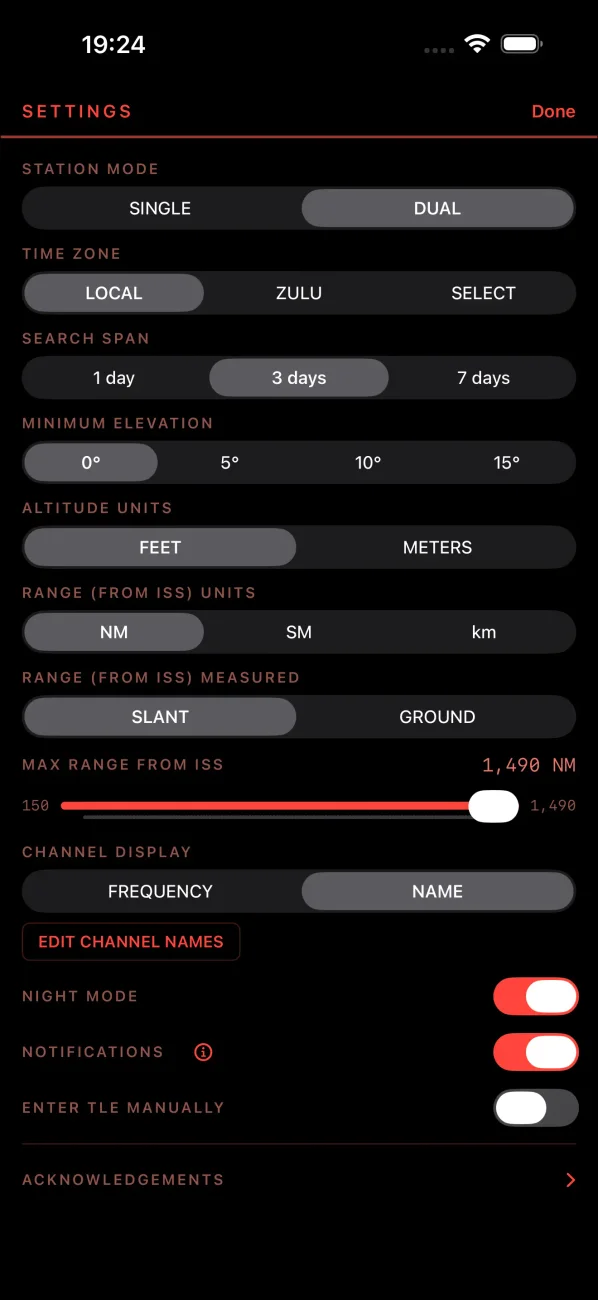
If your radio has the five downlink channels stored as memories, you can now name them (Settings > Channel display > NAME). The app then shows your names everywhere instead of the frequencies: on the result cards, in the status bar, in the live view and in reminders.
LIVE VIEW
- The channel to be on is written along each stretch of the pass arc, and in a box beside the ISS marker whenever the station is above your horizon.
- At each frequency change the ISS marker flashes five times around the switch - or the pointing arrow does, if the ISS is out of frame - so you can keep your eyes on the sky.
- The clock has moved into the status bar, and the bars are translucent over the camera.
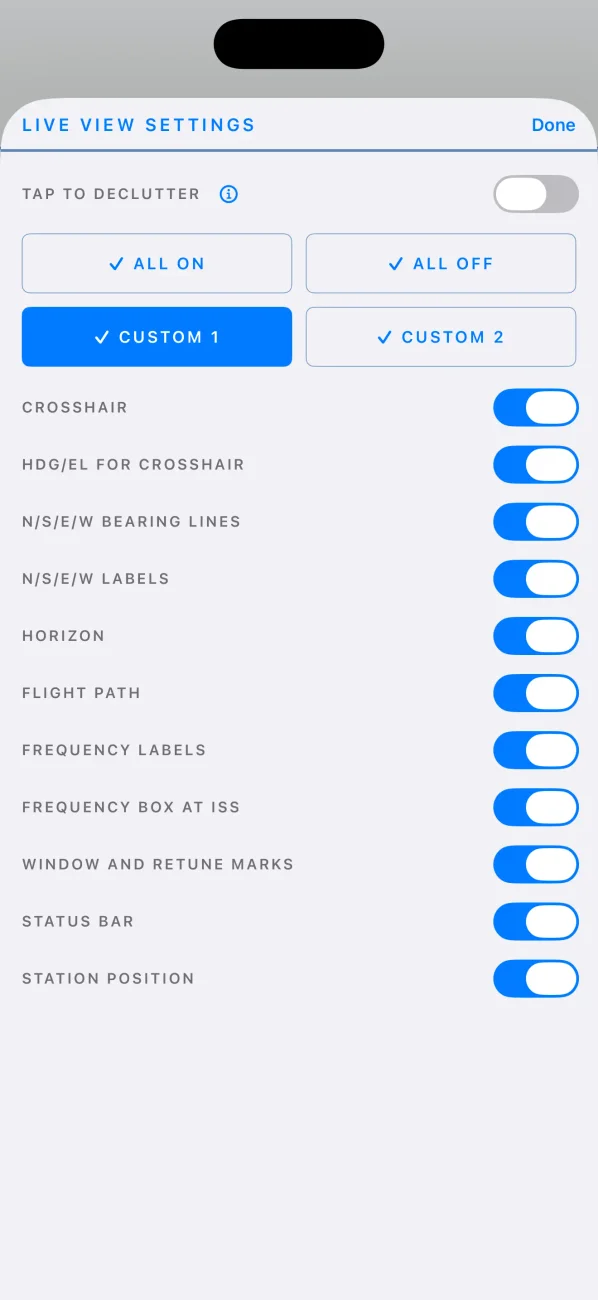
- A new SETTINGS button in the live view lets you choose exactly what is drawn: crosshair and its heading readout, bearing lines and their letters, horizon, flight path, frequency labels, window and retune marks, the frequency box, the status bar and the position readout.
- Presets: ALL ON, ALL OFF and two custom arrangements of your own. Turn on "Tap to declutter" and a tap anywhere on the sky steps through them, with the preset's name shown briefly at the top.
SETTINGS
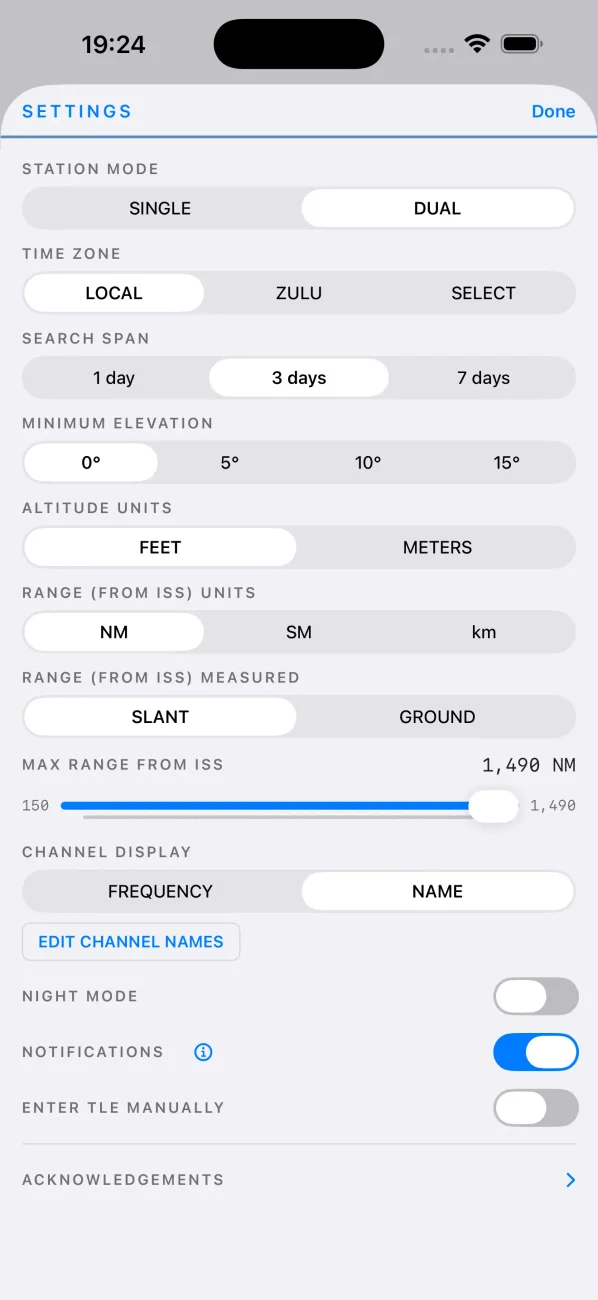
- Max range is now a slider whose top end is the furthest anyone on Earth can see the ISS from, so leaving it there means every pass. Switching units converts the value instead of changing its meaning.
- New installs start with minimum elevation at 0 degrees and the range at maximum, so nothing is hidden until you choose to hide it.
FIXES
- Choosing a location on the map now respects night mode.
- If you decline location access and later allow it in Settings, the app picks it up when you return instead of needing a relaunch.
- Several messages reworded for clarity.
App-Datenschutz
Was KEEGAN JAMES MCCARTHY im App Store zum Umgang dieser App mit Daten angibt.
-
Keine Daten erfasst
Der Entwickler erfasst keine Daten von dieser App.
Die Datenschutzpraktiken können variieren, zum Beispiel je nach den von Ihnen verwendeten Funktionen oder Ihrem Alter.
Informationen
- Anbieter
- KEEGAN JAMES MCCARTHY
- Kategorie
- Bildung
- Version
- 1.1
- Aktualisiert
- 19.10.2026
- Veröffentlicht
- 17.09.2026
- Größe
- 5,1 MB
- Erfordert
- iOS 17.6 oder neuer
- Altersfreigabe
- 4+
- Preis
- Kostenlos
- Sprachen
- Englisch
- Copyright
- © 2026 ISS Repeater App
Das könnte Ihnen auch gefallen
-
 Journeys: Biblical AtlasBildung
-
 QNoteNachschlagewerke
-
 Sojourn BaptistBildung
-
 ROL Bible StudyBildung
-
 FAA Part 107 Drone Pilot TestBildung
-
 Offline ham LookupNachschlagewerke
-
 Ham Radio US Band PlanNachschlagewerke
-
 Cadenza: Morsecode lernenCW nach Gehör, Koch-Methode
-
 MTP Morse MachineBildung
-
 Steadfast: Bible Atlas StudyNachschlagewerke