
kikuru
Replay audio. See the words.
Entwickelt für iPhone, iPad
Kostenlos · In-App-Käufe
- Altersfreigabe4+
- KategorieBildung
- EntwicklerSaburo Arima
- SprachenEnglisch+ 2 weitere
- Größe1,8 MB
Verlinkt auf die offizielle App Store-Seite
Download.org hostet keine Datei von kikuru. Die Schaltfläche öffnet die App-Seite bei App Store, wo Saburo Arima die App veröffentlicht. Eintrag zuletzt geprüft am 12.11.2026.
Screenshots

Info
Der Entwickler hat diesen Text nicht in Ihrer Sprache bereitgestellt.
Listen. Replay. Follow the words.
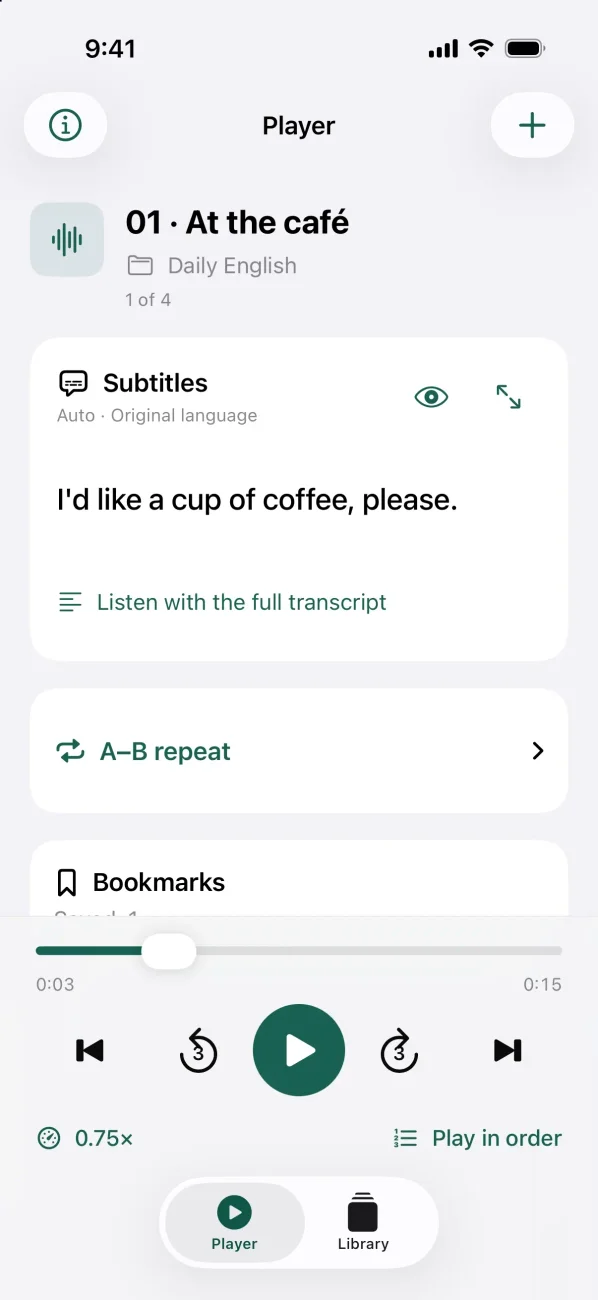
kikuru is a player for practicing languages with audio you already have in Files. Jump back to the part you missed, change the speed, and repeat a section as often as you need.
Keep listening within reach
• Skip back or forward 3 seconds
• Choose a speed from 0.5× to 2×
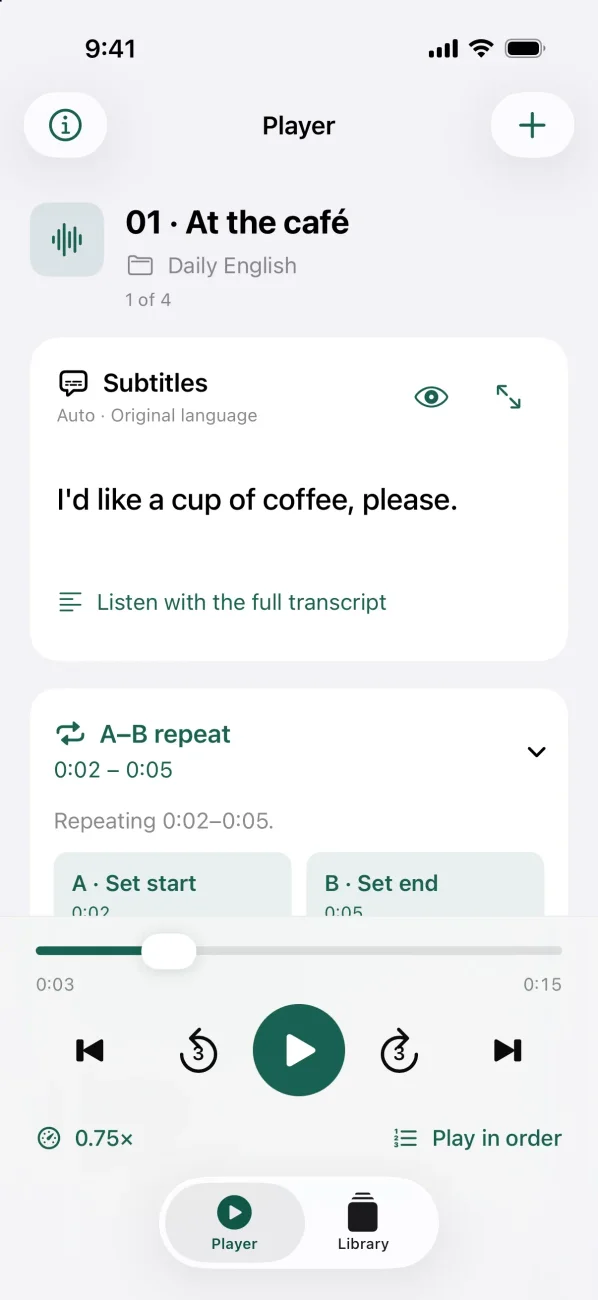
• Repeat an A–B section, repeat one track, or play in order
• Resume where you left off, play in the background, and use Lock Screen controls
• Save bookmarks with notes
Start free, then choose
• Core playback and file management are free
• Try subtitle creation for a total of 10 minutes (600 seconds) of audio on this device
• Longer files are transcribed from the beginning up to your remaining allowance
• The allowance counts audio duration when subtitles are successfully saved, not waiting or listening time. Recreating subtitles counts again; failures and cancellations do not
• Playback and viewing, editing, and phrase repeats for saved subtitles stay available after the allowance is used
• Remove the subtitle creation limit with a one-time in-app purchase at the local price shown before purchase
• No subscription or automatic renewal. Restore purchases with the same Apple Account
• A supported operating system, device, and audio language are still required after purchase. Try compatibility and recognition quality for free first
Follow your audio with subtitles
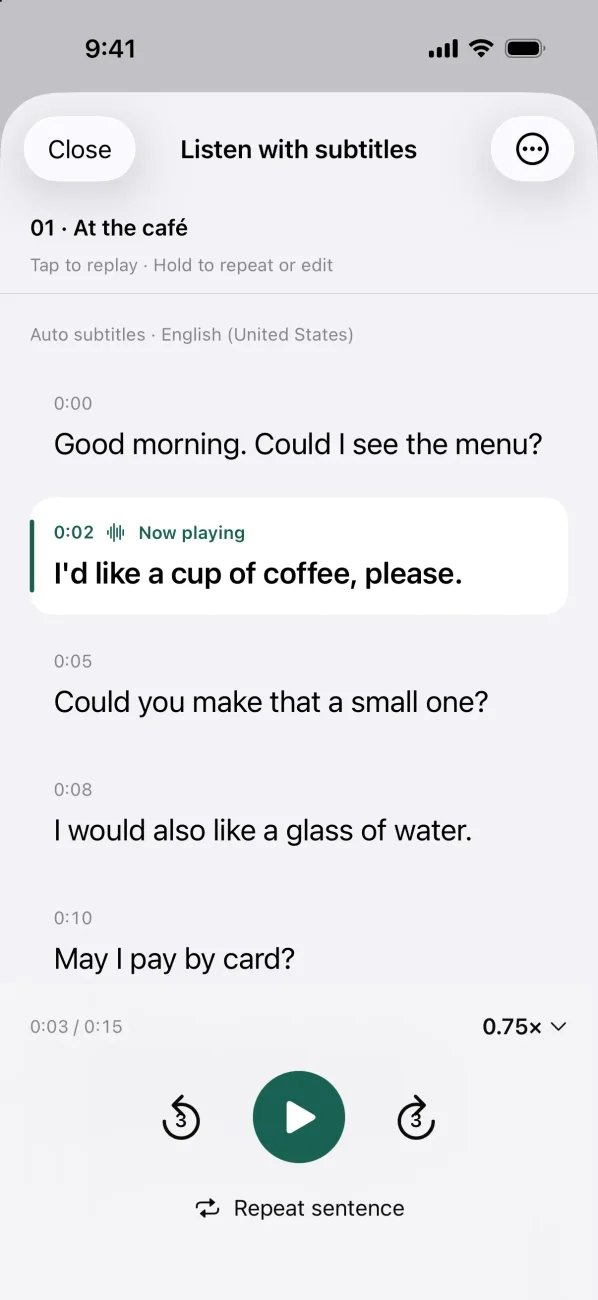
On supported devices, create original-language subtitles using Apple's on-device speech recognition. Open the full transcript and tap a phrase to replay it. Repeat a phrase, correct the text, or adjust subtitle timing. Your subtitles are saved for each audio file.
Organize your own audio
Import MP3, M4A, and other audio files individually or by folder, including subfolders. Search, filter bookmarked audio, change the playback order, and select multiple files to delete. Imported audio is copied into the app; your original files are left unchanged.
Made for your device
• Interface in English, Japanese, or Korean, following your preferred iOS language
• Support for system text sizes and Dark Mode
• No account, ads, analytics, tracking, or subscriptions
• Audio, subtitles, bookmarks, and playback positions are handled on your device
Requirements
Playback and saved subtitles work on iOS 17 or later. Creating subtitles requires iOS 26 or later and a supported device and language. Available languages are listed in the app. Speech models may need to be downloaded from Apple, requiring an internet connection and free storage. Keep the app open while subtitles are being created.
Importing from iCloud Drive or another file provider may require that service to download the file. Imported audio and saved subtitles work offline.
Audio and course scripts are not included. Import your own audio from Files to get started. Automatic subtitles are not translations or official transcripts and may contain recognition errors. Deleting the app also deletes its audio and subtitles, so keep your original audio files. Trial usage is kept on the device and is not restored by deleting audio or subtitles.
Purchases, restoration, and purchase-status checks with the App Store may require an internet connection.
App-Datenschutz
Was Saburo Arima im App Store zum Umgang dieser App mit Daten angibt.
-
Keine Daten erfasst
Der Entwickler erfasst keine Daten von dieser App.
Die Datenschutzpraktiken können variieren, zum Beispiel je nach den von Ihnen verwendeten Funktionen oder Ihrem Alter.
Informationen
- Anbieter
- Saburo Arima
- Kategorie
- Bildung
- Version
- 1.3
- Aktualisiert
- 20.10.2026
- Veröffentlicht
- 20.10.2026
- Größe
- 1,8 MB
- Erfordert
- iOS 17.0 oder neuer
- Altersfreigabe
- 4+
- Preis
- Kostenlos
- In-App-Käufe
- Ja
- Sprachen
- Englisch, Japanisch, Koreanisch
- Copyright
- © 2026 SA