- Altersfreigabe4+
- KategorieLifestyle
- EntwicklerJeremy Bakken
- SprachenEnglisch
- Größe6,2 MB
Verlinkt auf die offizielle App Store-Seite
Download.org hostet keine Datei von Knit Rows. Die Schaltfläche öffnet die App-Seite bei App Store, wo Jeremy Bakken die App veröffentlicht. Eintrag zuletzt geprüft am 15.11.2026.
Screenshots
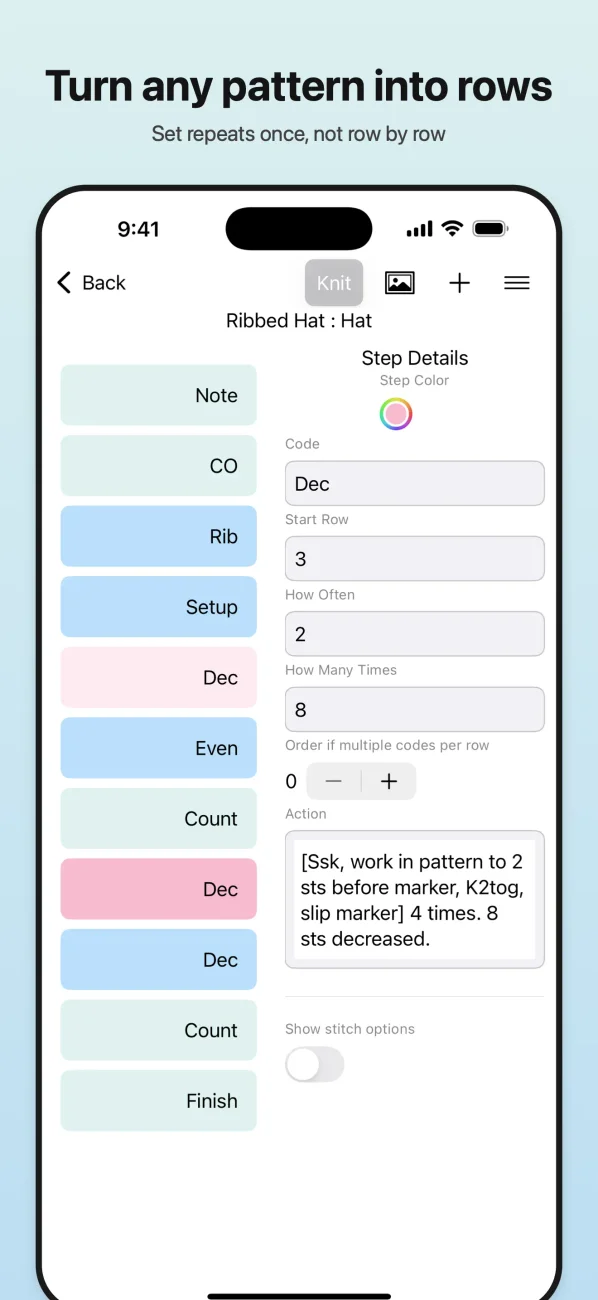

Info
Der Entwickler hat diesen Text nicht in Ihrer Sprache bereitgestellt.
KnitRows keeps your place in a knitting pattern, one row at a time. Enter a pattern's instructions once, then tap your way through it. KnitRows shows exactly what to work on the row you're on, including every repeat, increase, and decrease that lands there.
It works for a simple hat or a multi-size sweater, from written instructions or from a chart, on iPhone, iPad, and Mac.
KNIT ROW BY ROW
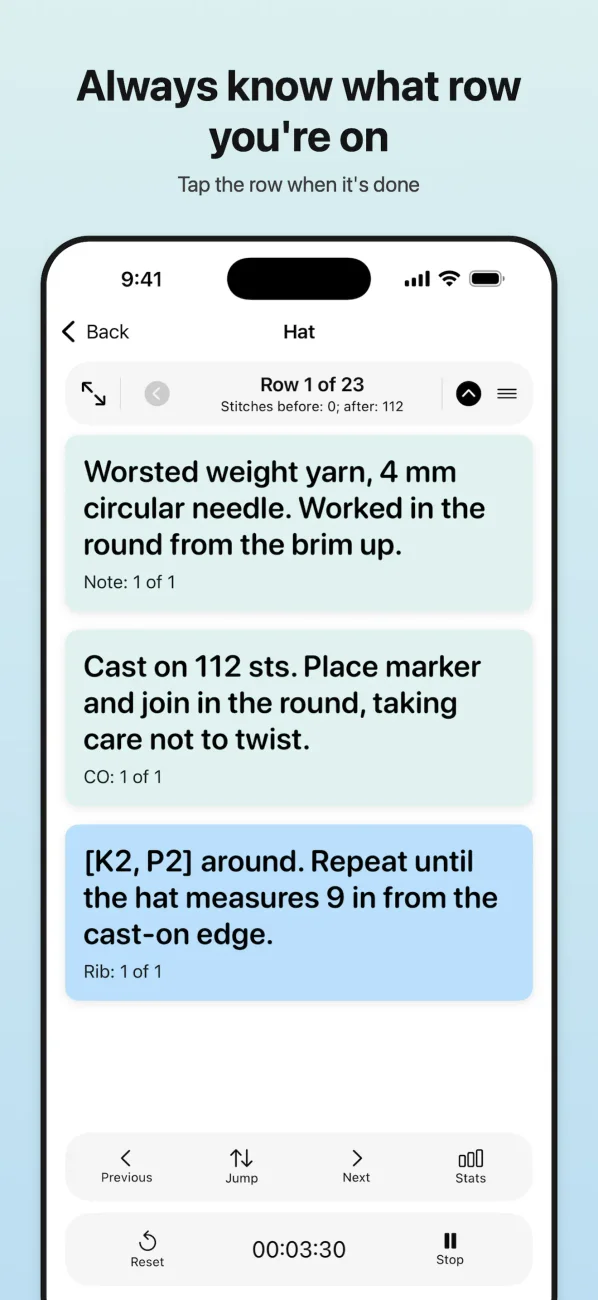
• The current row fills the screen. Tap to advance.
• See the row number and the stitch count before and after each row.
• Go back, jump to any row, or go full screen with one tap.
• Pinch to resize the text.
• Your place is saved automatically, so you can put your knitting down and pick it up later.
• Keep the screen awake while you knit.
BUILD YOUR PATTERN FROM STEPS
• Split a project into pieces: Back, Front, Sleeves, Hood.
• Describe each piece as steps with a start row, how often it repeats, and how many times.
• "Decrease every 4th row, 11 times" is one step. KnitRows works out the rows.
• Several instructions can share a row, in the order you choose.
• Color-code steps and track stitch increases and decreases.
• Copy steps and pieces, within a project or between projects.
KNIT FROM A CHART
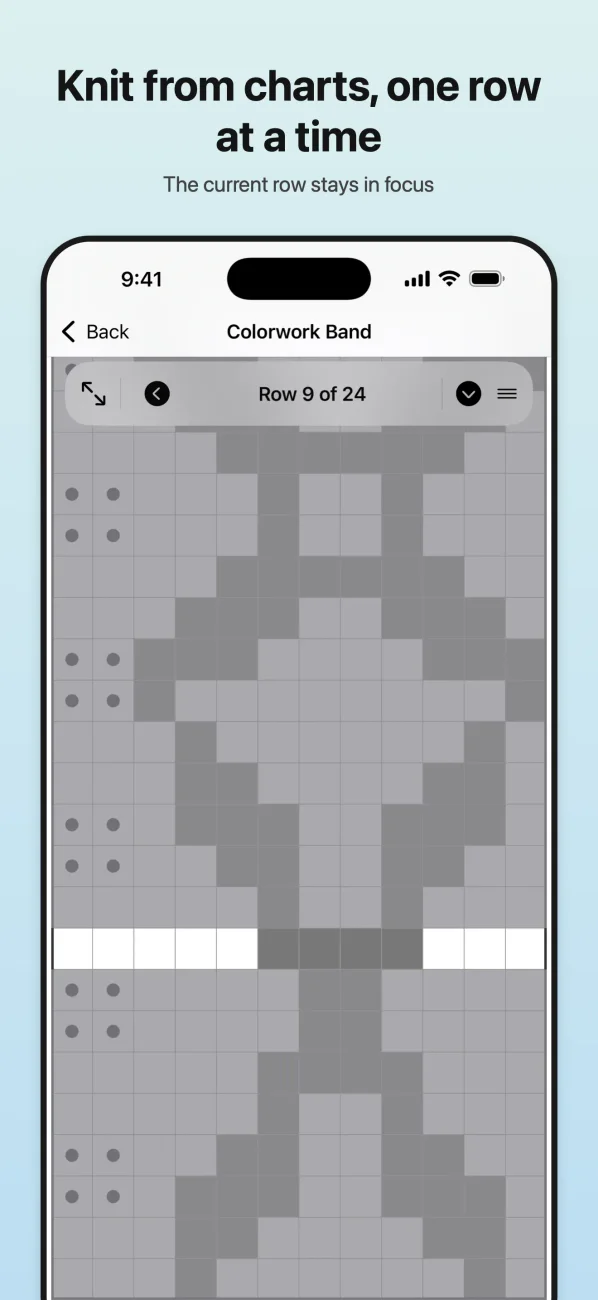
• Crop a chart from your pattern PDF, a photo, or an image file.
• Auto-detect finds the chart and straightens it.
• KnitRows highlights the current chart row and dims the rest.
KEEP THE PATTERN WITH THE PROJECT
• Attach the pattern PDF and open it from the project.
• Save the designer, gauge, materials, and notes.
• Save the pattern's abbreviations and look them up while you knit.
• Add a thumbnail from a photo, an image, or a PDF page.
SIZES
• Knitting a pattern written for several sizes? Give each size its own pieces and steps.
• Copy a size to start the next one.
STAY ORGANIZED
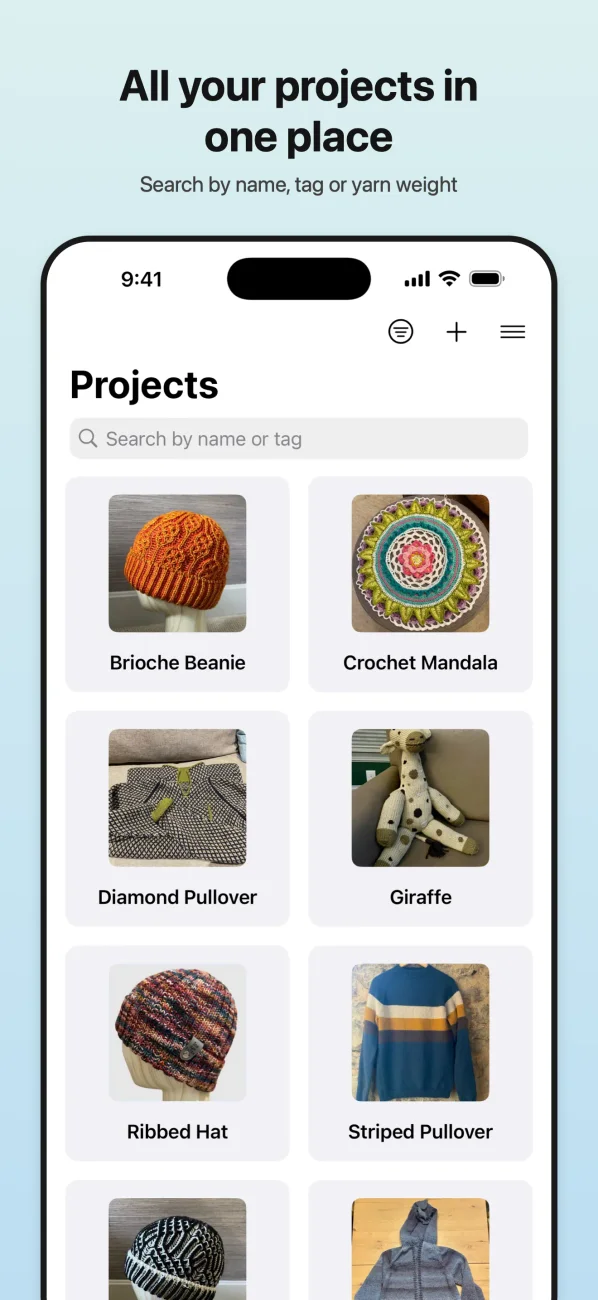
• Tag projects by type and yarn weight, then search and filter.
• View projects as a grid or a list.
• See rows knit, stitches, and time spent for each project.
• Optional timer for each row.
YOUR PROJECTS ON ALL YOUR DEVICES
• Projects sync through iCloud between iPhone, iPad, and Mac.
• Back up and restore projects in iCloud Drive.
• Export and import project files to share a project with another knitter (iPhone and iPad).
EASY TO LEARN
• Built-in User Guide.
• A sample project to explore.
• Tips that walk you through your first project.
Syncing, backups, pattern PDFs, and thumbnails use iCloud, so an iCloud account is needed for those features.
Neue Funktionen
Version 3.1.0 · 03.10.2026
KnitRows 3.1 connects to Ravelry, so a pattern you own there becomes a project here in a couple of taps.
RAVELRY
• Connect your Ravelry account in Settings. KnitRows only reads your library; it never posts or changes anything.
• Browse the pattern PDFs in your library: search, sort by date added, title, or designer, and show only patterns that have a PDF.
• Tap + › From Ravelry Library to start a project from a pattern. KnitRows downloads the PDF, names the project after the pattern, fills in the designer and pattern page link, and uses the pattern photo as the thumbnail.
• Already have the project? From Ravelry on the Project PDF screen attaches the PDF to it.
• A pattern that comes with several files, such as different languages, lets you choose which one to use.
PIECES AND PROJECTS
• Swipe a piece to the right to knit it, or swipe left to delete it. Long-press to copy.
• Rename a project or piece by tapping its name at the top of its screen.
• Sizes are now a row of buttons above the pieces. Swipe the row sideways when there are more than fit.
App-Datenschutz
Was Jeremy Bakken im App Store zum Umgang dieser App mit Daten angibt.
-
Keine Daten erfasst
Der Entwickler erfasst keine Daten von dieser App.
Die Datenschutzpraktiken können variieren, zum Beispiel je nach den von Ihnen verwendeten Funktionen oder Ihrem Alter.
Informationen
- Anbieter
- Jeremy Bakken
- Kategorie
- Lifestyle
- Version
- 3.1.0
- Aktualisiert
- 03.10.2026
- Veröffentlicht
- 04.06.2024
- Größe
- 6,2 MB
- Erfordert
- iOS 18.0 oder neuer
- Altersfreigabe
- 4+
- Preis
- Kostenlos
- Sprachen
- Englisch
- Copyright
- © 2026 Jeremy Bakken
Das könnte Ihnen auch gefallen
-
 GarnflexLifestyle
-
 Knitting AssistantLifestyle
-
 Reihenzähler fürs StrickenStrickschrift, Häkeln, Perlen
-
 KnitRow TrackerLifestyle
-
 Knit2 - knitting counterLifestyle
-
 CozyKnit: Counter & CompanionLifestyle
-
 Stitch & Row - GaugeGuideLifestyle
-
 Row Counter for KnittingLifestyle
-
 KnitMe — Row counterLifestyle
-
 The Knitter MagazineLifestyle