
- Altersfreigabe4+
- KategorieDienstprogramme
- EntwicklerKozinga
- SprachenEnglisch+ 7 weitere
- Größe6,1 MB
Verlinkt auf die offizielle App Store-Seite
Download.org hostet keine Datei von KozBon. Die Schaltfläche öffnet die App-Seite bei App Store, wo Kozinga die App veröffentlicht. Eintrag zuletzt geprüft am 14.11.2026.
Screenshots

Info
Der Entwickler hat diesen Text nicht in Ihrer Sprache bereitgestellt.
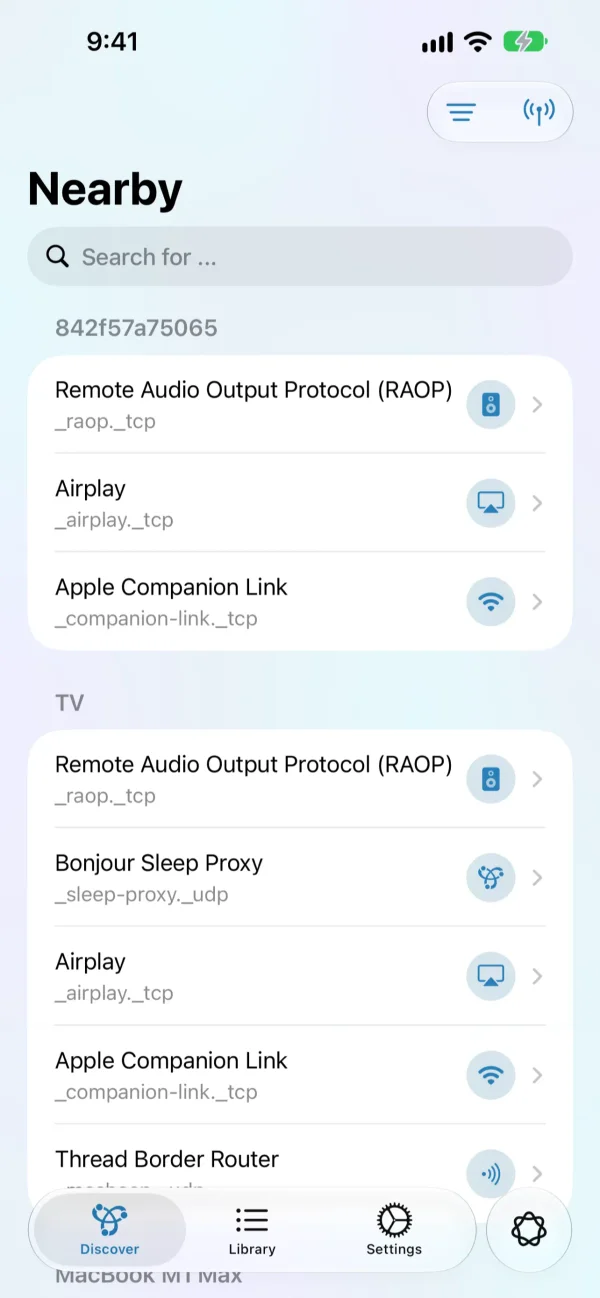
KozBon turns your local network into something you can actually understand. Open it and every mDNS / DNS-SD service in range appears in one organized list — media receivers, smart-home accessories, printers, file shares, Matter devices, Thread border routers, web servers, SSH endpoints, and dozens more.
DISCOVER
• Live, continuously-refreshing scan of every service advertised on your local network
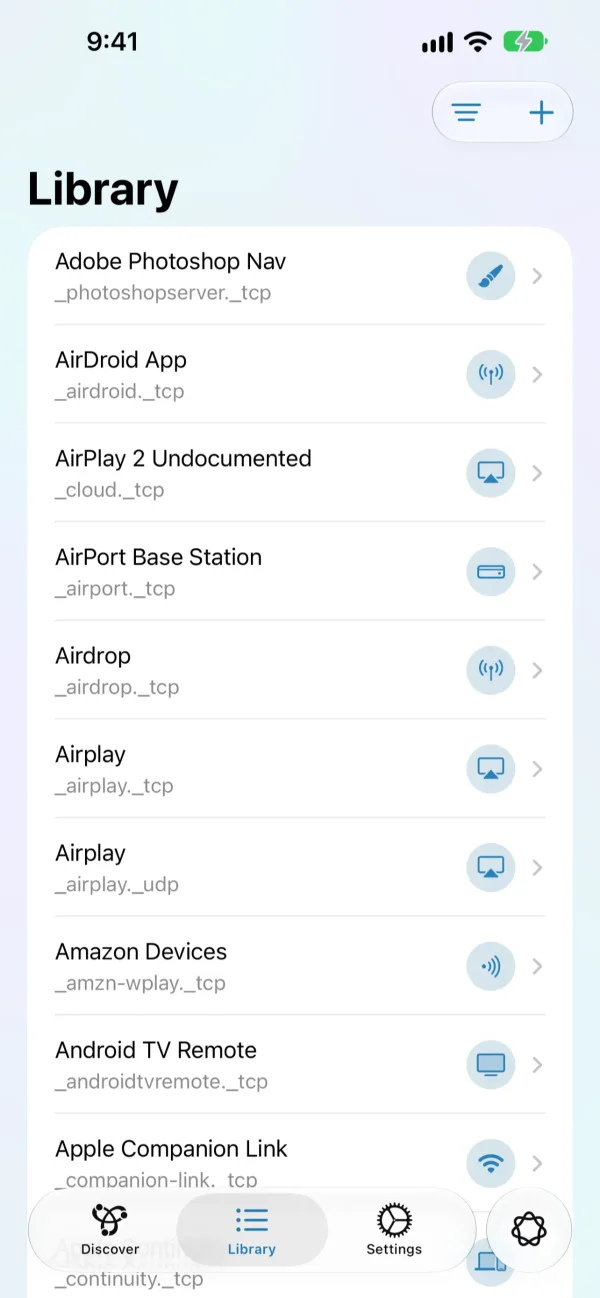
• 158 service types recognized out of the box, grouped into navigable categories
• Tap any service to see its IP addresses, port, host name, TXT records, and protocol details
• The list organizes itself into sections — one per device, or one per service type with a short description of the type when you sort by name
• Filter and sort by name, category, or transport layer, and search across everything the scan has found
BROADCAST
• Publish your own service from your device in a few taps
• Pick from the built-in library or define a custom type with your own TXT records
• Watch it appear on neighboring devices the same instant
ASK
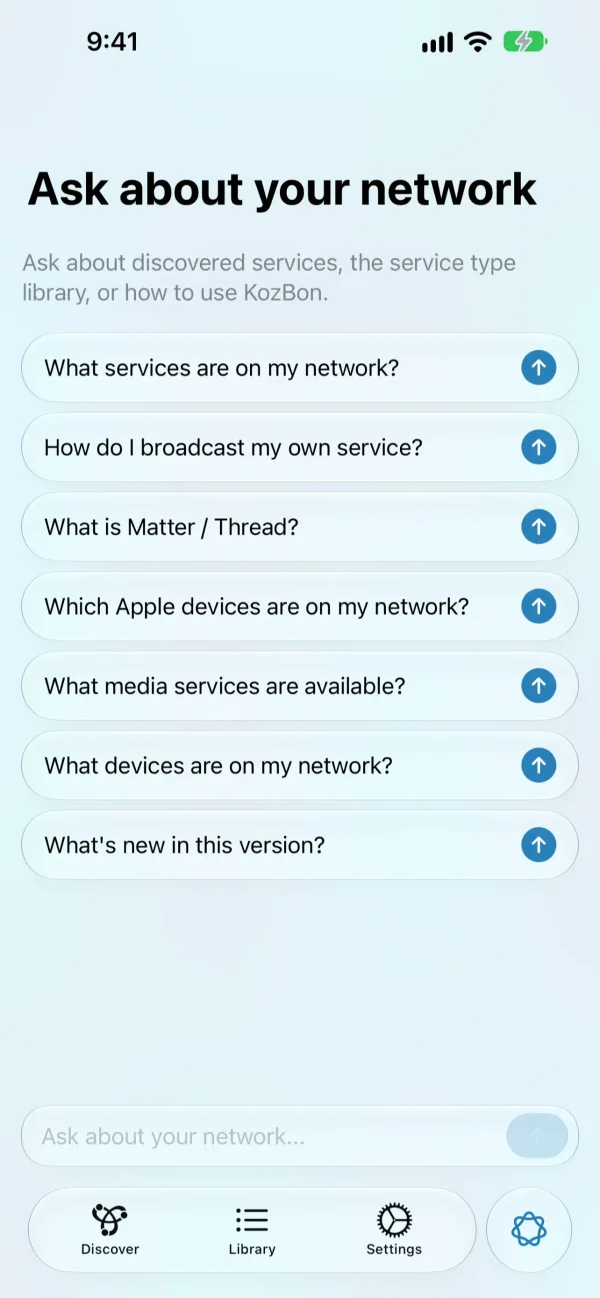
• A built-in assistant explains any service, or answers questions about your network in plain language
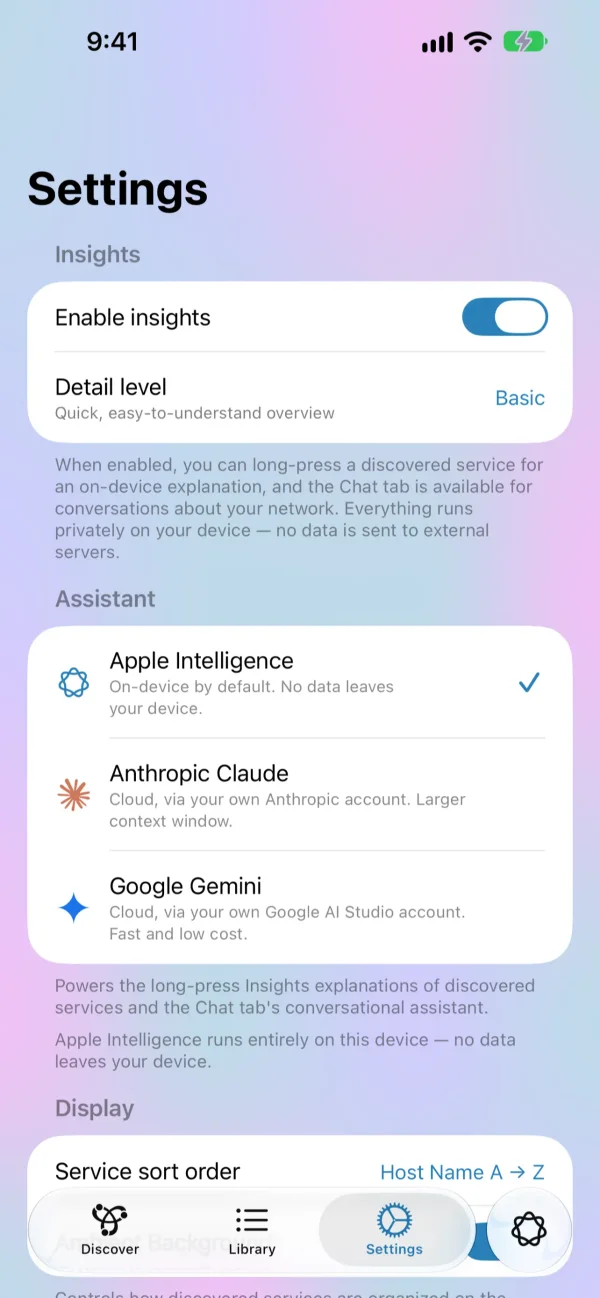
• On-device Apple Intelligence by default — no cloud trip, no account, no servers
• Or bring your own key for Anthropic Claude or Google Gemini when you want a bigger model
• Each provider's model picker loads the models your key can actually use, so new ones appear without waiting for an app update
• The Chat tab takes on the colours of whichever assistant you've selected
• Swap assistants any time in Settings
SIRI AND SHORTCUTS
• "Scan for services" and "List discovered services" work from Siri, the Shortcuts app, and Spotlight
• Spoken phrases are localized in all eight supported languages
DESIGNED FOR EVERY SCREEN
• Native SwiftUI on iPhone, iPad, Mac, and Apple Vision Pro — one app, built for each
• Landscape and wide layouts, including the iPhone's inner display when unfolded, where the list and detail pane open side by side
• Context menus for copying names, full type strings, IP addresses, and TXT records
• A slow ambient colour wash behind every tab, with a switch in Settings to turn it off
• Light, dark, and Increase Contrast appearances all native
• Full keyboard navigation, VoiceOver labels on every control, and Dynamic Type throughout
PRIVACY
• Apple Intelligence runs entirely on device — your network details never leave it
• Cloud assistant API keys live in the Keychain, locked to this device and never synced to iCloud
• Requests are sent with storage turned off where the provider supports it, so no copy of your conversation is kept
• No accounts, no telemetry, no servers of our own — KozBon is just an app
Localized in English, Spanish, French, German, Japanese, Simplified Chinese, Arabic, and Hebrew, with full right-to-left layout support.
Neue Funktionen
Version 4.9.2 · 19.10.2026
New in 4.9.2
Siri and Shortcuts can do much more with KozBon. Find a kind of device, check whether one is online, explain a service type, and start or stop broadcasting, all in your language.
• Find Services: "Find printers with KozBon" scans for just one kind of device.
• Check If Device Is Online: answers yes or no, ready for Shortcuts automations.
• Explain a Service Type: Siri reads a short explanation from the AI you chose in Settings.
• Broadcast a Service and Stop Broadcasting, hands-free.
• Open Service in KozBon: jump straight to a service a Shortcuts step found.
• A new Using Siri with KozBon section in Settings suggests phrases to try, with ideas for Shortcuts automations.
• Siri now counts devices rather than services, and tells you when you're not on Wi-Fi or Ethernet.
• On service and library details, the Insights button moves into the navigation bar as you scroll, so it stays in reach.
• Smoother ambient background animation.
App-Datenschutz
Was Kozinga im App Store zum Umgang dieser App mit Daten angibt.
-
Keine Daten erfasst
Der Entwickler erfasst keine Daten von dieser App.
Die Datenschutzpraktiken können variieren, zum Beispiel je nach den von Ihnen verwendeten Funktionen oder Ihrem Alter.
Informationen
- Anbieter
- Kozinga Ltd.
- Kategorie
- Dienstprogramme
- Version
- 4.9.2
- Aktualisiert
- 19.10.2026
- Veröffentlicht
- 17.01.2017
- Größe
- 6,1 MB
- Erfordert
- iOS 26.0 oder neuer
- Altersfreigabe
- 4+
- Preis
- Kostenlos
- Sprachen
- Englisch, Arabisch, Französisch, Deutsch, Hebräisch, Japanisch, Vereinf. Chinesisch, Spanisch
- Copyright
- © Kozinga LLC
Das könnte Ihnen auch gefallen
-
 Flame Services BrowserDienstprogramme
-
 LocalSitesDienstprogramme
-
 NetTools - Network AnalyzerProfi-Netzwerk-Toolkit
-
 XTGatewayDienstprogramme
-
 Network Intrusion DetectionDienstprogramme
-
 mDNSShark: Network ScannerDienstprogramme
-
 XDiscoveryDienstprogramme
-
 UNpklDienstprogramme
-
 Network Scanner & IP,PORT,WİFİDienstprogramme
-
 NetTools ProProfi-Netzwerk-Toolkit