KromaDMX
The DMX controller
Entwickelt für iPhone, iPad, iPod touch
Kostenlos · In-App-Käufe
- Altersfreigabe4+
- KategorieDienstprogramme
- EntwicklerAlejandro Fandos
- SprachenEnglisch
- Größe37,6 MB
Verlinkt auf die offizielle App Store-Seite
Download.org hostet keine Datei von KromaDMX. Die Schaltfläche öffnet die App-Seite bei App Store, wo Alejandro Fandos die App veröffentlicht. Eintrag zuletzt geprüft am 23.11.2026.
Screenshots
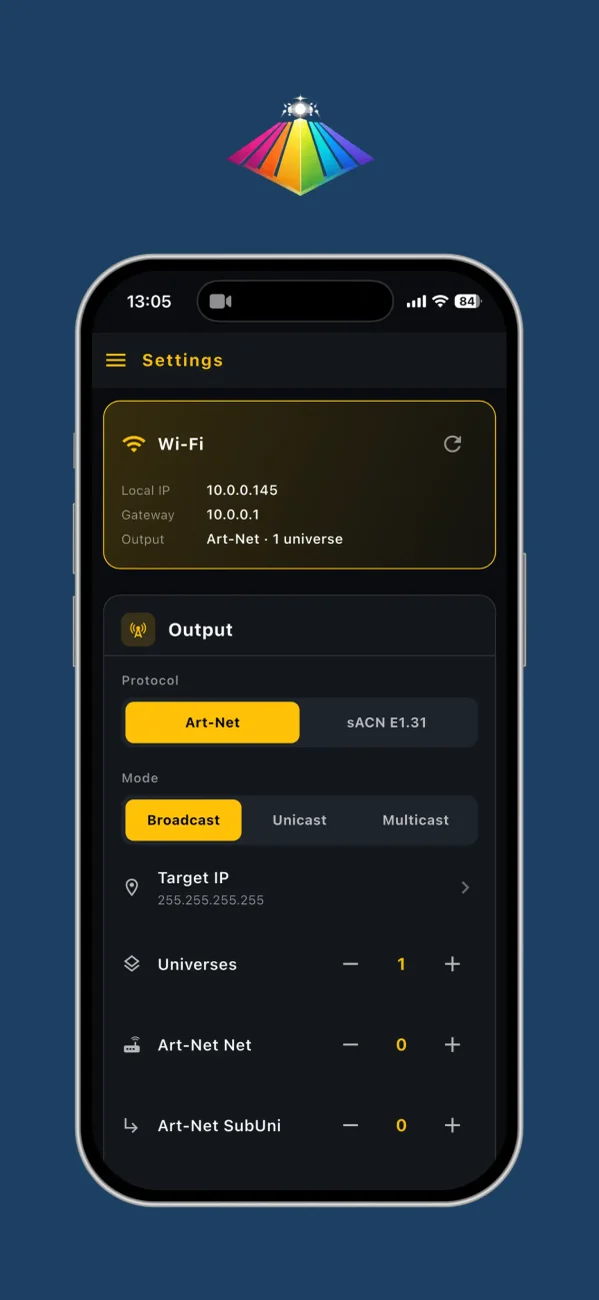
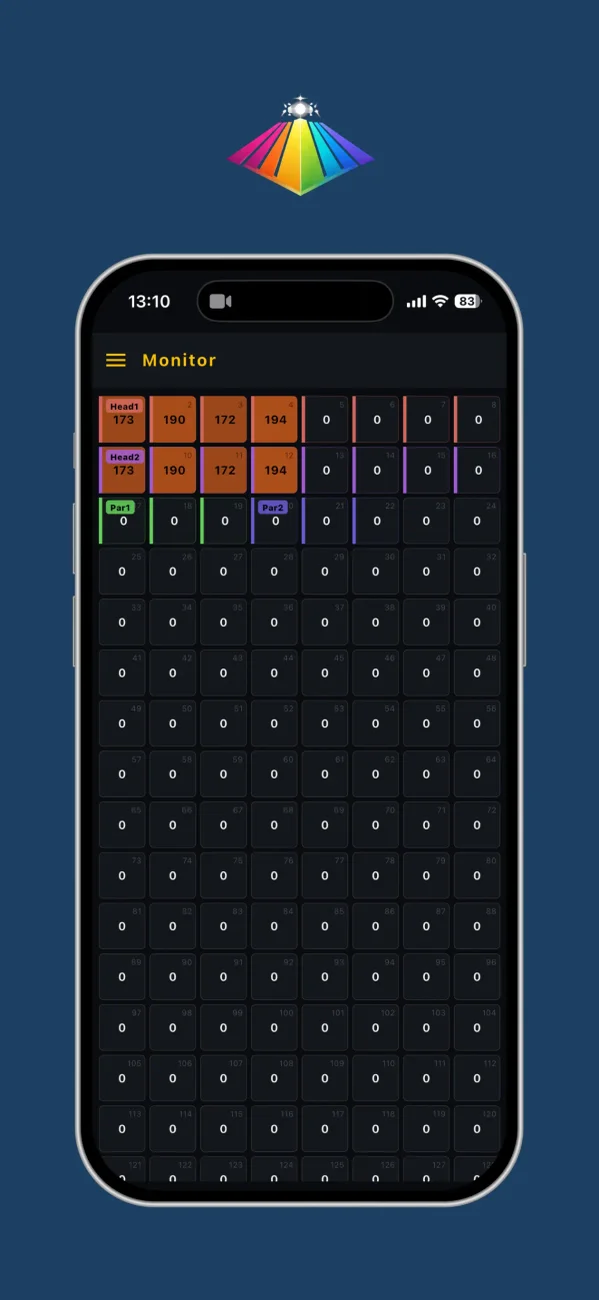
Info
Der Entwickler hat diesen Text nicht in Ihrer Sprache bereitgestellt.
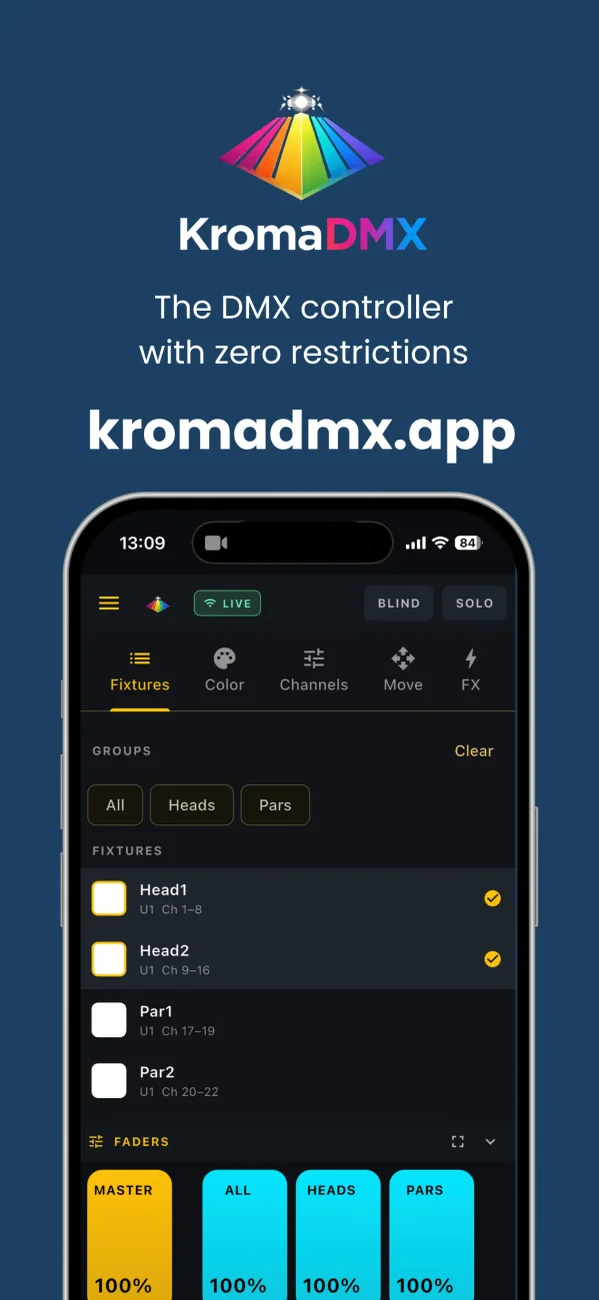
Turn your iPhone into a professional lighting console.
KromaDMX is a powerful mobile DMX control solution built for DJs, lighting technicians, and live event professionals who need speed, reliability, and full control without being tied to a computer.
Designed for real-world environments, KromaDMX lets you control lights, scenes, and effects in real time from anywhere.
Real-time DMX Control
Control your lighting setup directly from your phone
Low latency performance for live shows
Fast and responsive interface built for real conditions
Reliable operation in demanding environments
Professional Interface
Customizable faders, groups, and scenes
Clean and intuitive layout for fast operation
Optimized for live use and low light environments
Efficient Workflow
Quick setup and configuration
Instant access to scenes and controls
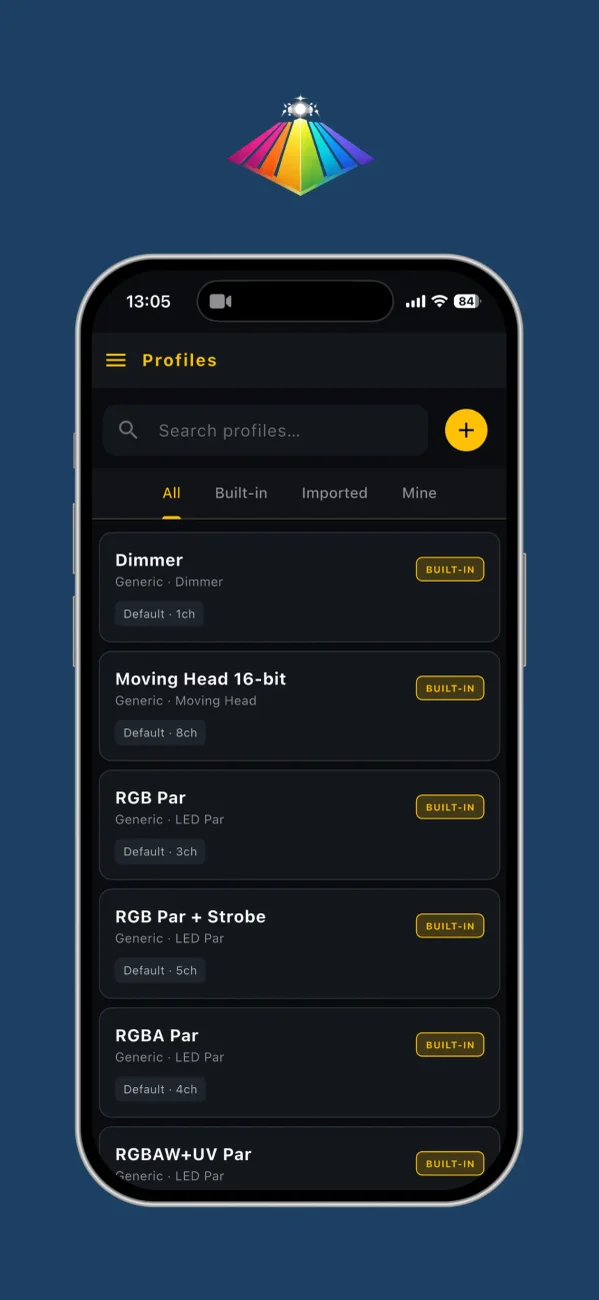
Manage multiple fixtures easily
Advanced Connectivity
Compatible with Art-Net and sACN protocols
Works with standard DMX hardware
Designed for professional network setups
Perfect for
DJs and live performers
Lighting technicians
Events and stage productions
Installations and mobile setups
KromaDMX is not a toy. It is a serious tool for professionals who need fast, reliable, and flexible lighting control.
KromaDMX Pro (optional)
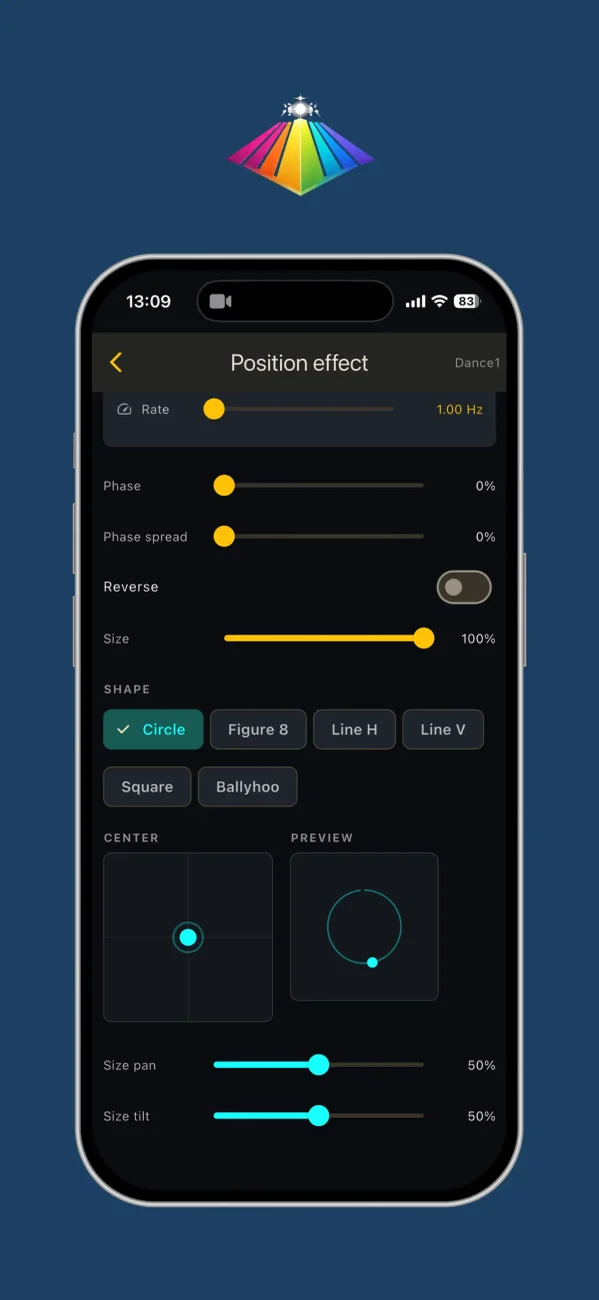
The app is free and has no ads. Full DMX control — patch, scenes, cues and effects — with one universe is free forever. Pro adds multi-universe (up to 16), AutoShow and DJ Link.
• Pro yearly: auto-renewing subscription, 1 year, $24.99 per year. First month free for new subscribers.
• Pro forever: one-time purchase of $79.99, no renewal.
Prices shown are for the United States. Elsewhere the local price applies, and the App Store shows it before you confirm the purchase.
Payment is charged to your Apple Account at confirmation of purchase. The subscription renews automatically unless it is cancelled at least 24 hours before the end of the current period; the renewal is charged within those last 24 hours. You can manage or cancel it in your Apple Account settings after purchase.
Terms of Use (EULA): https://www.apple.com/legal/internet-services/itunes/dev/stdeula/
Privacy Policy: https://kromadmx.app/en/privacy
Neue Funktionen
Version 1.3.8 · 20.11.2026
Control's tabs always fit on phones, and group names on faders are no longer cut. New Settings > Display & this device > For professionals, with Channel values and Fader size plus three optional settings: compact Density, a List view for Channels with one row per channel, and Small tiles for the scenes strip. When several fixtures are selected, channel changes now go to the matching channel of each fixture. Channel faders can show percent for dimmer and colour channels (Settings > Display & this device > Channel values). "Save as new" now leaves the original scene exactly as it was. Compact fader size for phones. Fixture names on the Plan are readable on any background. ON/OFF buttons for each group in Faders and each fixture in the list, also from keys and OSC. Optional quick navigation bar on phones held upright. Scene save buttons on a phone take less space. Fixtures: edit or delete many fixtures at once (all of one model, numbered names, mode, universe and consecutive addresses), and fixtures added together are placed side by side in rows. Plan: optional compact view, zoom up to 16×, zones you can hide in each show and your own background image. On a tablet held upright, the Color panel sits next to the fixture list. The DMG SL1 MIX colour temperature is now a slider in kelvin. New cinema fixtures from the official charts: Aputure Electro Storm XT52/XT26/CS15, LS 600c Pro, Nova P600c, MC Pro, INFINIMAT, Infinibar, amaran F21c/F22c and DMG SL1 Switch. Settings in categories, with a search box. New options for each device: text size, vibration on buttons, ask before BLACKOUT, and Layout (automatic, phone or tablet). Phones work in landscape, and every screen fits better on phones, tablets and desktop. The remote surface status shows on every screen, and BLACKOUT and FREEZE are on every full-screen page. Avolites (.d4) import reads 16-bit channels properly; the profile editor keeps channel groups and the pan/tilt range, which you can now see and edit. Fixed the app closing on start on some older tablets with Mali graphics. Phones: the colour wheel has its hue bar on the left, as on tablets, and drags smoothly; picking black no longer locks it. Channels shows green/magenta as +G/−M and colour temperature in kelvin. If the fixture library server can't be reached, the app now says so and why. Colour: a green/magenta tint slider next to colour temperature, both continuous instead of 250 K steps, with 16-bit output when the fixture has a fine channel; palettes can keep the tint. The green/magenta channels of Kino Flo, Fiilex, Astera, Lupo, ARRI and Aputure fixtures in the library now work as tint. The stage plan is now its own section (Plan, in the menu), with all the screen for it and the same selection as Control; Patch is now called Fixtures, and each fixture's zone shows in its list. Stage plan by zones: the stage, the dancefloor and separate areas are all drawn, and moving a fixture to another zone updates its placement; pinch or Ctrl/⌘ + wheel to zoom, two fingers to move the view, and the view eases to the zones in use. Each fixture can have a short map label (long press or right click on the plan) and an icon for pars, moving heads, bars or strobes. Keyboard: change any key in Settings > Keyboard shortcuts, with press and hold actions (strobe, flash and blackout while held, cues, scenes, master); Space is GO when the show has cues and the strobe while held when it has none. STOP from the keyboard takes two presses. Scenes: auto-save of scene edits can be turned off for each show; changes, effects included, then wait for Update, a dot marks them, and "Save as new" keeps the effects too. Remote surface (Pro): control the rig from a phone, tablet or laptop on the same network; both devices need this version. Cue transport on Control with GO / BACK / STOP and infinite HOLD steps.
App-Datenschutz
Was Alejandro Fandos im App Store zum Umgang dieser App mit Daten angibt.
-
Keine Daten erfasst
Der Entwickler erfasst keine Daten von dieser App.
Die Datenschutzpraktiken können variieren, zum Beispiel je nach den von Ihnen verwendeten Funktionen oder Ihrem Alter.
Informationen
- Anbieter
- Alejandro Fandos
- Kategorie
- Dienstprogramme
- Version
- 1.3.8
- Aktualisiert
- 20.11.2026
- Veröffentlicht
- 21.04.2026
- Größe
- 37,6 MB
- Erfordert
- iOS 13.0 oder neuer
- Altersfreigabe
- 4+
- Preis
- Kostenlos
- In-App-Käufe
- Ja
- Sprachen
- Englisch
- Copyright
- © 2026 KromaDMX
Das könnte Ihnen auch gefallen
-
 ArtnetStudioDienstprogramme
-
 Stingray: DMX ControllerDienstprogramme
-
 Lumographe EarlyConsole lumière
-
 LamporaDienstprogramme
-
 MaizeDMXDienstprogramme
-
 At FullDienstprogramme
-
 Vibrio | DMX-LichtsteuerungDJ- und Bühnenbeleuchtung
-
 TheLightingControllerDienstprogramme
-
 m-BERDienstprogramme
-
 Light'J WiFi DMX ControllerDienstprogramme