Lap Swim
Large display time and laps
Entwickelt für iPhone, iPad, iPod touch
Kostenlos · In-App-Käufe
- Altersfreigabe4+
- KategorieGesundheit und Fitness
- EntwicklerPeter Kramer
- SprachenEnglisch
- Größe5,4 MB
Verlinkt auf die offizielle App Store-Seite
Download.org hostet keine Datei von Lap Swim. Die Schaltfläche öffnet die App-Seite bei App Store, wo Peter Kramer die App veröffentlicht. Eintrag zuletzt geprüft am 20.11.2026.
Screenshots
Info
Der Entwickler hat diesen Text nicht in Ihrer Sprache bereitgestellt.
Automatic Lap Counter with Stopwatch and LARGE FONTS; Lap Swim is an Apple Watch (Series 2 and later) App that automatically detects, displays, records and graphs the lap count and elapsed time of a swim session. Detects and displays the type of stroke and stroke count during each lap.
- Detects and displays the lap direction and lap count while swimming using the gyroscope in the Apple Watch
- LARGE FONT display of time and lap count
- Stopwatch function while swimming
- Auto start/stop mode detects swimming and automatically starts (or stops) the stopwatch
- Lap counter counts up from 0 or counts down from preset lap goal
- Senses and displays freestyle strokes, backstrokes, and breaststrokes
- Detects and counts kickboard laps
- Records and graphs (on the paired iPhone) the following:
------ Date and time of a swim session
------ Time for each lap and of entire swim session
------ Number of laps
------ Average speed and speed for each lap
------ Stroke count and type of stroke (freestyle, back, breast or kick board)
------ Distance in meters or yards
- Enters workout information into the Health and Activity apps
Lap Swim uses the gyroscope and accelerometer in the Apple Watch to detect the type of stroke and the orientation of the swimmer. Using this information it displays the lap count of a swim session. Lap Swim also has a standard stopwatch function. The swim session information is transmitted to the paired iPhone and displayed on both a table and a graph.
Lap Swim is free and fully functional for the first 250 laps. After that, Lap Swim continues to function but it requires a low cost IAP to display the lap count.
Screenshots:
-Apple Watch:
1) Large 2 line display - Swimming return half of 51st lap after 49:35
2) 3 line display - returning on lap 10 after 9:10; 11 breaststrokes taken this half lap
3) 3 line display - after turning and starting lap 11; showing last half lap stroke count (11) and elapsed time (34.6)
4) 3 line display - going out on lap 12; this lap you have taken 3 freestyle strokes, 2 backstrokes, 5 breaststrokes, and over 15 seconds using a kickboard
5) Starting a Workout Session in 2 second and turning on water lock.
6) Lap length set to 25 yards.
7) Settings options - 2 or 3 line display, split times half or full lap, automatic or manual start/stop, set lap length.
-iPhone:
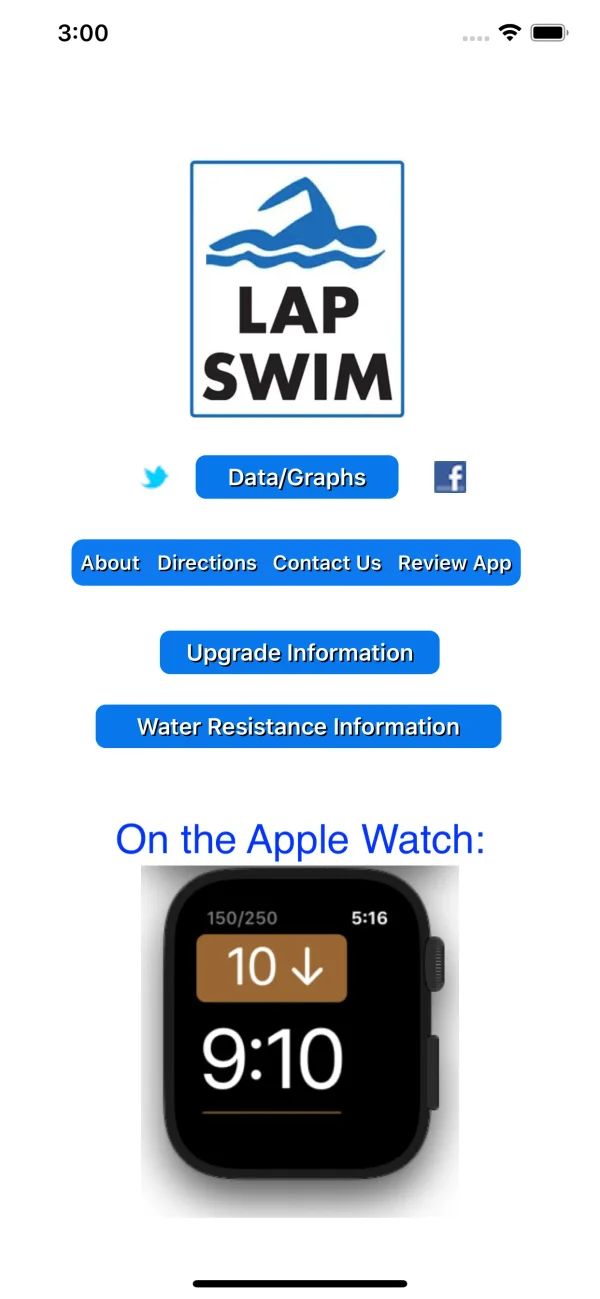
1) Home screen also showing the app on the Apple Watch
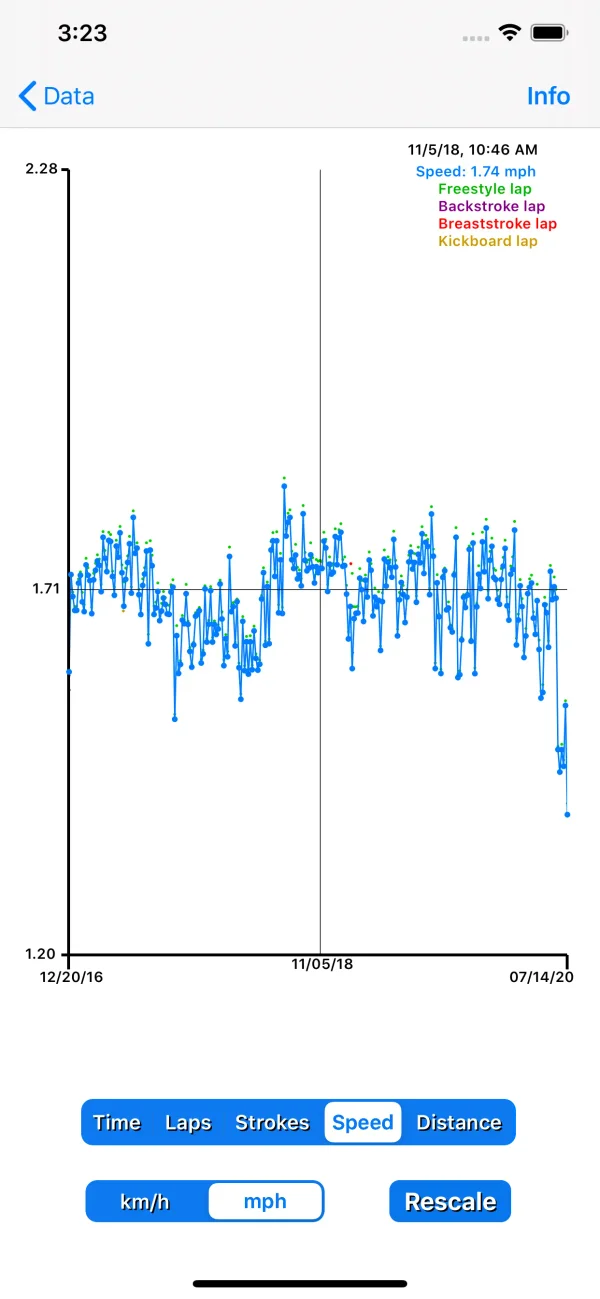
2) Graph of the average speed in over 200 swim sessions from 12/16 to 7/20.
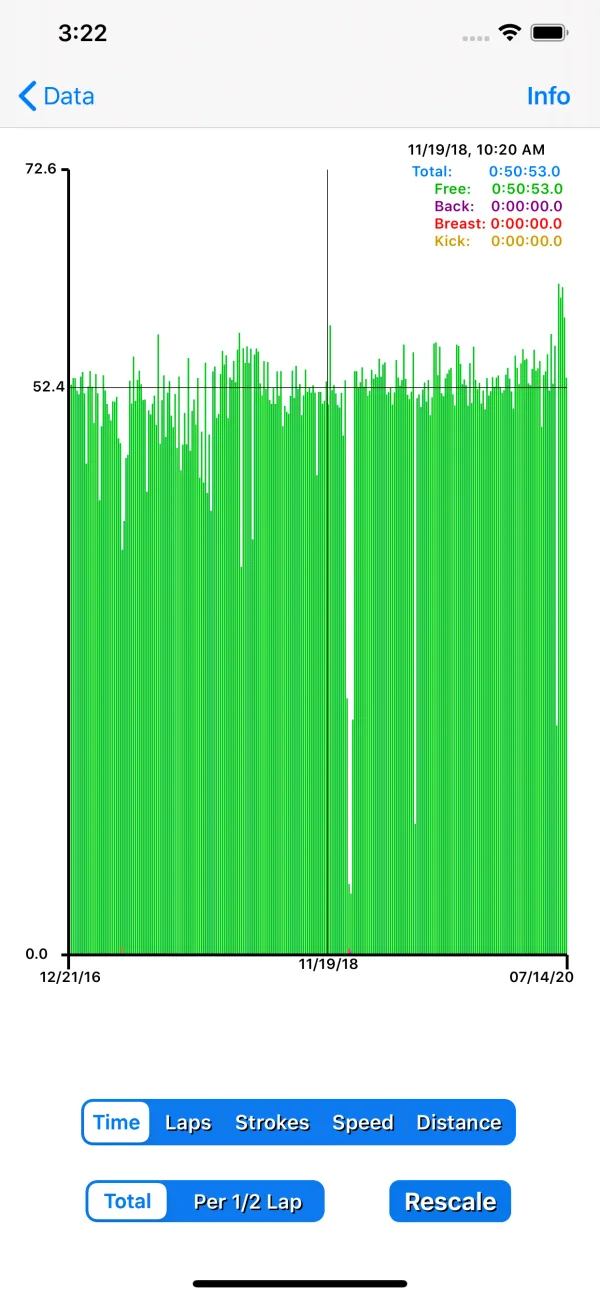
3) Graph of the total times in over 200 swim sessions from 12/16 to 7/20.
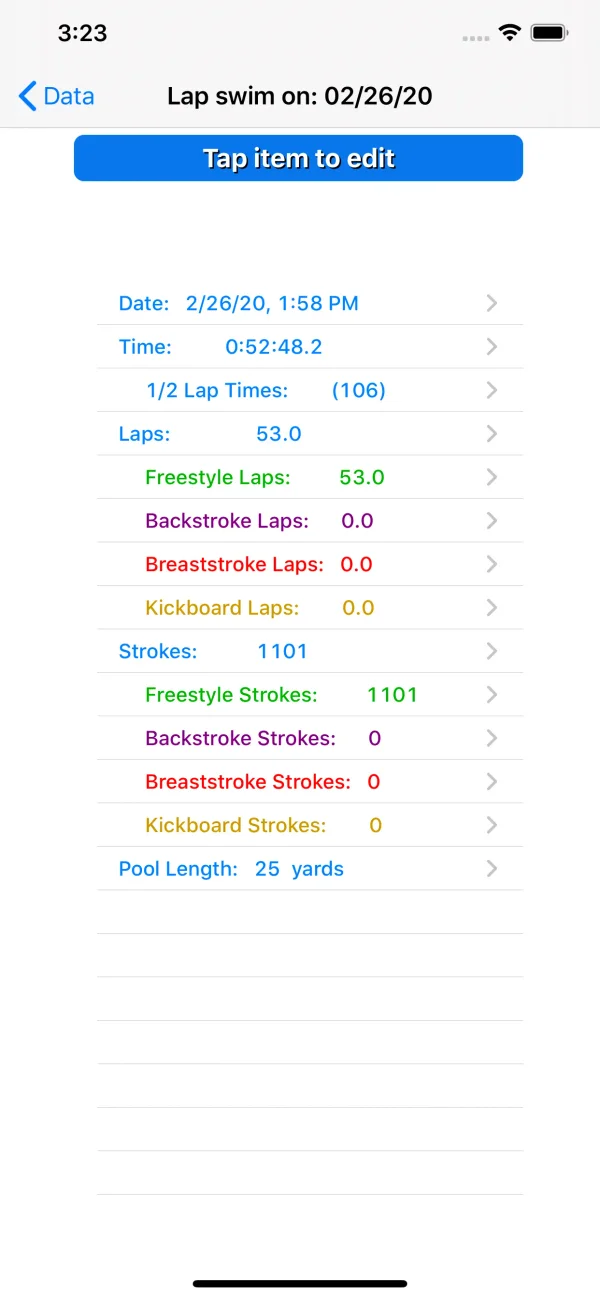
4) Data collected in a single swim session available for editing.
----
Neue Funktionen
Version 2.1.1 · 05.03.2024
This app has been updated by Apple to prepare for watchOS 27 compatibility. No new features are included.
Added an alert if permissions were not granted to write to Apple's Health App.
App-Datenschutz
Was Peter Kramer im App Store zum Umgang dieser App mit Daten angibt.
-
Keine Daten erfasst
Der Entwickler erfasst keine Daten von dieser App.
Die Datenschutzpraktiken können variieren, zum Beispiel je nach den von Ihnen verwendeten Funktionen oder Ihrem Alter.
Informationen
- Anbieter
- Peter Kramer
- Kategorie
- Gesundheit und Fitness
- Version
- 2.1.1
- Aktualisiert
- 05.03.2024
- Veröffentlicht
- 20.01.2017
- Größe
- 5,4 MB
- Erfordert
- iOS 13.0 oder neuer
- Altersfreigabe
- 4+
- Preis
- Kostenlos
- In-App-Käufe
- Ja
- Sprachen
- Englisch
- Copyright
- © 2016-23 Kramer and Kramer Software
Das könnte Ihnen auch gefallen
-
 LapBuddyGesundheit und Fitness
-
 Swim+Gesundheit und Fitness
-
 SWim-WiSe.appGesundheit und Fitness
-
 Lap CounterGesundheit und Fitness
-
 Open Water SwimGesundheit und Fitness
-
 Swimming LogGesundheit und Fitness
-
 SwimCountGesundheit und Fitness
-
 Swim NoteGesundheit und Fitness
-
 Phlex Swim AppGesundheit und Fitness
-
 SwimNow: Schwimmen Tracker AppKI Schwimmtraining & Analyse