
- Altersfreigabe4+
- KategorieFoto und Video
- EntwicklerSatoru Takahashi
- SprachenEnglisch+ 1 weitere
- Größe896,0 KB
Leafs Photo ist bei App Store derzeit möglicherweise nicht verfügbar
Bei unserer letzten Prüfung war der Store-Eintrag nicht erreichbar. Der Link führt weiterhin zur offiziellen App Store-Seite.
Screenshots


Info
Der Entwickler hat diesen Text nicht in Ihrer Sprache bereitgestellt.
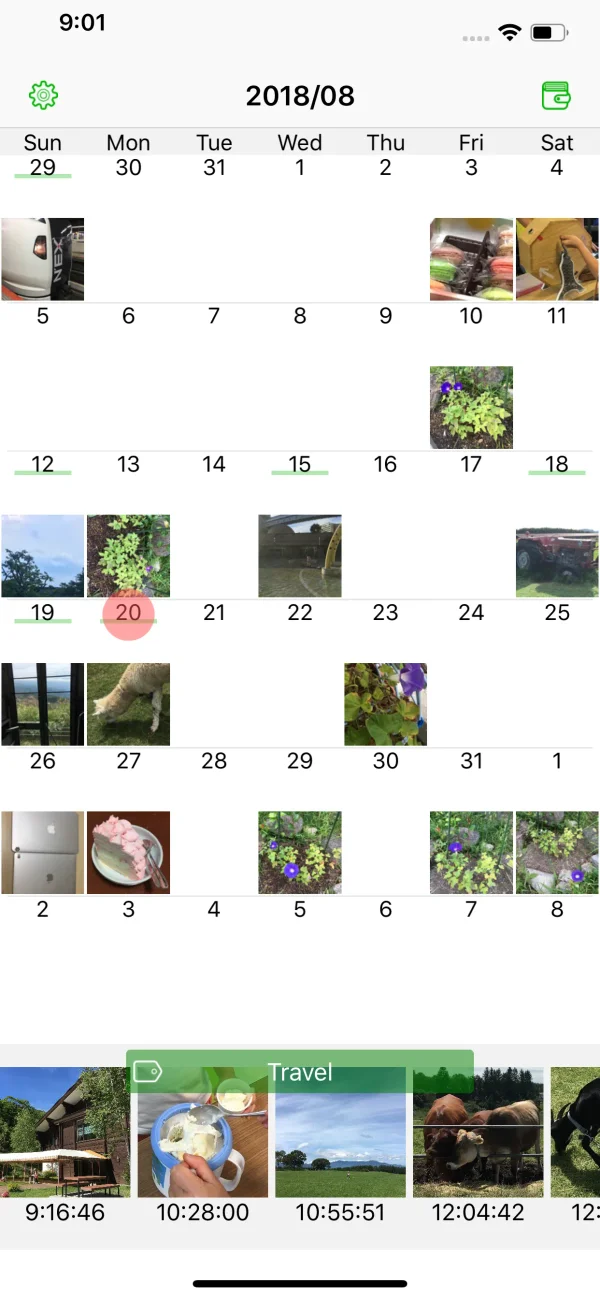
Leafs Photo organizes automatically your photos to each date.
And, this app will provide "The Memories Calendar" you just.
Looking back the past photos, let's look back a variety of memories.
This time last year, I was doing?
Last month, I was doing?
I wonder if past how much from the last trip?
Leafs Photo will respond to such your feelings.
Just swipe the calendar up and down left and right, you can access the last month and last year of the photo.
Since the photo of the day will be displayed in the gallery Timeline style, it is best to look back one day.
Can also register your favorite photos only one a day, it is of course reflected in the calendar.
In addition to the calendar, it also allows you to organize your photos with a favorite tag for each date.
By utilizing this tag function, let's look back at your activities until now every theme.
(Note)
This app will display a calendar using the time stamp of the photo files. Therefore, when the time stamp has not been properly registered, you may photograph does not appear to the intended date. Photos taken with the iPhone is not probably problem, but there is a case to be a problem in photos such as digital cameras.
If the same photos in the calendar and galleries are displayed in duplicate, please turn off the “My Photo Stream" from the settings screen of Leafs Photo.
Leafs Photo Feature List
[Calendar screen]
Date switching. (up, down, left and right swipe)
Back to today. (tap the calendar title)
Simple Timeline display. (tap the date)
Open a photo gallery. (tap the photo of selection date or tap the photo of the timeline)
Favorite photo registration. (long press photo of the timeline length)
Opening the tag registration screen. (tap the tag button from the timeline)
Opening the tag reference screen. (tap the upper right notebook icon)
Opening the Settings screen. (tap the upper left icon set)
[Photo Gallery]
Photos switching. (left and right swipe)
Photos scaling & move. (double tap, Pinch & out, pan)
Forwarded to the email and SNS, etc. (tap the lower left action button)
Favorited. (tap the bottom star icon)
Display map. (tap the bottom right pin icon)
Opening the tag registration screen. (tap the upper right tag icon)
[Map view]
Photos switching. (tap the left and right arrow buttons)
To disable the map scroll. (turn off the lower right expansion switch)
[Tag registration]
New add tags. (tap the "Add New" from the tag list)
Tag editing. (press the upper right edit button)
Registration of the tag. (tap the tag)
Favorited. (tap any photo from the bottom timeline)
[Tag reference]
New add tags. (tap the "Add New" from the tag list)
Tag editing. (press the upper right edit button)
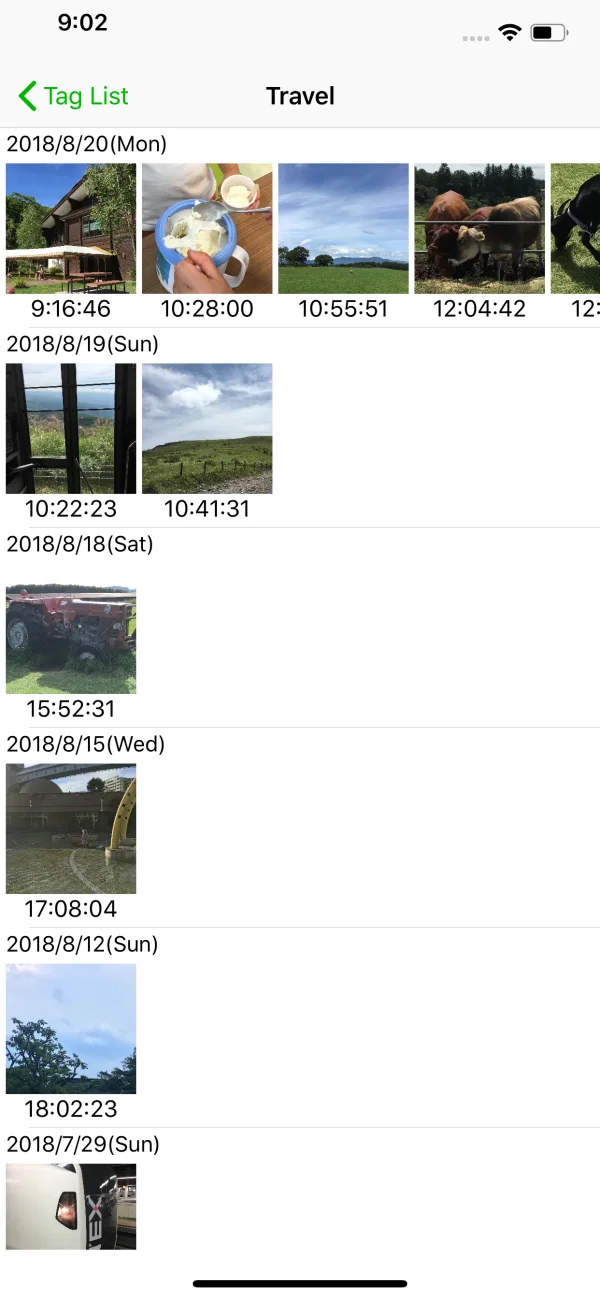
Display Photo List that tag registration. (tap the tag)
[Photo List that tag registration]
Opening the photo gallery. (tap the photo)
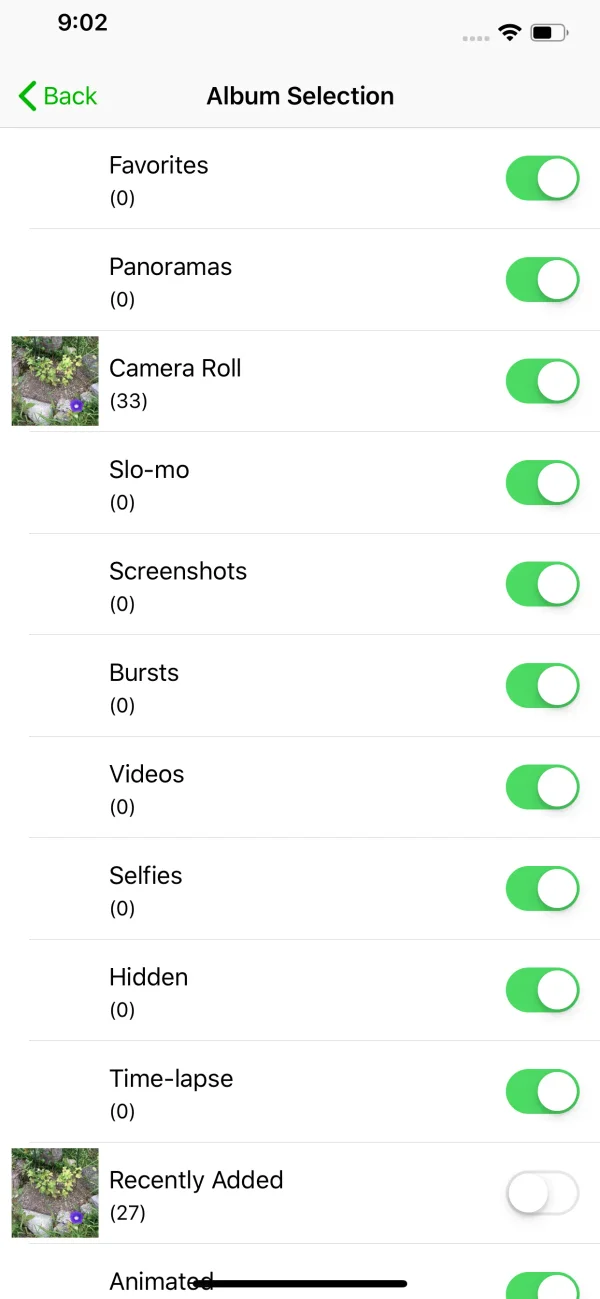
[Setup screen]
Select an album to be displayed on the calendar.
Neue Funktionen
Version 4.0.0 · 12.12.2024
iOS18 supported.
App-Datenschutz
Was Satoru Takahashi im App Store zum Umgang dieser App mit Daten angibt.
-
Keine Daten erfasst
Der Entwickler erfasst keine Daten von dieser App.
Die Datenschutzpraktiken können variieren, zum Beispiel je nach den von Ihnen verwendeten Funktionen oder Ihrem Alter.
Informationen
- Anbieter
- Satoru Takahashi
- Kategorie
- Foto und Video
- Version
- 4.0.0
- Aktualisiert
- 12.12.2024
- Veröffentlicht
- 21.11.2013
- Größe
- 896,0 KB
- Erfordert
- iOS 18.0 oder neuer
- Altersfreigabe
- 4+
- Sprachen
- Englisch, Japanisch
- Copyright
- © Fuga Lab
Das könnte Ihnen auch gefallen
-
 MonatsalbumEin Foto pro Tag
-
 SnapCal - Calendar Photo AlbumFoto und Video
-
 PHOTOCA / Fotos im KalenderFotokalender App
-
 PawNow - ペットの写真を1日1回お題で共有Foto und Video
-
 OmoiMekuri – One Photo a DayFoto und Video
-
 One Still: Photo DiaryFoto und Video
-
 Photide: Photo DiaryFoto und Video
-
 DayCollage: Photo CalendarFoto und Video
-
 Memory CalendarFoto und Video
-
 Passport Photo Maker - PrintFoto und Video