Learning Block
Earn screen time by learning
Entwickelt für iPhone, iPad
In-App-Käufe
- Altersfreigabe4+
- KategorieBildung
- EntwicklerLearningBlock LTD
- SprachenEnglisch
- Größe13,2 MB
Learning Block ist bei App Store derzeit möglicherweise nicht verfügbar
Bei unserer letzten Prüfung war der Store-Eintrag nicht erreichbar. Der Link führt weiterhin zur offiziellen App Store-Seite.
Screenshots


Info
Der Entwickler hat diesen Text nicht in Ihrer Sprache bereitgestellt.
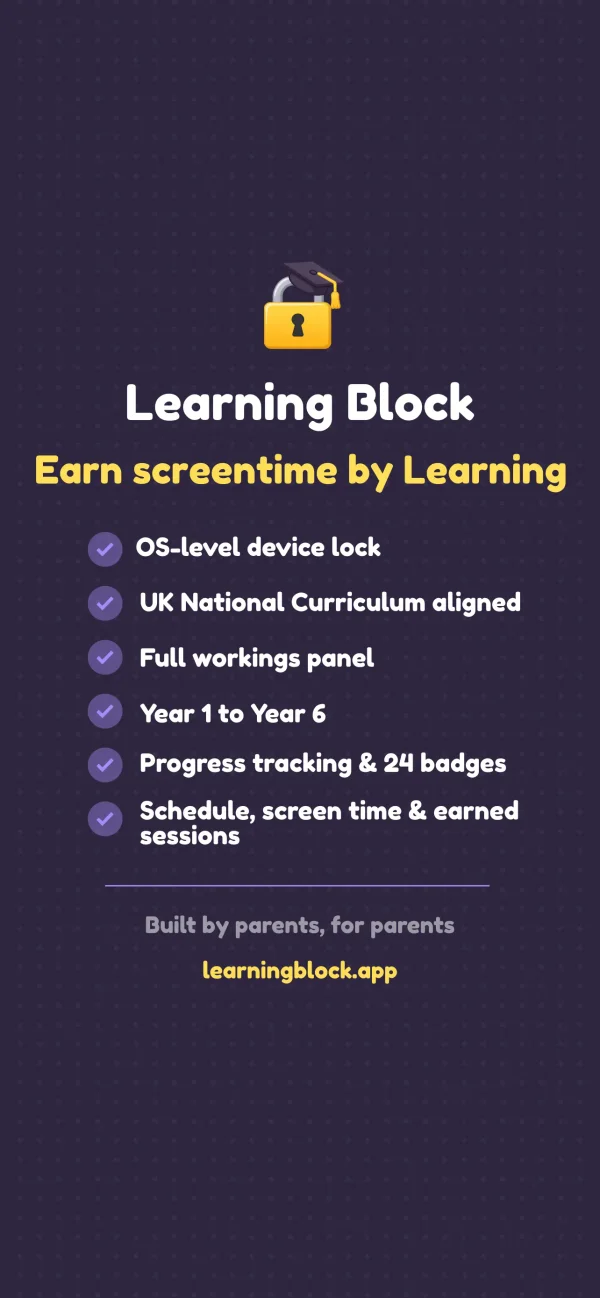
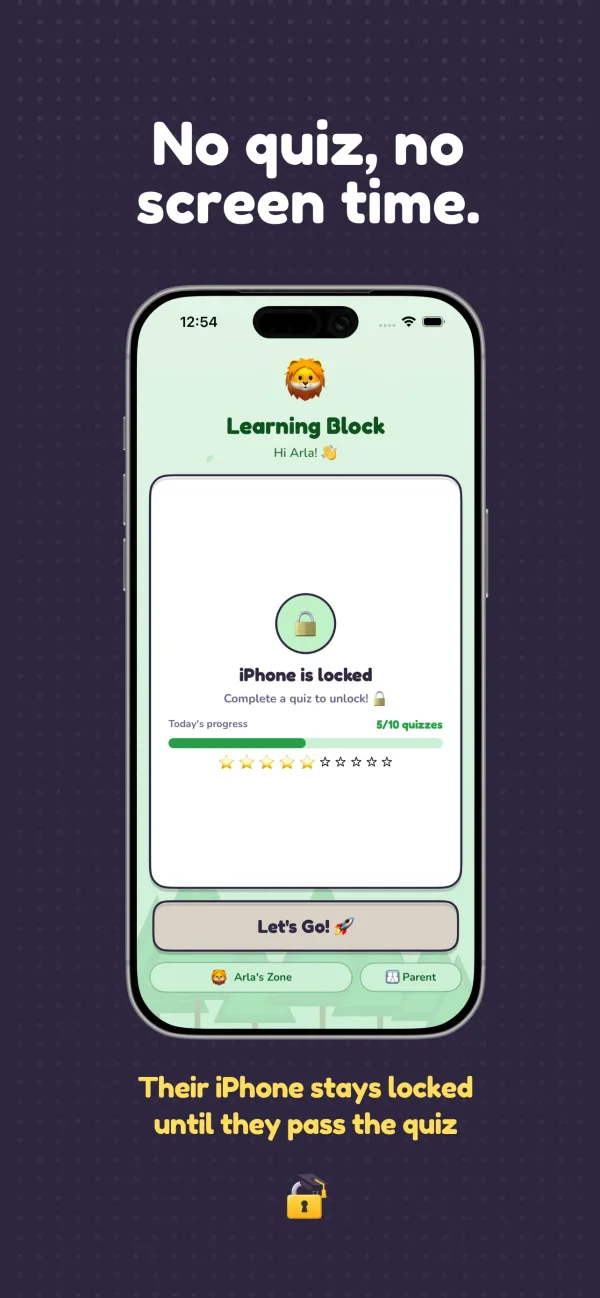
Learning Block locks your child's iPad until they complete a
curriculum-aligned maths quiz. No quiz, no screen time. No way
around it.
Unlike a simple timer, Learning Block sets a condition. Your child
doesn't just run out of time, they earn it back by actually learning.
Complete the quiz, unlock the iPad. Works beautifully alongside Apple's
built-in Screen Time controls.
HOW IT WORKS
Set your child's year group, pick topics, choose how many questions,
and set a pass mark. When the iPad locks, your child sees the Learning
Block screen. Pass the quiz, earn the screen time. Simple deal that
actually works.
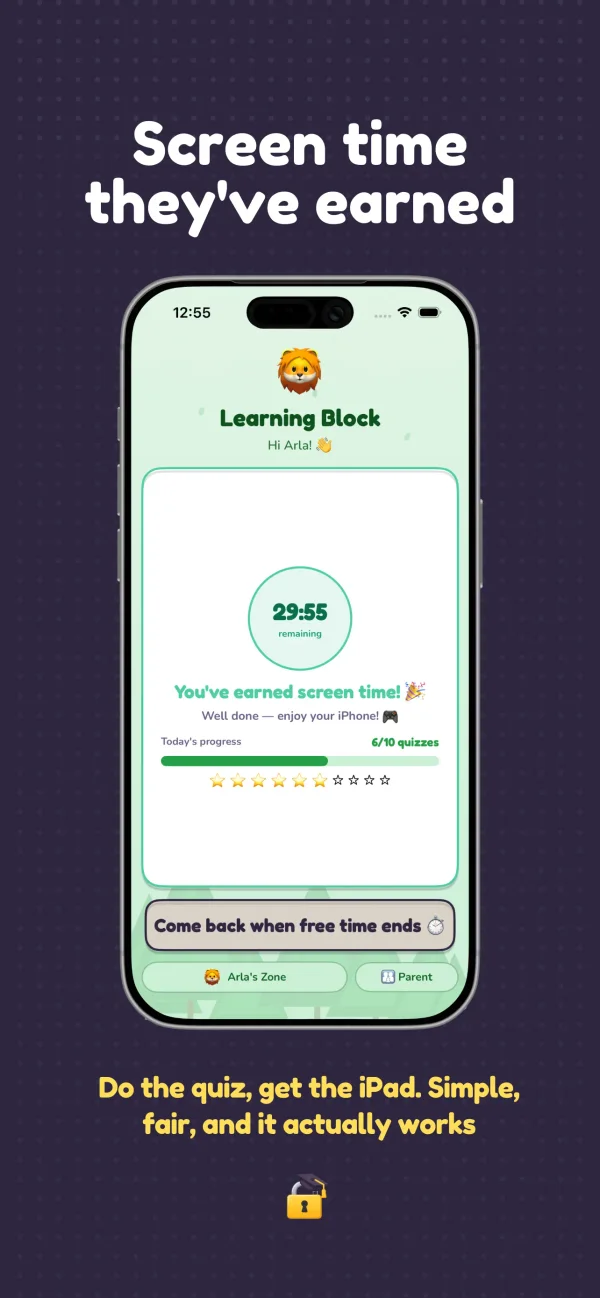
EARNED SCREEN TIME
Choose how much screen time each passed quiz unlocks — from 5 minutes
to an hour. When the time's up, the iPad locks again. Your child knows
exactly what to do to earn more.
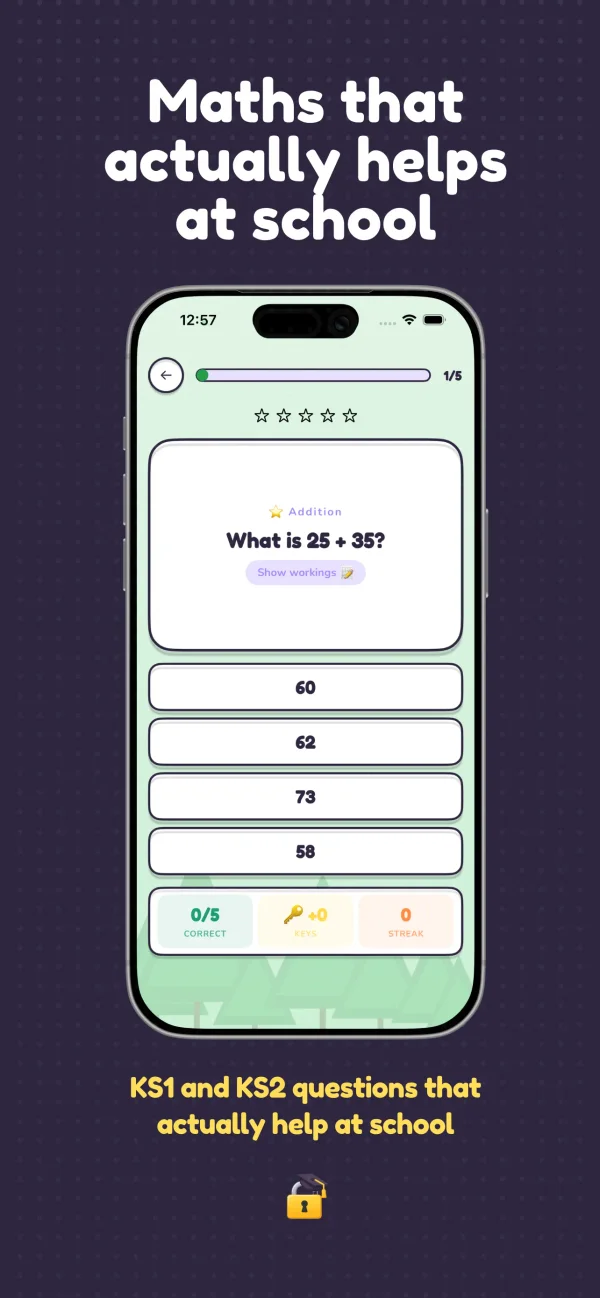
CURRICULUM-ALIGNED MATHS FOR AGES 5–11
Every question is generated from the UK National Curriculum with
infinite variety — no two sets of questions are the same.
Year 1–2: Addition, Subtraction, Multiplication, Division, Fractions,
Shapes, Time, Place Value
Year 3–4: Addition, Subtraction, Multiplication, Division, Fractions,
Decimals, Shapes, Time, Place Value
Year 5–6: Addition, Subtraction, Multiplication, Division, Fractions,
Percentages, Decimals, Area & Perimeter, Angles
PRACTICE MODE
In Unblock mode, your child can do as many quizzes as they want —
earning keys to spend on themes, badges, and rewards. Maths becomes
something they choose to do, not just something they have to.
LEARN SECTION
Animated walkthroughs teach each topic before your child attempts it
in a quiz — explained visually, at their own pace.
SHOW WORKINGS
A built-in panel lets children work through problems properly. Column
arithmetic with full carry and borrow support, plus a drawing pad with
handwriting recognition.
ADAPTIVE DIFFICULTY
Questions automatically adjust across Easy, Medium, and Hard based on
your child's accuracy. Parents can view and override difficulty
per topic.
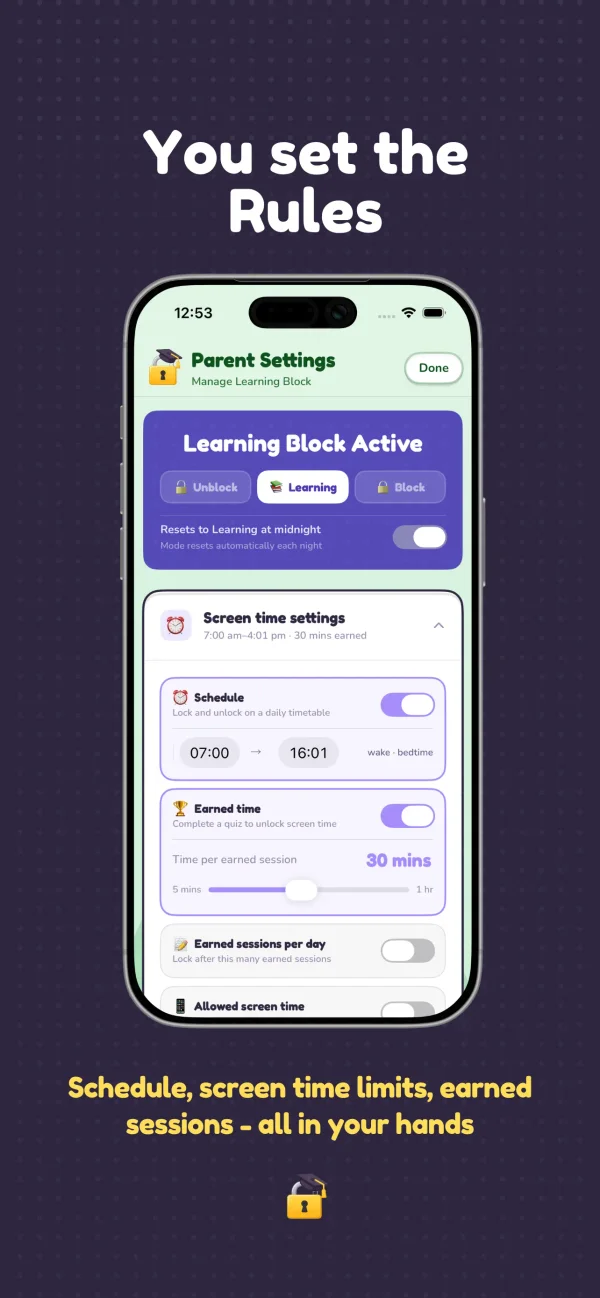
SCHEDULE AND LIMITS
Set a bedtime, wake time, and daily screen time cap. The iPad manages
itself around your family's routine.
PARENT DASHBOARD
PIN-protected settings give full control over every option. Per-topic
accuracy charts show exactly where your child excels and where they
need more practice.
REWARDS AND PROGRESSION
Correct answers earn keys, unlocking eight levels from Starter to
Maths Wizard. Spend keys on avatars, themes, and celebrations.
BADGES AND ACHIEVEMENTS
80 milestones across 20 tiered badges — topic mastery, streaks,
perfect scores, and year group champions.
FREE TO TRY
Download free and try Addition quizzes with no time limit. Subscribe
to unlock all topics, year groups, the Learn section, earned sessions,
and the full rewards system.
No ads, ever.
Terms of use: https://www.apple.com/legal/internet-services/itunes/dev/stdeula/
Neue Funktionen
Version 1.08 · 05.10.2026
Save your earned time - Thanks to your feedback, earned screen time can now pause when the iPad isn't being used. Your child can stop part-way and come back later, so there's no need to use it all in one go. Turn it on in Parent settings → Screen time settings → Earned time → Count time → While in use.
Practice mode - When the iPad is unblocked, quizzes become practice: children earn keys for every quiz and can see their key balance as they go.
Learn to tell the time - Three new animated clock lessons: o'clock and half past, quarters, and minutes. Each one unlocks the next.
Fixes and polish
• Passing a second quiz while earned time is running no longer locks the iPad
• Fixed a crash when opening Screen time settings
• Fresh new logo
Keep the ideas coming. Email hello@learningblock.app or tap "Got feedback?" in Parent settings. We read everything.
App-Datenschutz
Was LearningBlock LTD im App Store zum Umgang dieser App mit Daten angibt.
-
Keine Daten erfasst
Der Entwickler erfasst keine Daten von dieser App.
Die Datenschutzpraktiken können variieren, zum Beispiel je nach den von Ihnen verwendeten Funktionen oder Ihrem Alter.
Informationen
- Anbieter
- LearningBlock LTD
- Kategorie
- Bildung
- Version
- 1.08
- Aktualisiert
- 05.10.2026
- Veröffentlicht
- 06.05.2026
- Größe
- 13,2 MB
- Erfordert
- iOS 17.4 oder neuer
- Altersfreigabe
- 4+
- In-App-Käufe
- Ja
- Sprachen
- Englisch
- Copyright
- © 2026 LearningBlock LTD