
Lecta: Study Your Own Material
Learn, play, plan with AI
Entwickelt für iPhone, iPad
Kostenlos · In-App-Käufe
- Altersfreigabe9+
- KategorieBildung
- EntwicklerTOMORO OHASHI
- SprachenEnglisch+ 1 weitere
- Größe265,7 MB
Verlinkt auf die offizielle App Store-Seite
Download.org hostet keine Datei von Lecta: Study Your Own Material. Die Schaltfläche öffnet die App-Seite bei App Store, wo TOMORO OHASHI die App veröffentlicht. Eintrag zuletzt geprüft am 28.11.2026.
Screenshots
Info
Der Entwickler hat diesen Text nicht in Ihrer Sprache bereitgestellt.
More ways to learn, from the material you already have.
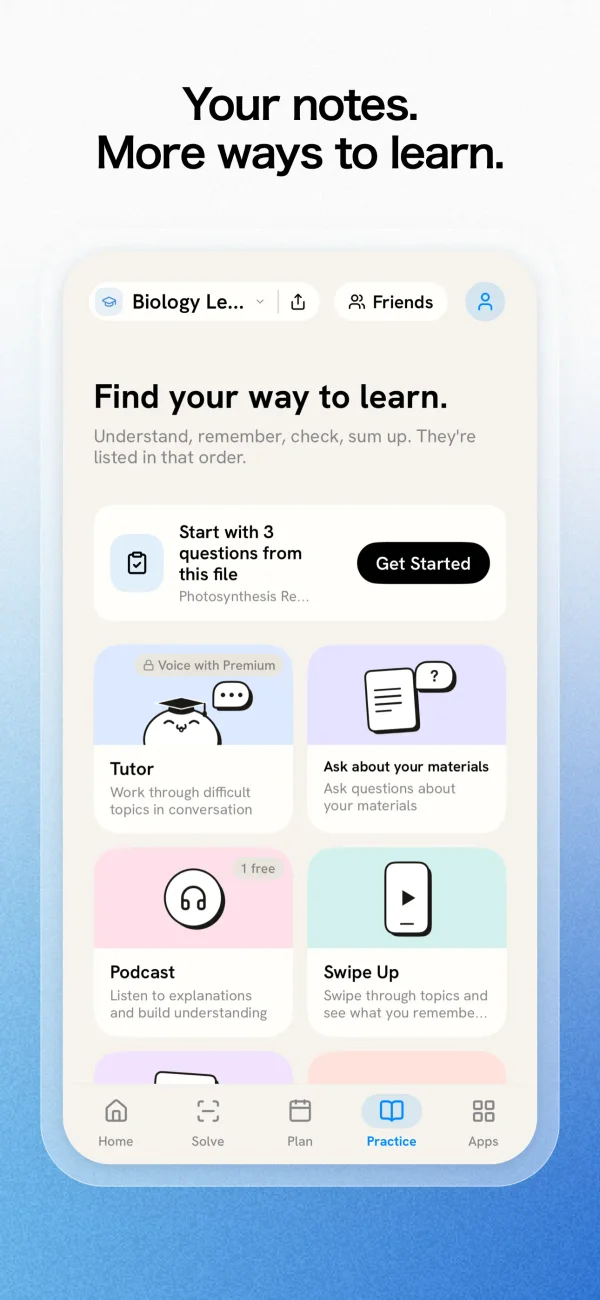
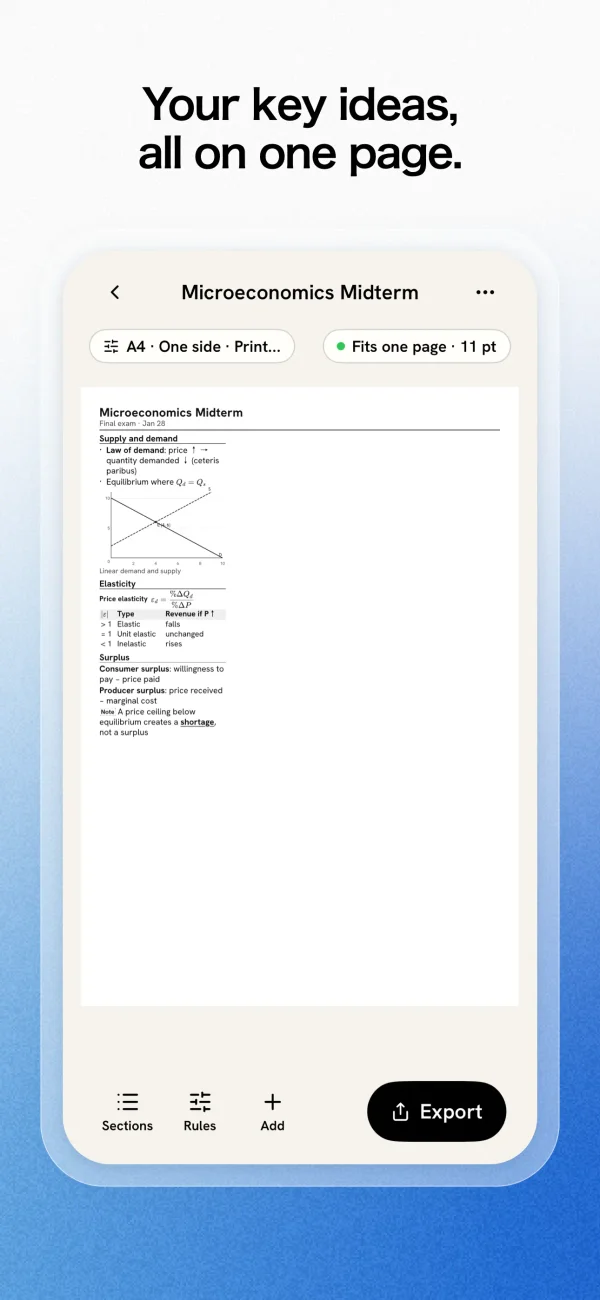
Lecta is a study app built around your own material. Add lecture PDFs, photos of your handouts, and recordings of your classes, then go deeper with AI. Review with friends in a game. Work back from your exam date to decide what to do today. One app carries you from sorting out your material all the way to the exam.
Start by adding your own material
Keep PDFs of handouts and textbooks, photos of the ones on paper, and your lecture recordings together in one place. Make a space for each subject or class, and fill it with the material you already have.
Learn with AI, the way that suits you
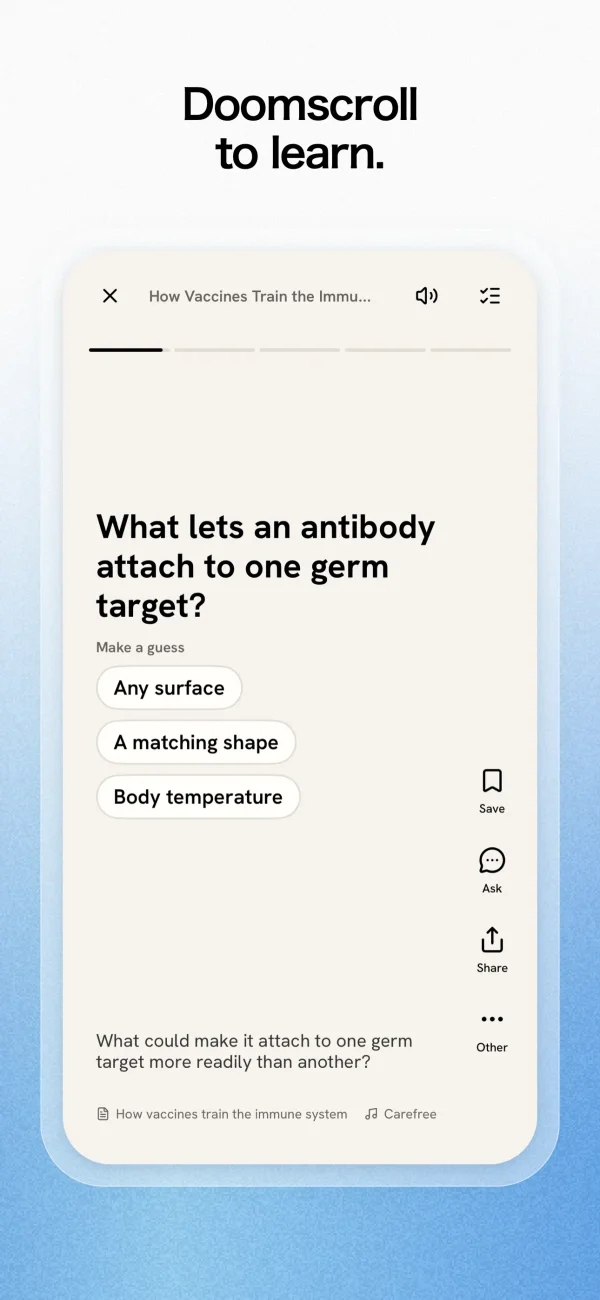
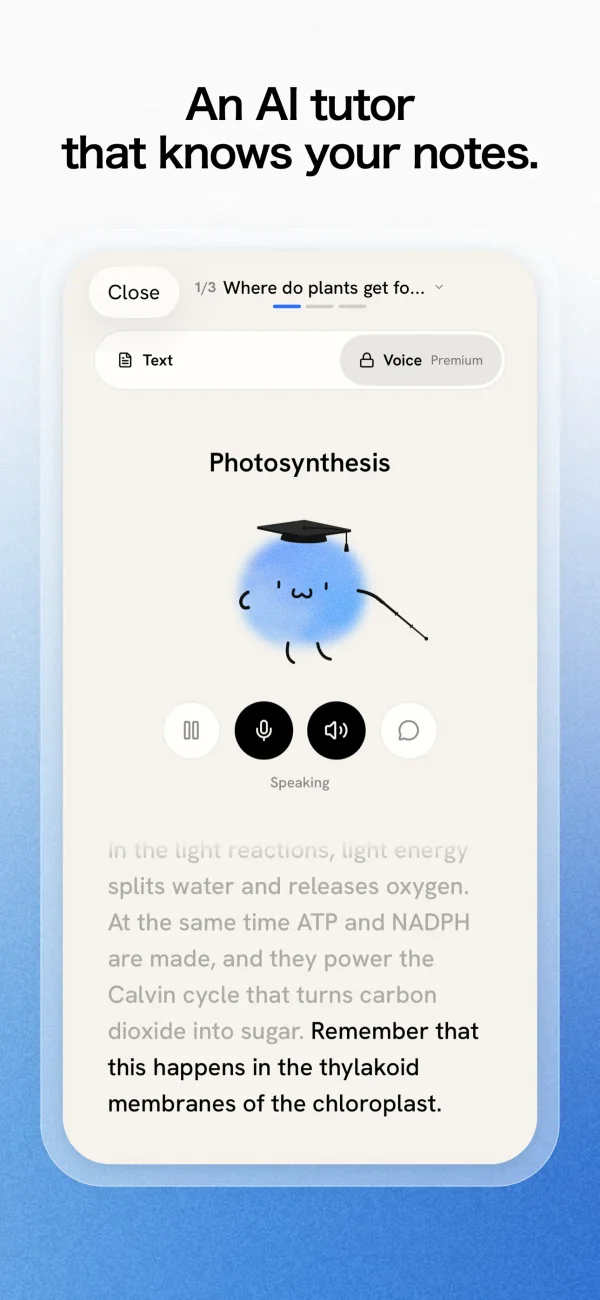
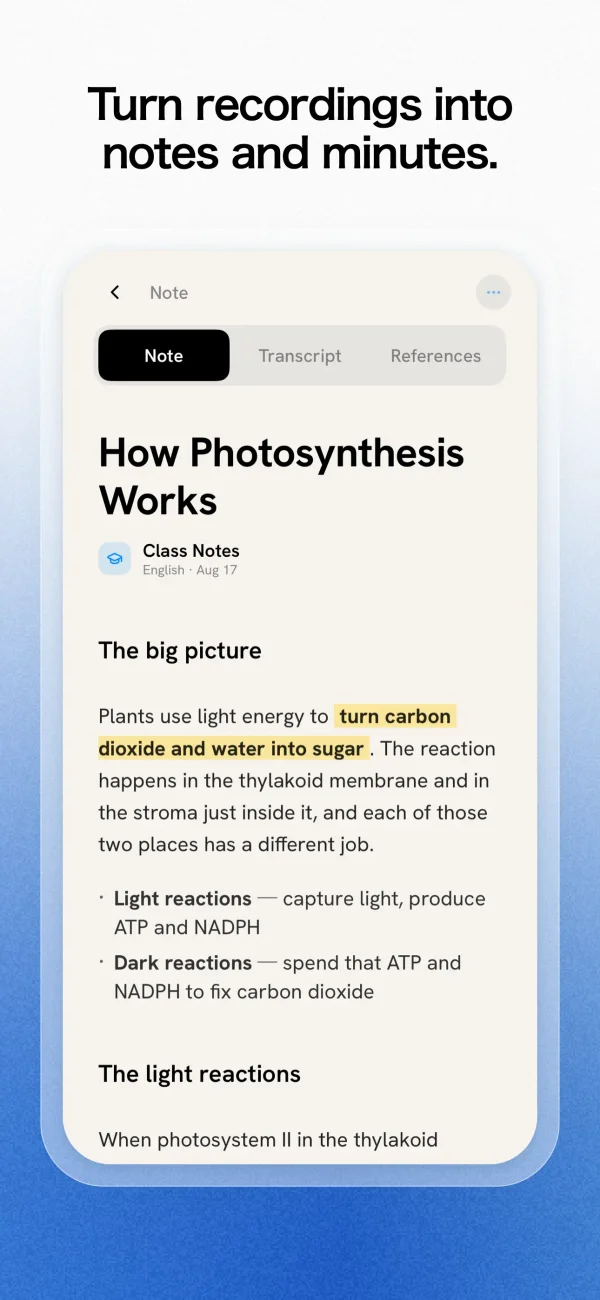
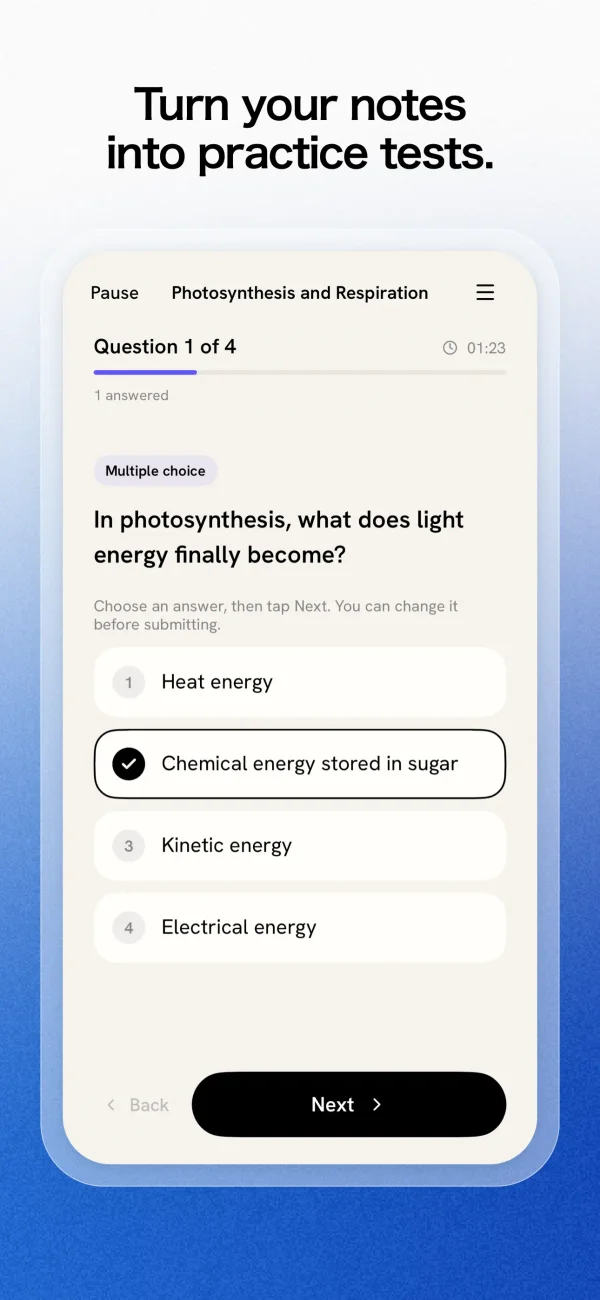
Talk to the AI Tutor about your material — speak or type. Say "Make it simpler" or "Give me a concrete example" and go at your own pace. You can also generate a test or flashcards, and check your understanding as you review. A recorded lecture becomes a transcript and a note. Turn that into a podcast and review on the go.
Take a photo, see how it's solved
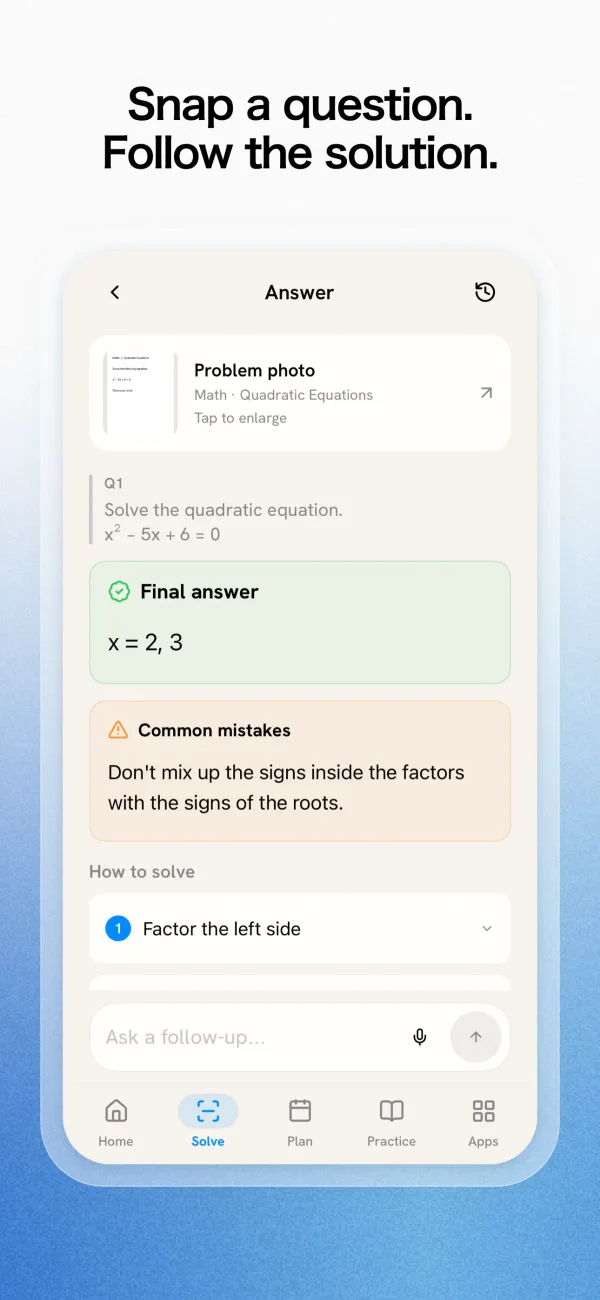
Snap the problem you're stuck on and start with a hint. When you want more, the answer and how to solve it are there. Ask a follow-up about any step you're unsure of, try a similar question, or save it to your notes to review later.
Play with friends, review together
The questions come from your own material, and they turn into a game. Answer them in Hyperlane to move up the race, and review with your friends while you play.
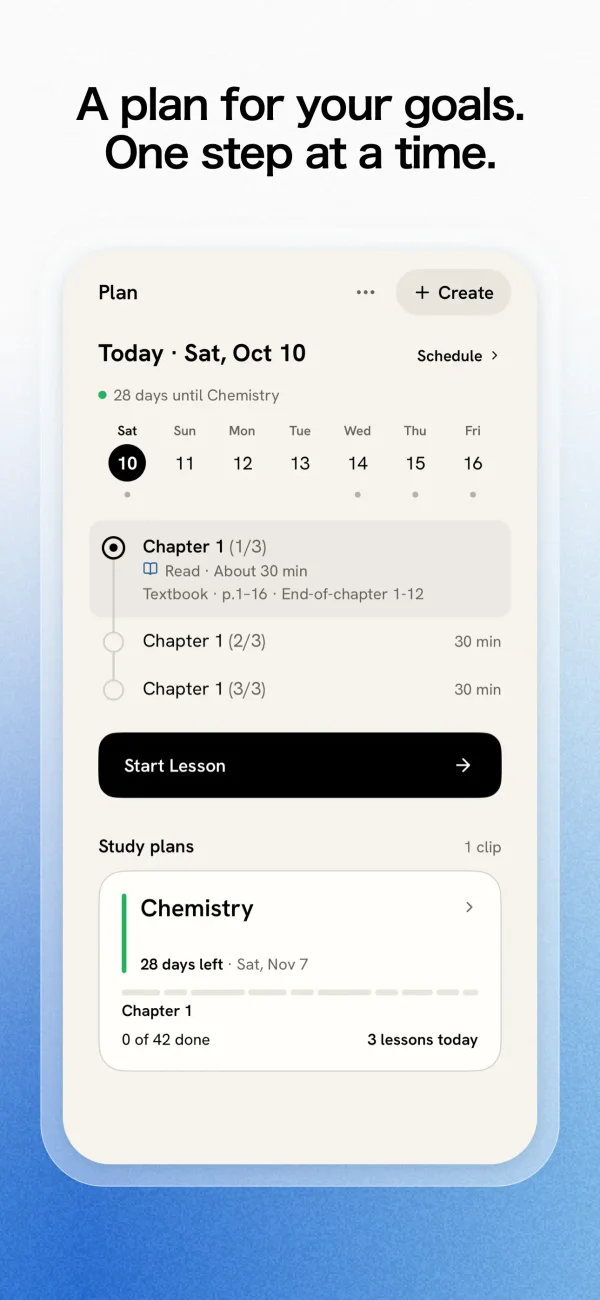
Work back from exam day to today's study
Build a plan from your exam date, the range you need to cover, and the hours you can study. Check today's range and start studying right there.
For reviewing a lecture. For getting ready for an exam.
Learn, play, and plan with the material you already have.
Premium, free trial, and passes
Premium (monthly or yearly) includes unlimited text-based study for normal personal use and 120 Live minutes each month. Eligible users receive a 14-day free trial with 10 Live minutes total across the trial. Passes (7, 30, or 60 days) are a single payment that unlocks all Premium features until the pass ends, with 10, 30, or 60 Live minutes for the pass period; they do not renew. Live time is shared across features and devices, connected waiting time counts, and unused minutes do not roll over. Premium renews automatically unless cancelled. The purchase screen shows your storefront price and renewal terms.
Privacy Policy: https://lecta-65cbb.web.app/privacy
Terms of Service: https://lecta-65cbb.web.app/terms
Neue Funktionen
Version 1.2 · 27.10.2026
A pass that lasts through your exam, and a tutor that talks at your pace.
• New: Exam Pass. One payment unlocks all Premium features through your exam day (7, 30, or 60 days). It does not renew automatically.
• Lower Premium prices for both monthly and yearly plans.
• Add your exam date to see the days left and your progress on Home, with reminders two weeks before, three days before, and the evening before.
• Make tests and flashcards from your exam's range, and start the red sheet from any material in one tap.
• Try three questions from your own material at the end of first-time setup.
• Choose how fast your tutor talks in voice mode. Formulas appear on a board and are read aloud naturally.
• Formulas now display correctly in The Why Kid and in tutor messages.
• Clearer purchase screens and bug fixes.
App-Datenschutz
Was TOMORO OHASHI im App Store zum Umgang dieser App mit Daten angibt.
-
Mit Ihnen verknüpfte Daten
Können erfasst und mit Ihrer Identität verknüpft werden.
- Käufe
- Kontaktinformationen
- Benutzerinhalte
- Kennungen
- Nutzungsdaten
- Diagnose
-
Nicht mit Ihnen verknüpfte Daten
Können erfasst werden, sind aber nicht mit Ihrer Identität verknüpft.
- Kennungen
- Nutzungsdaten
Die Datenschutzpraktiken können variieren, zum Beispiel je nach den von Ihnen verwendeten Funktionen oder Ihrem Alter.
Informationen
- Anbieter
- TOMORO OHASHI
- Kategorie
- Bildung
- Version
- 1.2
- Aktualisiert
- 27.10.2026
- Veröffentlicht
- 04.10.2026
- Größe
- 265,7 MB
- Erfordert
- iOS 17.0 oder neuer
- Altersfreigabe
- 9+
- Preis
- Kostenlos
- In-App-Käufe
- Ja
- Sprachen
- Englisch, Japanisch
- Copyright
- © 2026 Tomoro Ohashi
Das könnte Ihnen auch gefallen
-
 Prova: AI Skills for MarketersBildung
-
 NeuroLoop by JS FisherBildung
-
 StudyIT — Study from lecturesBildung
-
 SUUGAKU - Freude an Zahlen14 Themen voller Zahlenzauber
-
 Toi Lock - 暗記カード×スマホ制限Bildung
-
 AI Study CoachingBildung
-
 Studysoft: The Self-Study AppBildung
-
 QuizLock: ElternkontrolleMedienzeit per Quiz steuern