
- Altersfreigabe4+
- KategorieProduktivität
- EntwicklerPolyglotte, Inc.
- SprachenEnglisch+ 3 weitere
- Größe11,8 MB
Verlinkt auf die offizielle App Store-Seite
Download.org hostet keine Datei von LegalType. Die Schaltfläche öffnet die App-Seite bei App Store, wo Polyglotte, Inc. die App veröffentlicht. Eintrag zuletzt geprüft am 14.11.2026.
Screenshots



Info
Der Entwickler hat diesen Text nicht in Ihrer Sprache bereitgestellt.
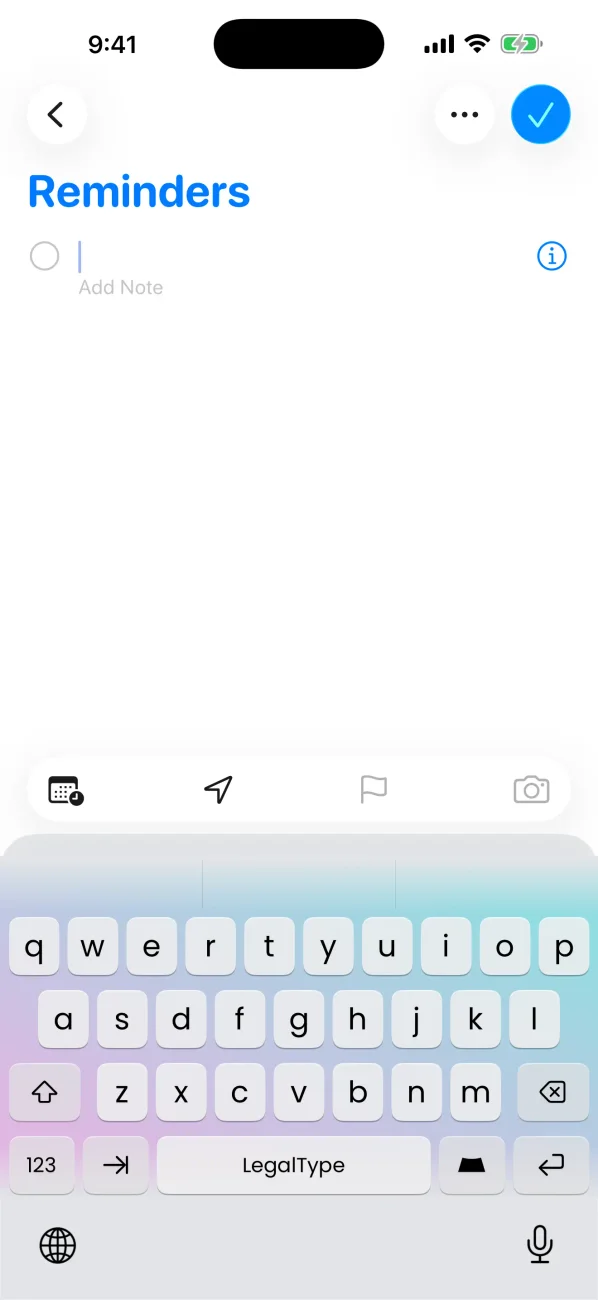
LegalType®—A Keyboard Designed Specifically for Lawyers
Whether you're a lawyer, law clerk, or legal professional, LegalType helps you write more accurately while saving time and effort.
Built for Legal Professionals
Lawyers are prolific writers. While much of that work happens at a desktop, legal professionals increasingly draft emails, notes, and documents across multiple devices. That's why we designed LegalType to be the perfect mobile companion, helping you produce legal text wherever you work—whether you're traveling for business or on your way to court.
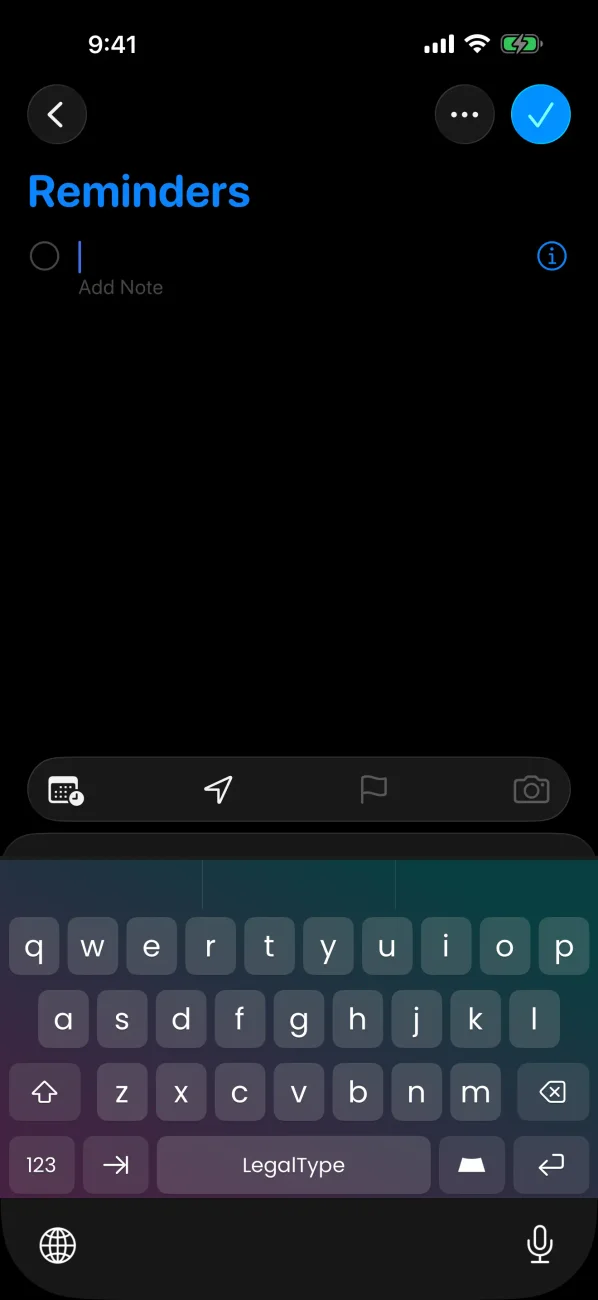
Our innovative iPhone and iPad keyboard gives you instant access to legal symbols and more than 500 legal words and abbreviations through our patent-pending autocomplete engine—all without compromising security.
Privacy by Design
LegalType does not require Full Access.
By default, Full Access is disabled, making it impossible for the keyboard to connect to a server. If you prefer, you can enable Full Access to use features such as key clicks and haptic feedback.
We never collect your data, store your keystrokes, or transmit anything you type.
Our autocomplete engine is preloaded with more than 500 legal words and abbreviations, curated by lawyers and built directly into the app. Suggestions become more relevant based on your on-device usage—without us ever seeing what you write.
Interested in deploying LegalType across your law firm? Ask us about SOC 2.
Features
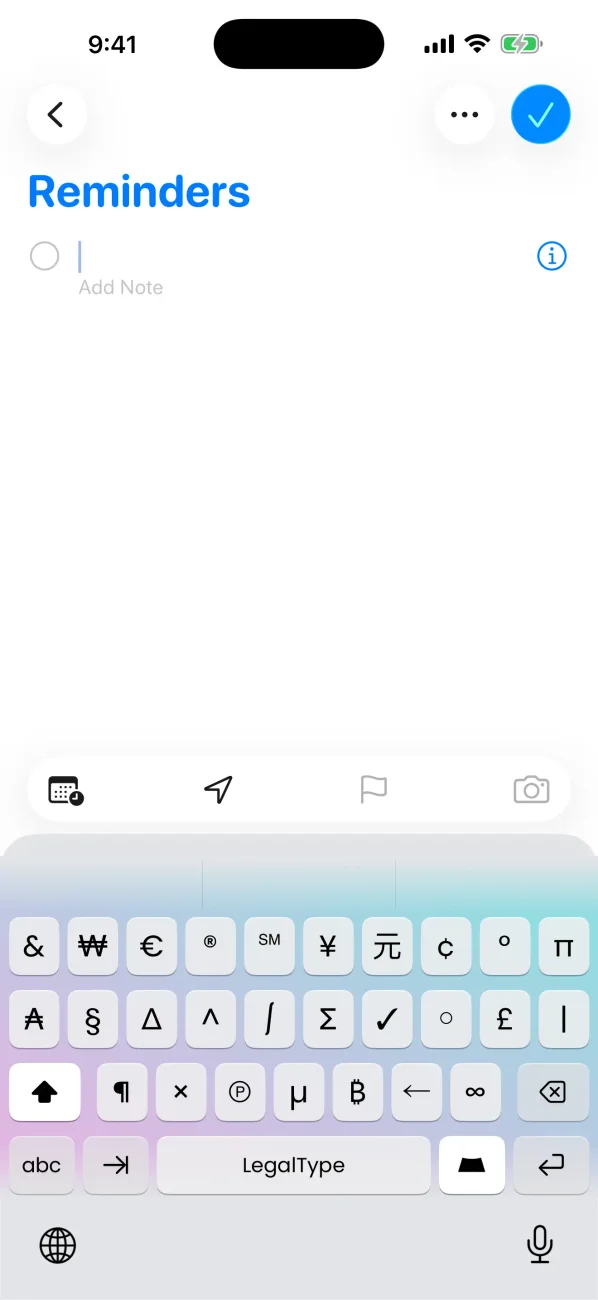
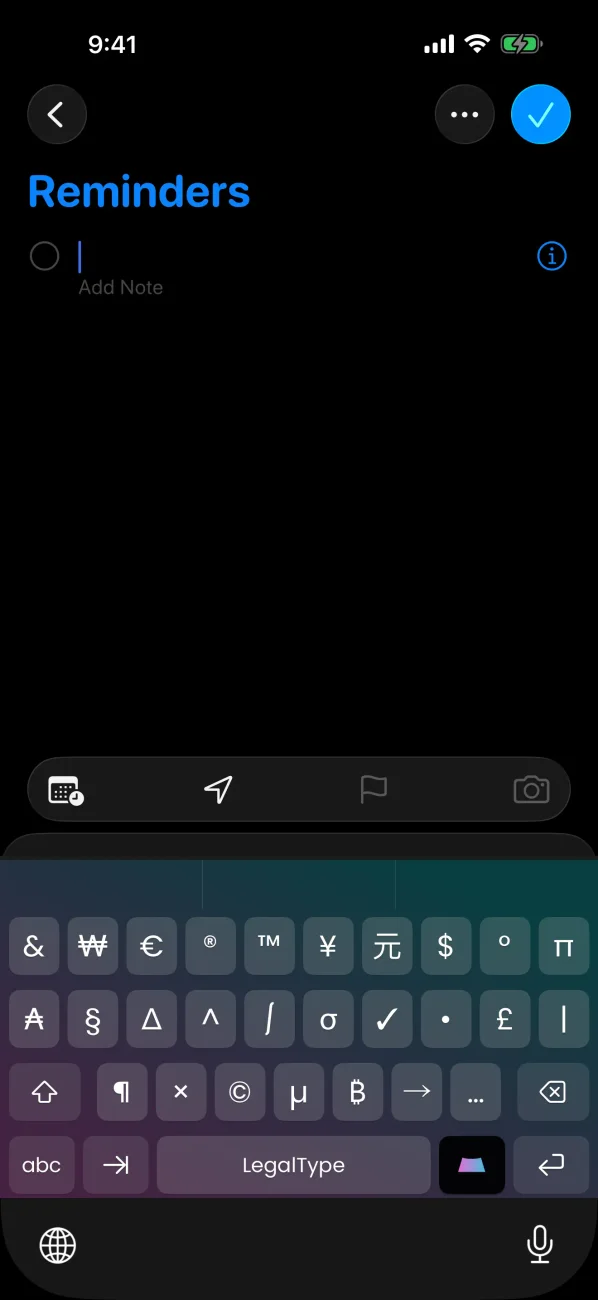
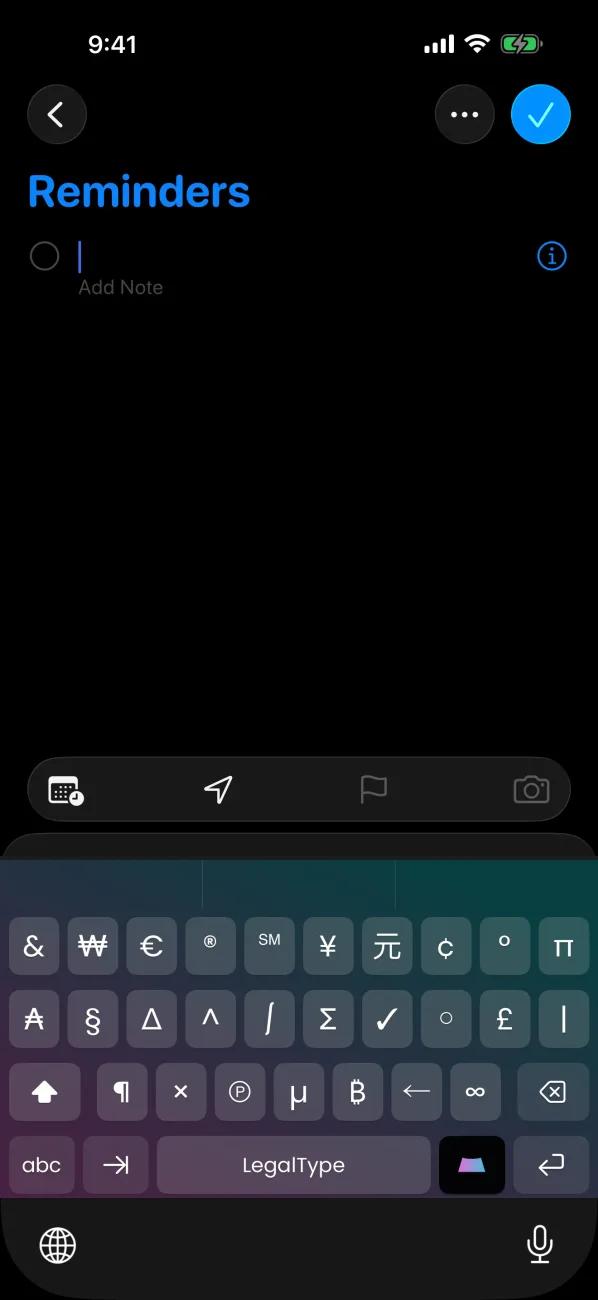
LegalType includes an Option key that opens a dedicated character table containing commonly used legal, currency, and special symbols. Quickly insert commonly used legal and special symbols, including:
§ ¶ Δ π © ® ™, and many more.
Our patent-pending autocomplete engine is built specifically for legal writing, helping you produce text that traditional autocomplete and dictation systems often miss. Powered by a library of more than 500 legal words and abbreviations, LegalType delivers relevant suggestions without monitoring your activity or collecting personal data.
The keyboard is simple, reliable, and designed for serious legal work and note-taking. Originally developed by a rocket scientist, LegalType is engineered for performance and stability.
Why LegalType?
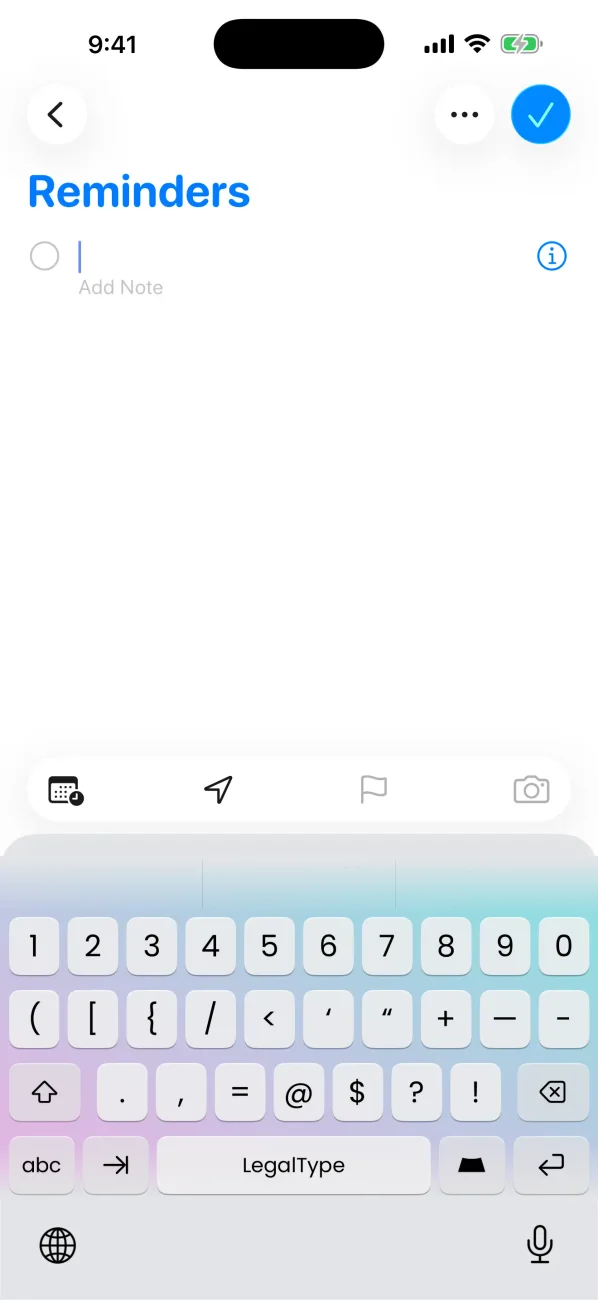
• Stop switching constantly between "ABC" and "123" on your iPad.
• Type legal and special symbols with ease.
• Use the Tab key to move between fields in PDF forms and documents.
• Benefit from an autocomplete engine built specifically for legal writing.
• Keep your data private and secure.
• Use LegalType across your favorite apps.
A brief onboarding slideshow guides you through installation the first time you launch the app.
Questions, bug reports, or suggestions?
info@legaltype.com
www.legaltype.com
Neue Funktionen
Version 1.1 · 05.09.2026
We’ve fine-tuned our autocomplete and autocorrect engines with:
Autoinsertion of hyphens in phrasal adjectives
• Type two words back-to-back without a space, and LegalType hyphenates them when they form a phrasal adjective: good-faith, court-appointed, two-year. Anything else simply gets a space. Backspace undoes the autoinserted hyphen and swaps it for a space.
Contractions, with curly apostrophes
• Type im, id, ill, wed, shed or hed and get I'm, I'd, I'll, we'd, she'd and he'd, each with a proper curly apostrophe.
• At the start of a sentence, its, lets, shell and hell become It's, let's, she'll and he'll — while "its terms" and "a shell company" are left alone mid-sentence.
• Legal usage is protected throughout: "id." stays a citation, "ill." and "wed." stay words.
Smarter capitals and punctuation
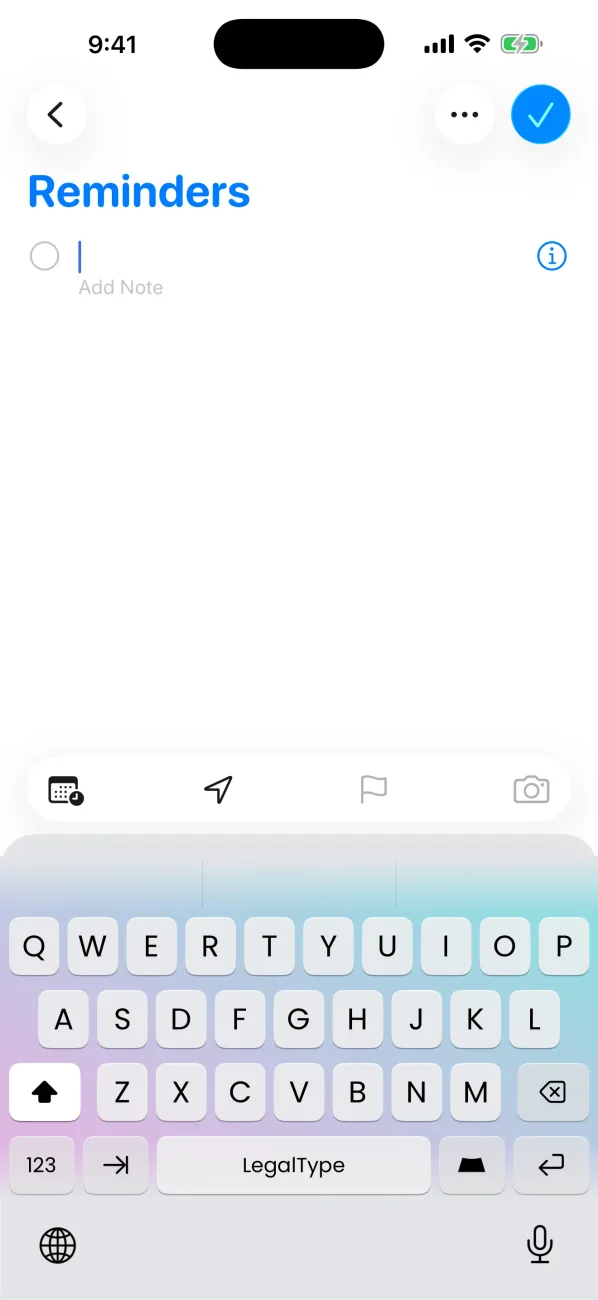
• Sentences now capitalize themselves as you type, not just in the suggestion bar—including after Return, so every line starts with a capital.
• Double-tap the spacebar to end a sentence with a period.
More accurate autocorrect
• Autocorrect now better understands the keyboard's layout, so slips onto a neighboring key are recognized as typos: "actuakky" becomes "actually". Reversed letters are caught too, and everyday misspellings like "seperate" and "definately" are fixed.
• Brand names: LegalType, iPhone and iPad keep their proper capitalization.
Out of the way where it should be
• Autocorrect no longer runs in web address, url search bars, email and number fields, or anywhere an app asks for it to be off.
• #Hashtags and @mentions are never rewritten by autocorrect.
Tilde was added to ‘LegalType’ special symbols
• The Tilde ~ was missing. Now when you press the LegalType keycap icon, you’ll see it in the middle of the screen.
App-Datenschutz
Was Polyglotte, Inc. im App Store zum Umgang dieser App mit Daten angibt.
-
Keine Daten erfasst
Der Entwickler erfasst keine Daten von dieser App.
Die Datenschutzpraktiken können variieren, zum Beispiel je nach den von Ihnen verwendeten Funktionen oder Ihrem Alter.
Informationen
- Anbieter
- POLYGLOTTE INC.
- Kategorie
- Produktivität
- Version
- 1.1
- Aktualisiert
- 05.09.2026
- Veröffentlicht
- 06.08.2026
- Größe
- 11,8 MB
- Erfordert
- iOS 17.0 oder neuer
- Altersfreigabe
- 4+
- Preis
- Kostenlos
- Sprachen
- Englisch, Französisch, Deutsch, Spanisch
- Copyright
- ©LegalType AI, Inc. 2026 All Rights Reserved
Das könnte Ihnen auch gefallen
-
 SFD — Write It BadProduktivität
-
 Pastor: Private Offline VaultProduktivität
-
 Recall ContactsProduktivität
-
 BigClock - No AdsProduktivität
-
 Read Later Offline : CACHEProduktivität
-
 AALL EventsProduktivität
-
 articuler.aiProduktivität
-
 Uploader for MendeleyProduktivität
-
 Hourloom: World ClockProduktivität
-
 Strukt: Productivity DashboardProduktivität