Libellus One: Documents, Notes
PDF Reader, Search & Annotate
Entwickelt für iPhone, iPad
5,99 €
- Altersfreigabe17+
- KategorieProduktivität
- EntwicklerSERHAN KAYMAKCI
- SprachenEnglisch
- Größe8,7 MB
Verlinkt auf die offizielle App Store-Seite
Download.org hostet keine Datei von Libellus One: Documents, Notes. Die Schaltfläche öffnet die App-Seite bei App Store, wo SERHAN KAYMAKCI die App veröffentlicht. Eintrag zuletzt geprüft am 18.11.2026.
Screenshots
Info
Der Entwickler hat diesen Text nicht in Ihrer Sprache bereitgestellt.
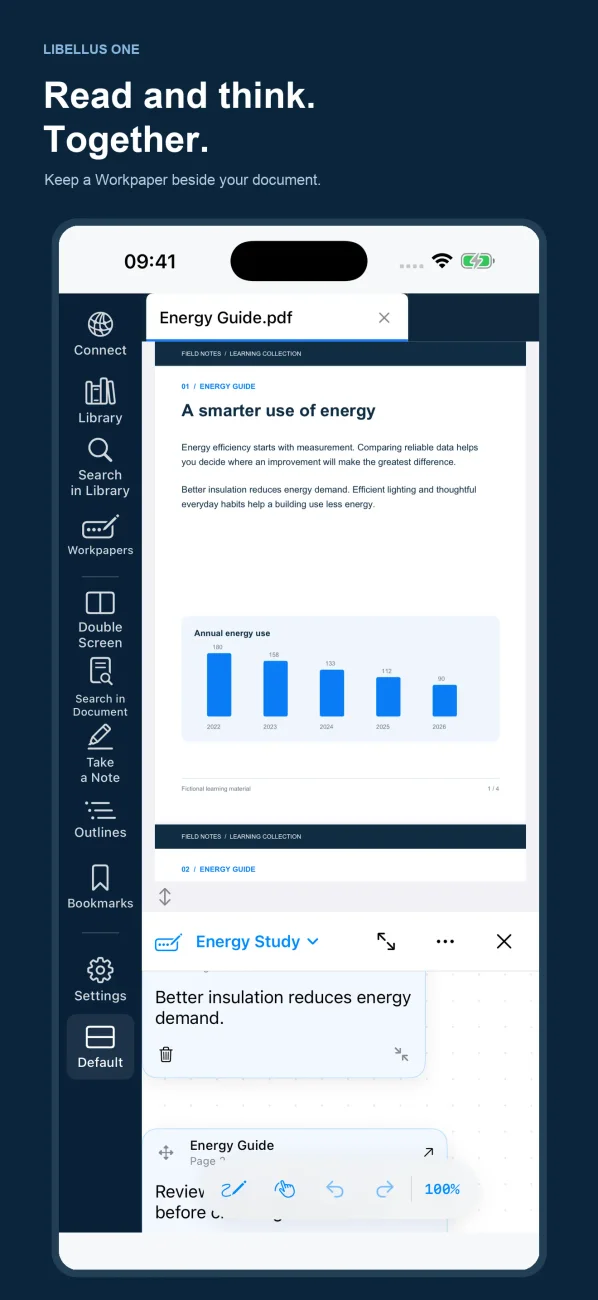
Bring your reading and your thinking together. Libellus One combines a local document library, PDF search and Workpapers on iPad and iPhone.
BUILD YOUR LIBRARY
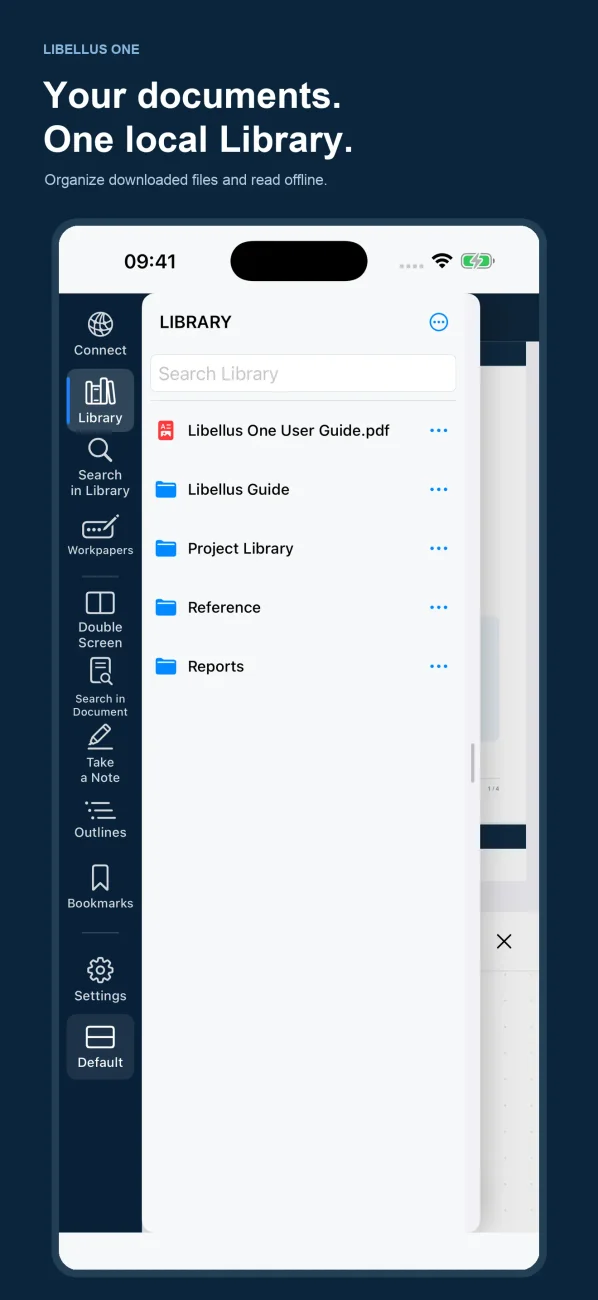
Import files or whole folders with subfolders. Connect to iCloud, WebDAV or a web portal, or sign in to Google Drive to browse and download selected files and folders. Keep local copies organized and available offline. Give a document a Custom Name while retaining its original file name.
FIND NAMES AND PASSAGES
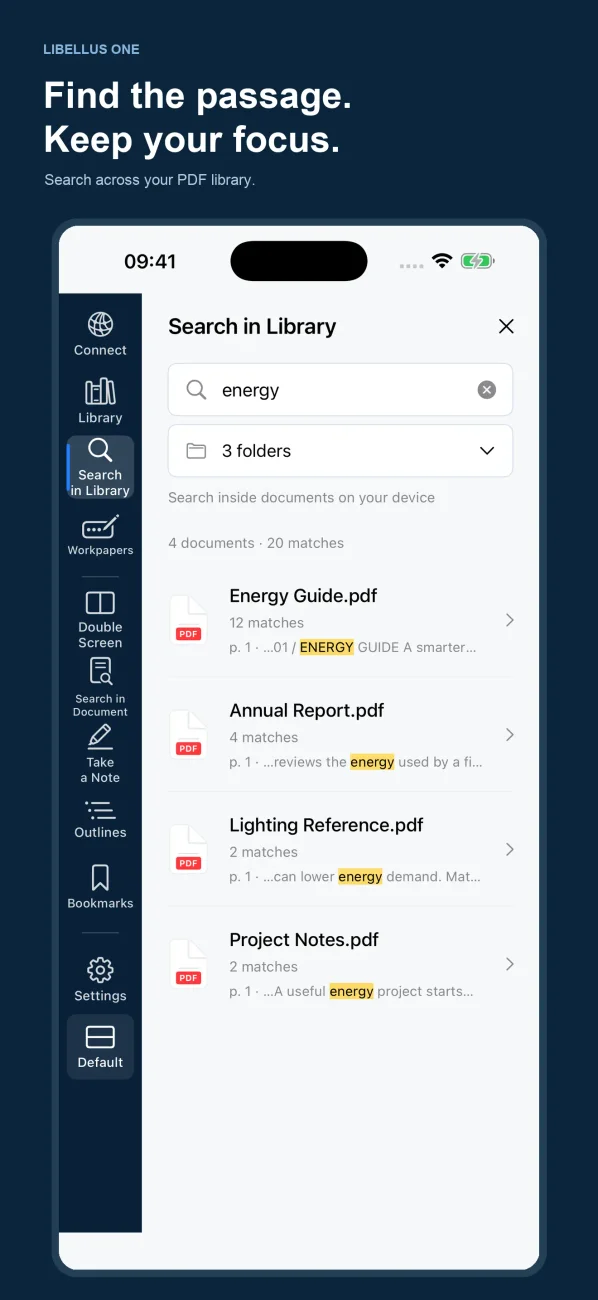
Search document names, custom names and readable PDF text. Search your whole Library or selected folders. Open a matching passage and continue searching inside the PDF with a compact search bar.
READ AND TAKE NOTES
Use one compact toolbar across PDFs and Workpapers. Write with Apple Pencil or enable finger drawing, highlight, erase and add straight or serrated underlines. Place editable text boxes with font, size and color controls. Select and move notes, or double-tap a text box to edit. Edits save automatically, with session Undo and Redo.
KEEP THE SOURCE
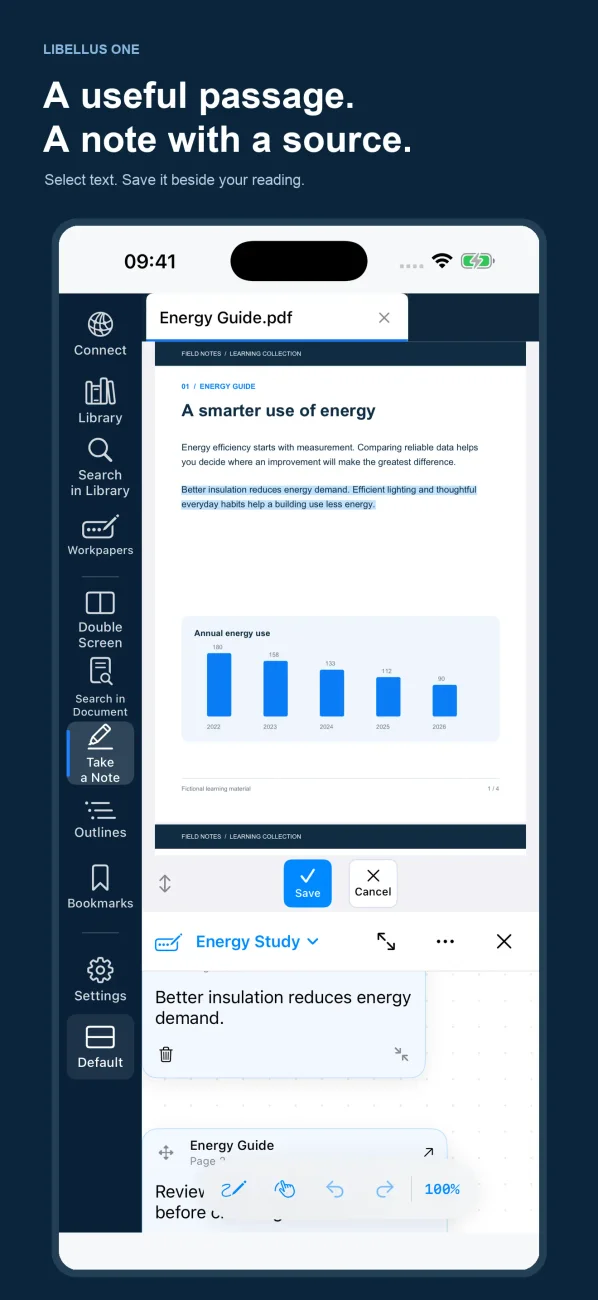
Take a Note turns a selected passage into a source-linked Workpaper card. Tap its reference to return to the original. Readable text in PDF, TXT, DOCX and XLSX is supported. Use Take SS to capture a selected area of a PDF as an image note in your Workpaper.
MAKE ROOM TO THINK
Use Double Screen for two documents or a local video beside your reading. Arrange Workpapers beside or below documents. Switch between documents and Workpapers in one tab bar. Adjust dividers, zoom, and move your toolbar to any corner. Navigate with thumbnails, outlines and bookmarks.
ORGANIZE AND SHARE WORKPAPERS
Search, sort, star, duplicate or select multiple Workpapers from the list. Share a Workpaper as an editable Libellus file, keeping text, drawings, highlights and captured images together. Import it from the Workpapers menu using Import Files. Each import creates a separate copy; source documents are not included. This is file sharing, not live collaboration or automatic synchronization. Both devices need Libellus One 1.0.4 or later.
CHOOSE YOUR WORKSPACE
Place navigation on the left, right or bottom, with icons or labels. Keep navigation and document tabs visible or let them appear automatically when needed. Choose horizontal or vertical page turning and continuous or page-by-page reading. Reading mode adds a display-only warm paper tint. An English User Guide is included offline.
Cloud connections require your own authorized account and internet access. Google Drive downloads are local copies, not automatic remote synchronization; provider access rules apply. Downloaded documents and Workpapers remain available on your device. PDF text search requires readable text; scanned or protected files may not be searchable. Apple Pencil requires a compatible iPad.
Neue Funktionen
Version 1.0.5 · 11.11.2026
Manage documents and Workpapers in one tab bar. Search, sort, star, duplicate and select multiple Workpapers from the updated list.
Enjoy a refined in-document search bar, clearer Take SS captures, and improved note selection, movement and double-tap editing.
This update also improves dark appearance, connection panels, Web Portal recovery and stability when closing tabs.
App-Datenschutz
Was SERHAN KAYMAKCI im App Store zum Umgang dieser App mit Daten angibt.
-
Mit Ihnen verknüpfte Daten
Können erfasst und mit Ihrer Identität verknüpft werden.
- Kontaktinformationen
- Benutzerinhalte
Die Datenschutzpraktiken können variieren, zum Beispiel je nach den von Ihnen verwendeten Funktionen oder Ihrem Alter.
Informationen
- Anbieter
- SERHAN KAYMAKCI
- Kategorie
- Produktivität
- Version
- 1.0.5
- Aktualisiert
- 11.11.2026
- Veröffentlicht
- 14.10.2026
- Größe
- 8,7 MB
- Erfordert
- iOS 18.0 oder neuer
- Altersfreigabe
- 17+
- Preis
- 5,99 €
- Sprachen
- Englisch
- Copyright
- © 2026 Serhan Kaymakçı
Das könnte Ihnen auch gefallen
-
 HotCup - Crew AssistantProduktivität
-
 Makel Smart MobileProduktivität
-
 RushUp AI : Cleaning ChecklistProduktivität
-
 DG CrewsProduktivität
-
 GoodReader PDF Editor & ViewerProduktivität
-
 Udf EditörProduktivität
-
 Gewohnheitstracker - HabitlyAtomic Goals & Accountability
-
 Ricoh myPrintProduktivität
-
 ASUS ExpertWiFiProduktivität
-
 Putzplan Haushalt: NeatNookHaushaltsplaner & Putzen App