Lighting Designer
Film, TV, Theater, and Events
Entwickelt für iPhone, iPad, iPod touch
29,99 €
- Altersfreigabe4+
- KategorieFoto und Video
- EntwicklerScenario Software LLC
- SprachenEnglisch
- Größe79,6 MB
Verlinkt auf die offizielle App Store-Seite
Download.org hostet keine Datei von Lighting Designer. Die Schaltfläche öffnet die App-Seite bei App Store, wo Scenario Software LLC die App veröffentlicht. Eintrag zuletzt geprüft am 12.11.2026.
Screenshots
Info
Der Entwickler hat diesen Text nicht in Ihrer Sprache bereitgestellt.
Never draw a lighting setup on a scrap of paper again.
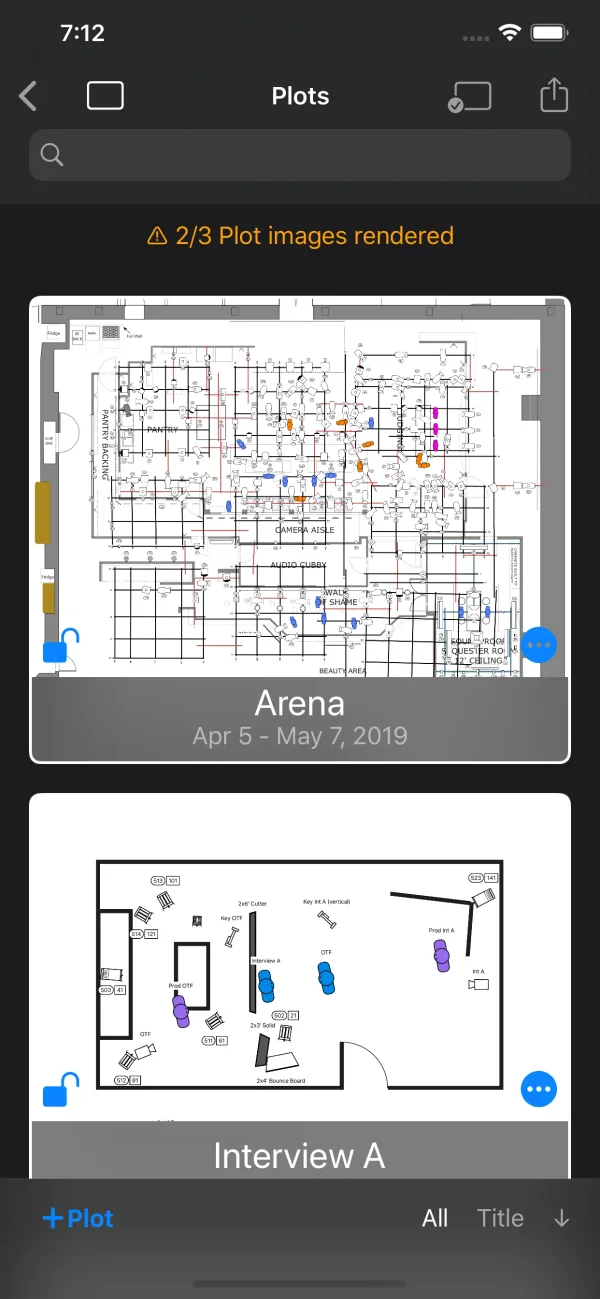
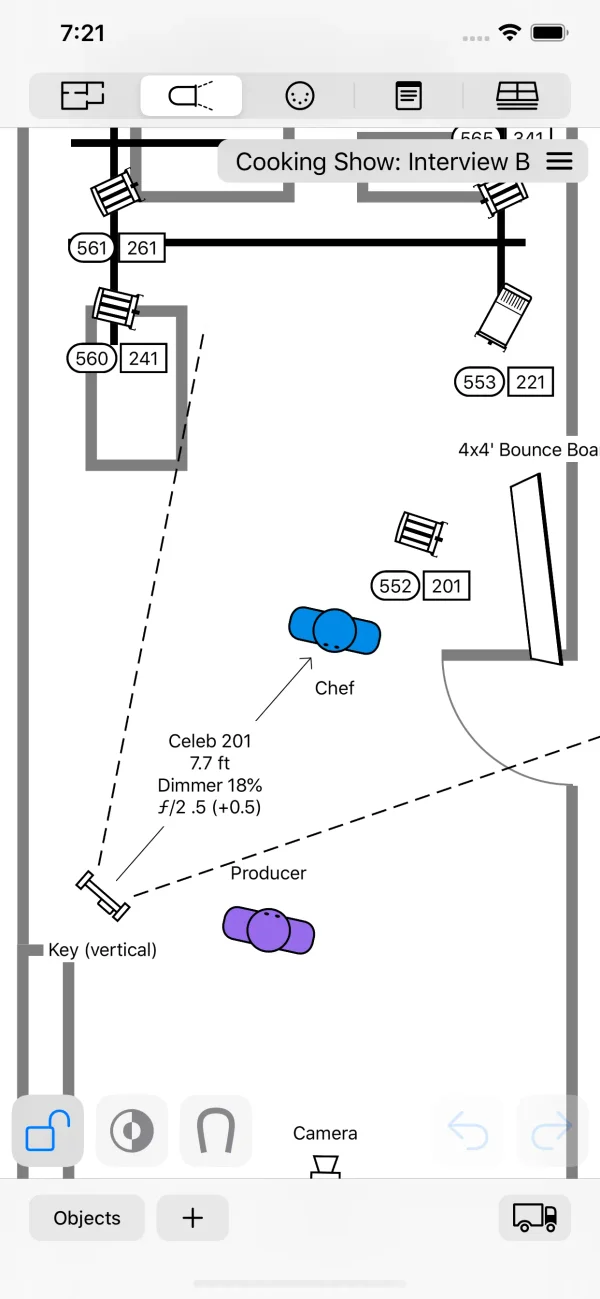
Lighting Designer is a quick and intuitive way to create overhead lighting plots for film, theater, television, concerts, and anything else you can light. The wide selection of equipment and simple yet powerful interface makes it easier than ever to illustrate and communicate your lighting setups, from most Apple devices. Your Silicon Mac is powerful and gives you the most screen to work with; your iPad is large and versatile; your iPhone will go with you anywhere. And if you like, your work can sync among all your Apple devices using iCloud, so you can start plotting on one and finish on another.
LD is perfect for tech scouts, working while traveling, or just choosing the couch over your desk chair. While expensive drafting programs can take hours to use and years to master, Lighting Designer is an accessible way to plan your next show!
Features:
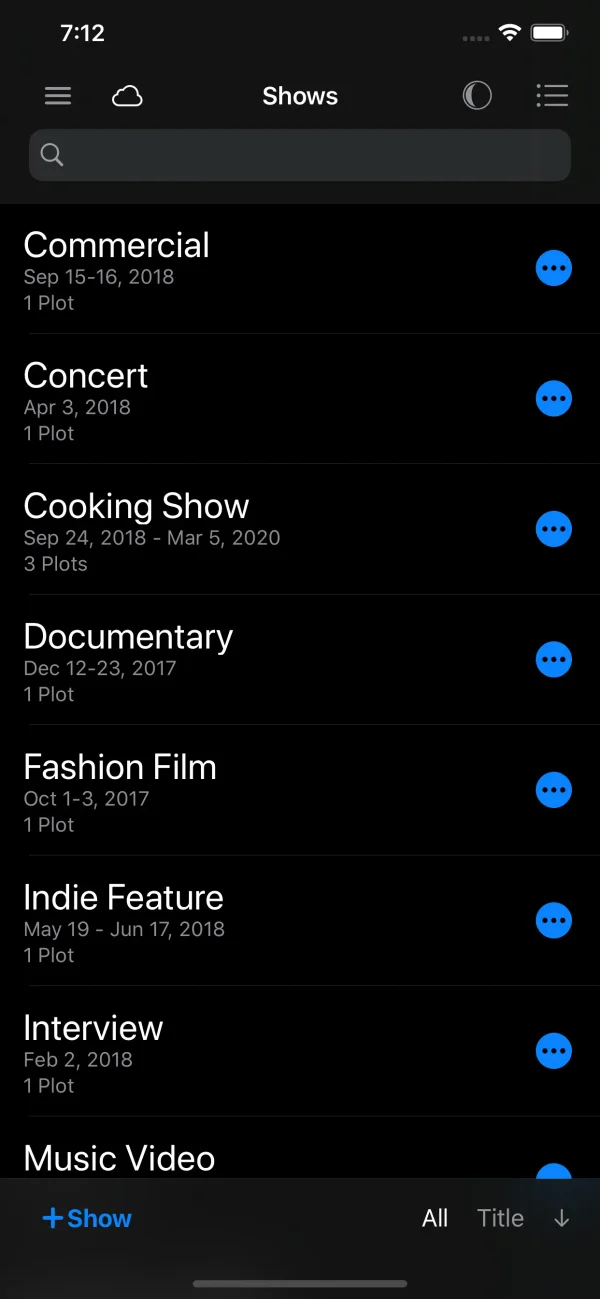
• Organize your setups into Shows, with details like shooting dates and crew members
• Choose from over 2000 built-in types of lights, grip equipment, camera gear, actors, and objects like furniture and musical instruments
• With a Crescit Premium account, you can have access to an additional 25,000+ pieces of lighting equipment, gels, and gobo templates
• Use your own images to create custom fixtures on your Plots (read the User Guide for image specs)
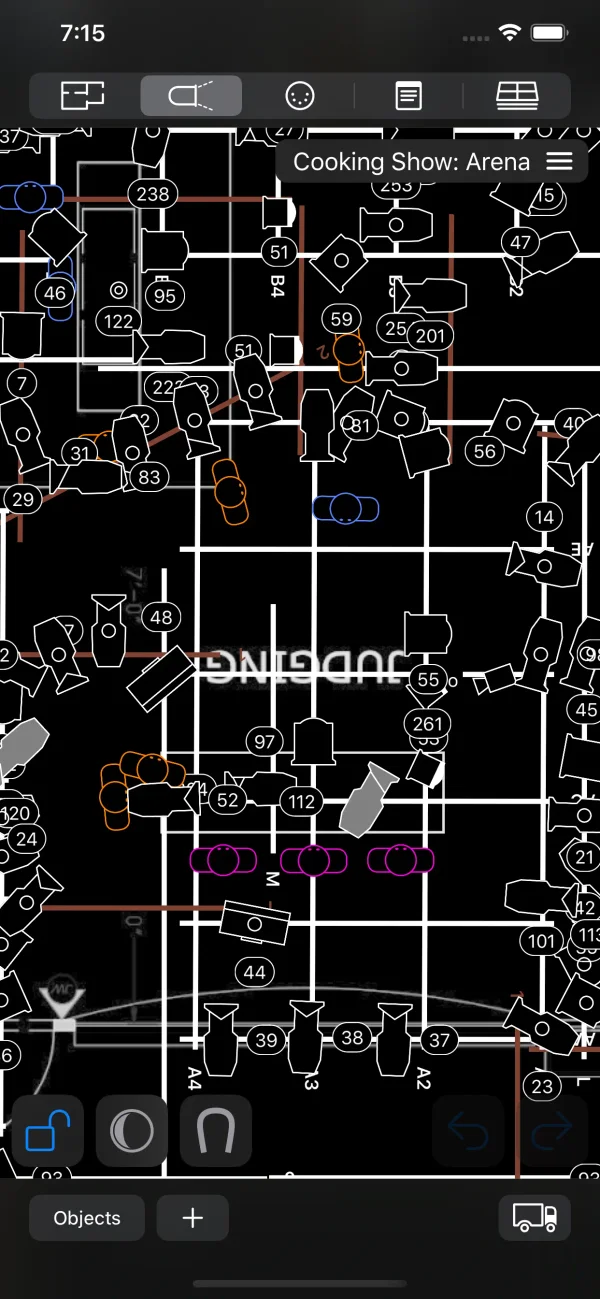
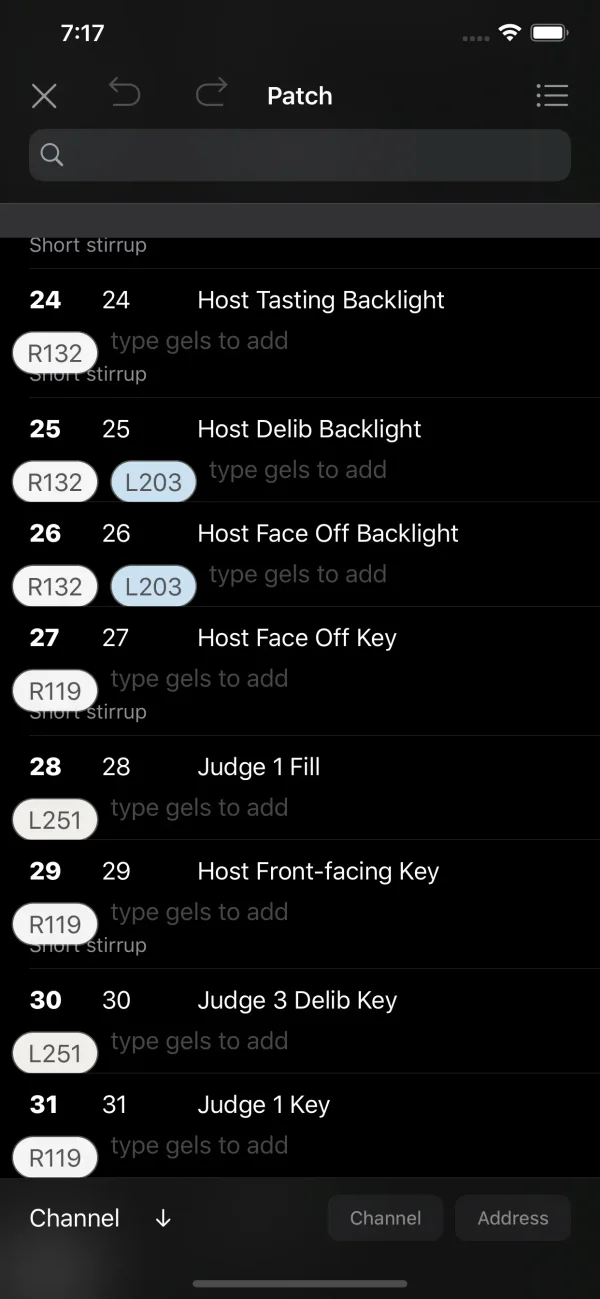
• For each light, specify wattage, beam spread, light output, DMX address, color, and many other details
• Certain fixtures include info for exposure approximation; all can be user-configured and have their exposure reverse-calculated from real-world readings
• Use Groups to create flexible collections of lights
• Notes allow you to describe every detail of your setup
• Pack your Truck to share gear among multiple Plots
• Draw a Floor Plan using basic shapes, and images from your device
• Lights can target other objects, and objects can rig onto each other for easy adjustments
• Email editable Plots to the crew, with images, equipment, and crew lists
• Undo/Redo functionality
• Dark Mode presents a dark workspace to reduce eyestrain and minimize your device's light in a dark environment
Neue Funktionen
Version 4.1.0 · 21.02.2026
Removed cloud sync functionality
App-Datenschutz
Was Scenario Software LLC im App Store zum Umgang dieser App mit Daten angibt.
-
Nicht mit Ihnen verknüpfte Daten
Können erfasst werden, sind aber nicht mit Ihrer Identität verknüpft.
- Standort
- Nutzungsdaten
- Diagnose
Die Datenschutzpraktiken können variieren, zum Beispiel je nach den von Ihnen verwendeten Funktionen oder Ihrem Alter.
Informationen
- Anbieter
- Scenario Software LLC
- Kategorie
- Foto und Video
- Version
- 4.1.0
- Aktualisiert
- 21.02.2026
- Veröffentlicht
- 24.04.2012
- Größe
- 79,6 MB
- Erfordert
- iOS 14.0 oder neuer
- Altersfreigabe
- 4+
- Preis
- 29,99 €
- Sprachen
- Englisch
- Copyright
- © 2026 Scenario Software LLC
Das könnte Ihnen auch gefallen
-
 Photo Studio Light SetupFoto und Video
-
 pCAM Pro - Camera ToolsFoto und Video
-
 Lightframer ProFoto und Video
-
 Cine Meter IIFoto und Video
-
 f8 Lens ToolkitFoto und Video
-
 Freefly EmberFoto und Video
-
 MovieSlate® 8Protokoll & Berichte
-
 ARRI ECSFoto und Video
-
 Pixelview PlayerFoto und Video
-
 Artemis Director's ViewfinderFoto und Video