
Lightning Notes: Transcription
Offline AI Meeting Recorder
Entwickelt für iPhone, iPad
- Altersfreigabe4+
- KategorieProduktivität
- EntwicklerChihiro Otsuki
- SprachenJapanisch+ 3 weitere
- Größe57,1 MB
Lightning Notes: Transcription ist bei App Store derzeit möglicherweise nicht verfügbar
Bei unserer letzten Prüfung war der Store-Eintrag nicht erreichbar. Der Link führt weiterhin zur offiziellen App Store-Seite.
Screenshots

Info
Der Entwickler hat diesen Text nicht in Ihrer Sprache bereitgestellt.
Record. Transcribe. Summarize. All on your device.
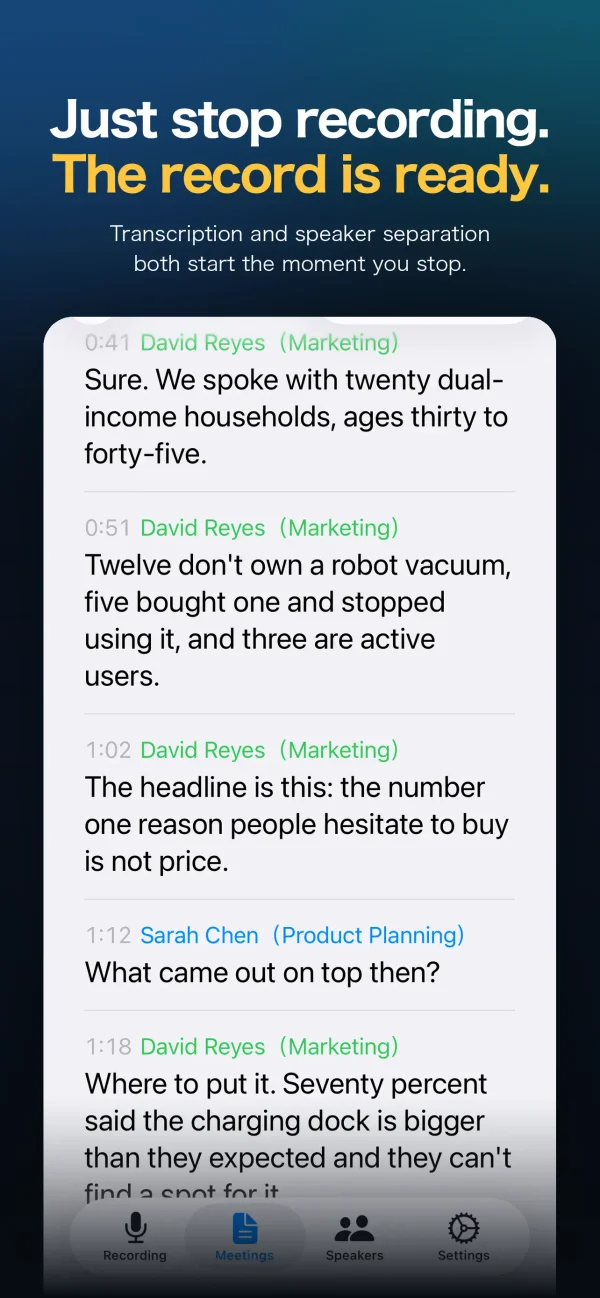
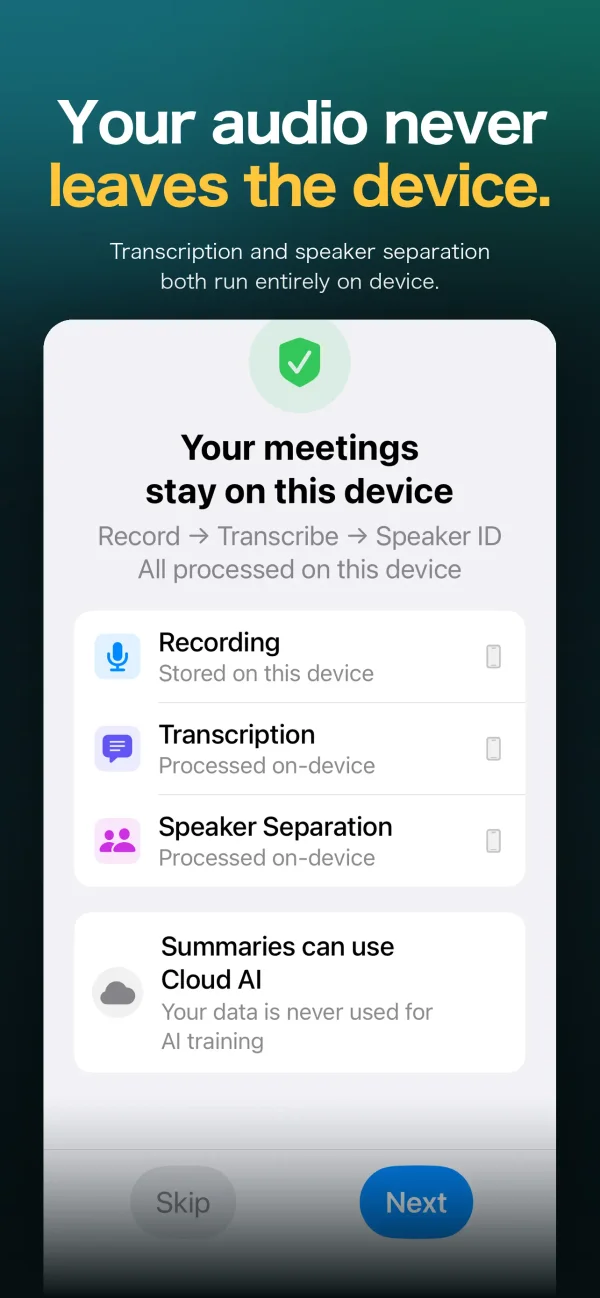
Transcription and speaker separation run entirely on your iPhone — no audio ever leaves your device. Stop the recording and on-device AI works out who said what, producing a speaker-labeled transcript. Then choose local AI or Cloud AI to write the meeting notes. Supported by ads, with all core features available without a subscription.
------------------------
Key Features
------------------------
■ Accurate Transcription — On-Device
Apple's speech recognition engine processes your audio entirely on-device. Meetings, lectures, interviews — transcribed without sending audio anywhere, and reliable even for long recordings.
■ Automatic Speaker Separation
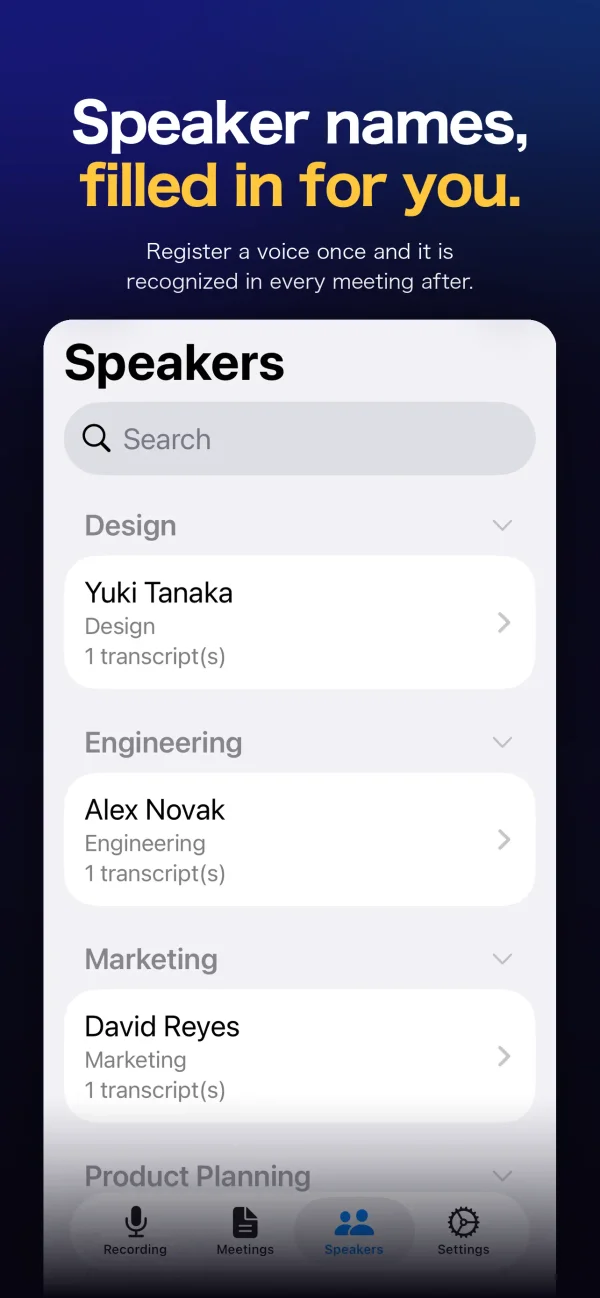
Speaker separation runs automatically on your iPhone once recording stops, identifying who said what across multi-participant conversations. Voice fingerprints are learned over time, so names get assigned automatically in later meetings. Manual editing is always available.
■ AI Meeting Notes — Your Choice of AI
· On-device AI: No internet required; nothing leaves your iPhone. Needs 6 GB RAM or more (iPhone 13 Pro and later).
· Cloud AI: DeepSeek V4-Flash via OpenRouter, streamed in real time. API data is not used for model training, and only Zero Data Retention (ZDR) endpoints are used, so the provider does not store your data to disk.
■ Speaker Summaries & Person Profiles (Cloud AI)
See each participant's role, key points, and behavior in the meeting. Across up to 30 past meetings, AI builds a profile of a person's role, communication style, and projects.
■ Action Items, Extracted (Cloud AI)
Cloud AI meeting notes also pull each person's action items into the Tasks tab. Set yourself among your people to see your tasks apart from everyone else's. Each task keeps the line it came from and links back to its meeting; move it from Needs confirmation to In progress to Completed, also right on the meeting's screen. Tasks stay on your device.
■ Dictionary Correction (Custom Terms)
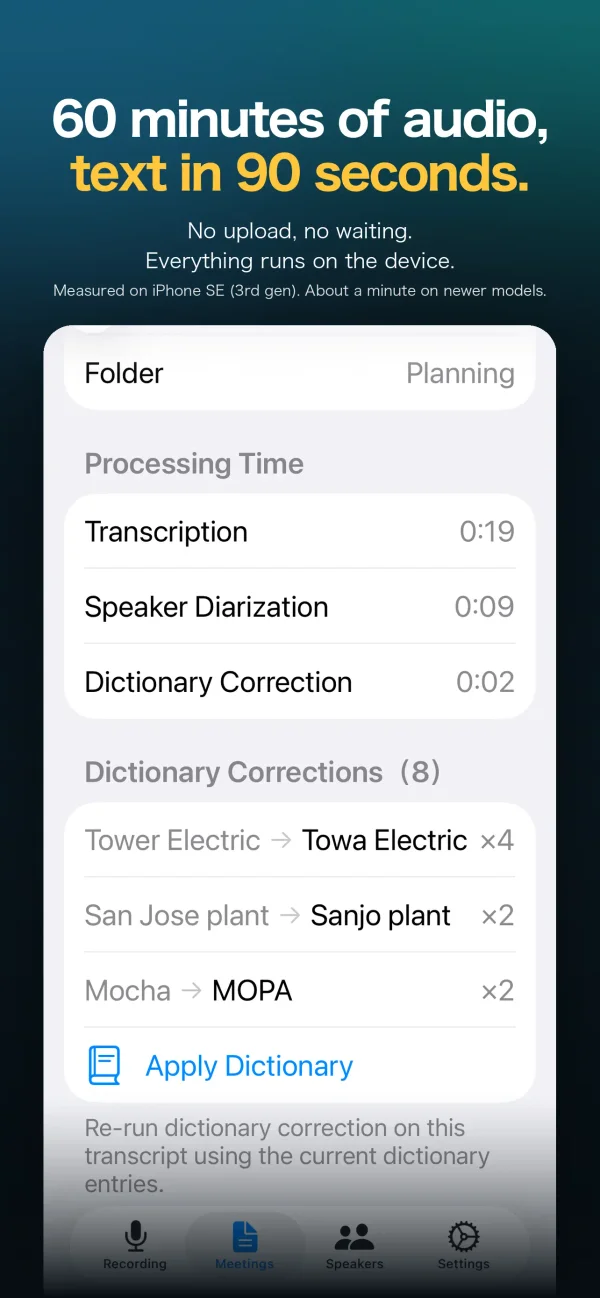
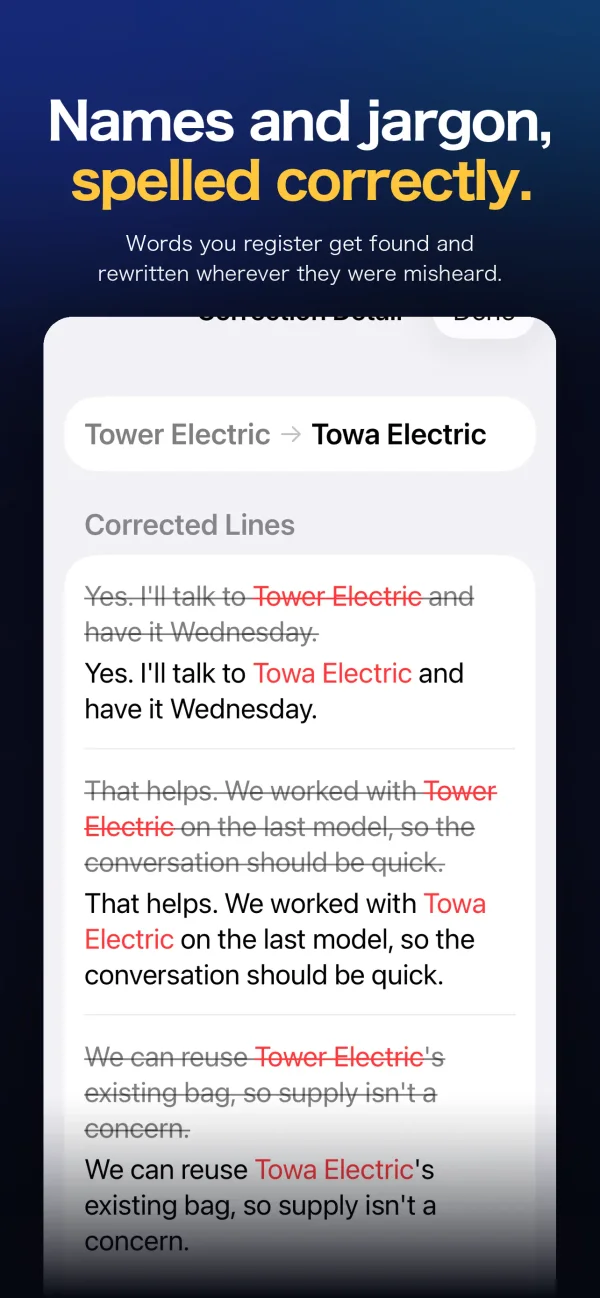
Register company names, product names, and jargon, and the app fixes where speech recognition misheard them — "Tower Electric" becomes "Towa Electric". An on-device language model checks each fix reads naturally in context, so unrelated passages are left alone. Fixes can be reviewed, reverted one at a time, and applied to past meetings.
■ Audio & Video File Import
Import external audio or video recordings and run them through the same transcription and speaker separation pipeline.
■ Share & Export
Export as PDF, choosing which sections to include (summary, speaker summaries, transcript). Speaker colors and tables are preserved. Text and audio sharing are also supported.
■ Privacy-First Architecture
Transcription, speaker separation, and local summarization all run on-device. Cloud AI is opt-in — leave it off and no recording content ever leaves your iPhone.
■ Folder Organization
Organize meetings into folders by project, client, or topic.
■ Full-Text Search
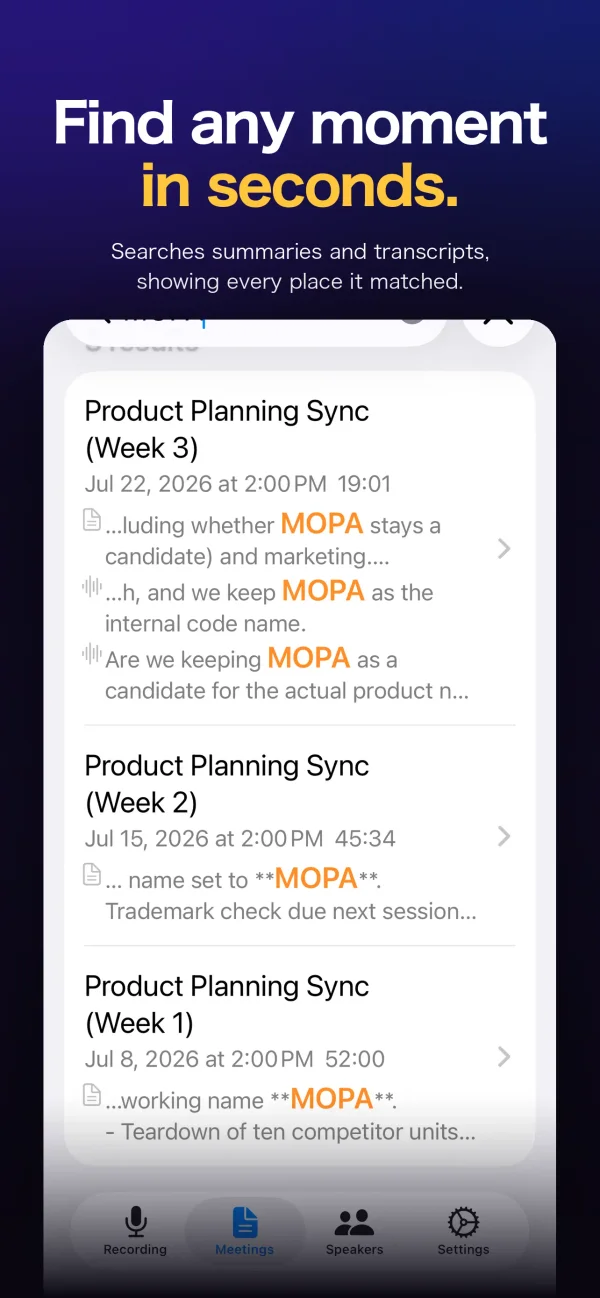
Search titles, summaries, and transcripts. Find any meeting by keyword in seconds.
■ Edit Transcripts
Fix recognition errors directly in the app and save an accurate record.
■ Control From the Lock Screen
Elapsed time appears on the Lock Screen and Dynamic Island while recording, with pause, resume, and stop right there. Add the Control Center button to start recording without launching the app.
■ Backup & Restore
Export meetings, transcripts, and speaker data to a file and restore it on another device or after reinstalling. You keep the file; nothing goes to an external server.
------------------------
Requirements
------------------------
· Transcription, speaker separation, file import: iPhone 12 or later (A14 chip), or iPad with M1 or later
· Local AI summarization: 6 GB RAM or more (iPhone 13 Pro, iPhone 14 series, iPhone 15 and later)
· Audio/video formats: WAV, M4A, MP3, MP4, and other common formats
---
Take back your meetings. No subscription required.
Neue Funktionen
Version 1.28.0 · 23.11.2026
We have updated the app.
【New】
・When one person's voice is split into two speakers, the same person's name is now assigned to both automatically. If it is wrong, remove the assignment to undo it.
【Improvements】
・Hints for what you can do with a long press are now shown on transcript lines and on the list of unfiled meetings.
・Even when you have no folders yet, you can long-press a meeting to create a new folder and move the meeting into it.
・The search field now makes it clear that it searches transcripts as well as titles.
・The "Maybe done" mark on tasks reported as finished in a meeting now also appears when the report is phrased casually.
【Fixes】
・Fixed an issue in Japanese meetings where a registered dictionary term containing a small "っ" was sometimes not corrected when it was transcribed in hiragana.
Thank you for using the app.
Please share your feedback through Ratings & Reviews on the App Store.
App-Datenschutz
Was Chihiro Otsuki im App Store zum Umgang dieser App mit Daten angibt.
-
Daten, die zum Tracking Ihrer Person verwendet werden
Können verwendet werden, um Sie über Apps und Websites anderer Unternehmen hinweg zu verfolgen.
- Kennungen
- Nutzungsdaten
-
Mit Ihnen verknüpfte Daten
Können erfasst und mit Ihrer Identität verknüpft werden.
- Kennungen
- Nutzungsdaten
-
Nicht mit Ihnen verknüpfte Daten
Können erfasst werden, sind aber nicht mit Ihrer Identität verknüpft.
- Benutzerinhalte
- Nutzungsdaten
- Diagnose
Die Datenschutzpraktiken können variieren, zum Beispiel je nach den von Ihnen verwendeten Funktionen oder Ihrem Alter.
Informationen
- Anbieter
- Chihiro Otsuki
- Kategorie
- Produktivität
- Version
- 1.28.0
- Aktualisiert
- 23.11.2026
- Veröffentlicht
- 08.04.2026
- Größe
- 57,1 MB
- Erfordert
- iOS 26.0 oder neuer
- Altersfreigabe
- 4+
- Sprachen
- Japanisch, Spanisch, Englisch, Koreanisch
- Copyright
- © 2026 Tsukihi Works
Das könnte Ihnen auch gefallen
-
 Mojiokoshi: Speech to TextProduktivität
-
 シンプル録音文字起こしProduktivität
-
 文字起こしメーカーProduktivität
-
 Voice Memo_AI Meeting RecordProduktivität
-
 VoiceScribe - AI文字起こし・議事録Produktivität
-
 Whisper: Offline-TranskriptionSprachaufnahmen als Text
-
 Recota - 無制限のリアルタイム文字起こしProduktivität
-
 SpeechMemo: Sprache zu TextDiktieren und Text speichern
-
 最強ジャーナリングアプリ音声入力AI付き完全オフラインモデルProduktivität
-
 シンプル文字起こしProduktivität