
LockScreen Notes Calendar
Notes alway on lock screen
Entwickelt für iPhone, iPad
Kostenlos
- Altersfreigabe4+
- KategorieProduktivität
- EntwicklerHuy Van
- SprachenEnglisch+ 32 weitere
- Größe106,4 MB
Verlinkt auf die offizielle App Store-Seite
Download.org hostet keine Datei von LockScreen Notes Calendar. Die Schaltfläche öffnet die App-Seite bei App Store, wo Huy Van die App veröffentlicht. Eintrag zuletzt geprüft am 18.11.2026.
Screenshots
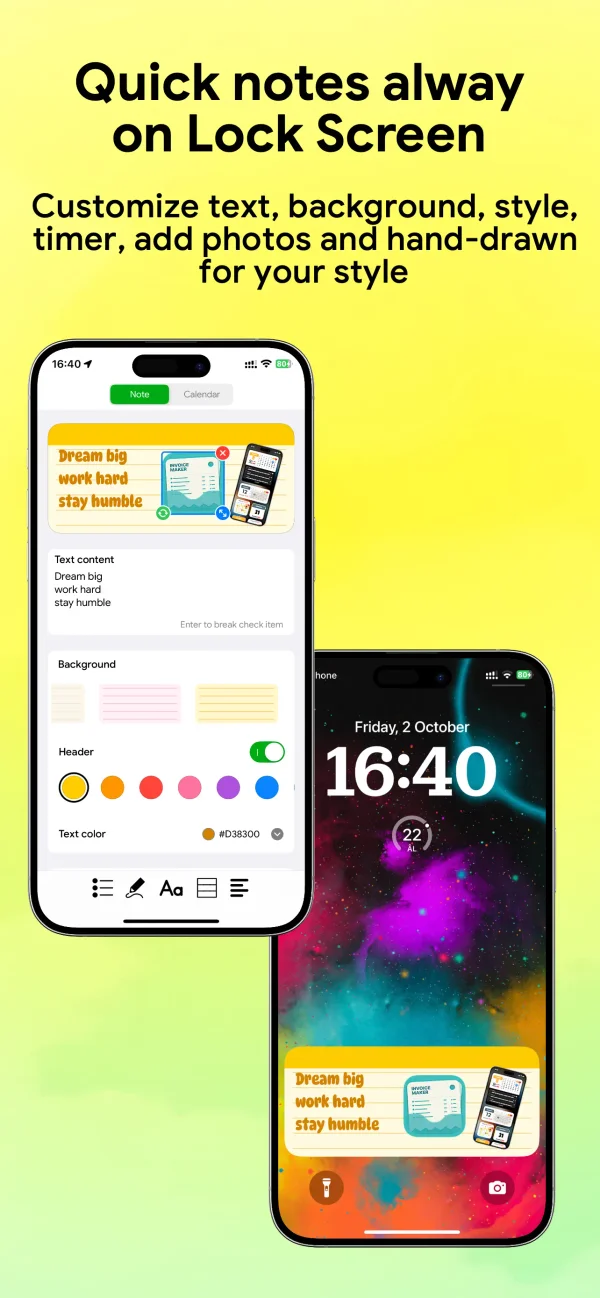

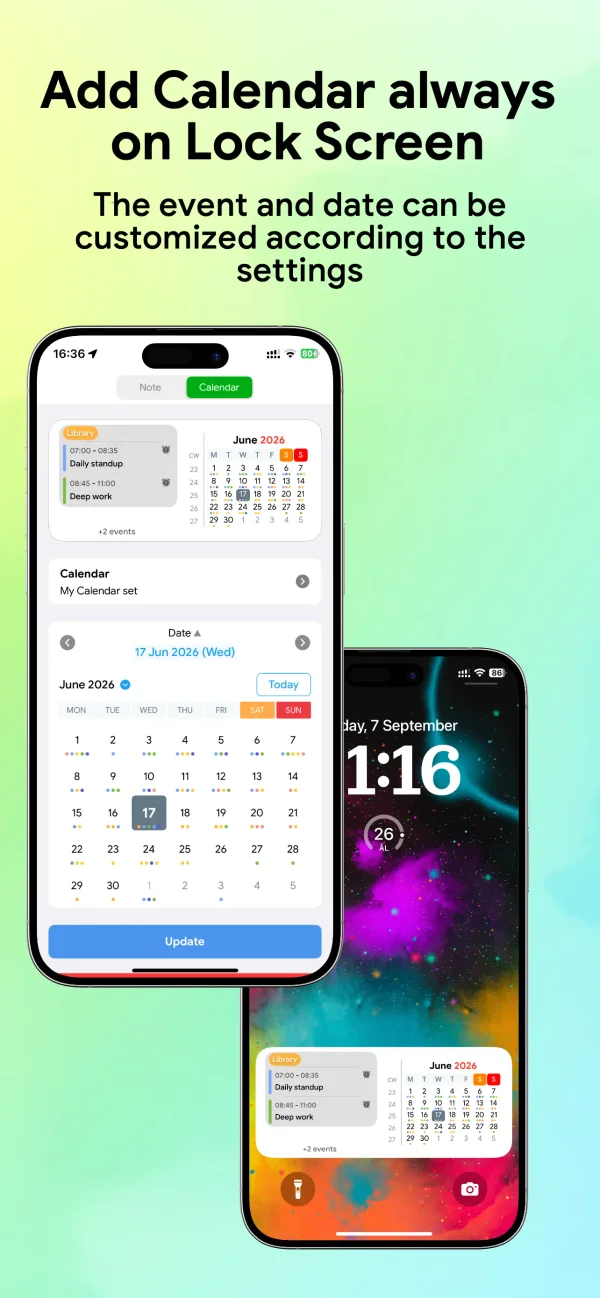

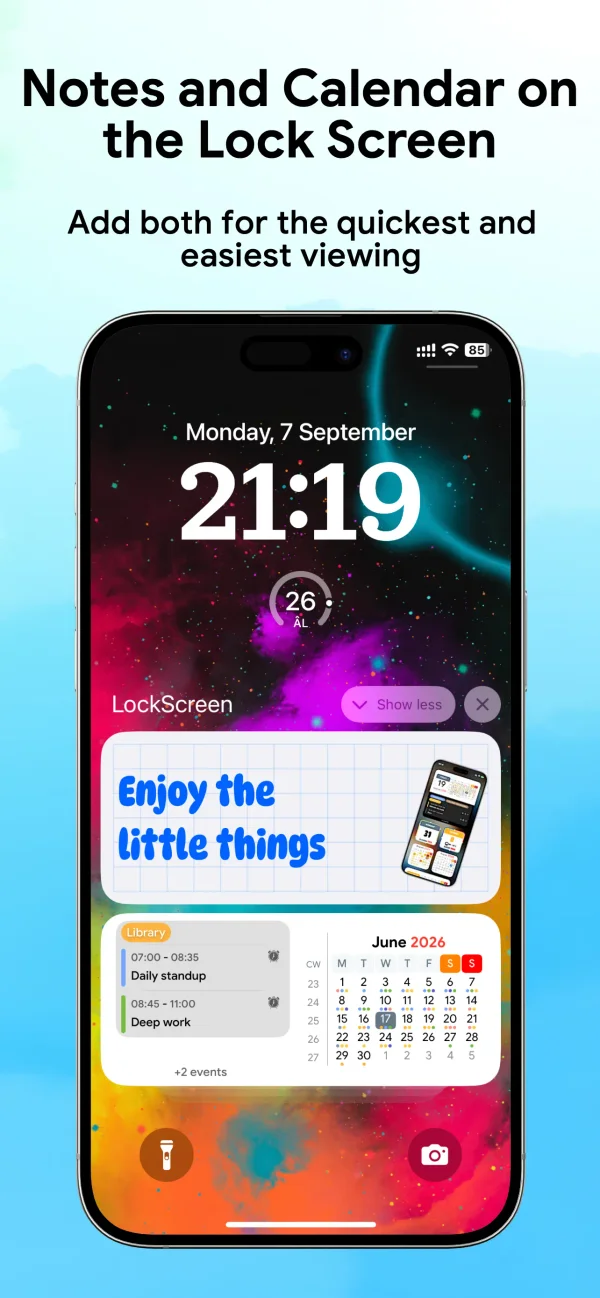

Info
Der Entwickler hat diesen Text nicht in Ihrer Sprache bereitgestellt.
Turn your lock screen into a powerful productivity assistant with LockScreenColor—the ultimate solution to cure the 'note and forget' habit. Important information stays front and center every time you pick up your phone, ensuring you never miss a plan.
Instant Lock Screen Interaction
• Quick Actions: Check off tasks or shopping items directly from your lock screen without opening the app.
• Rapid Note-Taking: Tap any note to bring up the editor. Everything auto-saves instantly, letting you focus entirely on writing without worrying about losing data.
Personalized Customization
• Flexible Design: Customize paper colors, font shades, line styles, and templates to seamlessly complement your lock screen wallpaper.
• Expressive Writing: Write by hand, doodle freely, or underline key points just like on a physical sticky note.
• Images & Typography: Add photos from your gallery, insert favorite character stickers, and select fonts that match your mood.
Productivity Booster
• Lock Screen Calendar: Pin your calendar directly to your lock screen with customizable layouts and flexible date ranges.
• Integrated Timer: Built-in timer tool helps you maintain focus and maximize efficiency.
Private & Frictionless
No registration or login required. LockScreenColor collects no personal data, letting you start using it immediately after installation.
Terms of Use (EULA): https://www.apple.com/legal/internet-services/itunes/dev/stdeula/
Privacy Policy: https://www.freeprivacypolicy.com/live/6f1babf4-af0b-49d2-b061-fd4047d3ec1b
Neue Funktionen
Version 1.1.38 · 06.10.2026
Fixes the issue of missing notes and calendar lock screen
Added header and background colors
Fixed other bugs and improved performance
App-Datenschutz
Was Huy Van im App Store zum Umgang dieser App mit Daten angibt.
-
Daten, die zum Tracking Ihrer Person verwendet werden
Können verwendet werden, um Sie über Apps und Websites anderer Unternehmen hinweg zu verfolgen.
- Kennungen
-
Nicht mit Ihnen verknüpfte Daten
Können erfasst werden, sind aber nicht mit Ihrer Identität verknüpft.
- Kennungen
Die Datenschutzpraktiken können variieren, zum Beispiel je nach den von Ihnen verwendeten Funktionen oder Ihrem Alter.
Informationen
- Anbieter
- Huy Van
- Kategorie
- Produktivität
- Version
- 1.1.38
- Aktualisiert
- 06.10.2026
- Veröffentlicht
- 09.09.2026
- Größe
- 106,4 MB
- Erfordert
- iOS 17 oder neuer
- Altersfreigabe
- 4+
- Preis
- Kostenlos
- Sprachen
- Englisch, Arabisch, Katalanisch, Kroatisch, Tschechisch, Dänisch, Niederländisch, Finnisch, Französisch, Deutsch, Griechisch, Hebräisch + 21 weitere
- Copyright
- © Color Tech
Das könnte Ihnen auch gefallen
-
 StickioProduktivität
-
 Reclaim — Pomodoro Focus TimerProduktivität
-
 Glance: Lock Screen HubProduktivität
-
 PlanneXeProduktivität
-
 Sapiens: BildschirmzeitApp-Blocker & Fokus-Timer
-
 Focus25: Pomodoro Fokus-TimerLernen, Deep Work & Tagesziele
-
 Sandie - Productivity CoachProduktivität
-
 PlaceMemo - OrtserinnerungenNotizen & Aufgaben je Ort
-
 Focus Pomodoro: Tasks & TimerProduktivität
-
 Detox: Bildschirmzeit AppDigital Detox, Fokussiert