Lok Board
Desktop Experience for iPad
Entwickelt für iPad
Kostenlos · In-App-Käufe
- Altersfreigabe17+
- KategorieProduktivität
- Entwickler鹏 张
- SprachenEnglisch
- Größe97,5 MB
Verlinkt auf die offizielle App Store-Seite
Download.org hostet keine Datei von Lok Board. Die Schaltfläche öffnet die App-Seite bei App Store, wo 鹏 张 die App veröffentlicht. Eintrag zuletzt geprüft am 14.11.2026.
Screenshots


Info
Der Entwickler hat diesen Text nicht in Ihrer Sprache bereitgestellt.
Lok Board – The Ultimate Desktop Experience on iPad
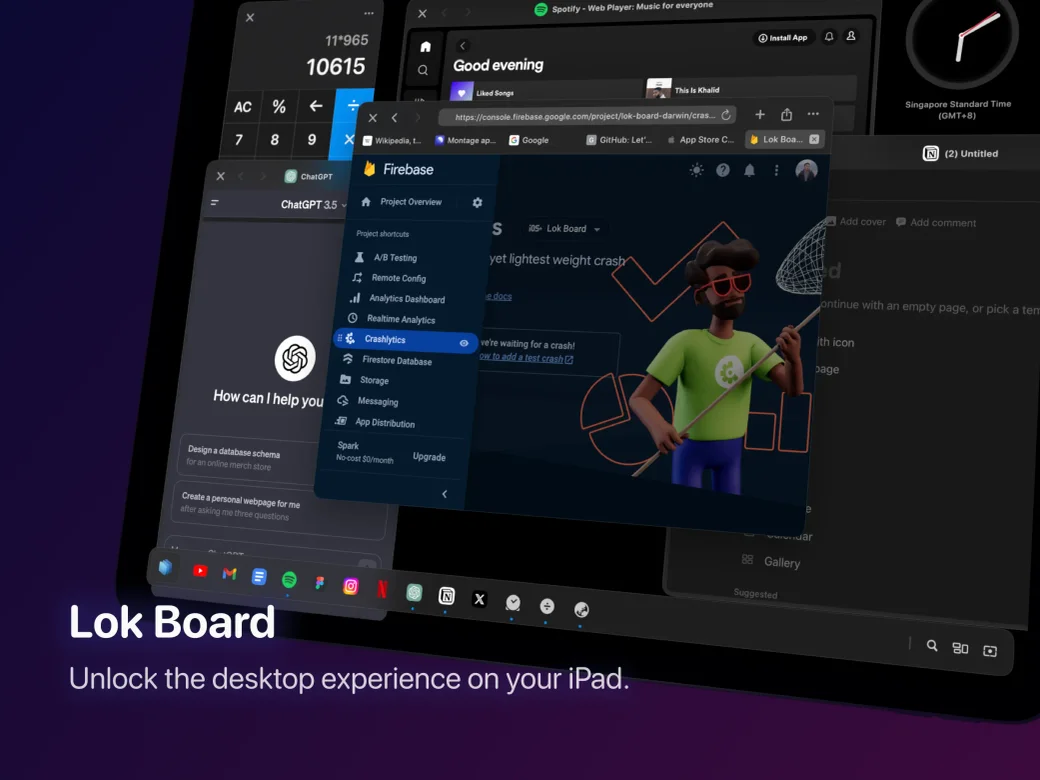
Lok Board transforms your iPad into a true desktop workspace, designed to enhance productivity with powerful multitasking features.
• Desktop-Level Multi-Desktop & Multi-Window Experience
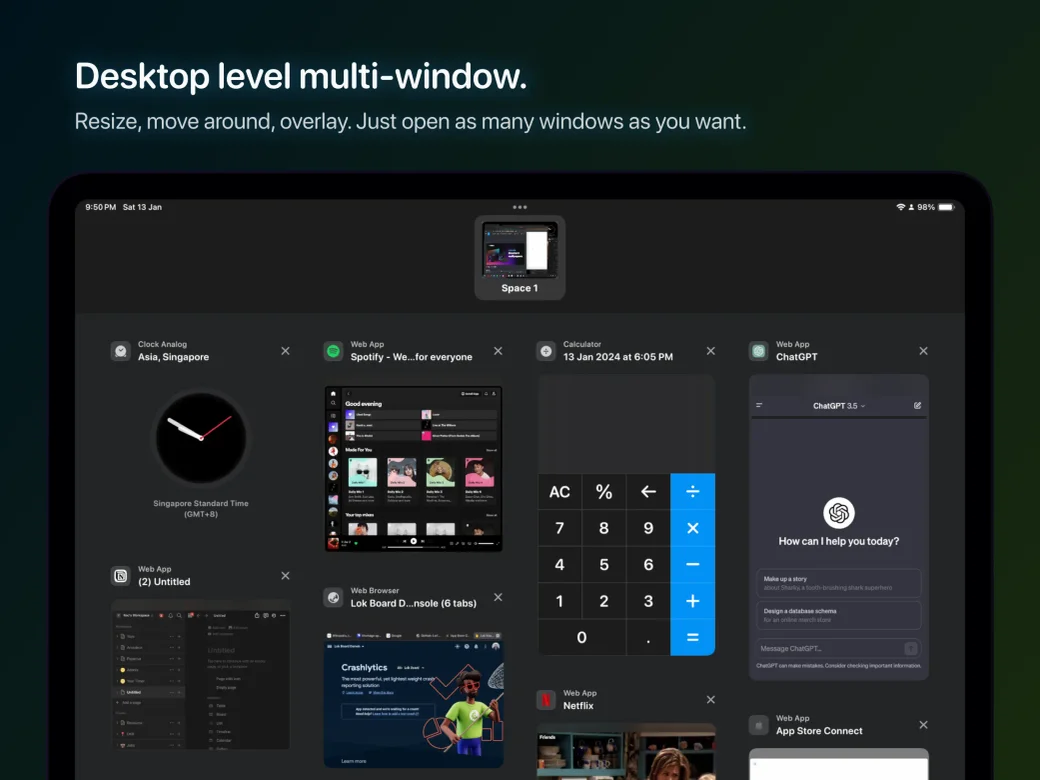
Enjoy the freedom of a fully flexible desktop environment on your iPad.
Open, resize, move, and overlay multiple windows effortlessly.
Experience built-in apps like the Browser, Markdown Editor, and Calculator, all optimized for a multi-window interface.
Organize your workflow by grouping windows into separate desktops with intuitive management tools—unlocking more space for your ideas.
• Extend Your Workspace to an External Display
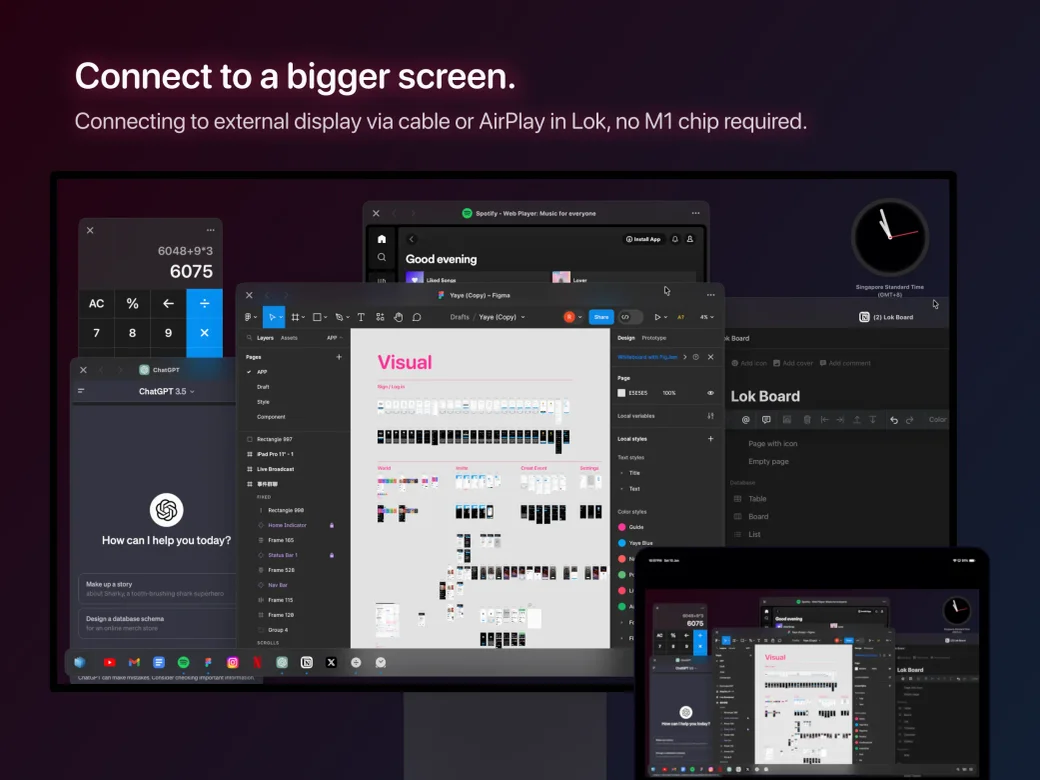
Expand your productivity by connecting Lok Board to an external display via cable or AirPlay—no M1 chip or Stage Manager required.
Experience full native resolution on your external screen, making multitasking even more seamless.
• Optimized for iPad with Keyboard & Trackpad Support
Lok Board is designed specifically for iPad, providing a familiar desktop-like experience.
Enjoy full support for keyboard shortcuts and intuitive gestures, making navigation and multitasking effortless.
• Powerful Built-in Search
Quickly find what you need with Lok Board’s powerful search system.
Open links, switch windows, run quick commands, and search for anything instantly.
Experience a true desktop environment on your iPad with Lok Board—your workspace, reimagined.
Privacy Policy: https://www.roczhang.com/lok-board/privacy_policy.html
Terms & Conditions: https://www.roczhang.com/lok-board/terms_and_conditions.html
Neue Funktionen
Version 3.0 · 11.03.2025
Lok Board Buona Vista: Multi-Desktop Support & More!
This update brings a powerful multi-desktop experience to Lok Board, making window management smoother than ever. Explore new tools and intuitive gestures for seamless navigation:
• Multi-Desktop Features
• • Space Jumper – Move windows between desktops effortlessly. Drag a window to the top edge and release to transfer it—or create a new desktop instantly.
• • Enhanced Window Exposé with Desktop Controls – Now with desktop switching! Easily close a desktop by dragging its thumbnail downward.
• • Seamless Desktop Switching via Window Exposé – Long press the Window Exposé button on the dock, then slide your finger across desktops. Release to switch instantly.
• • Three-Finger Swipe to Switch Desktops – Swipe left or right with three fingers to move between desktops. At the first or last desktop, drag and release to create a new one.
• • Three-Finger Swipe Down to Close – Swipe down with three fingers to close the current desktop. Follow the indicator, then drag and release.
• • Desktop Management in the Quick Menu – Easily move windows between desktops or create new ones from the Quick Menu. Long press a window’s dock icon or tap the menu button in the top-right corner of the window.
• Alternative App Icons
Personalize your Lok Board experience with special app icons! Unlock exclusive icons and switch to a look that suits your style.
• Refinements & Improvements
This update also includes UI and animation refinements, performance improvements, and bug fixes to ensure a smoother and more polished experience.
Enjoy a more dynamic, customizable, and refined Lok Board with Buona Vista!
App-Datenschutz
Was 鹏 张 im App Store zum Umgang dieser App mit Daten angibt.
-
Nicht mit Ihnen verknüpfte Daten
Können erfasst werden, sind aber nicht mit Ihrer Identität verknüpft.
- Nutzungsdaten
- Diagnose
Die Datenschutzpraktiken können variieren, zum Beispiel je nach den von Ihnen verwendeten Funktionen oder Ihrem Alter.
Informationen
- Anbieter
- 鹏 张
- Kategorie
- Produktivität
- Version
- 3.0
- Aktualisiert
- 11.03.2025
- Veröffentlicht
- 27.01.2024
- Größe
- 97,5 MB
- Erfordert
- iOS 16.0 oder neuer
- Altersfreigabe
- 17+
- Preis
- Kostenlos
- In-App-Käufe
- Ja
- Sprachen
- Englisch
- Copyright
- © 2025 Zhang Peng
Das könnte Ihnen auch gefallen
-
 Stage ManagerProduktivität
-
 UTM Remote Virtual MachinesProduktivität
-
 Duet Air - Remote DesktopProduktivität
-
 Luna DisplayProduktivität
-
 EasyCanvas -Graphic tablet AppProduktivität
-
 Astropad Studio Drawing TabletProduktivität
-
 MarginNote 5Produktivität
-
 Halo OSProduktivität
-
 Duet DisplayBe Twice As Productive
-
 LiquidTextProduktivität