- Altersfreigabe4+
- KategorieMusik
- EntwicklerHiroshi Yamazaki
- SprachenEnglisch+ 1 weitere
- Größe4,1 MB
Verlinkt auf die offizielle App Store-Seite
Download.org hostet keine Datei von LoopMemo. Die Schaltfläche öffnet die App-Seite bei App Store, wo Hiroshi Yamazaki die App veröffentlicht. Eintrag zuletzt geprüft am 23.11.2026.
Screenshots
Info
Der Entwickler hat diesen Text nicht in Ihrer Sprache bereitgestellt.
LoopMemo is a loop recorder anyone can pick up and play.
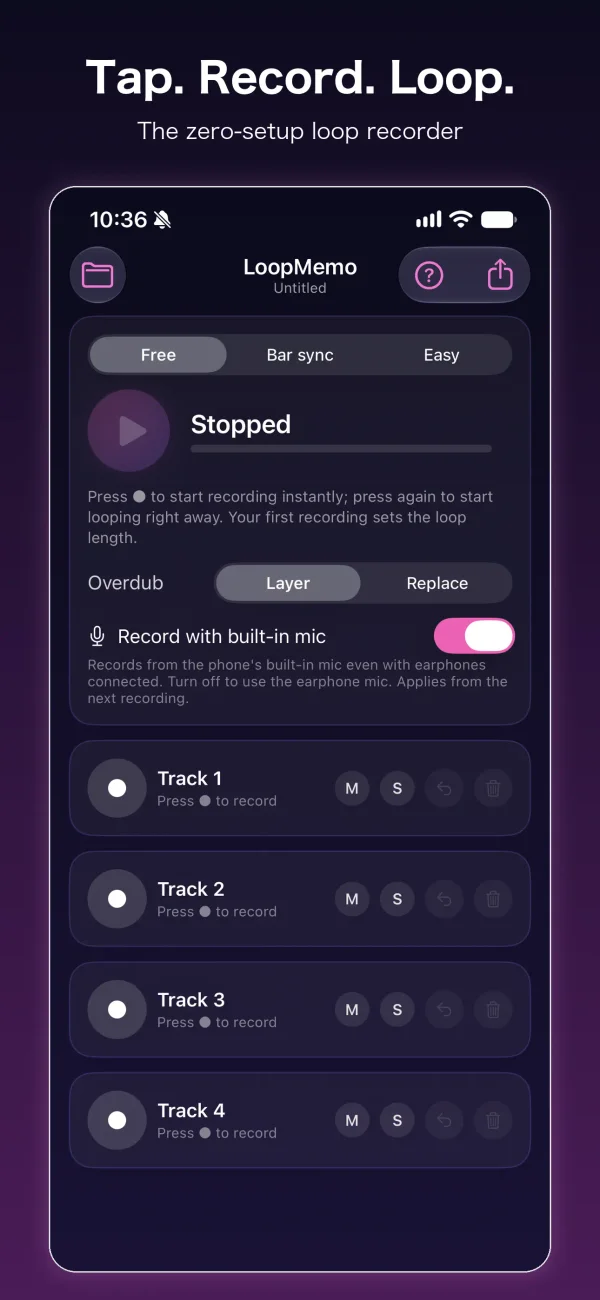
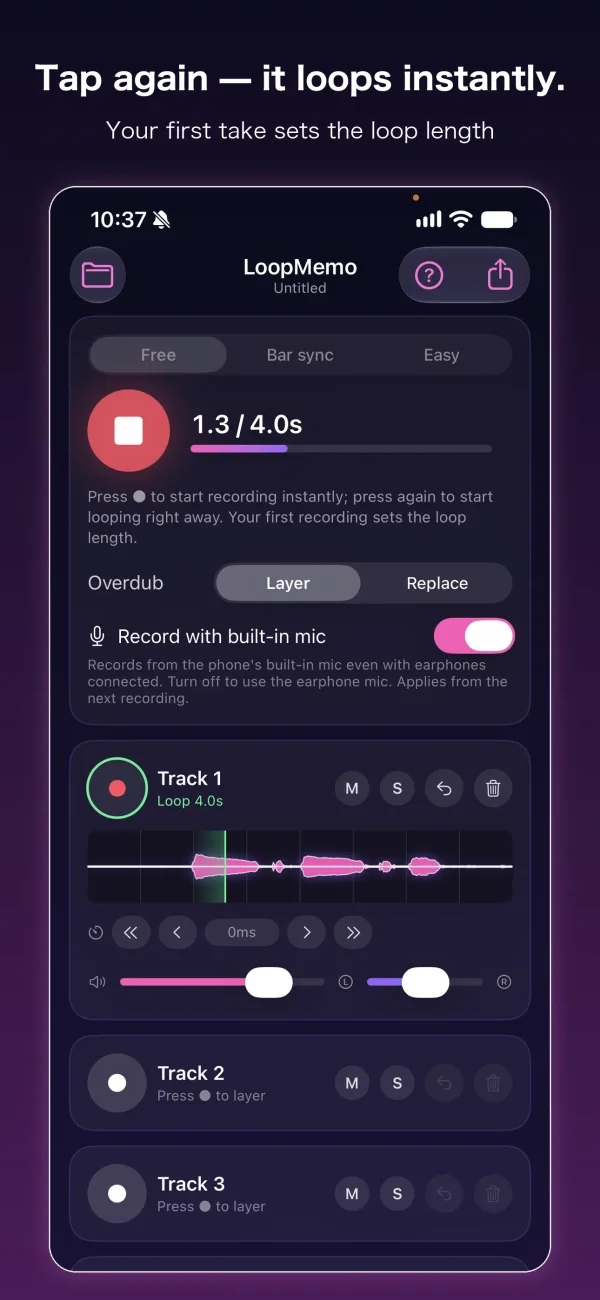
Recording starts the moment you press ●, and pressing it again starts looping right away. Your first take sets the loop length — no BPM, no bars, no setup. Just capture the idea while it's fresh and start layering.
PERFECT FOR
• Jotting down melodies and riffs before you forget them
• Practicing beatbox, a cappella, and vocal harmonies
• Layering guitar or keyboard phrases in a one-person jam
• Sketching rhythm patterns and sound ideas
FEATURES
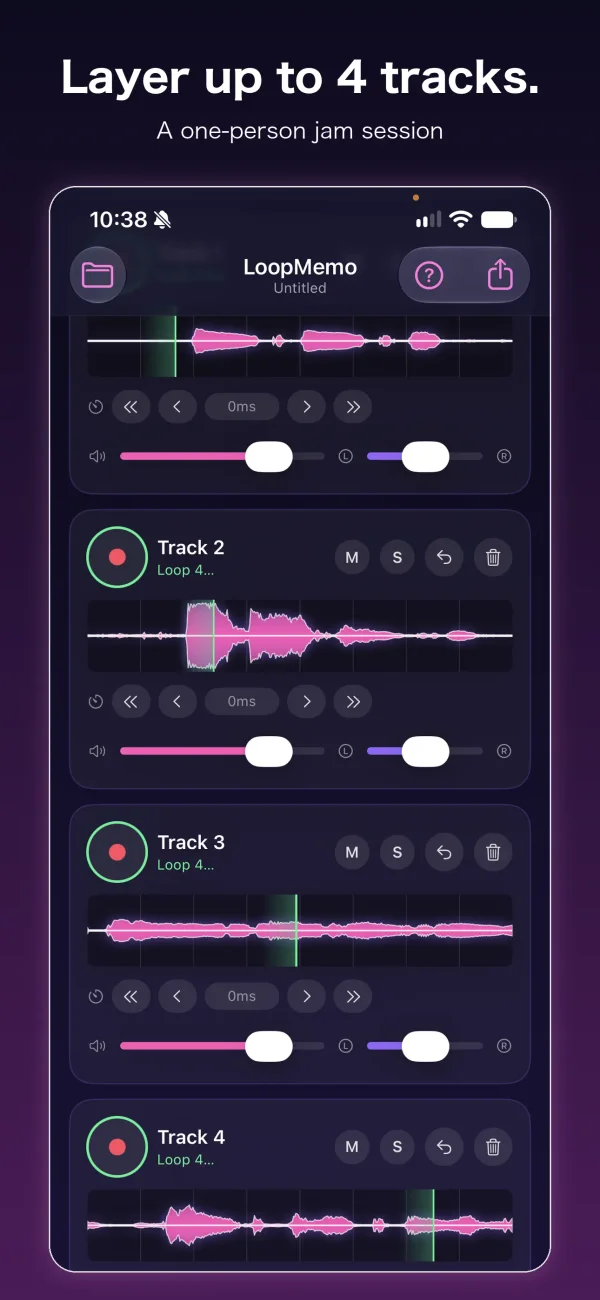
• Loop recording with up to 4 tracks
• Instant record & instant loop (Free mode)
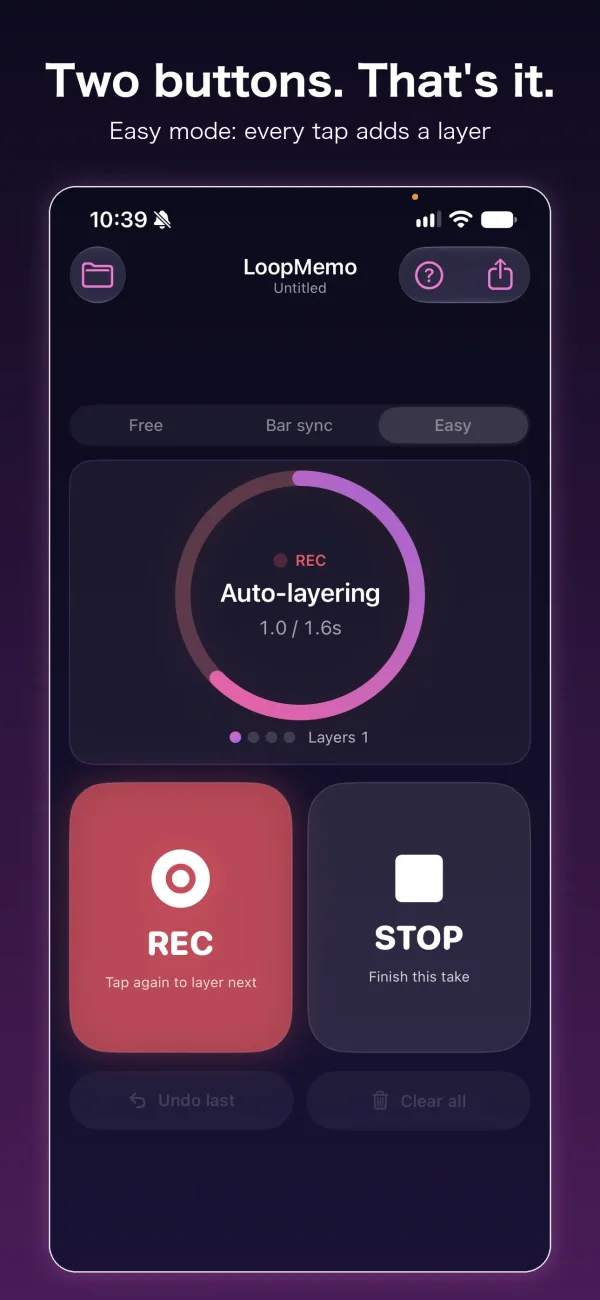
• Easy mode — just two big buttons, REC and STOP (usable while holding an instrument)
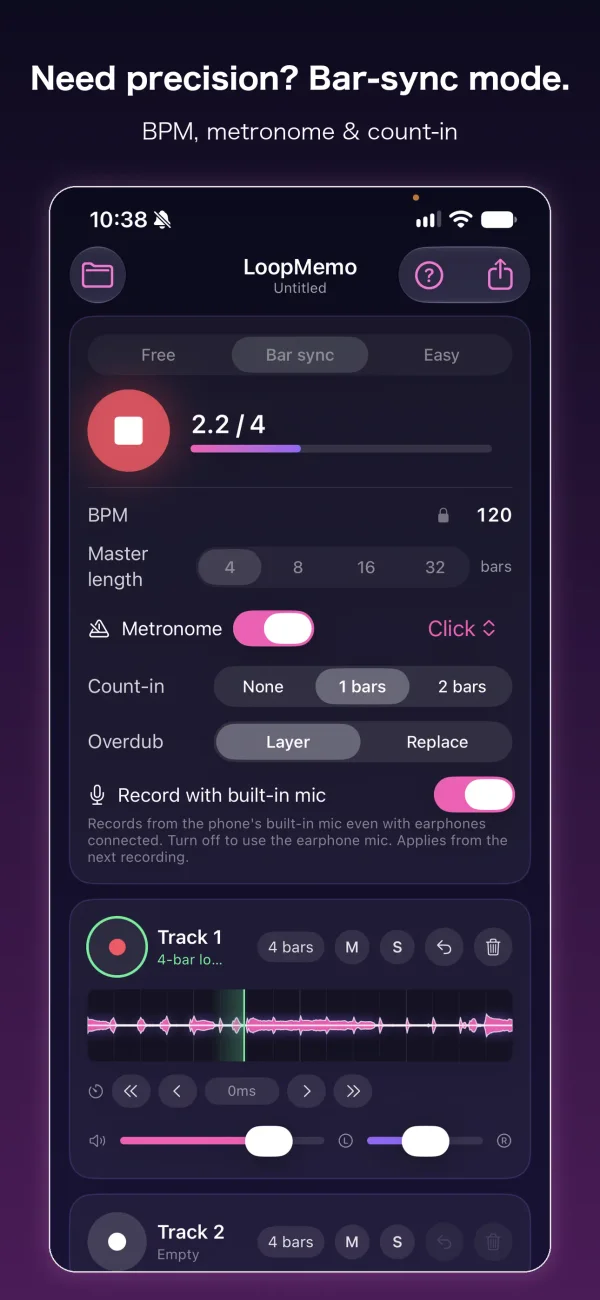
• Bar-sync mode for recording exactly on the grid, with metronome
(BPM 40–240, master length of 4/8/16/32 bars, count-in, 3 click sounds)
• Overdub with Layer or Replace, plus Undo
• Per-track waveform display (with bar and beat lines in Bar-sync mode, plus a playhead)
• Input level meter while recording, so you catch a hot signal before it clips
• Timing nudge in ±10 ms / ±50 ms steps to tighten a layer without re-recording
• Per-track volume, pan, mute, and solo
• Save and load projects
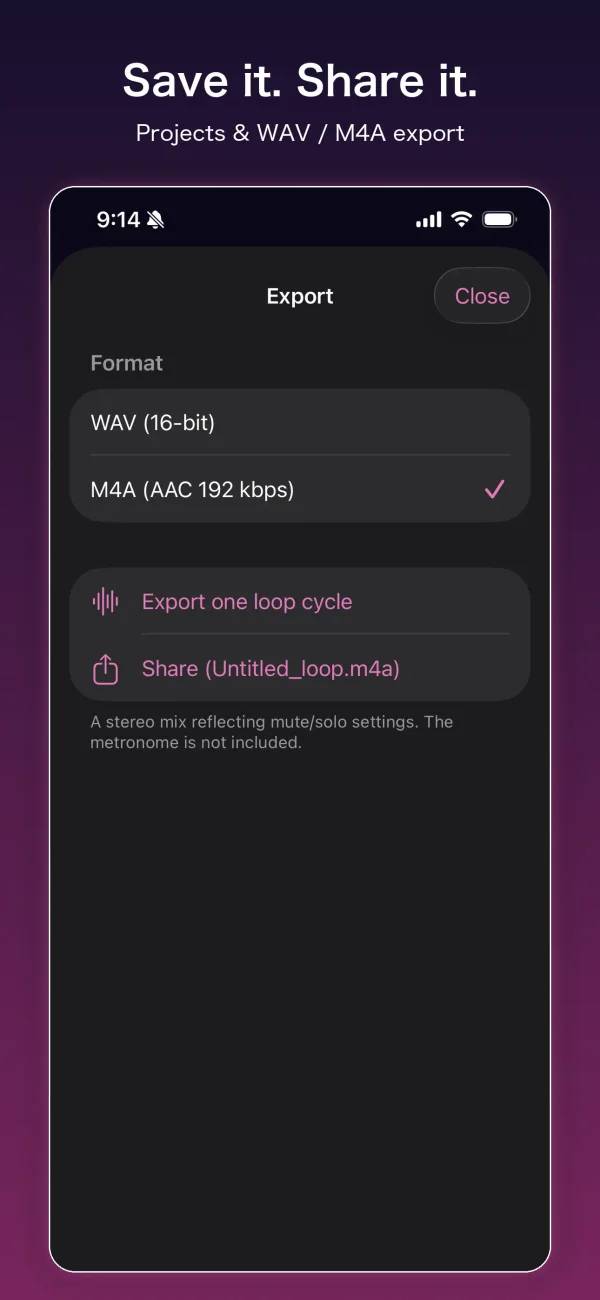
• Export one loop cycle as an audio file and share it
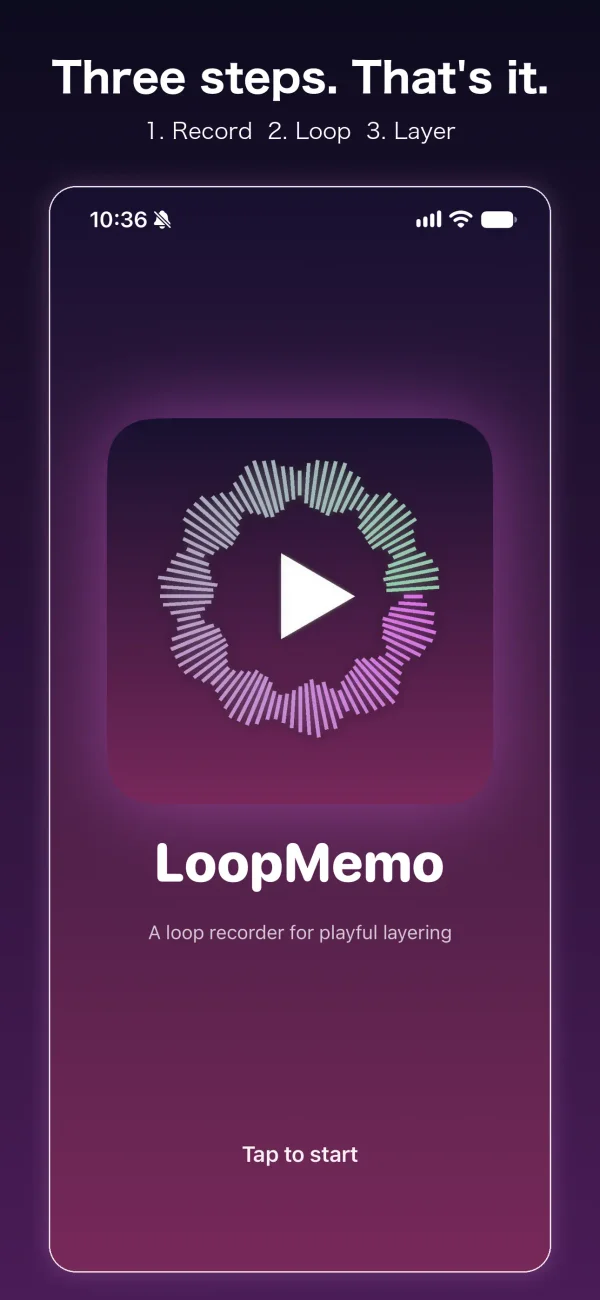
THREE SIMPLE STEPS
1. Press ● and record — voice, instruments, or hand claps
2. Press ● again and the loop starts playing instantly
3. Press ● on another track to layer while you listen
EVEN SIMPLER (EASY MODE)
1. Press the big REC button and record
2. Press STOP and the loop starts playing at that length
3. Press REC again to layer. Press REC while recording and the loop starts together with your next take
FREE & PRO
All core features — recording, looping, overdubbing — are free.
LoopMemo Pro (one-time purchase) unlocks:
• No ads (banner & full-screen)
• Unlimited saved projects (free version: up to 3)
• WAV (16-bit) export (free version: M4A)
A sample-accurate audio engine keeps loop seams click-free and tracks tightly in sync. Waveforms and a level meter let you see what you captured while you layer the next take.
Headphones are recommended to keep the loop from bleeding into the microphone.
Press ● and make your first loop.
Neue Funktionen
Version 1.14 · 20.11.2026
New
Now with waveforms: see where the sound sits before you layer the next take. A level meter warns you before you clip, and timing nudge pulls a layer back on beat.
- Easy mode: the simplest way to play, with just two big buttons — REC and STOP
- Press REC to start recording and STOP to start the loop. Press REC while recording and the loop starts along with your next layer
- The buttons are big enough to hit while you are holding an instrument, so you can keep layering hands-free
- A pulsing red ring and an elapsed timer make it obvious when you are recording
Improvements
- The mode switch now offers Free, Bar-sync and Easy
- Easy mode has "Undo last" and "Clear all" so you can always start over
App-Datenschutz
Was Hiroshi Yamazaki im App Store zum Umgang dieser App mit Daten angibt.
-
Daten, die zum Tracking Ihrer Person verwendet werden
Können verwendet werden, um Sie über Apps und Websites anderer Unternehmen hinweg zu verfolgen.
- Standort
- Kennungen
- Nutzungsdaten
- Diagnose
-
Mit Ihnen verknüpfte Daten
Können erfasst und mit Ihrer Identität verknüpft werden.
- Standort
- Kennungen
- Nutzungsdaten
- Diagnose
Die Datenschutzpraktiken können variieren, zum Beispiel je nach den von Ihnen verwendeten Funktionen oder Ihrem Alter.
Informationen
- Anbieter
- Hiroshi Yamazaki
- Kategorie
- Musik
- Version
- 1.14
- Aktualisiert
- 20.11.2026
- Veröffentlicht
- 08.07.2026
- Größe
- 4,1 MB
- Erfordert
- iOS 16.0 oder neuer
- Altersfreigabe
- 4+
- Preis
- Kostenlos
- In-App-Käufe
- Ja
- Sprachen
- Englisch, Japanisch
- Copyright
- © @Ricefish