LumiCanvas
Projection Mapping Made Easy
Entwickelt für iPhone, iPad
Kostenlos · In-App-Käufe
- Altersfreigabe4+
- KategorieUnterhaltung
- EntwicklerLeigh Amor, LLC
- SprachenEnglisch
- Größe11,6 MB
Verlinkt auf die offizielle App Store-Seite
Download.org hostet keine Datei von LumiCanvas. Die Schaltfläche öffnet die App-Seite bei App Store, wo Leigh Amor, LLC die App veröffentlicht. Eintrag zuletzt geprüft am 12.11.2026.
Screenshots

Info
Der Entwickler hat diesen Text nicht in Ihrer Sprache bereitgestellt.
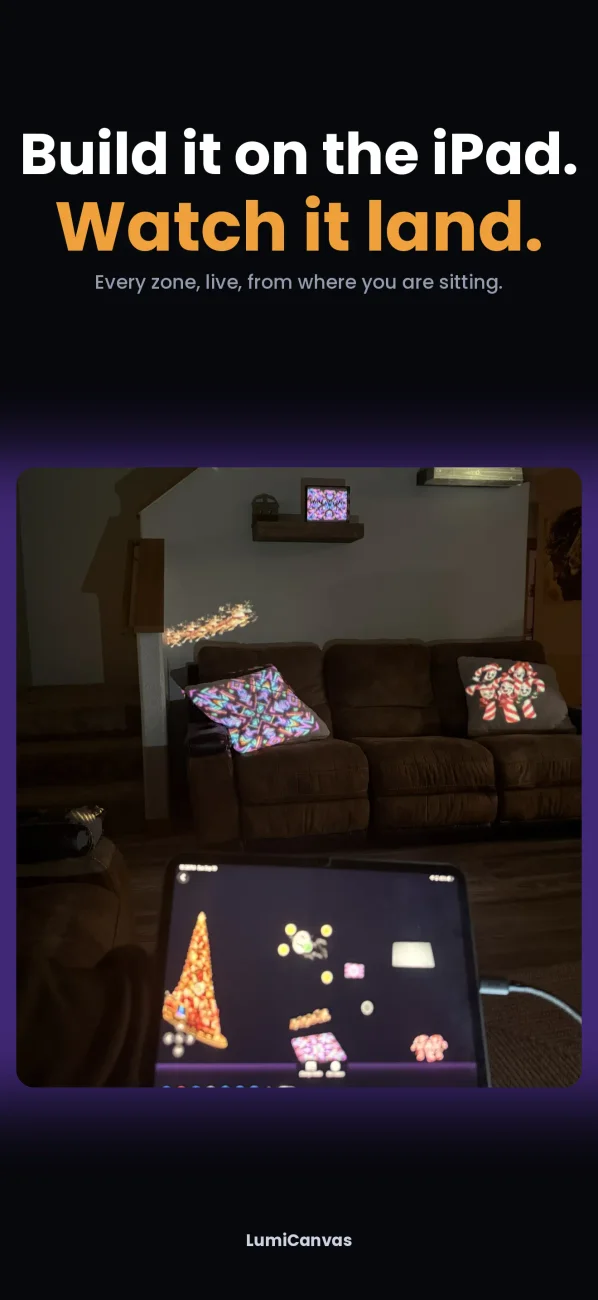
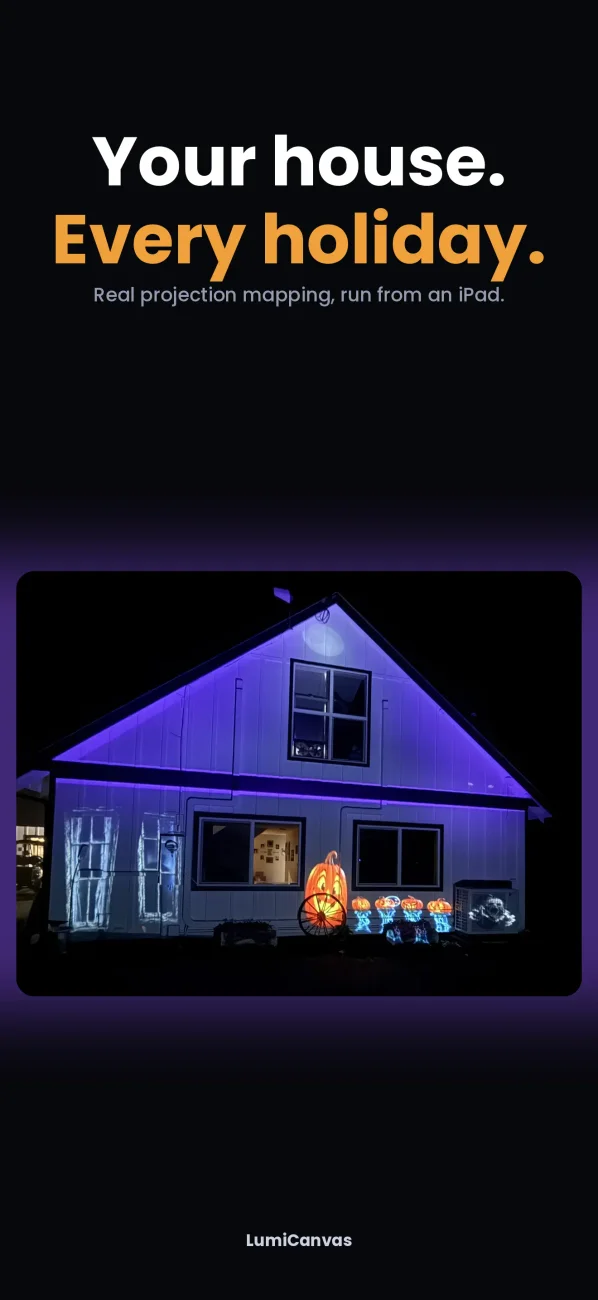
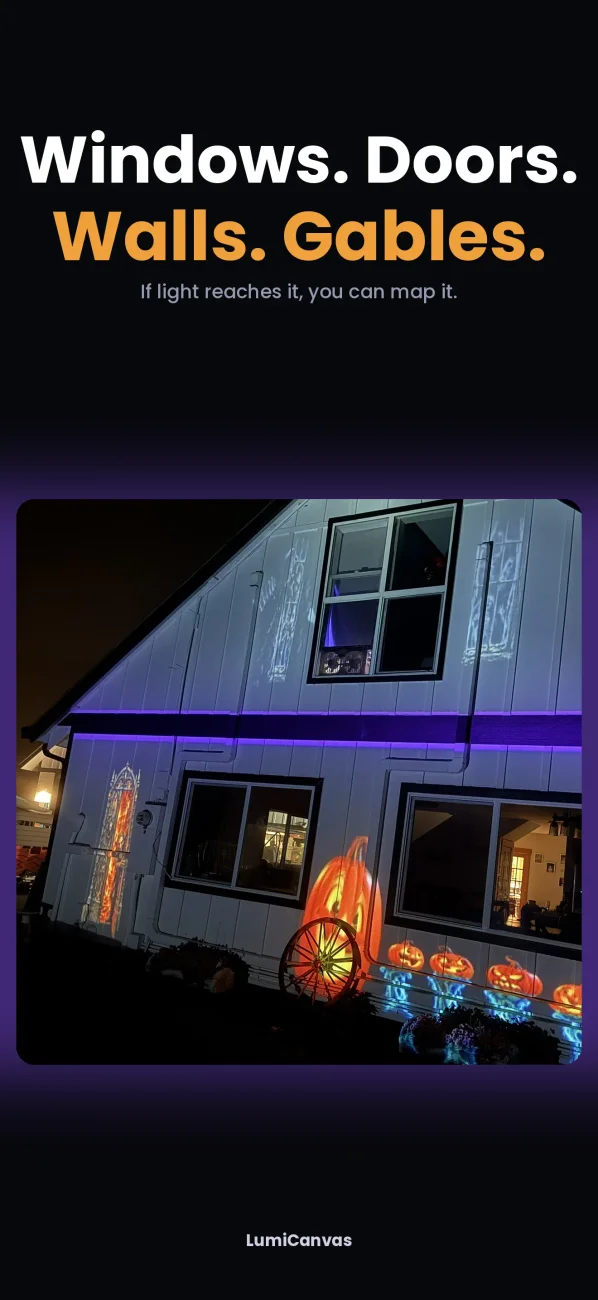
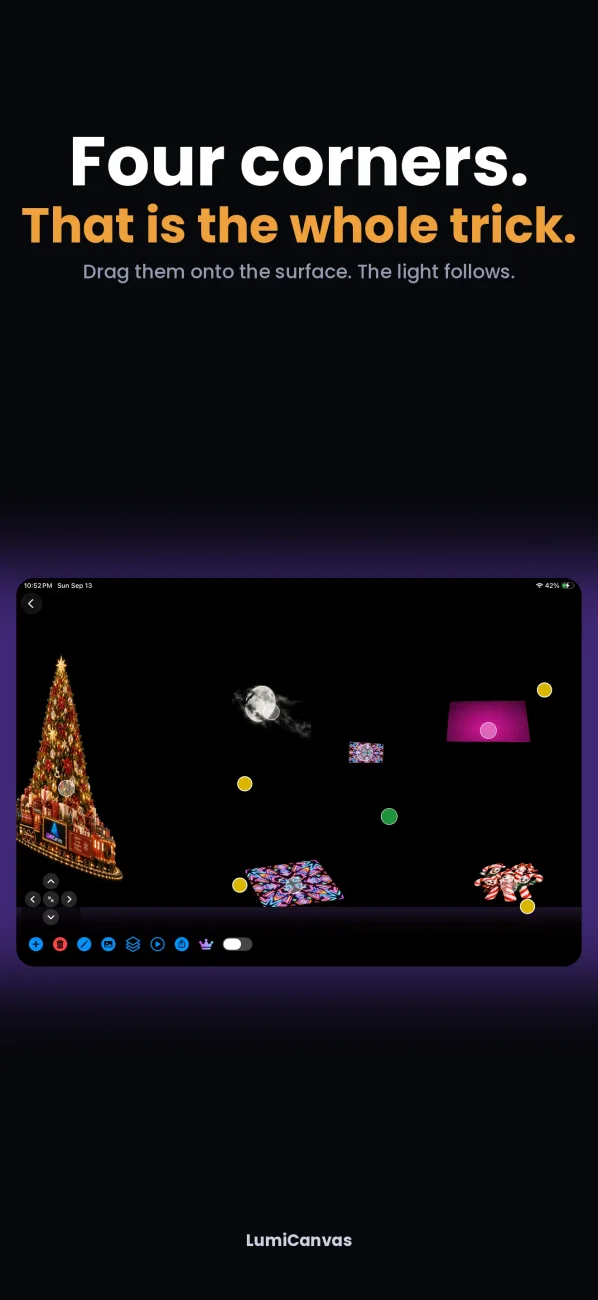
LumiCanvas makes projection mapping easy for everyone. Connect your iPhone or iPad to any projector and map video, photos, and glowing shapes onto real-world surfaces — your house, your windows, your Halloween graveyard, your Christmas display.
No expensive software. No learning curve. Just drag four corners and watch your video bend perfectly onto any surface.
HOW IT WORKS
• Connect to any projector (HDMI adapter or AirPlay)
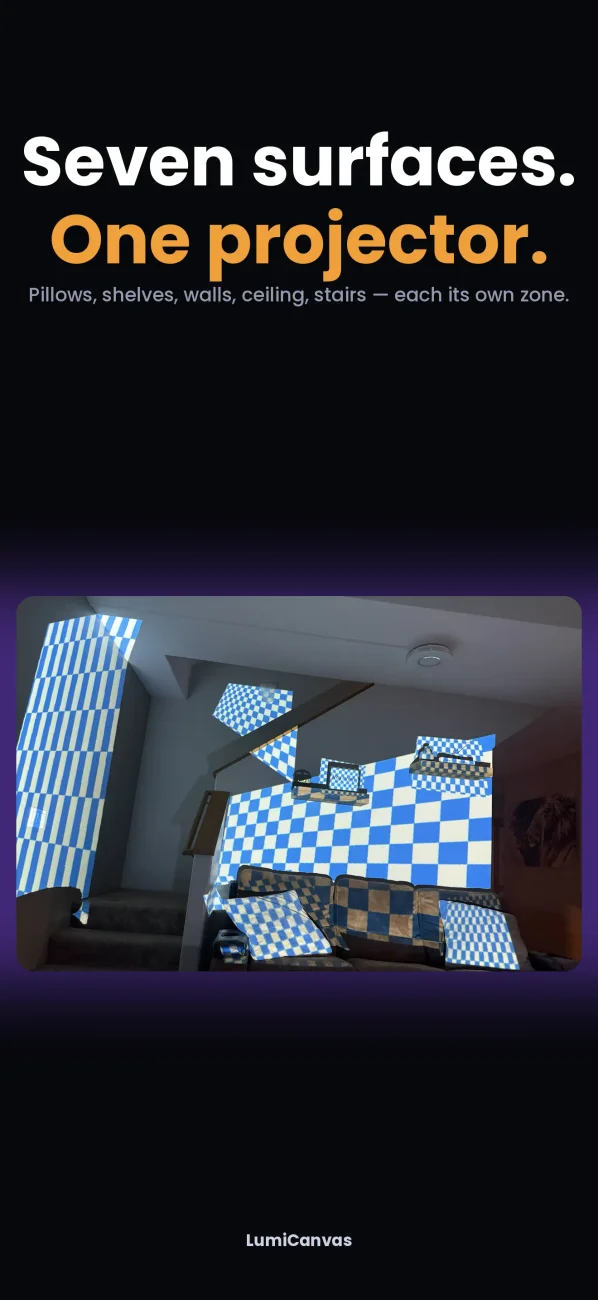
• Add a surface and drag its corners to match your wall, window, or object
• Fill it with your own videos and photos — or grab ready-made loops
• Layer multiple surfaces for complex displays
POWERFUL TOOLS, ZERO EXPERIENCE NEEDED
• Custom Trace: outline any shape — an arch, a pumpkin, a window frame — and fill it with light
• Mask packs: hearts, stars, holiday shapes, and more
• Crop any video to show exactly the slice you want
• Test grid for fast, precise projector alignment
• Show scheduler: set each surface to appear at its own time for choreographed displays
• Fixed 1080p canvas: build on your phone, run on your iPad — projects work everywhere
BUILT FOR HOLIDAY MAGIC
Haunted houses, spooky window ghosts, snowfall on your roofline, dancing lights — if you can point a projector at it, LumiCanvas can map it.
BUILD A SHOW, NOT JUST A PICTURE
With LumiCanvas Pro's Show Timeline, each surface gets its own track. Lay clips along them and your display changes as the evening goes on — a figure that appears in an upstairs window, a door that opens on its own, trim lights running the whole time underneath.
LumiCanvas Pro (optional subscription) removes the watermark and unlocks everything: unlimited surfaces, all mask packs, and every new feature as it ships.
Privacy Policy: https://www.leighamor.com/lumicanvas/privacy
Terms of Use: https://www.apple.com/legal/internet-services/itunes/dev/stdeula/
Neue Funktionen
Version 1.1 · 06.10.2026
THE SHOW TIMELINE
Your house can now change through the night. Give every surface its own track — the wall, each window, the door, the trim — and lay clips along it. A background loop, a figure that appears in the window at eight o'clock, trim lights that chase the whole time.
Up to ten zones, each playing something different, each on its own schedule.
TRIM AND SPEED
Shorten a clip, or run it faster. Set an eight-second loop to double speed and it plays the whole thing in four, so you can fit a clip to the moment instead of the other way round.
CURVED AND UNEVEN SURFACES
New mesh warping. Four corners can only describe a flat plane, and houses are not flat — siding steps, garage doors bow, stucco curves into the corners. Bend the projection to match the wall you actually have.
EXPORT THAT MATCHES WHAT YOU BUILT
Export has been rebuilt from the ground up. It now renders through the same engine as the live preview, so layered windows, masks and lighting effects come out exactly as you see them on screen.
FASTER, ON MORE iPADS
The hardware renderer is now standard rather than an option, and this release supports iPad models going back several generations.
The Show Timeline is part of LumiCanvas Pro.
App-Datenschutz
Was Leigh Amor, LLC im App Store zum Umgang dieser App mit Daten angibt.
-
Keine Daten erfasst
Der Entwickler erfasst keine Daten von dieser App.
Die Datenschutzpraktiken können variieren, zum Beispiel je nach den von Ihnen verwendeten Funktionen oder Ihrem Alter.
Informationen
- Anbieter
- Leigh Amor, LLC
- Kategorie
- Unterhaltung
- Version
- 1.1
- Aktualisiert
- 06.10.2026
- Veröffentlicht
- 13.09.2026
- Größe
- 11,6 MB
- Erfordert
- iOS 18.0 oder neuer
- Altersfreigabe
- 4+
- Preis
- Kostenlos
- In-App-Käufe
- Ja
- Sprachen
- Englisch
- Copyright
- © 2026 Leigh Amor, LLC
Das könnte Ihnen auch gefallen
-
 Bengala: Projection MappingUnterhaltung
-
 Light mapping - ProjectionUnterhaltung
-
 Ghoul FluidsUnterhaltung
-
 Octa PlayerUnterhaltung
-
 Party Spiele Box - OfflineWahrheit oder Pflicht, Werwolf
-
 Flam ExperienceUnterhaltung
-
 illumibotUnterhaltung
-
 FramespaceUnterhaltung
-
 NEX - Retro GamesUnterhaltung
-
 EcoJar: Aquarien-SimulatorLebendes Ökosystem im Glas