- Altersfreigabe4+
- KategorieMusik
- EntwicklerCASIO COMPUTER CO., LTD.
- SprachenEnglisch+ 1 weitere
- Größe396,5 MB
Verlinkt auf die offizielle App Store-Seite
Download.org hostet keine Datei von Lyric Creator. Die Schaltfläche öffnet die App-Seite bei App Store, wo CASIO COMPUTER CO., LTD. die App veröffentlicht. Eintrag zuletzt geprüft am 13.11.2026.
Screenshots
Info
Der Entwickler hat diesen Text nicht in Ihrer Sprache bereitgestellt.
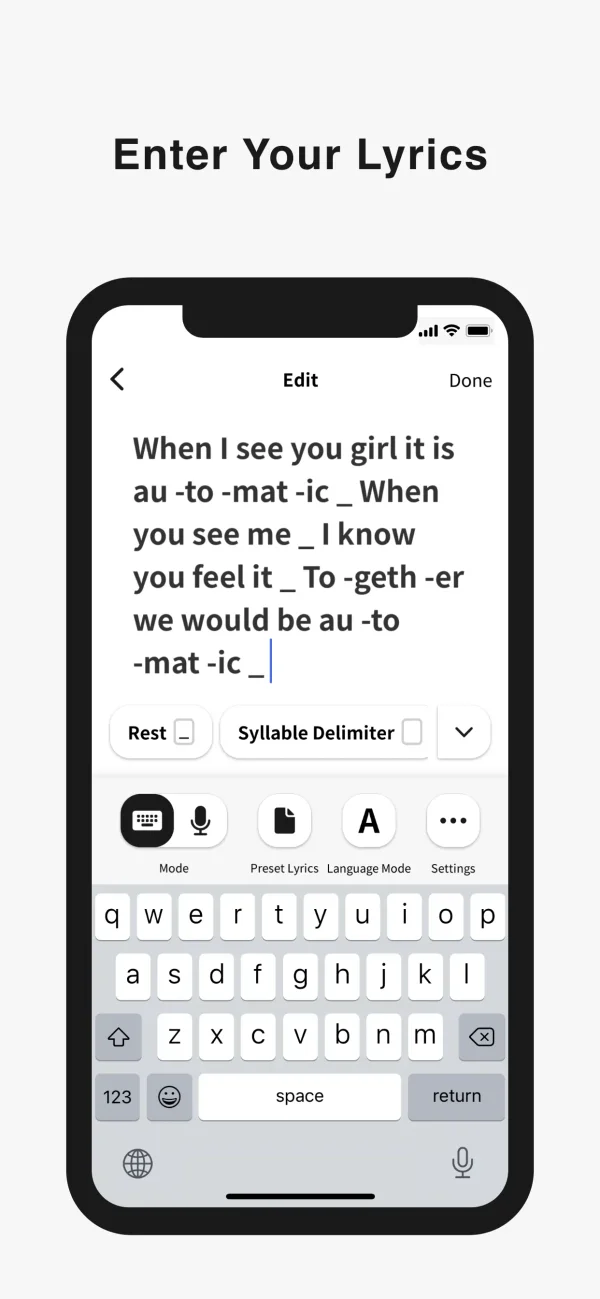
Enter Your Lyrics
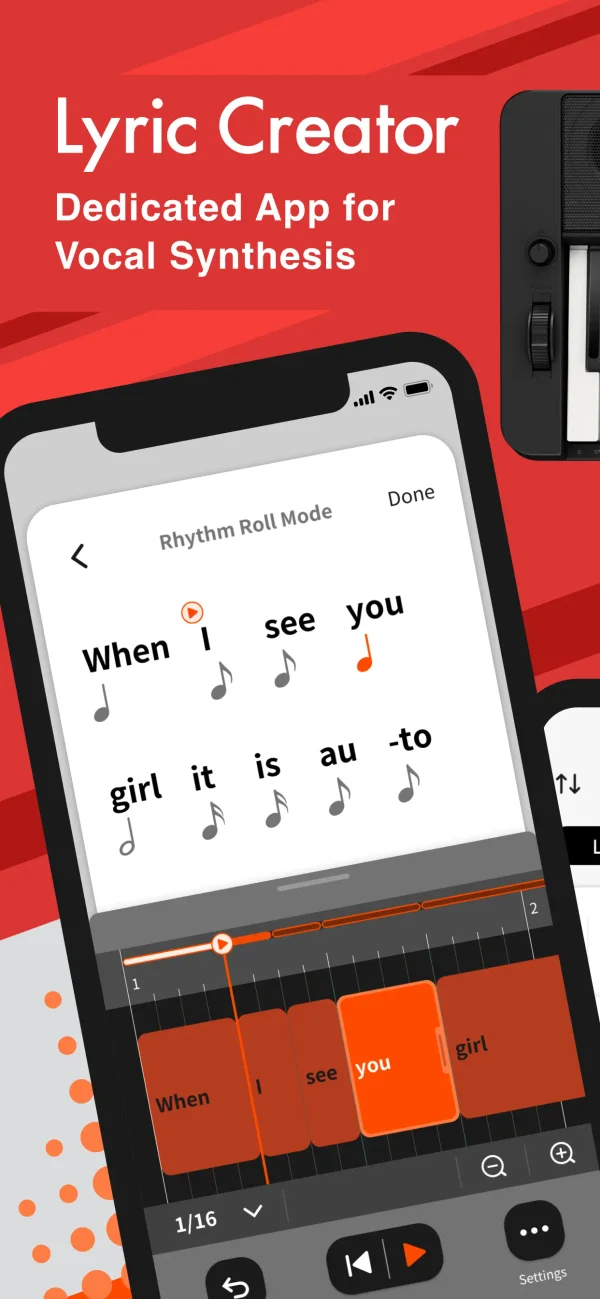
Favorite song lyrics and original creations alike can be entered in English and Japanese using your iOS device via Casio’s own Lyric Creator app. This text is automatically divided into syllable units (though you can also assign divisions manually and group multiple syllables together), and after exporting the resulting data to your CT-S1000V, you’re ready to play.
Set the Meter
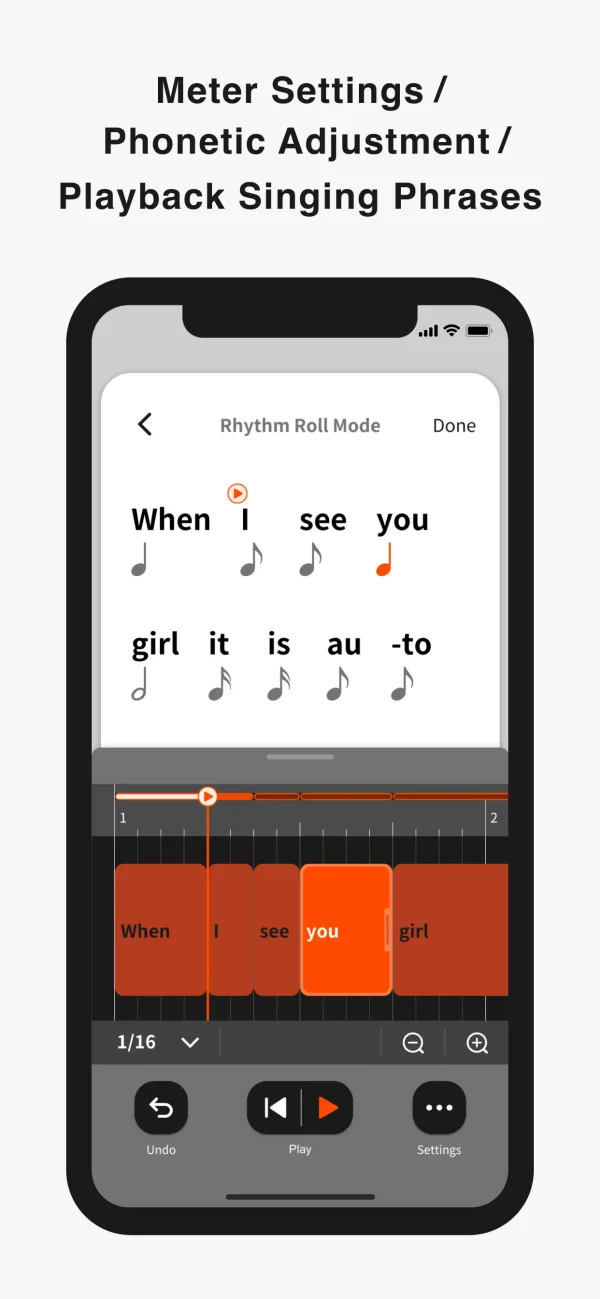
In Phrase Mode, the playback meter of the lyrics is determined by assigning note values (8th notes, quarter notes, etc.) to the individual syllable units and inserting rests. In addition to the traditional input of note symbols, you can now also edit the note values by visually dragging boxes along grid lines for more intuitive control. Individual lyric tones include tempo data, which can be adjusted both during the playback of singing phrases in the app as well as when playing on the CT-S1000V. Tempo can also be synced to the MIDI clock from your DAW or other external MIDI device to ensure that your vocal phrasing always remains in time regardless of how adventurous you get.
Get Granular with Phrasing and Diction
Users with the appetite for a truly granular approach can go even deeper and edit the phonemes that comprise individual syllables. And besides crafting clearer vocal diction, this process can be used to approximate regional accents or mimic the pronunciation of words in languages other than English and Japanese. (Note that the available phoneme library consists only of sounds that occur in standard English and Japanese.)
Playback Singing Phrases
Preview lyrics phrases directly in the app, in any tempo. Instantly check the rhythm and how the lyric phrase will sound before transferring the lyric data to an instrument.
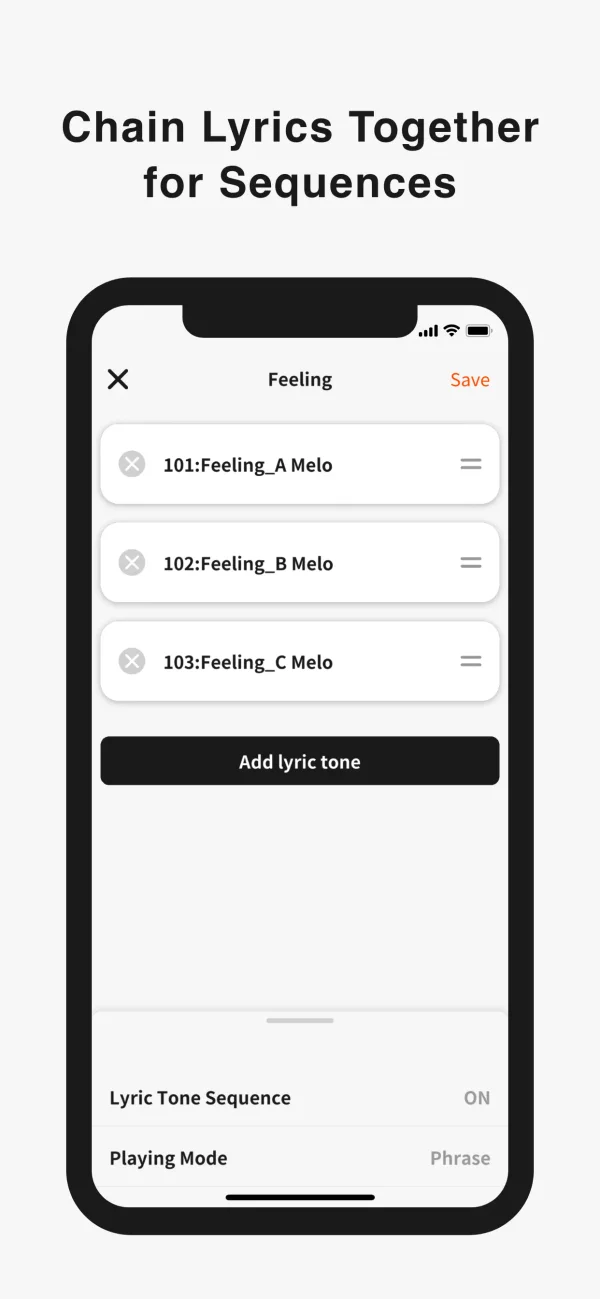
Chain Lyrics Together for Longer Sequences
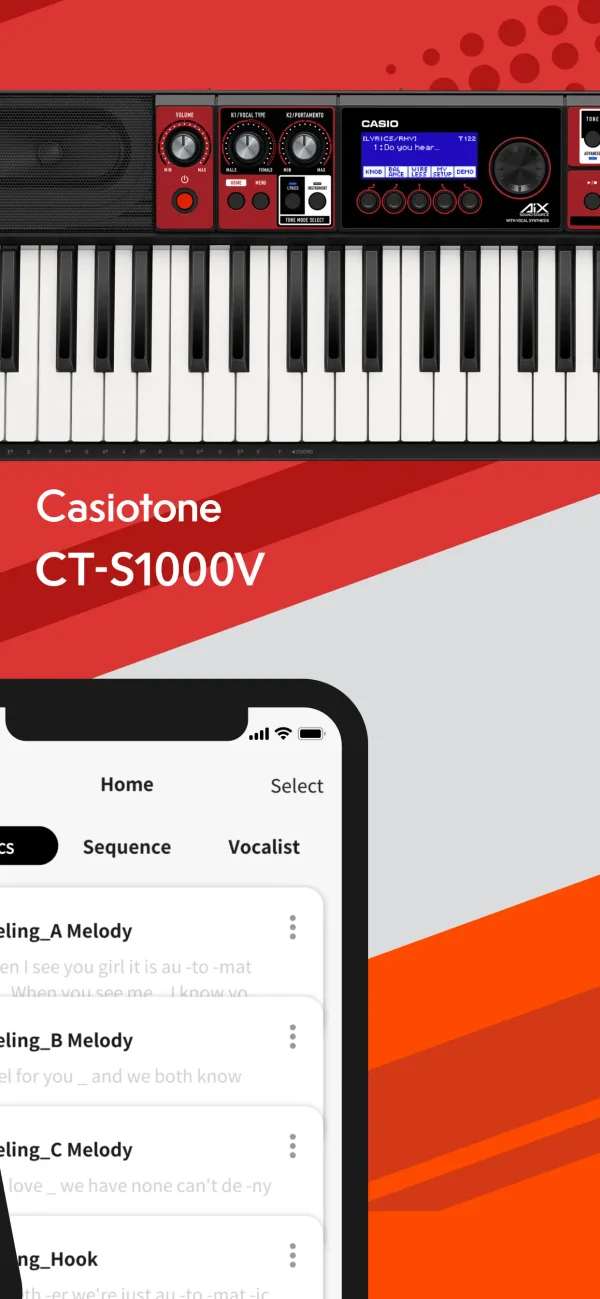
While Lyric Creator places a limit on the length of lyric that can be entered (up to 100 eighth-note syllables), once uploaded to your CT-S1000V, individual lyrics can be chained together into much longer sequences. This function allows you to fine tune individual sections at the input stage before combining them within your CT-S1000V to create a complete song.
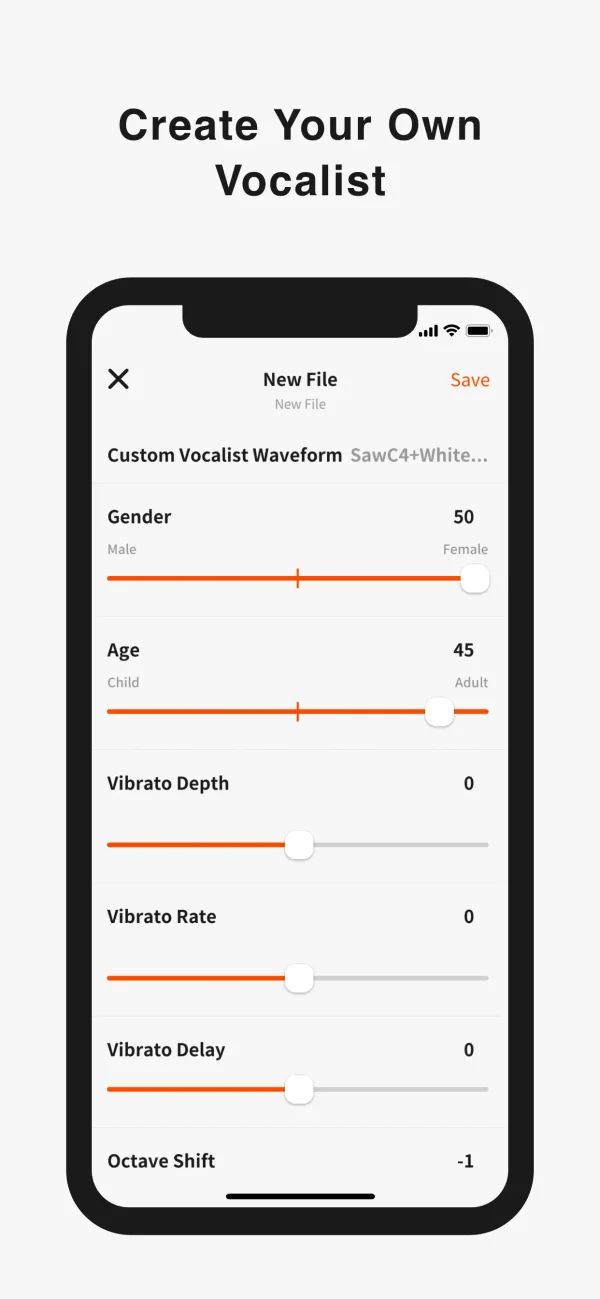
Create Your Own Vocalists
The Lyric Creator app can also be used to transform a WAV audio sample (16bit/44.1kHz, mono/stereo, max. 10 seconds in length) stored within your mobile device into an original Vocalist patch that can then be loaded into the CT-S1000V. The editing interface allows you to set characteristics such as age, gender, vocal range, and vibrato.
The CT-S1000V’s 22 Vocalist presets have each been designed for maximum clarity of enunciation by blending different waveforms with elements such as white noise, and as such User Vocalist waveforms may not achieve the same level of articulation. But with some experimentation you can create new sounds, including abstract ones akin to the CT-SV1000V’s Animal preset.
Connecting the CT-S1000V to Your Smart Device
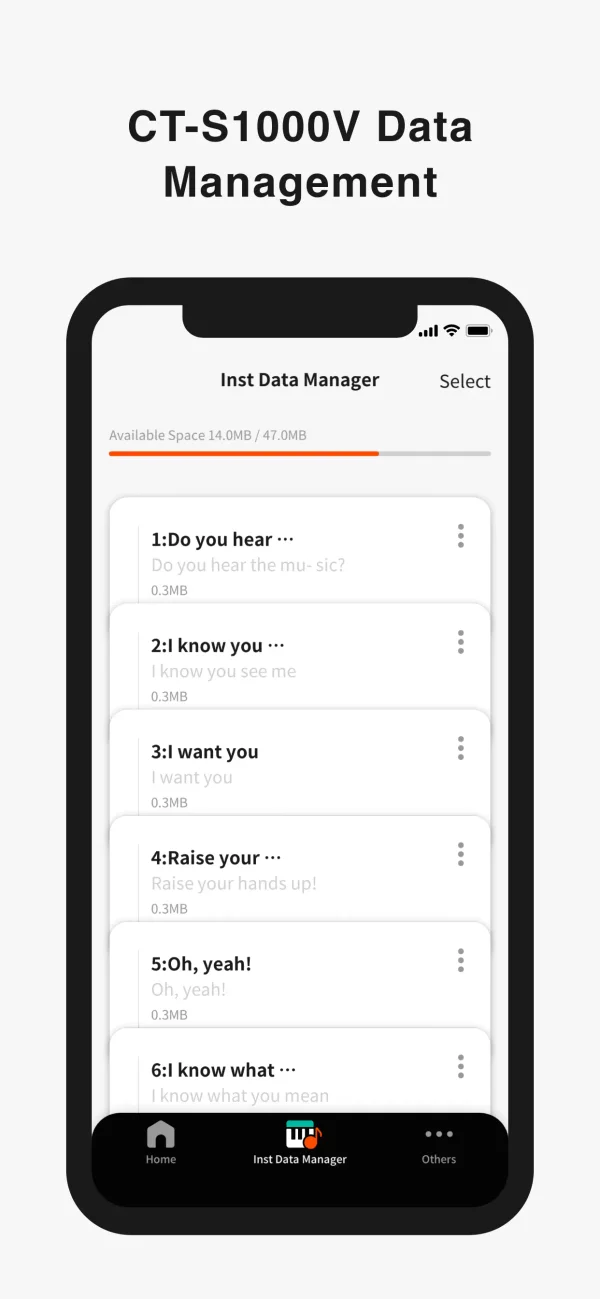
Once the Lyric Creator app is installed on your smartphone or tablet, you can start transferring lyrics, sequences, vocal samples, etc., by connecting your device to your CT-S1000V via a USB cable. While connected, you can also use the app to view how much space is available on the CT-S1000V’s internal drive, delete files, and edit file names. Program files are exported using a proprietary format that enables sharing between CT-S1000V users. You can also import Music XML lyric data and note values from your DAW.
Neue Funktionen
Version 2.0.2 · 16.12.2025
・Bug fixes and performance improvements
App-Datenschutz
Was CASIO COMPUTER CO., LTD. im App Store zum Umgang dieser App mit Daten angibt.
-
Mit Ihnen verknüpfte Daten
Können erfasst und mit Ihrer Identität verknüpft werden.
- Nutzungsdaten
- Diagnose
- Sonstige Daten
Die Datenschutzpraktiken können variieren, zum Beispiel je nach den von Ihnen verwendeten Funktionen oder Ihrem Alter.
Informationen
- Anbieter
- CASIO COMPUTER CO., LTD.
- Kategorie
- Musik
- Version
- 2.0.2
- Aktualisiert
- 16.12.2025
- Veröffentlicht
- 20.01.2022
- Größe
- 396,5 MB
- Erfordert
- iOS 16.0 oder neuer
- Altersfreigabe
- 4+
- Preis
- Kostenlos
- Sprachen
- Englisch, Japanisch
- Copyright
- © 2022 CASIO COMPUTER CO.,LTD.