
- Altersfreigabe4+
- KategorieFoto und Video
- EntwicklerKEN ITAKURA
- SprachenEnglisch+ 1 weitere
- Größe19,9 MB
Verlinkt auf die offizielle App Store-Seite
Download.org hostet keine Datei von Master Motion. Die Schaltfläche öffnet die App-Seite bei App Store, wo KEN ITAKURA die App veröffentlicht. Eintrag zuletzt geprüft am 19.11.2026.
Screenshots
Info
Der Entwickler hat diesen Text nicht in Ihrer Sprache bereitgestellt.
Master Your Movements with an Intuitive Media Player
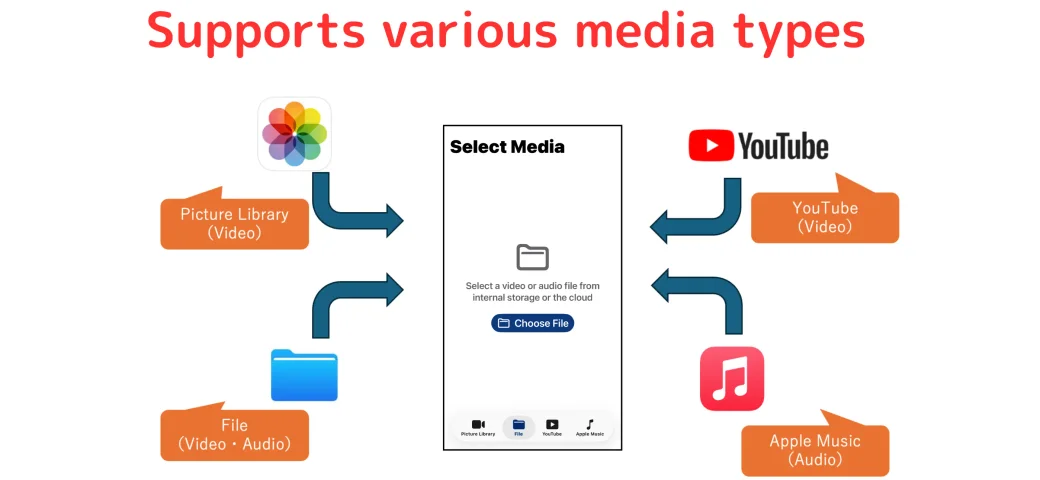
A powerful media player designed to help you practice, learn, and improve through full control of your videos and audio.
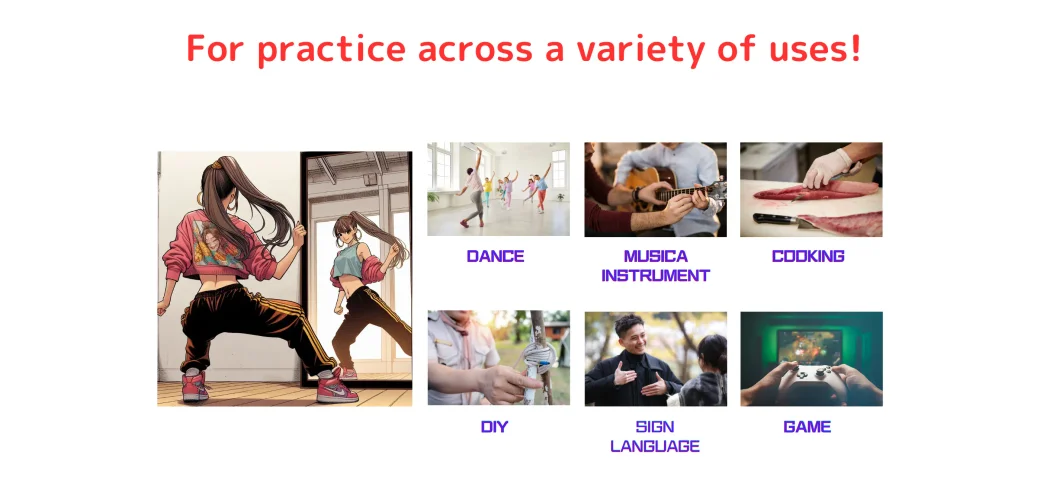
Perfect for sports training, dance practice, music learning, rehabilitation, and more!
◆ Key Features ◆
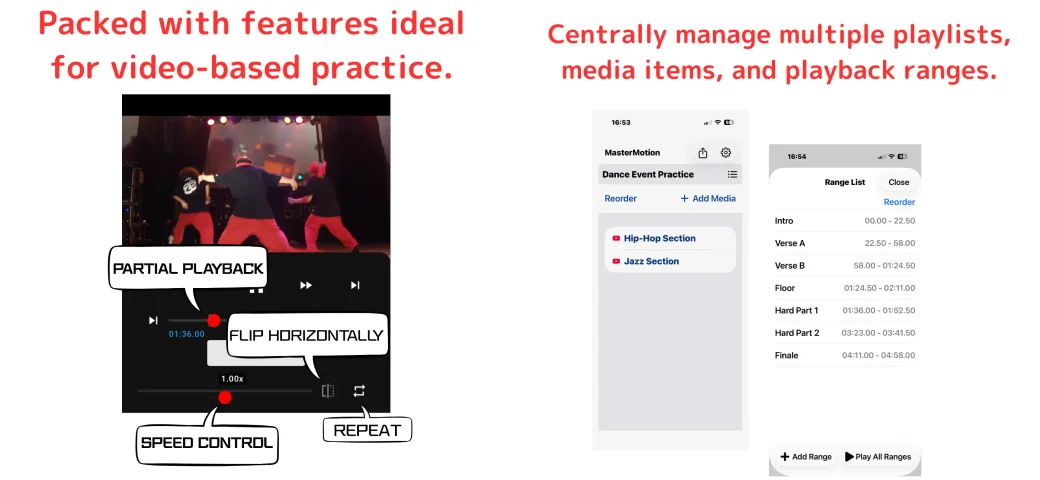
• Speed Control – Adjust playback speed freely to analyze every detail.
• Range Playback – Repeat specific sections to efficiently master techniques.
• Mirror Mode – Flip videos like a mirror for intuitive learning.
• Camera-Like Zoom & Pan Playback – Save zoom and pan positions to focus on your favorite details, just like a “fan cam.”
• Clean & Simple Interface – A distraction-free design that anyone can use with ease.
Neue Funktionen
Version 1.5.0 · 04.10.2026
**New**
- Refreshed UI that's even easier to use.
- **New playback controls** – a bottom drawer you can tuck away for a cleaner view.
- When creating a range, choose where the new range starts from 4 options.
- **Edit lock** – prevent accidental edits while practicing.
- **Duplicate playlists** and **swap media**.
- **CarPlay / Lock Screen controls** for local media.
- Playlists, media lists, and range lists now all work the same way.
- Easier time entry.
**Fixes**
- Fixed errors when sharing from the YouTube app and from Voice Memos.
- Fixed a blank screen when changing media.
- Fixed the keyboard staying open on the Apple Music preview screen, which made selecting songs difficult.
App-Datenschutz
Was KEN ITAKURA im App Store zum Umgang dieser App mit Daten angibt.
-
Daten, die zum Tracking Ihrer Person verwendet werden
Können verwendet werden, um Sie über Apps und Websites anderer Unternehmen hinweg zu verfolgen.
- Kennungen
- Nutzungsdaten
-
Nicht mit Ihnen verknüpfte Daten
Können erfasst werden, sind aber nicht mit Ihrer Identität verknüpft.
- Kennungen
- Nutzungsdaten
- Diagnose
Die Datenschutzpraktiken können variieren, zum Beispiel je nach den von Ihnen verwendeten Funktionen oder Ihrem Alter.
Informationen
- Anbieter
- KEN ITAKURA
- Kategorie
- Foto und Video
- Version
- 1.5.0
- Aktualisiert
- 04.10.2026
- Veröffentlicht
- 19.02.2025
- Größe
- 19,9 MB
- Erfordert
- iOS 17.6 oder neuer
- Altersfreigabe
- 4+
- Preis
- Kostenlos
- Sprachen
- Englisch, Japanisch
- Copyright
- © 2025 Ken Itakura
Das könnte Ihnen auch gefallen
-
 Loop Loop - Practice PerfectFoto und Video
-
 ClipScopeFoto und Video
-
 Synz: Shared Photo AlbumFoto und Video
-
 ABL Video PlayerFoto und Video
-
 Christmas Photo Lab with GIF!Foto und Video
-
 Automatic Capture SlowMo VideoFoto und Video
-
 VideoReverser: Video rückwärtsVideo umkehren & abspielen
-
 Status Video MakerFoto und Video
-
 KI-Videountertitel・UntertitelKI-Untertitelgenerator
-
 Thumbnail Erstellen Für YT ArtBanner Maker & Channel Art