
- Altersfreigabe17+
- KategorieProduktivität
- EntwicklerTing-Han Tseng
- SprachenEnglisch
- Größe58,2 MB
Material - Save to Create ist bei App Store derzeit möglicherweise nicht verfügbar
Bei unserer letzten Prüfung war der Store-Eintrag nicht erreichbar. Der Link führt weiterhin zur offiziellen App Store-Seite.
Screenshots
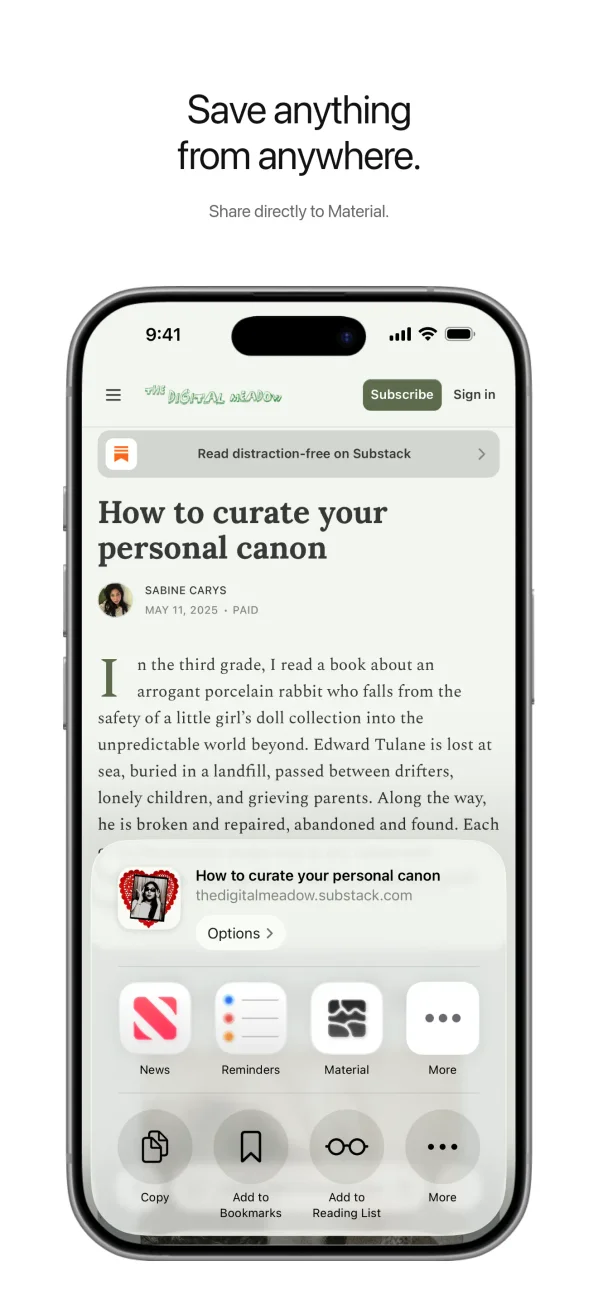
Info
Der Entwickler hat diesen Text nicht in Ihrer Sprache bereitgestellt.
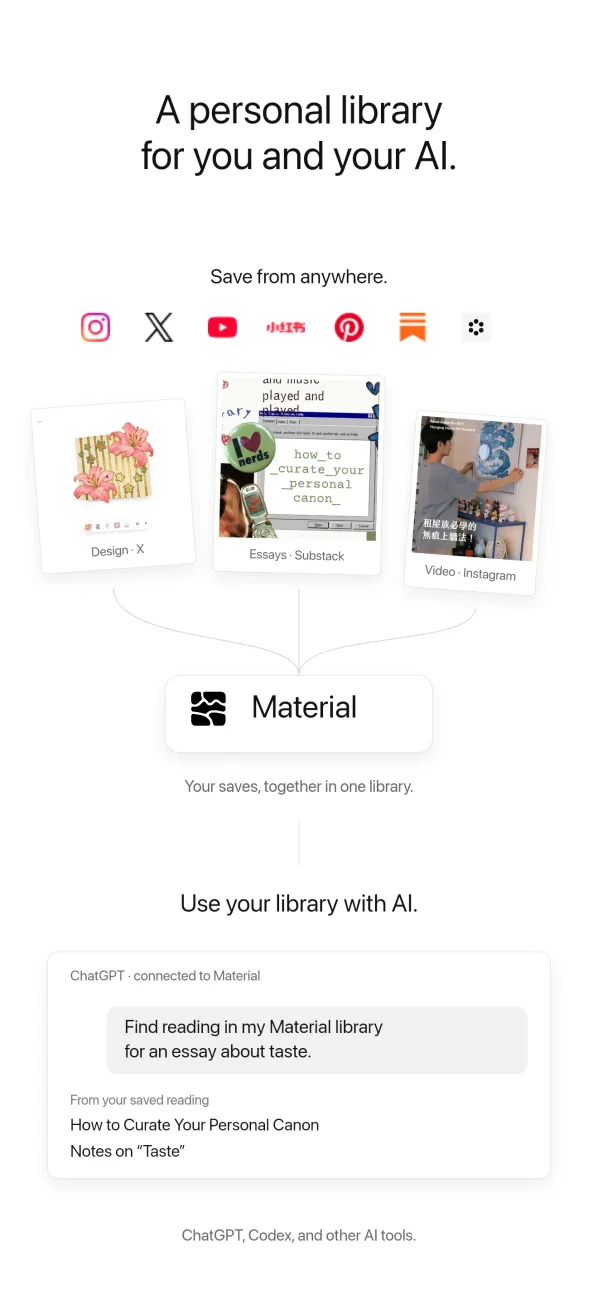
Material — a personal library for you and your AI.
A place for the remarkably curious to collect what interests them, cultivate their digital garden, and create with the things they’ve collected.
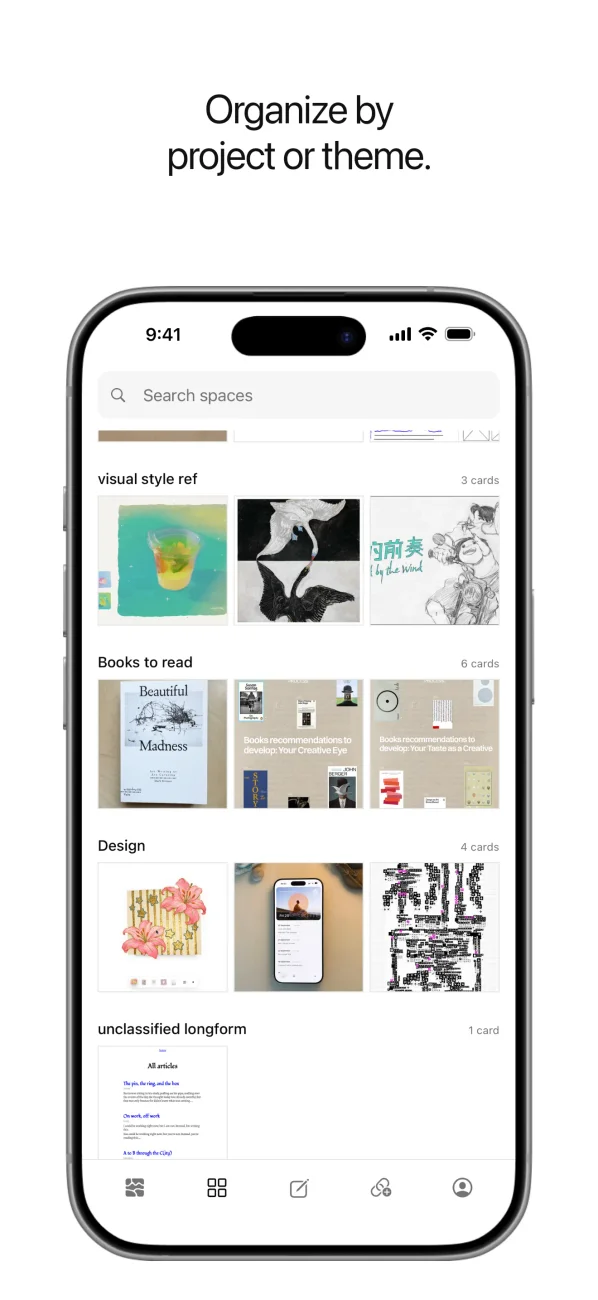
Save links, images, videos, and ideas as you find them. Keep collecting without stopping to organize. When you’re ready, bring things together in spaces and explore connections on an infinite canvas on the web.
INTERESTING THINGS COME FROM INTERESTING PEOPLE
Explore other people’s public libraries, follow their curiosity, and save discoveries into your own. Share what you’re collecting, or keep it private.
MAKE MORE OF WHAT YOU COLLECT
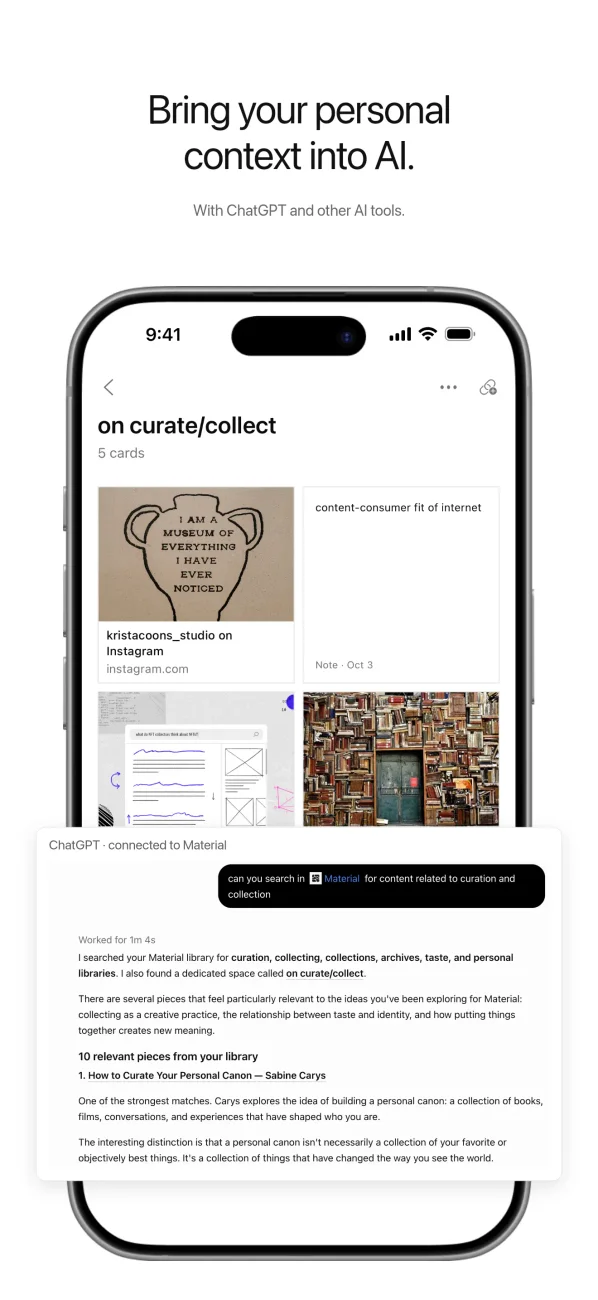
Return to something you saved, connect it to a new idea, or bring your library into the AI tools you use. Material keeps your information accessible, so collecting can become the beginning of something new.
CAPTURE AS YOU GO
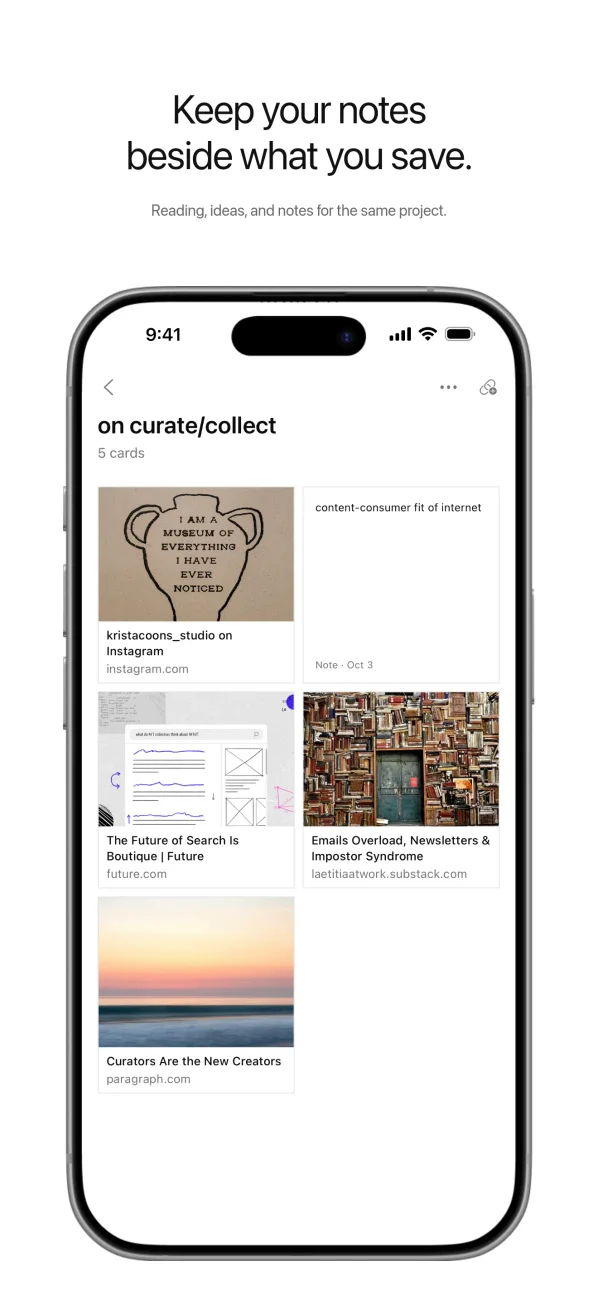
Save from your iPhone’s share sheet, the Material browser extension, or Material on the web. Add a note to a save, or write a note of your own. Your library stays with you across iPhone and the web.
A LIBRARY THAT REFLECTS YOUR CURIOSITY
• Organize saves into spaces for an interest, topic, or project.
• Explore public profiles and spaces, and follow people whose interests you enjoy.
• See new-save counts from people you follow, then visit their libraries.
• Save discoveries into your own library with attribution to their source.
• Connect compatible AI tools through the Material plugin or MCP.
CHOOSE WHAT YOU SHARE
New saves and new spaces default to Public. Choose Private before saving or creating a space to keep it private. When you select spaces, their privacy determines the save’s visibility: any public space makes it public. Public saves and their attached notes can be accessed by other people and AI tools. Existing saves remain private unless you change their privacy or add them to a public space.
A Material account is required. The free plan includes up to 200 saved cards. Access your library on iPhone and at material.sc. Infinite canvas is available on the web. AI integrations require a connection to a compatible third-party tool.
Privacy Policy: https://material.sc/privacy
Terms of Use: https://material.sc/terms
Neue Funktionen
Version 1.3.2 · 03.11.2026
• Change Public or Private for a new space in the share sheet before saving.
• Open your profile from your avatar at the start of Stream, followed by friends and Explore.
• A clearer explanation of public sharing and safety checks, with more information available under Details.
App-Datenschutz
Was Ting-Han Tseng im App Store zum Umgang dieser App mit Daten angibt.
-
Mit Ihnen verknüpfte Daten
Können erfasst und mit Ihrer Identität verknüpft werden.
- Käufe
- Kontaktinformationen
- Kontakte
- Benutzerinhalte
- Browserverlauf
- Kennungen
- Nutzungsdaten
- Diagnose
Die Datenschutzpraktiken können variieren, zum Beispiel je nach den von Ihnen verwendeten Funktionen oder Ihrem Alter.
Informationen
- Anbieter
- Ting-Han Tseng
- Kategorie
- Produktivität
- Version
- 1.3.2
- Aktualisiert
- 03.11.2026
- Veröffentlicht
- 14.10.2026
- Größe
- 58,2 MB
- Erfordert
- iOS 16.4 oder neuer
- Altersfreigabe
- 17+
- Sprachen
- Englisch
- Copyright
- © 2026 Tinghan Tseng
Das könnte Ihnen auch gefallen
-
 Ancher: Merken, Finden, MachenAlles sammeln, alles erstellen
-
 Life Timer - Lifespan TrackerProduktivität
-
 TimeEcho - Focus JournalProduktivität
-
 Dokie: AI Presentation MakerProduktivität
-
 choclift: Workflow Sweetenerdesktop touch controls
-
 ChatConnect - AI AssistantProduktivität
-
 Joi: Daily Planner & OrganizerProduktivität
-
 TouchMind-handwritten mind mapProduktivität
-
 Exocus: Gamified Focus TimerProduktivität
-
 Clipboard - Paste KeyboardAuto Copy and Paste Keyboard