McClockface – Flip Clock
Stopwatch & Time Widgets
Entwickelt für iPhone, iPad, Mac
Kostenlos · In-App-Käufe
- Altersfreigabe4+
- KategorieLifestyle
- EntwicklerDavid Steppenbeck
- SprachenEnglisch+ 8 weitere
- Größe61,7 MB
Verlinkt auf die offizielle App Store-Seite
Download.org hostet keine Datei von McClockface – Flip Clock. Die Schaltfläche öffnet die App-Seite bei App Store, wo David Steppenbeck die App veröffentlicht. Eintrag zuletzt geprüft am 25.11.2026.
Screenshots




Info
Der Entwickler hat diesen Text nicht in Ihrer Sprache bereitgestellt.
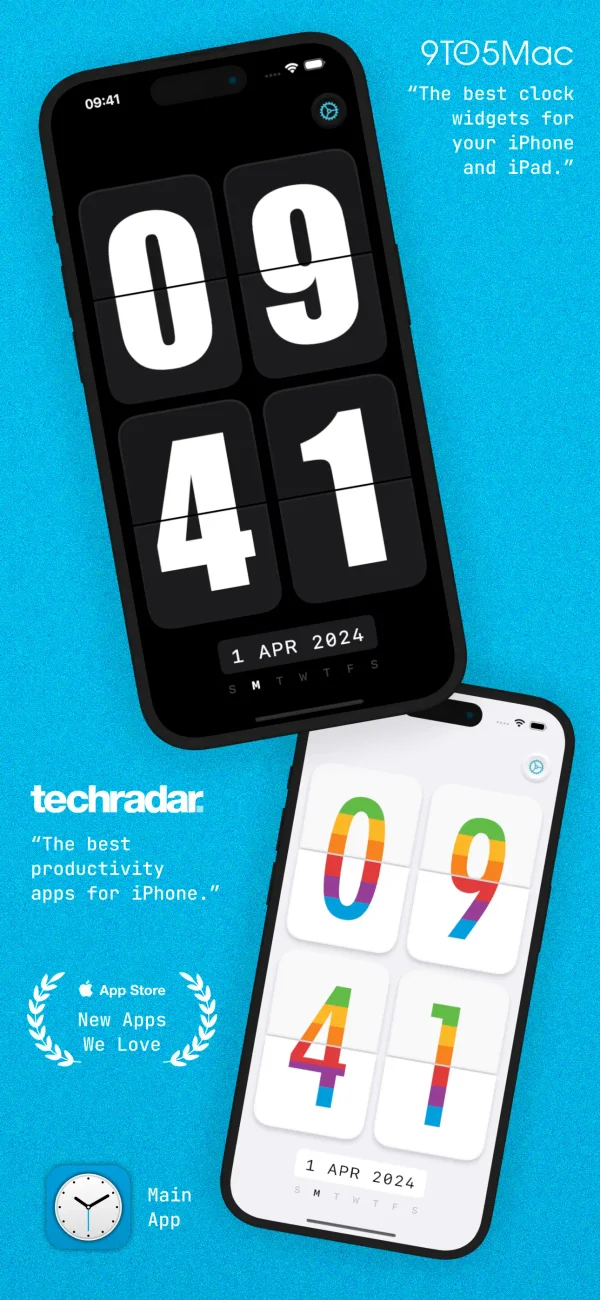
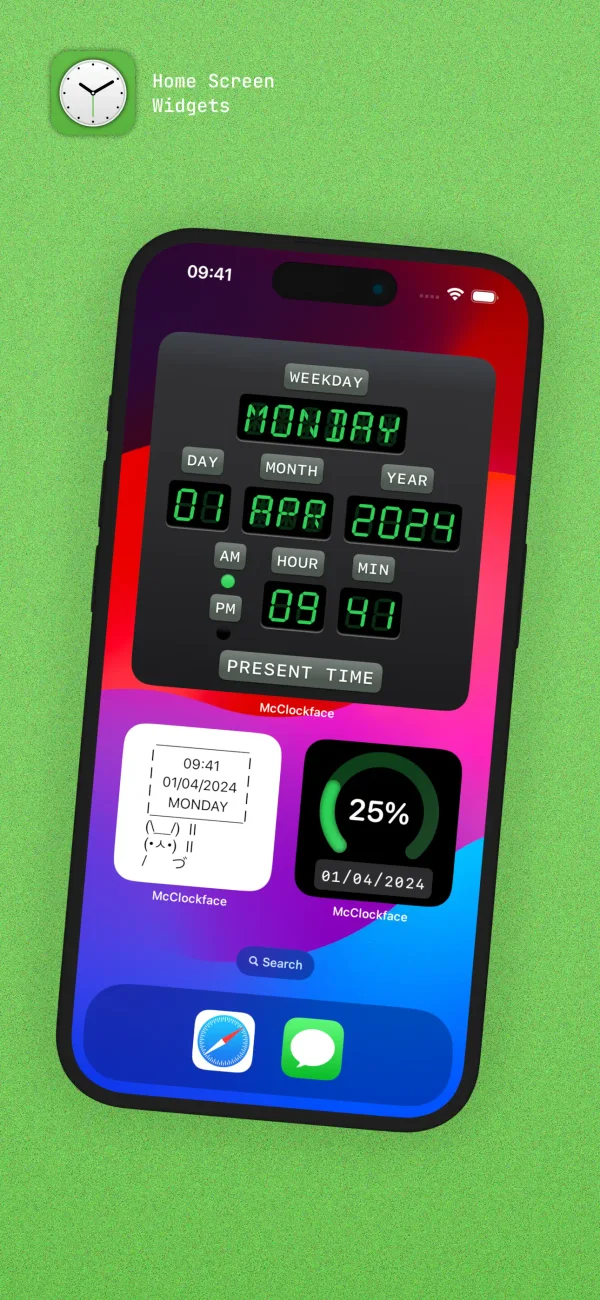
Add beautiful timepiece widgets to your Home Screen, Lock Screen, and StandBy mode with McClockface.
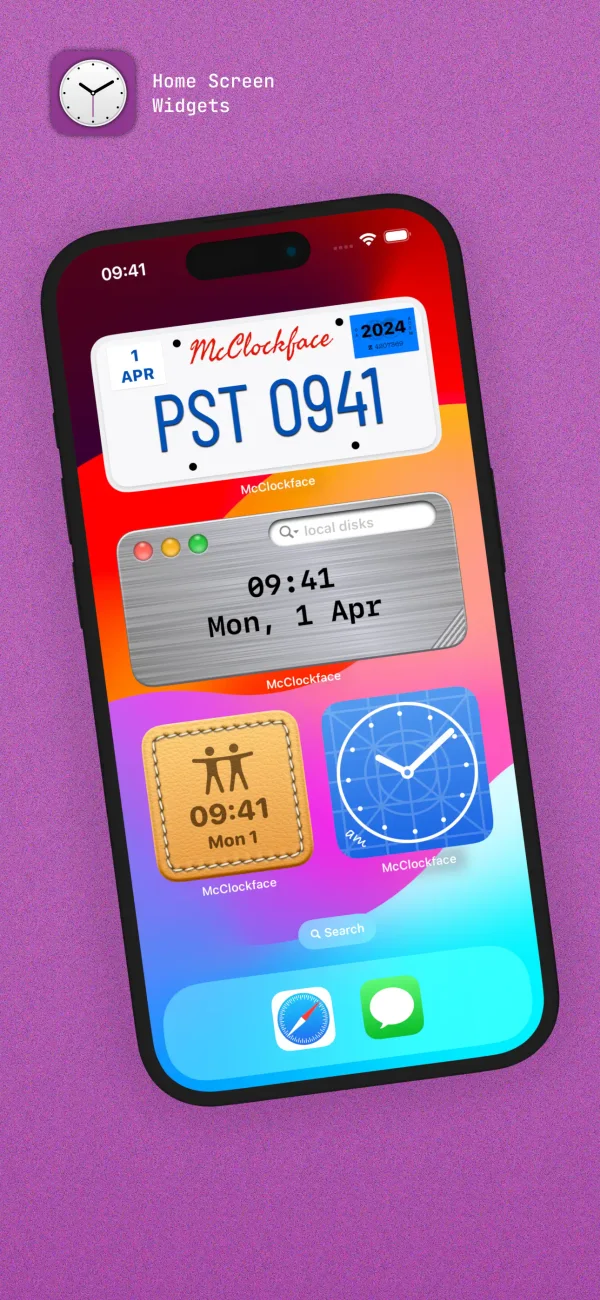
McClockface provides a collection of playful widget designs that provide the date, time, and other chronographic info, such as day and annual progress, at a glance, with options to customize colors and time zones widget-by-widget.
The in-app timepiece displays a silky-smooth retro flip clock that makes a perfect display for your nightstand or whilst charging your device.
There are currently 32 exclusive widget designs available (and counting) with different sizes to discover in the system widget gallery for Home Screen, Lock Screen, and StandBy mode.
---
HOME SCREEN WIDGETS
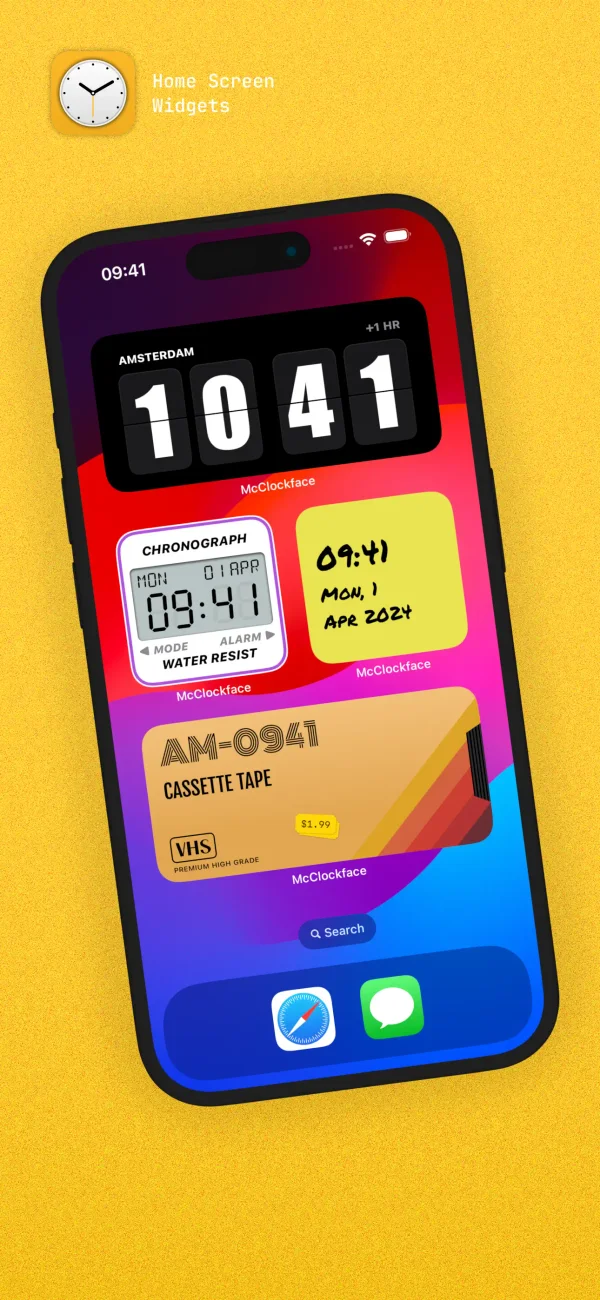
The McClockface widget lineup is now stronger than ever, with numerous vibrant, colorful designs to choose from, including stitched leather, knitted socks, sticky notes, neon signs, VHS cassette tapes, scratched metal, blueprints, metro maps, license plates, bunny memes, and so much more!
---
LOCK SCREEN WIDGETS
Lock Screen widgets are perfect for quickly viewing info on the go. Simplified versions of some McClockface widgets are available on Lock Screen for both iPhone and iPad, including the default clock and the progress gauges. There’s also a weekday emoji widget that’s exclusive to Lock Screen.
---
STANDBY MODE WIDGETS
StandBy mode widgets are available on iPhone whilst charging your device. McClockface offers 20 elegant and customizable widget designs for StandBy mode.
---
INTERACTIVE WIDGETS
Stopwatch widgets are available for Home Screen, Lock Screen, and StandBy mode. These super handy widgets allow you to time an event without the need to open an app or even unlock your device.
---
ALTERNATE APP ICONS
With over 15 colorful app icons available, there’s something here to make everyone’s Home Screen shine.
---
SOUNDS & HAPTICS
Funny animal sounds and subtle haptic effects help bring the app to life.
---
Some of the content discussed above and displayed in screenshots, specifically, all widgets, alternate app icons, custom fonts, and sound effects, require an in-app purchase.
The free version of McClockface is free forever, and contains no ads: The free version gives you unlimited access to the in-app flip clock. McClockface Plus is required for the additional content mentioned above, which can be accessed by either an auto-renewing subscription or a one-time in-app purchase.
---
Payment will be charged to your Apple ID account at the confirmation of purchase. The subscription automatically renews unless it is canceled at least 24 hours before the end of the current period. Your account will be charged for renewal within 24 hours before the end of the current period. You can manage and cancel your subscriptions by going to your App Store account settings after purchase. Cancellation of the current active subscription period is not allowed.
---
Privacy Policy:
https://sites.google.com/view/lazycatapps/home/mcclockface/privacy-policy
Terms of Use:
https://www.apple.com/legal/internet-services/itunes/dev/stdeula
Neue Funktionen
Version 5.5.1 · 02.07.2025
General fixes and improvements
App-Datenschutz
Was David Steppenbeck im App Store zum Umgang dieser App mit Daten angibt.
-
Nicht mit Ihnen verknüpfte Daten
Können erfasst werden, sind aber nicht mit Ihrer Identität verknüpft.
- Käufe
Die Datenschutzpraktiken können variieren, zum Beispiel je nach den von Ihnen verwendeten Funktionen oder Ihrem Alter.
Informationen
- Anbieter
- David Steppenbeck
- Kategorie
- Lifestyle
- Version
- 5.5.1
- Aktualisiert
- 02.07.2025
- Veröffentlicht
- 27.05.2021
- Größe
- 61,7 MB
- Erfordert
- iOS 17.0 oder neuer
- Altersfreigabe
- 4+
- Preis
- Kostenlos
- In-App-Käufe
- Ja
- Sprachen
- Englisch, Arabisch, Niederländisch, Deutsch, Italienisch, Japanisch, Koreanisch, Vereinf. Chinesisch, Tradit. Chinesisch
- Copyright
- Copyright © 2021–2025 David Steppenbeck
Das könnte Ihnen auch gefallen
-
 Affirmationen für SelbstliebePositive Sprüche & Selbstwert
-
 Babytagebuch & ErinnerungenFotos Kinder & Schwangerschaft
-
 Vision Board Maker: VisusManifestieren Affirmationen
-
 Digitaluhr - LED WidgetDisplay für Nachttisch
-
 Momently - Journal / DiaryLifestyle
-
 Taschen. uhr:Big Desktop ClockFarbene Digitale Uhr, Uhren
-
 Big Clock : Moderne UhrSchöne Bildschirmuhr
-
 HomeBatterien für HomeKitAkkustand-Widget & Warnungen
-
 Habit Tracker – Daily PlannerLifestyle
-
 Spritverbrauch – DriveDexFahrtenbuch & Ausgaben Tracker