
MDQuill: Markdown Editor
Write, Organize & Export PDF
Entwickelt für iPhone, iPad, Mac
Kostenlos · In-App-Käufe
- Altersfreigabe4+
- KategorieEntwickler-Tools
- Entwickler献慧 陈
- SprachenEnglisch+ 9 weitere
- Größe35,2 MB
Verlinkt auf die offizielle App Store-Seite
Download.org hostet keine Datei von MDQuill: Markdown Editor. Die Schaltfläche öffnet die App-Seite bei App Store, wo 献慧 陈 die App veröffentlicht. Eintrag zuletzt geprüft am 15.11.2026.
Screenshots


Info
Der Entwickler hat diesen Text nicht in Ihrer Sprache bereitgestellt.
MDQuill is a local Markdown writing app for iPhone, iPad, and Mac. Open .md, .markdown, or .txt files, read them in a clean preview, then switch back to editing whenever you want.
Why MDQuill?
• Local-first writing: Your documents stay on your device. No required account, no forced upload, no content platform.
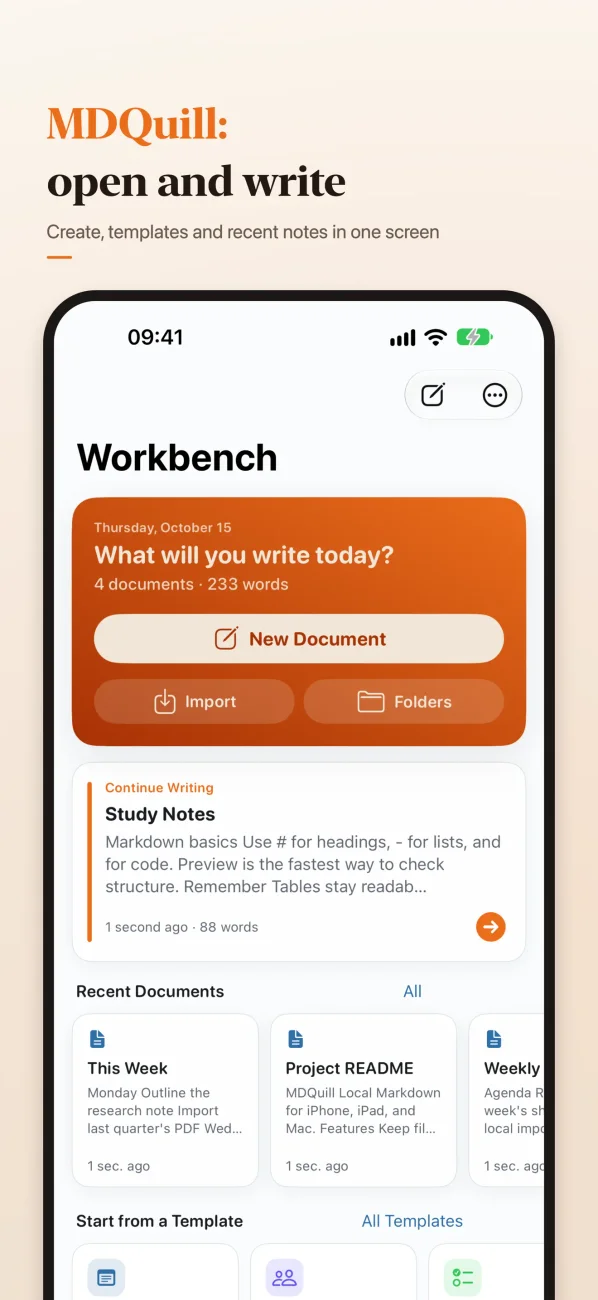
• Open into Preview: Open Markdown from Files, Share, or another app and land directly in Preview mode before switching back to Edit.
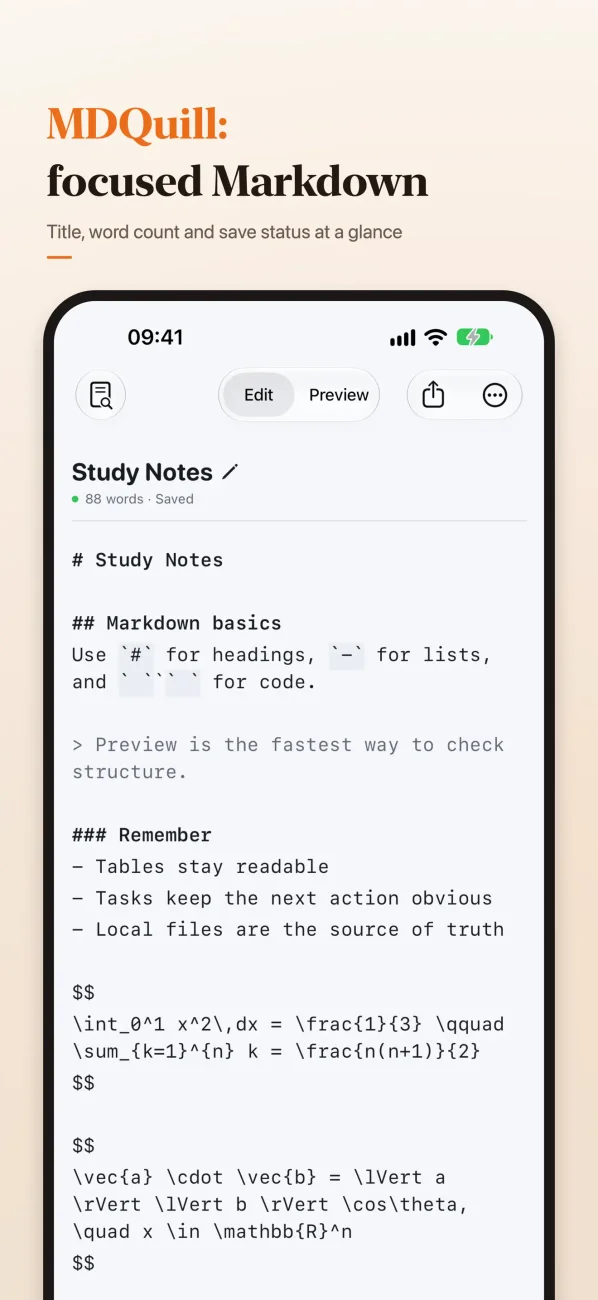
• Native editor: Write with Markdown syntax, quick insertion tools, find and replace, outline navigation, templates, and recent documents.
• Live preview: Headings, lists, quotes, code blocks, tables, tasks, links, and images render clearly.
• Built for Apple devices: Capture quick notes on iPhone, write in split view on iPad, and work with native document windows on Mac.
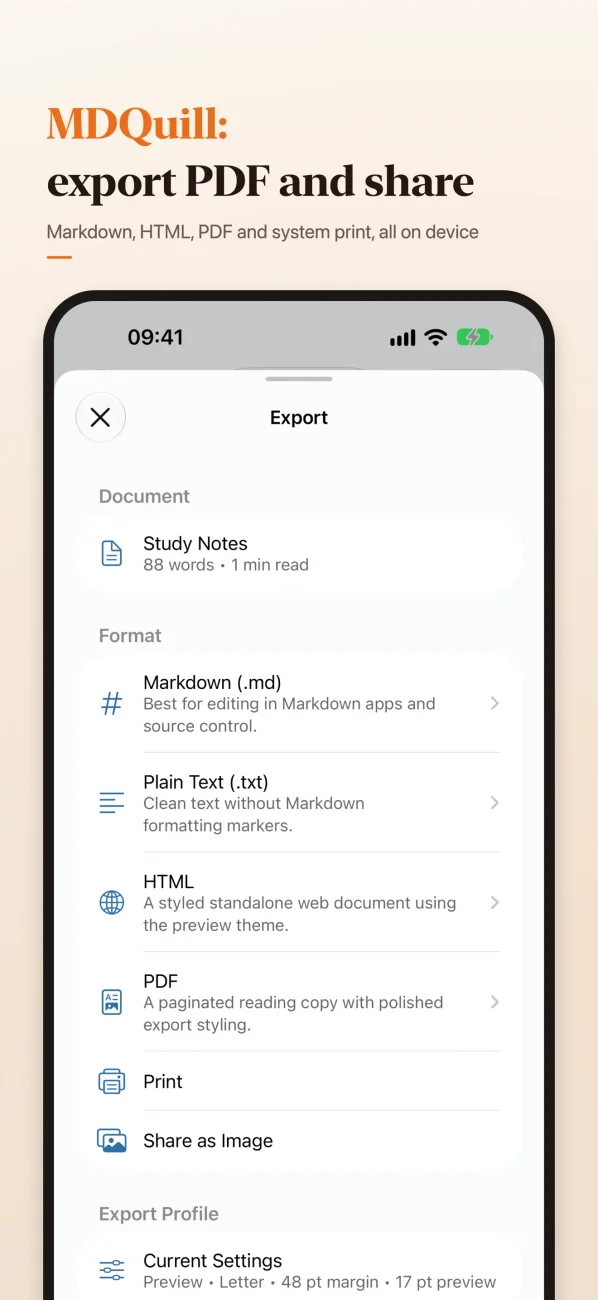
• Export and share: Create Markdown, TXT, HTML, and PDF files for printing, archiving, email, and cross-platform sharing.
• Templates and reusable workflows: Start quickly from built-in templates or save your own structures for repeated work.
• Offline Voice Markdown: MDQuill Pro unlocks app-owned offline model management, Markdown voice command parsing, live drafts, insertion modes, and undo workflows.
• Advanced Local Import: Convert user-selected PDF, Office, ODF, EPUB, notebooks, HTML, text, and images into structured Markdown with a native on-device converter. Scanned PDFs can use Vision OCR. No embedded runtime and no web scraping.
• Focus, Quality, and Export Themes: MDQuill Pro also unlocks a distraction-free writing mode, an on-device document quality check, and advanced HTML/PDF export themes.
Great for:
• Study notes, meeting notes, and class material
• Technical docs, README files, and code notes
• Task lists, weekly plans, and project logs
• Blog drafts, product notes, and research writing
• Private documents that should stay local and export cleanly
Free features include document creation, import, editing, preview, export, Share Extension intake, templates, and local document management. MDQuill Pro is an optional upgrade for advanced local Markdown workflows, including offline Voice Markdown, Focus Writing Mode, Document Quality Check, Advanced Export Themes, more custom templates, and more export profile flexibility.
MDQuill does not provide third-party content, scrape webpages, host documents, or present itself as an online content platform. It focuses on quiet, reliable local Markdown writing.
Neue Funktionen
Version 1.10 · 06.11.2026
This app is independently developed and maintained by an indie developer. Feedback and bug reports are always welcome. For collaboration inquiries, please contact me by email. Enjoy the app.
Email: yemaozi2026@outlook.com
• Linked notes: type [[ to link another document or heading, follow links in Preview, and see which documents link back.
• Embed another note read-only with ![[Note]], and insert or update a table of contents from your headings.
• Properties: edit tags, aliases, date and status, then filter search and smart collections by them.
• Broken links are reported before export. Renaming a folder document lists the links that point to it and can update them.
• Export: preview PDF pages before sharing, export an HTML package (ZIP with images), or select several documents and export them at once.
• Faster typing, preview and search in large documents and big folders, with cancellable indexing.
• Pasted text keeps its automatic title on your other devices.
App-Datenschutz
Was 献慧 陈 im App Store zum Umgang dieser App mit Daten angibt.
-
Keine Daten erfasst
Der Entwickler erfasst keine Daten von dieser App.
Die Datenschutzpraktiken können variieren, zum Beispiel je nach den von Ihnen verwendeten Funktionen oder Ihrem Alter.
Informationen
- Anbieter
- 献慧 陈
- Kategorie
- Entwickler-Tools
- Version
- 1.10
- Aktualisiert
- 06.11.2026
- Veröffentlicht
- 19.04.2026
- Größe
- 35,2 MB
- Erfordert
- iOS 17.0 oder neuer
- Altersfreigabe
- 4+
- Preis
- Kostenlos
- In-App-Käufe
- Ja
- Sprachen
- Englisch, Französisch, Hindi, Italienisch, Japanisch, Koreanisch, Malaiisch, Vereinf. Chinesisch, Tradit. Chinesisch, Vietnamesisch
- Copyright
- © 2026&com.yemaozi
Das könnte Ihnen auch gefallen
-
 AppIcon Maker - Developer ToolIcon Export Tool
-
 QRU? - QR Code DebuggerEntwickler-Tools
-
 API MatrixEntwickler-Tools
-
 CFPanelEntwickler-Tools
-
 CoduxEntwickler-Tools
-
 ApptallyEntwickler-Tools
-
 FlareKit for CloudflareWebsite-Analyse & Monitoring
-
 Terminal File Manager AdvancedFTP-Server & Code-Editor
-
 PromptgateEntwickler-Tools
-
 OpsCat - Server Monitor & SSHEntwickler-Tools