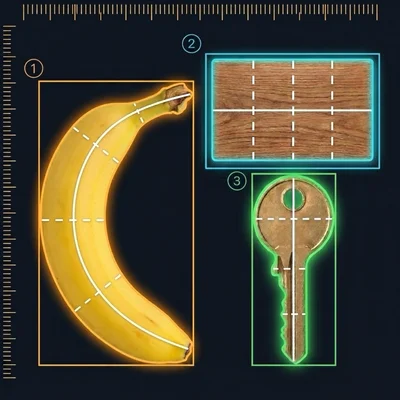
Measure & Count Anything
AR Ruler & LiDAR Size Counter
Entwickelt für iPhone, iPad
- Altersfreigabe4+
- KategorieDienstprogramme
- EntwicklerIAN PETER THOMPSON
- SprachenEnglisch
- Größe221,1 MB
Measure & Count Anything ist bei App Store derzeit möglicherweise nicht verfügbar
Bei unserer letzten Prüfung war der Store-Eintrag nicht erreichbar. Der Link führt weiterhin zur offiziellen App Store-Seite.
Screenshots

Info
Der Entwickler hat diesen Text nicht in Ihrer Sprache bereitgestellt.
MEASURING NEEDS A LiDAR SCANNER: iPhone 12 Pro or newer Pro model, or iPad Pro (2020 or newer). Other iPhones and iPads can outline and count objects, but not size them.
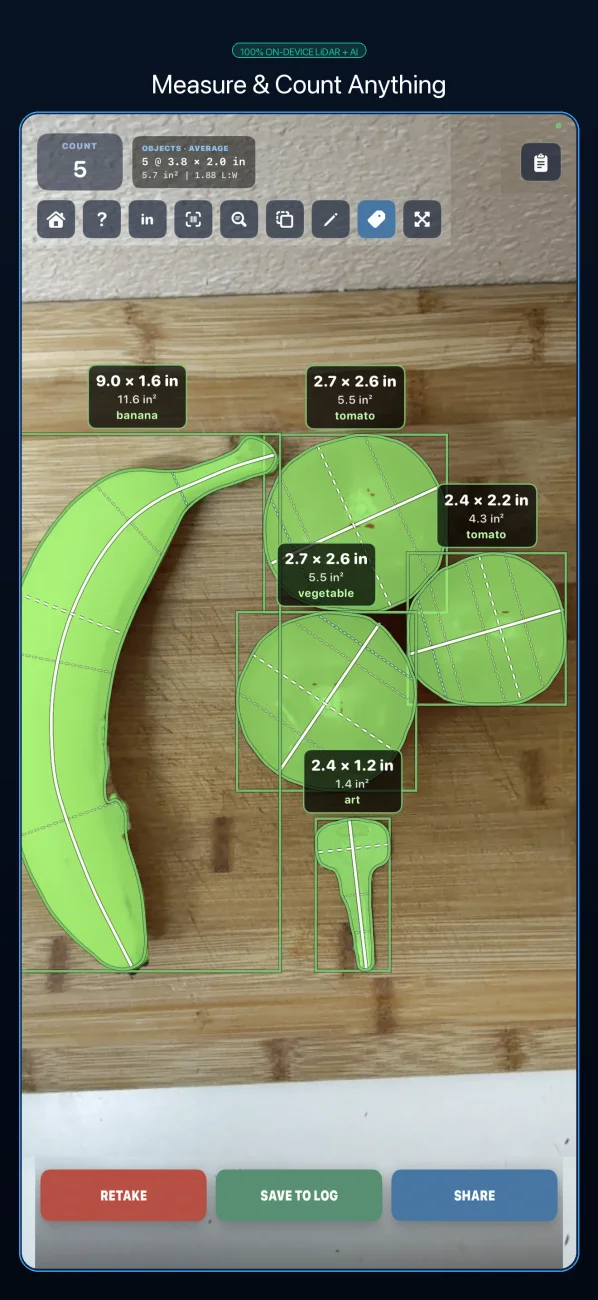
Measure & Count Anything combines your iPhone Pro or iPad Pro's LiDAR depth scanner with 100% on-device computer vision to outline objects, compute real-world dimensions, count matching items in a single frame, and export structured Excel spreadsheets with annotated photos.
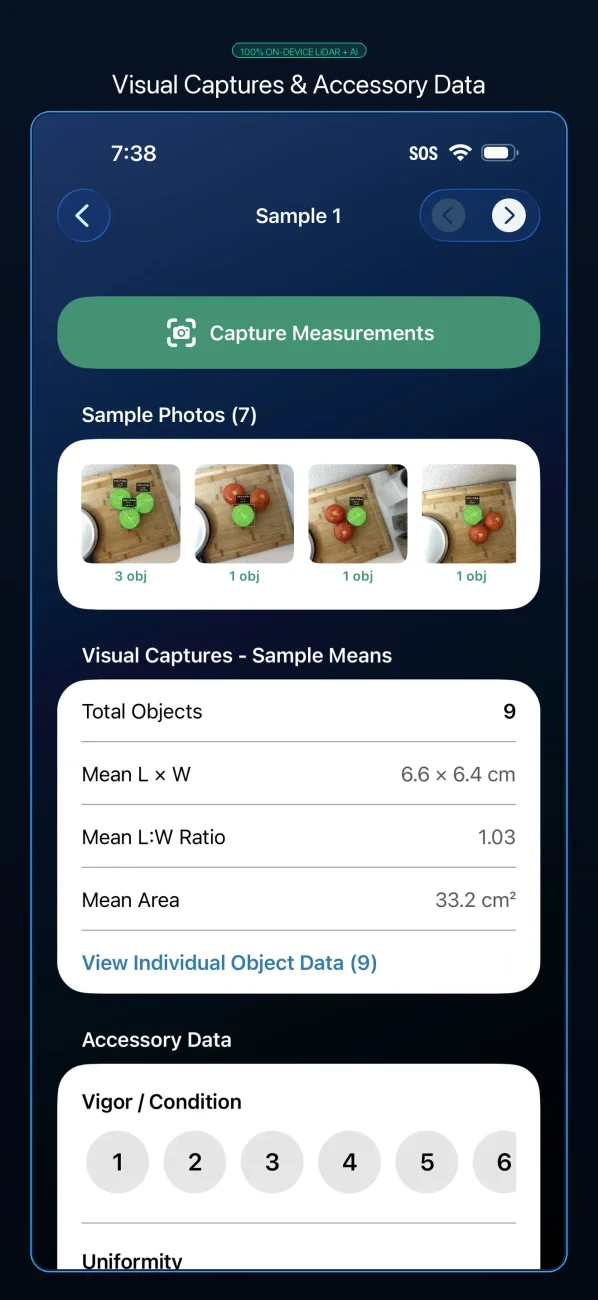
Unlike manual point-to-point AR rulers that require tapping every corner by hand, Measure & Count Anything automatically detects object boundaries and computes Length, Width, Surface Area, Curved Spine Length, and Corner-to-Corner Diagonals in a single tap.
FOUR WAYS TO MEASURE & COUNT
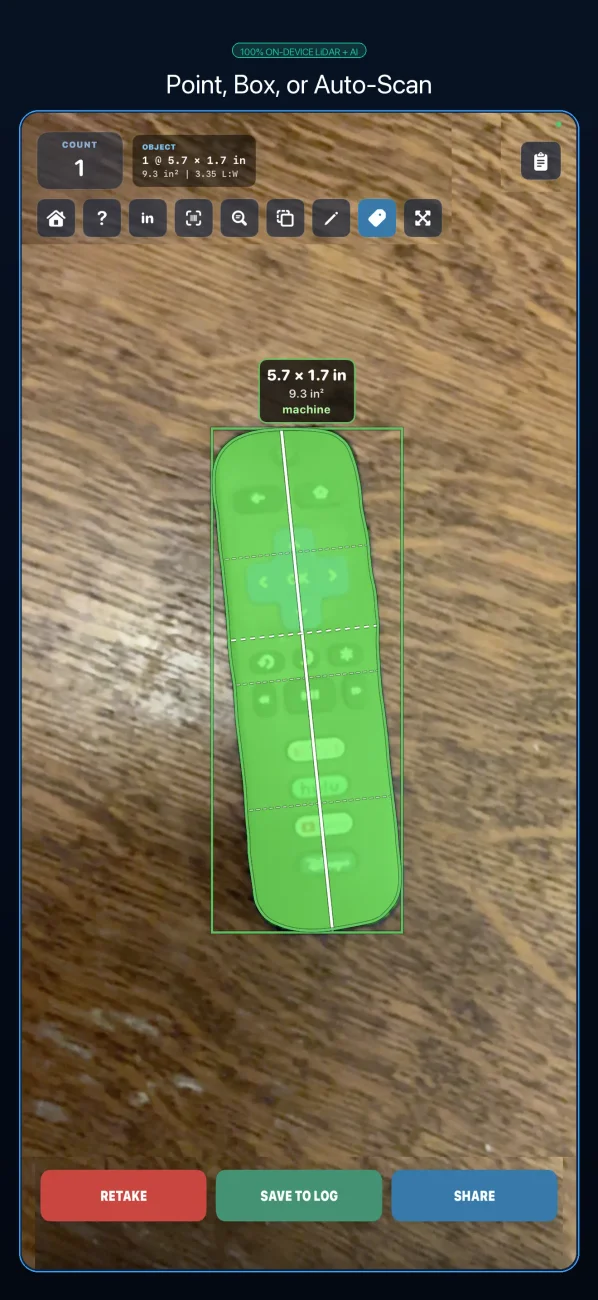
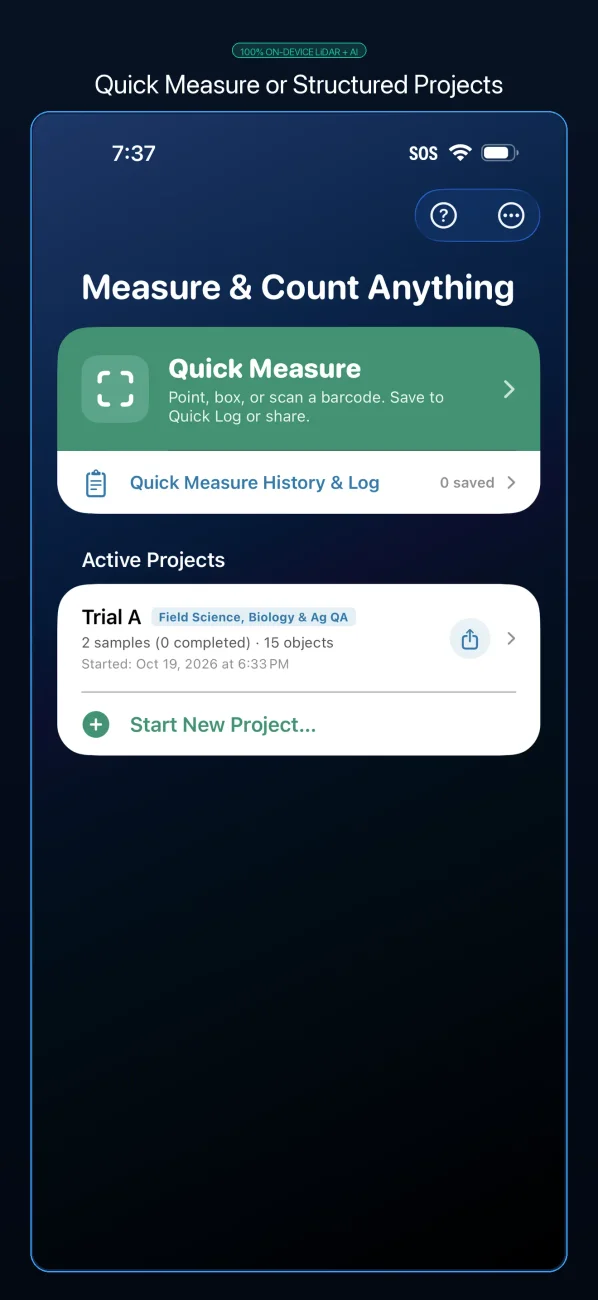
• Point & Shoot: Aim the center crosshair at any object and tap the shutter for an instant outline and measurement pill.
• Drag a Box: Draw a rectangle around any item (or several items) on screen to segment and measure them immediately.
• Find Similar (Batch Counting): Measure one item — such as hardware parts, tiles, fasteners, stones, or specimens — and tap "Find Similar" to automatically outline, count, and average every matching object in the photo.
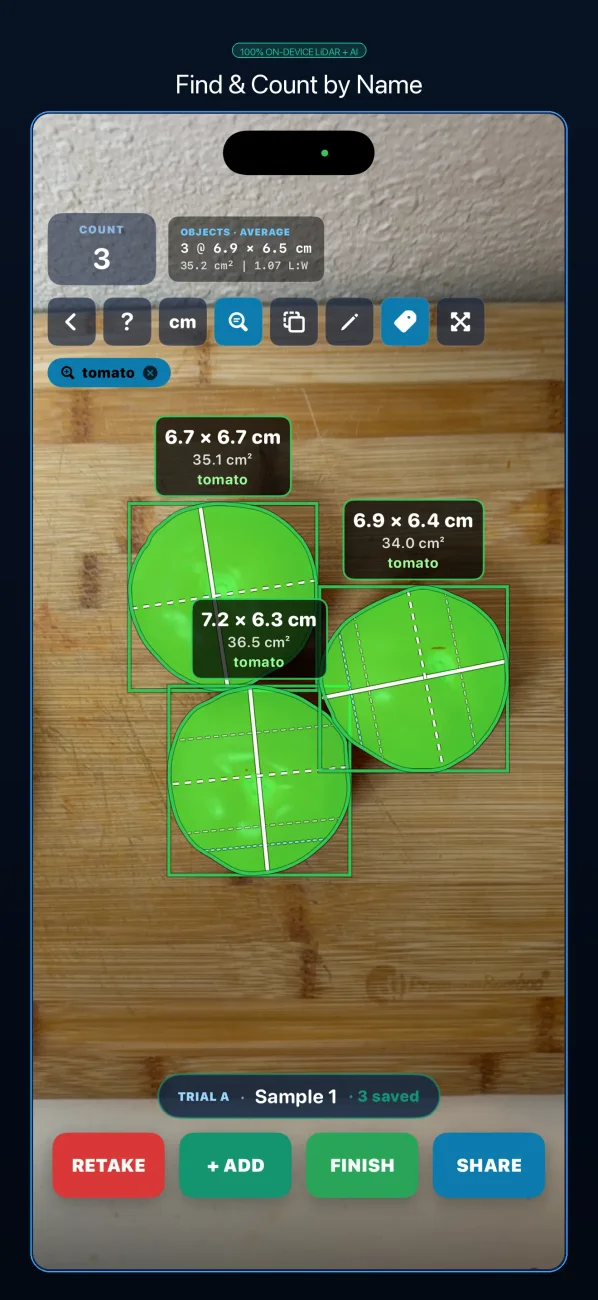
• Find by Name & Hands-Free Auto-Scan: Type the name of an object to locate it automatically using on-device open-vocabulary vision, or turn on Auto-Scan to log items continuously without touching the screen.
BUILT FOR REAL WORKFLOWS
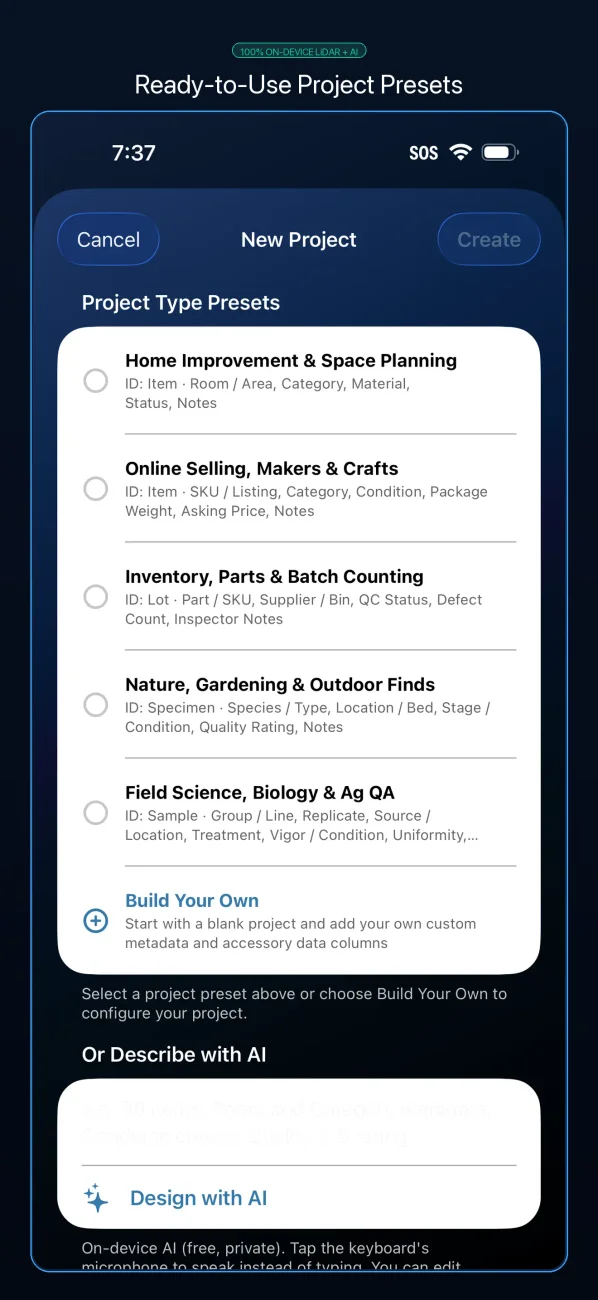
• Home Improvement & Space Planning: Measure tiles, pavers, fixtures, and materials and share high-resolution annotated photos with dimensions baked right onto the image.
• Online Selling, Makers & Crafts: Create clean listing photos with clear Length × Width overlays for eBay, Etsy, Poshmark, or workshop logs.
• Inventory, Parts & Batch Counting: Pair barcode/QR scanning with multi-object counting to log incoming lots and part sizes in seconds.
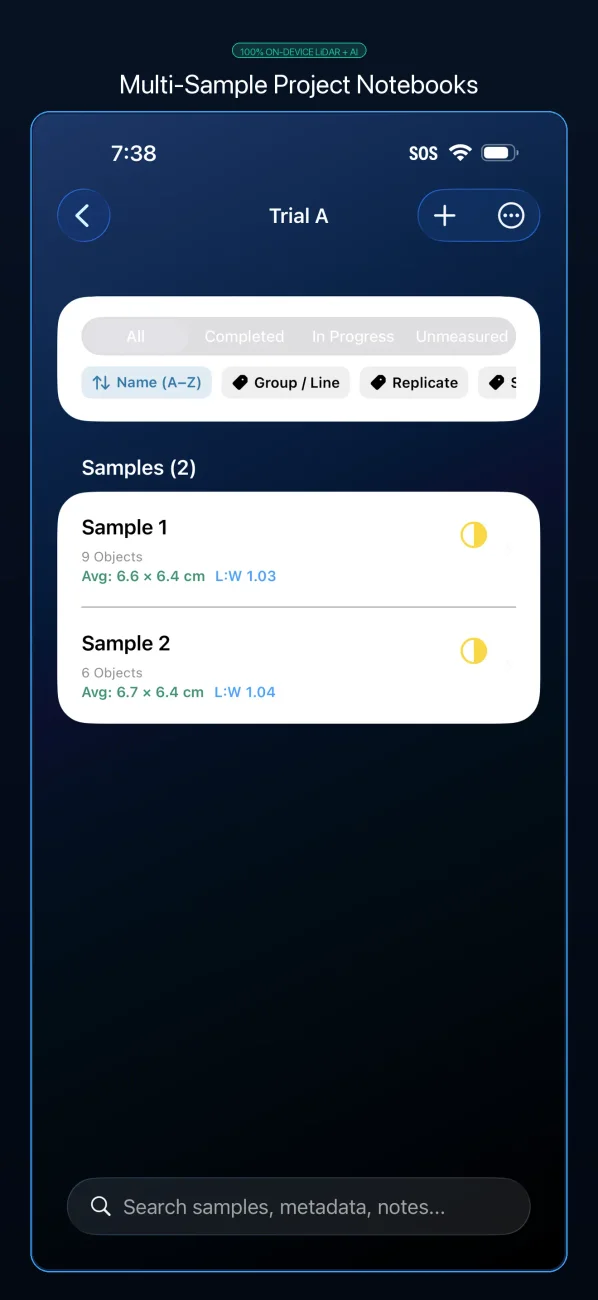
• Field Science, Biology & QA Notebooks: Organize measurements into structured Project Notebooks with customizable Accessory Data Columns (ratings, steppers, dropdown choices, numbers, and notes).
INSTANT EXCEL, CSV & PHOTO ZIP EXPORTS
• Export any project as a multi-sheet Excel (.xlsx) workbook + CSV + folder of annotated photos via AirDrop, Files, Mail, or Messages.
• Every row in your exported Excel sheet includes a clickable link that opens the corresponding annotated measurement photo.
• Import existing sample lists from CSV and let the app automatically build your custom notebook columns.
100% ON-DEVICE PRIVACY
• Every AI model (MobileSAM object segmentation and OWL-ViT open-vocabulary detection) runs locally on Apple Silicon.
• Zero accounts, zero cloud uploads, and zero tracking or analytics.
HARDWARE REQUIREMENT & MEASUREMENT DISCLAIMER
• Requires an iPhone Pro / Pro Max (iPhone 12 Pro or newer) or iPad Pro (2020 or newer) equipped with a built-in LiDAR scanner. For best results, hold your device 1 to 3 feet (30–100 cm) from the object and aim square to the surface.
• Measurements are approximate estimates generated from LiDAR depth and visual outlines, and may vary with camera angle, distance, lighting, and surface properties. Do not rely on the app as a substitute for a calibrated physical ruler or tape measure where precise commercial, construction, engineering, or safety-critical dimensions are required.
Neue Funktionen
Version 1.3 · 16.11.2026
• Opens straight to the camera, ready to measure.
• The Log opens full screen from the camera. Tap any capture to see its photo and every measurement.
• Projects have moved behind the folder button, out of the way until you want them.
• Measuring a project? Pick any sample from the camera, search by sample ID, or scan a sample's tag. Finish one and the camera moves to the next.
App-Datenschutz
Was IAN PETER THOMPSON im App Store zum Umgang dieser App mit Daten angibt.
-
Keine Daten erfasst
Der Entwickler erfasst keine Daten von dieser App.
Die Datenschutzpraktiken können variieren, zum Beispiel je nach den von Ihnen verwendeten Funktionen oder Ihrem Alter.
Informationen
- Anbieter
- IAN PETER THOMPSON
- Kategorie
- Dienstprogramme
- Version
- 1.3
- Aktualisiert
- 16.11.2026
- Veröffentlicht
- 05.11.2026
- Größe
- 221,1 MB
- Erfordert
- iOS 17.0 oder neuer
- Altersfreigabe
- 4+
- Sprachen
- Englisch
- Copyright
- © 2026 Ian Thompson
Das könnte Ihnen auch gefallen
-
 Motion Log PlusDienstprogramme
-
 Multi Angle Meter For WatchDienstprogramme
-
 Kamera Messung - PartoMeterLänge Winkel Fläche Cam Lineal
-
 Precision Transit Level mini-XDienstprogramme
-
 RefSize Photo Dimension & SizeDienstprogramme
-
 RefScale: Foto-LinealLänge, Breite & Höhe messen
-
 Polygon: Trägheit, SchwerpunktEinfache schnelle Berechnungen
-
 LordCamDienstprogramme
-
 Offline LLM - Locally AI ChatDienstprogramme
-
 Smart Moving: Furniture helperDienstprogramme