- Altersfreigabe4+
- KategorieMusik
- EntwicklerDaiichiro Fukumoto
- SprachenEnglisch+ 6 weitere
- Größe28,4 MB
Melody Eraser ist bei App Store derzeit möglicherweise nicht verfügbar
Bei unserer letzten Prüfung war der Store-Eintrag nicht erreichbar. Der Link führt weiterhin zur offiziellen App Store-Seite.
Screenshots



Info
Der Entwickler hat diesen Text nicht in Ihrer Sprache bereitgestellt.
Turn your favorite songs into your own practice backing tracks (minus one).
Works on vocals - and on lead instruments like violin or saxophone.
The stereo image stays intact. Your music never turns mono.
# WHO IT'S FOR
- Instrument players who want play-along backing tracks without the lead melody
- Anyone transcribing music who wants to isolate the melody and learn it by ear
- Singers who want vocal-free tracks for karaoke practice
# FEATURES
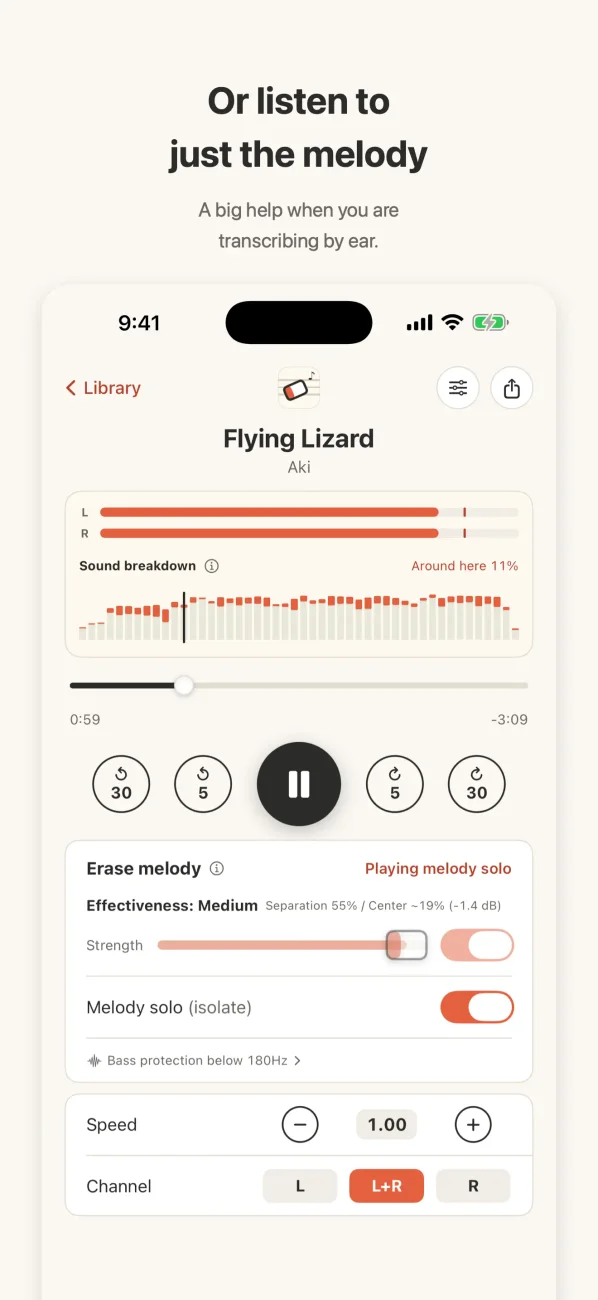
- Just move the slider while the song plays: fade the melody anywhere from 0 to 100%
- Keeps the stereo field of the original. Unlike classic "left minus right" cancellers, the result never collapses to mono
- Melody Solo mode: listen to just the removed melody - a big help for transcription
- New TYPE-I+PF engine: removes the melody while protecting the drums, so snare and hi-hat stay in the mix for a more natural backing track (devices with 6 GB of memory or more)
- Seek bar, plus adjustable bass protection that keeps the kick and bass line safe
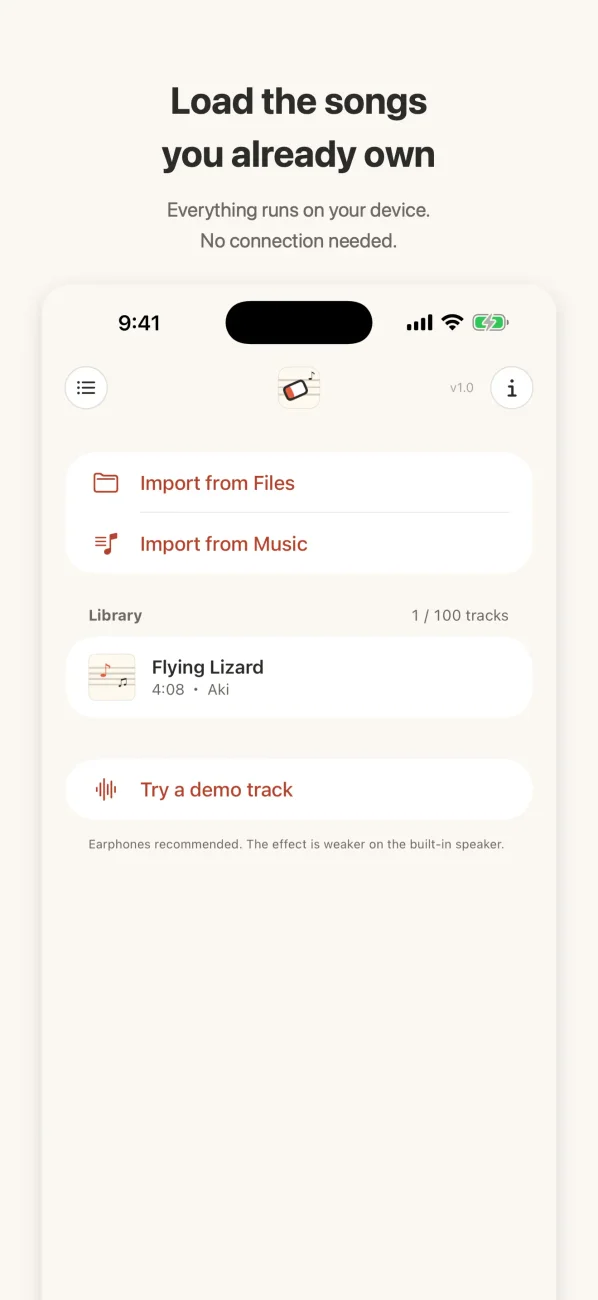
- Everything runs on your device. Your music never leaves your phone
# EXPORT
Save the result as m4a / ALAC / wav, exactly as you hear it.
Title and other track info are carried over from the original file.
# MELODY ERASER PRO (one-time in-app purchase)
- No ads
- Unlimited exports
- Background playback (keeps playing with the screen off, with lock screen controls)
- TYPE-I+PF without ads
# SUPPORTED AUDIO
- Your own music files (m4a / mp3 / wav / ALAC / AIFF / FLAC)
- Stereo (2-channel) files only
- DRM-free files only
- Songs purchased from the iTunes Store work as-is (they are DRM-free)
- Songs downloaded from music subscription services will not work (DRM-protected)
# PLEASE NOTE
Results vary by song and mix. If the melody sits off to one side of the stereo field, the effect may be limited. Try the free demo track first.
TYPE-I+PF converts each song once (this takes from tens of seconds to a few minutes). In the free version, the conversion runs in the background while one ad plays. With Pro there are no ads, and the conversion runs in the background while you listen.
Neue Funktionen
Version 2.4.1 · 29.10.2026
Improved the player layout on iPhone Duo. When unfolded, the Sound breakdown graph spans the full width; when folded and on smaller screens, everything now fits on one screen without scrolling.
App-Datenschutz
Was Daiichiro Fukumoto im App Store zum Umgang dieser App mit Daten angibt.
-
Daten, die zum Tracking Ihrer Person verwendet werden
Können verwendet werden, um Sie über Apps und Websites anderer Unternehmen hinweg zu verfolgen.
- Kennungen
- Nutzungsdaten
-
Mit Ihnen verknüpfte Daten
Können erfasst und mit Ihrer Identität verknüpft werden.
- Standort
- Kennungen
- Nutzungsdaten
- Diagnose
-
Nicht mit Ihnen verknüpfte Daten
Können erfasst werden, sind aber nicht mit Ihrer Identität verknüpft.
- Diagnose
Die Datenschutzpraktiken können variieren, zum Beispiel je nach den von Ihnen verwendeten Funktionen oder Ihrem Alter.
Informationen
- Anbieter
- Daiichiro Fukumoto
- Kategorie
- Musik
- Version
- 2.4.1
- Aktualisiert
- 29.10.2026
- Veröffentlicht
- 22.08.2026
- Größe
- 28,4 MB
- Erfordert
- iOS 16.0 oder neuer
- Altersfreigabe
- 4+
- In-App-Käufe
- Ja
- Sprachen
- Englisch, Arabisch, Tradit. Chinesisch, Koreanisch, Spanisch, Japanisch, Portugiesisch
- Copyright
- © 2026 daifuku labs
Das könnte Ihnen auch gefallen
-
 TempoBench: Slow Down MusicMusik
-
 Music Slow Downer: KaraokeMusik
-
 Homeoke: Singen übenEinsingen & Songs mit Wertung
-
 Kasane: Music Practice TrackerMusik
-
 SUS4 Transcribe: Audio in TabsAkkorde und Melodie aus Datei
-
 Vocal Remover - Music SplitterMusik
-
 Deconpose: SpurentrennungVocal & Instrument Remover
-
 Piano Relative Pitch TrainerMusik
-
 Songneer: Royalty-Free MusicMusik
-
 SUS4 Stimmgerät: ChromatischBanjo, Saxofon, Ukulele, Cello