
- Altersfreigabe4+
- KategorieMusik
- EntwicklerNOBUHIRO MIYARA
- SprachenJapanisch+ 1 weitere
- Größe44,6 MB
MeloStock MTR ist bei App Store derzeit möglicherweise nicht verfügbar
Bei unserer letzten Prüfung war der Store-Eintrag nicht erreichbar. Der Link führt weiterhin zur offiziellen App Store-Seite.
Screenshots
Info
Der Entwickler hat diesen Text nicht in Ihrer Sprache bereitgestellt.
Before the tune in your head is gone.
A multitrack recorder for writing songs on your own.
One press of the red button: a new song, recording. No count-in, no click.
■ Start a rehearsal from your wrist
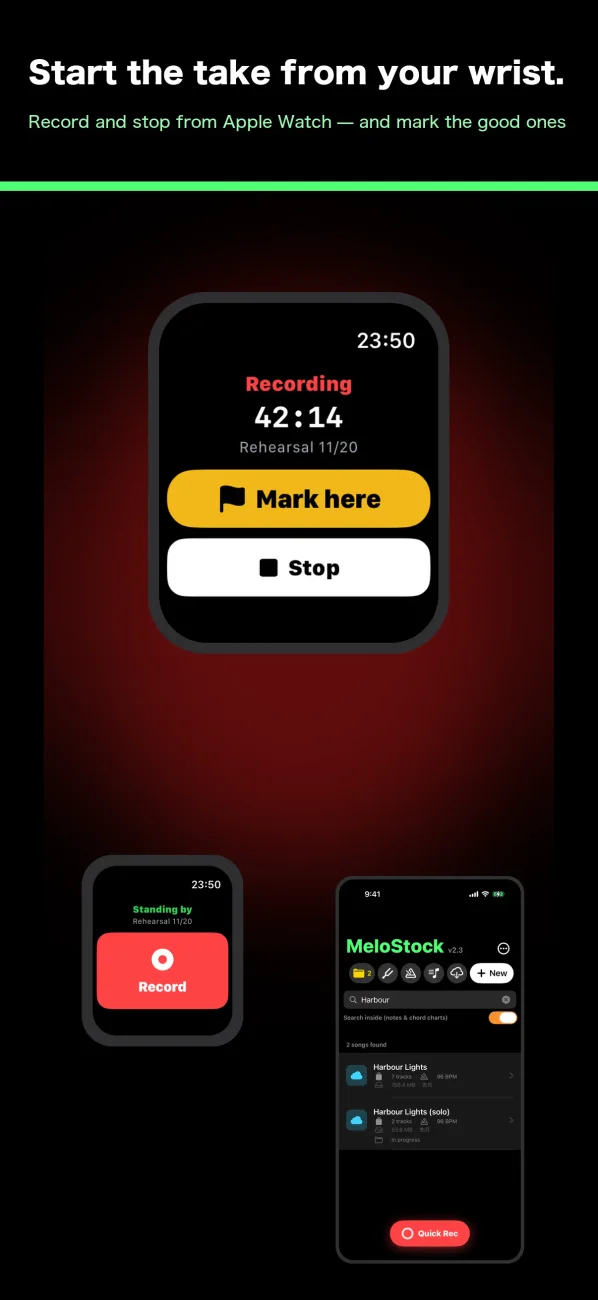
Start and stop recording from your Apple Watch: leave the iPhone out in the room and begin a take without breaking your playing position, the elapsed time on the watch. The iPhone's mic records, so it sounds as it always does. (Turn on "Control from Apple Watch" and keep MeloStock open on the phone.)
■ Overdubs that stay locked to the beat
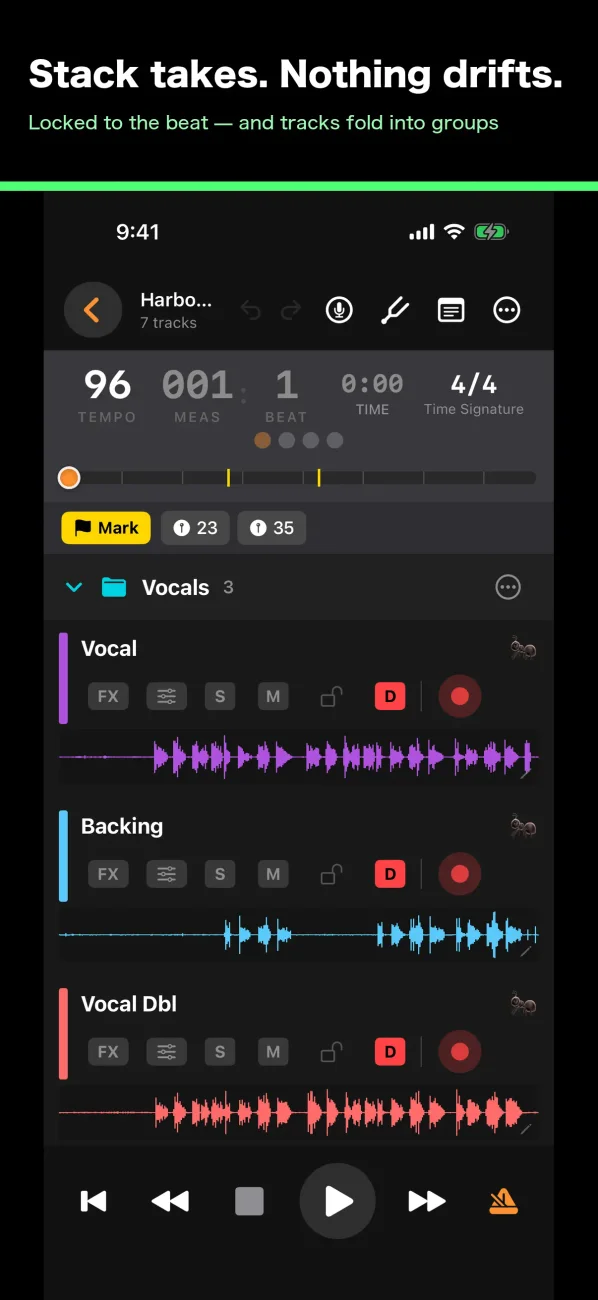
Takes line up with the click grid automatically, however many layers you stack. Split a waveform and nudge it in 5ms steps; tempo can change mid-playback and the click follows.
A level meter shows if you are too quiet or clipping, and noise reduction tames hiss and hum without eating into the performance at band volume (Quick Rec starts with it off). Bluetooth earphones work too, their delay measured automatically.
■ Record along with a song you love
・Import a karaoke track: tempo matched, bar 1 aligned, ready to overdub
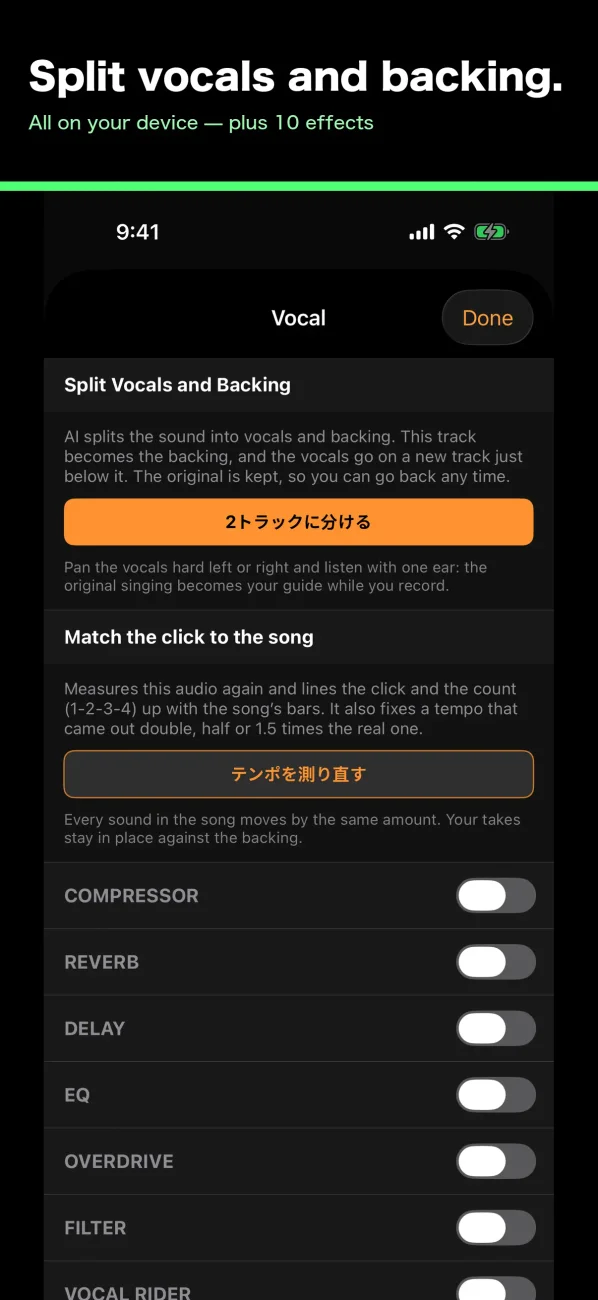
・Split a song into vocals and backing, the singing on a new track below
・Backing in both ears, the original vocal in one; it all runs on your device
Use commercial music only from sources you obtained legitimately, privately.
■ Everything you need is inside
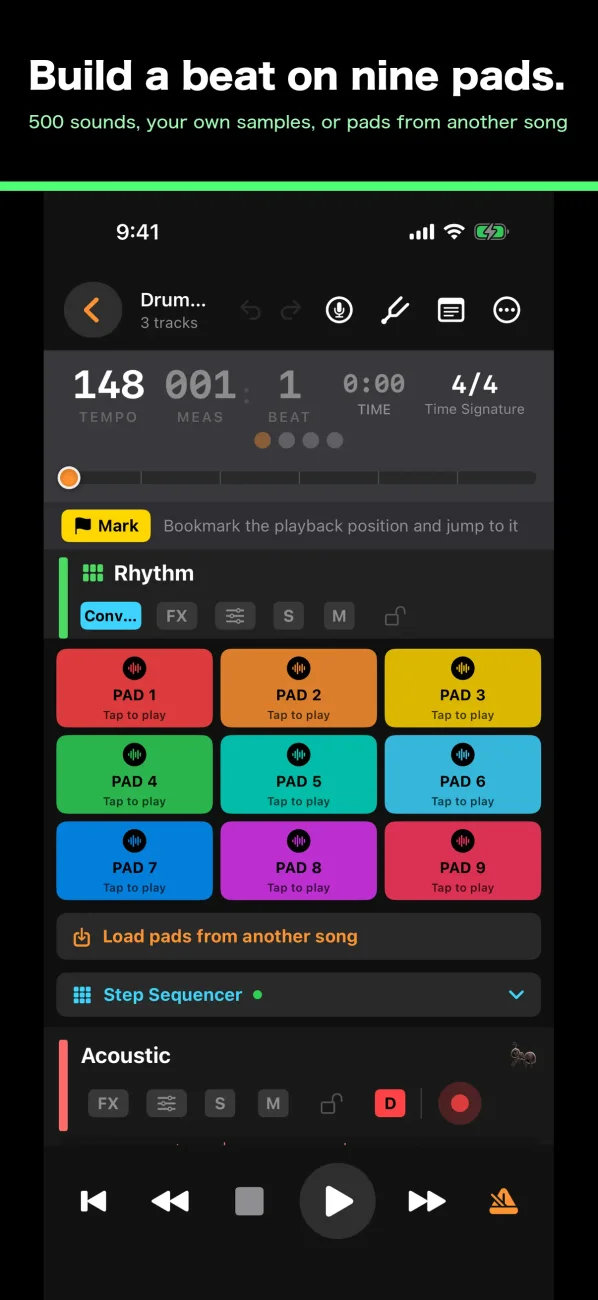
・A 9-pad sampler with ~500 sounds, or sample from the mic (up to 60s)
・Step sequencer with swing, turned into audio with one tap
・Lift pads from another song
・10 effects: EQ, reverb, delay, compression and more
・Five click sounds, with volume and pan
・A standalone metronome in the song list
■ Write the chart as you record
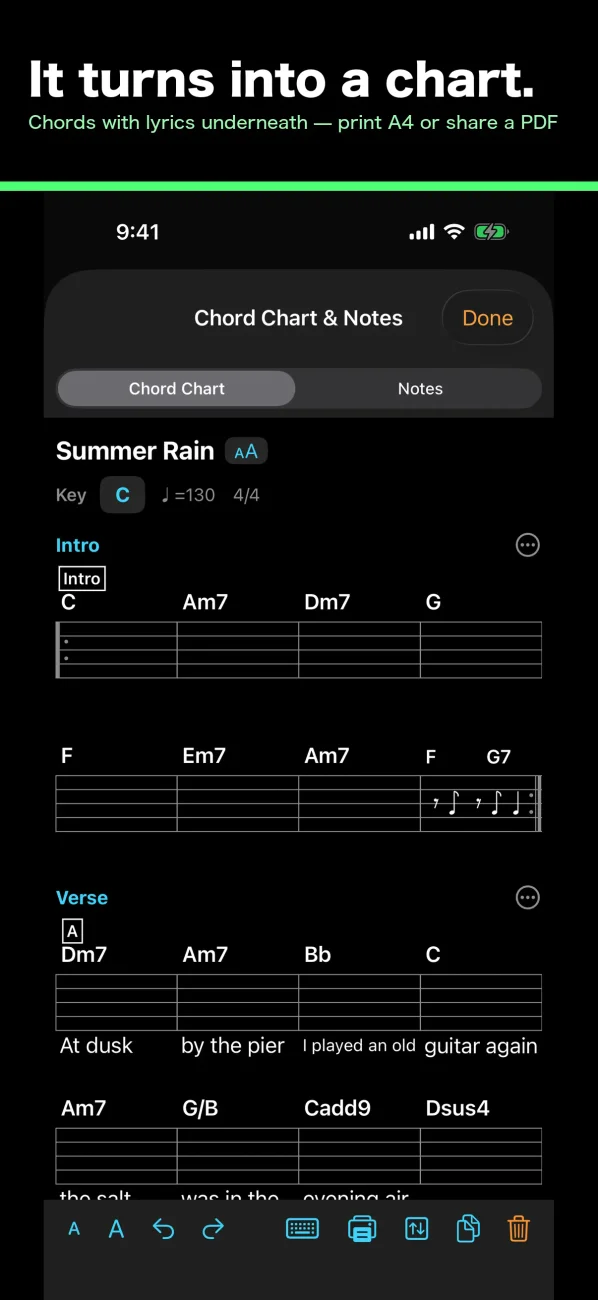
・All 12 roots, plus m, 7, M7, sus4, dim, add9 and slash chords
・Double-tap a measure for rhythm notation; long-press it for its own time signature
・Rehearsal marks, D.C., Fine, dynamics and rit. anywhere; transpose in one tap
・Lyrics under the chords, and print to A4, 1 to 15 rows per sheet
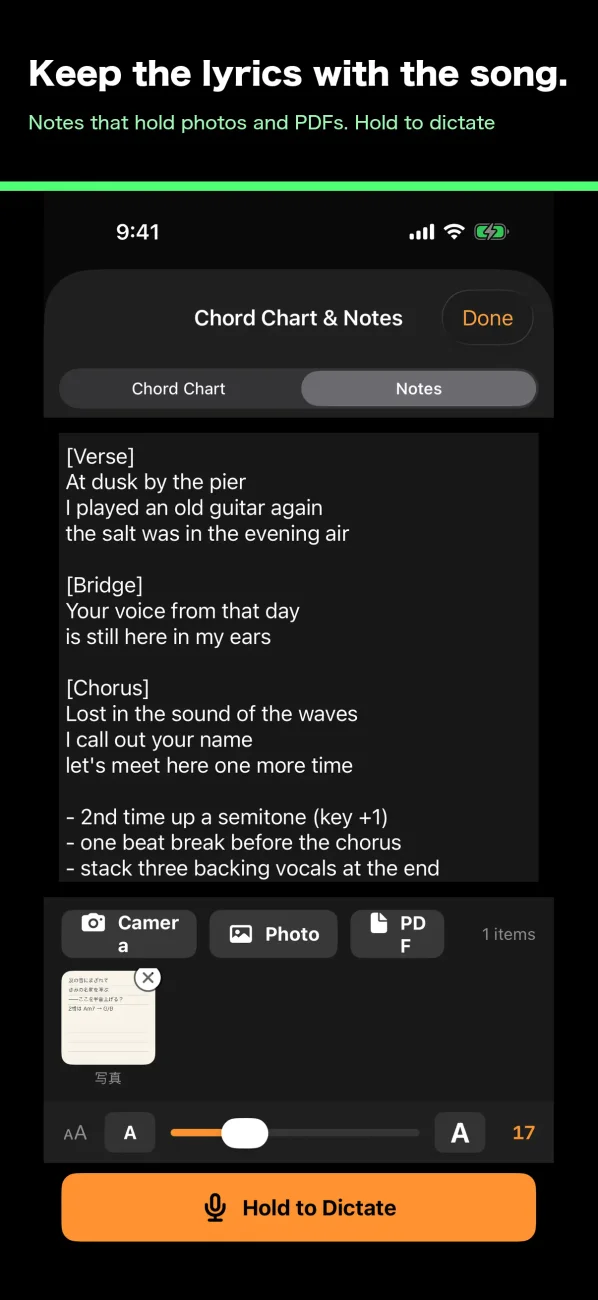
・The chart lives in a note, where photos, PDFs and voice input for lyrics go too
■ Rearrange the song afterwards
Choose a range of measures and repeat, remove or insert blank space across every track at once: add a chorus, shorten an interlude, open room for later. Markers follow, and Undo puts it back.
■ Shape it until it's right
・Waveform editing: trim, cut, gain, quantize
・Re-record only a part; the previous take is kept to compare
・Automatic harmony a third, fifth or octave up
・Marks, loop playback, punch in/out, copy measures, bounce tracks
・Change the song's key and tempo non-destructively; fold tracks into groups
■ Hear it before you export
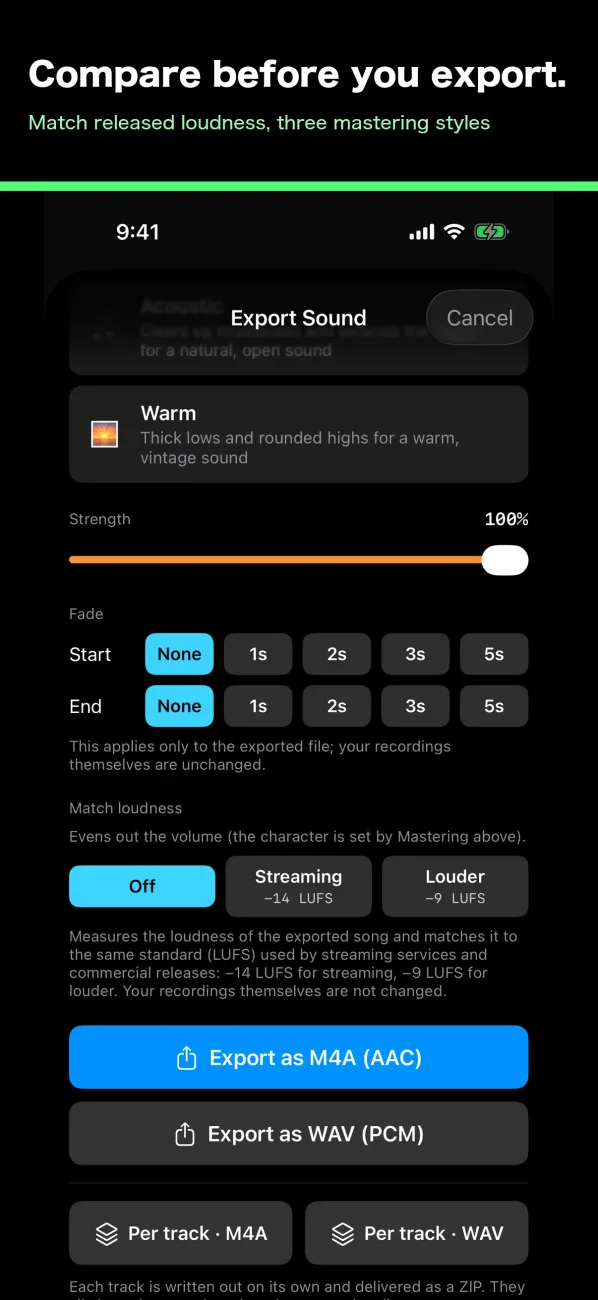
Match released loudness: streaming (−14 LUFS) or louder (−9 LUFS), measured first, so it holds up on a phone speaker. Choose Pop, Acoustic or Warm mastering, 0–100%, then export to M4A or WAV with a fade.
Each track can go out as a ZIP — same length and start, tempo in the name, ready for a DAW.
■ Listen back to a rehearsal, straight through
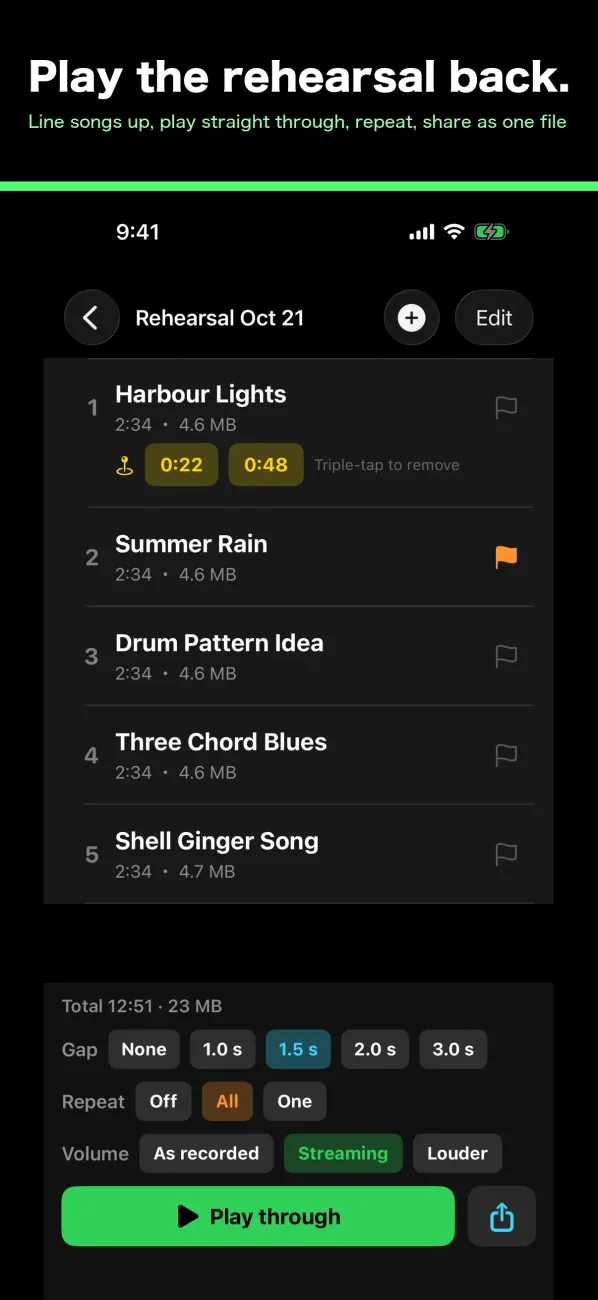
Line songs up in a playlist and they play one after another with a 1–2 second gap. Add a song by swiping it right, skip 5 seconds either way, mark a spot to come back to. Send a playlist as one M4A, or song by song as a ZIP.
Title and tempo appear on the lock screen, earphones or car, with play and pause.
■ A tuner is built in
Chromatic, guitar (Standard, Drop D, Open G/D/E/C, DADGAD) and sanshin, 415–466 Hz.
■ Stay organised
Sort songs into folders, and folders inside folders. Swipe left to duplicate, or tick several and delete them together; deleted ones are kept for 30 days. Give the list a background — 12 colours or a photo — and pick the Quick Rec button's shape and size.
■ Share a song as a single file
Send it by AirDrop, email or iCloud; whoever receives it can carry on, or import just the tracks they need. Each song can back up to iCloud Drive.
Japanese and English, switchable anytime; the guide and the watch app follow.
Made a mistake? Shake to undo.
Start with Quick Rec: capture one phrase.
Neue Funktionen
Version 2.3 · 25.11.2026
■ Split a long rehearsal take into songs
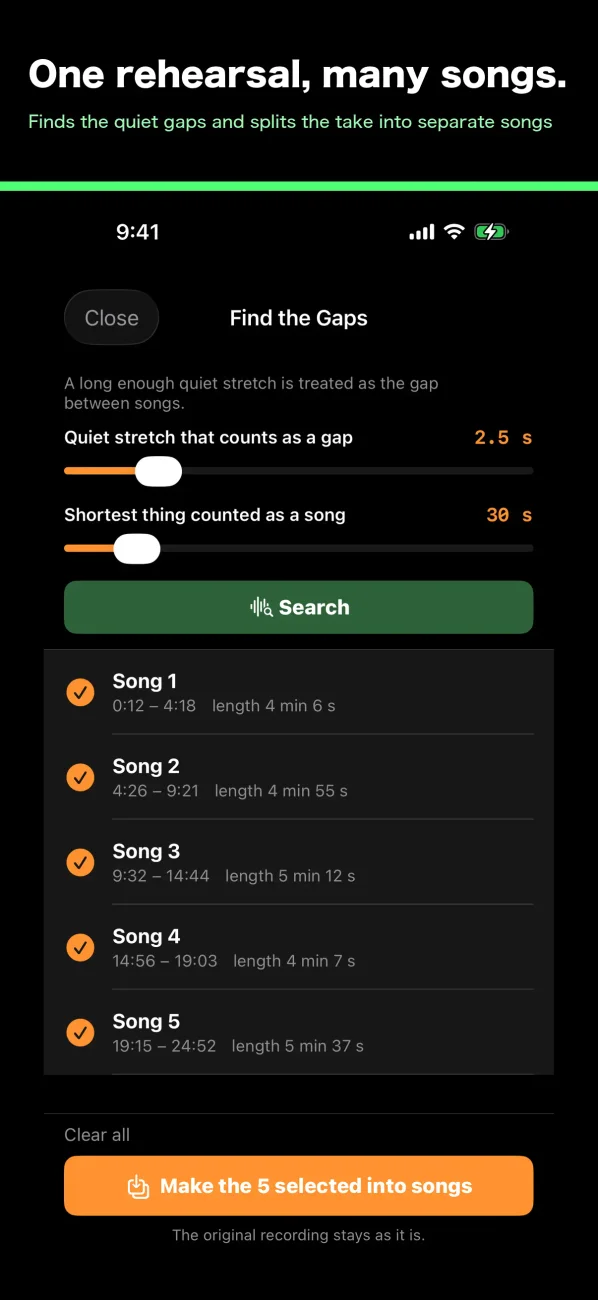
From one straight-through recording, MeloStock looks for the gaps between songs and lists what it finds. Tick the ones you want and they become separate songs in one go. You can also select a range in the waveform editor and make just that a song. The original recording stays as it is.
■ "Mark here" from your Apple Watch
While recording, one button on the watch drops a mark at the point you are playing. Hit it the moment a take feels right and you will not have to hunt for it later. A tap on the wrist confirms it, so you never have to look down.
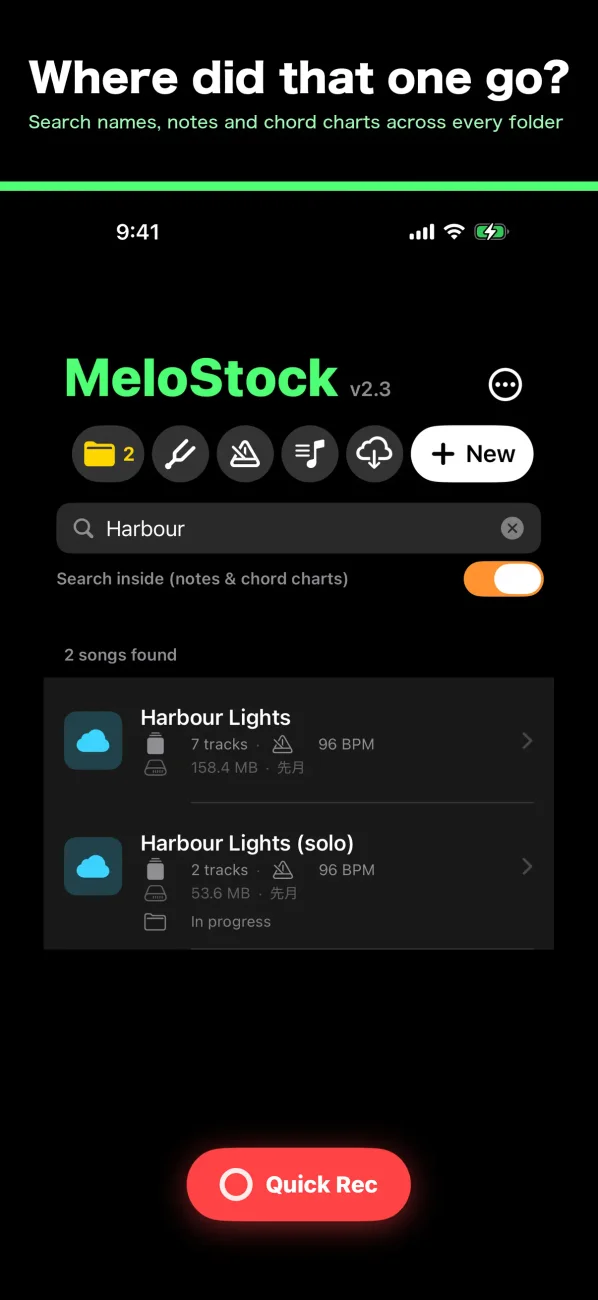
■ Search your songs
The field above the list searches across every folder — not just names, but notes, the lyrics and chords in chord charts, and track names. You will find a song even when you have forgotten where you filed it.
■ Also
The name on the Home Screen is "MeloStock" again (it had become "MelodyMemo"), and the in-app manual now covers everything above.
App-Datenschutz
Was NOBUHIRO MIYARA im App Store zum Umgang dieser App mit Daten angibt.
-
Keine Daten erfasst
Der Entwickler erfasst keine Daten von dieser App.
Die Datenschutzpraktiken können variieren, zum Beispiel je nach den von Ihnen verwendeten Funktionen oder Ihrem Alter.
Informationen
- Anbieter
- NOBUHIRO MIYARA
- Kategorie
- Musik
- Version
- 2.3
- Aktualisiert
- 25.11.2026
- Veröffentlicht
- 21.07.2026
- Größe
- 44,6 MB
- Erfordert
- iOS 16.0 oder neuer
- Altersfreigabe
- 4+
- Sprachen
- Japanisch, Englisch
- Copyright
- © 2026 Nobuhiro Miyara
Das könnte Ihnen auch gefallen
-
 MelodyMemoMusik
-
 Pitch On StaveStimmlagenbetrachter
-
 Midi to Sheet - NotenUmwandeln, Player & Editor
-
 TXT samplerMusik
-
 セット図メーカーMusik
-
 Piano Chords Master [Classic]Musik
-
 Tape Fiasco 2Musik
-
 BLEASS Spectral ResonatorMusik
-
 Transfigure - Redesign SoundTransfigure Your Audio
-
 Chord Generator By Mario NietoMusik