
Memo Bridge
Send text to Notion instantly
Entwickelt für iPhone, iPad, iPod touch
- Altersfreigabe4+
- KategorieProduktivität
- EntwicklerTAKAMASA SHIMA
- SprachenEnglisch
- Größe22,0 MB
Memo Bridge ist bei App Store derzeit möglicherweise nicht verfügbar
Bei unserer letzten Prüfung war der Store-Eintrag nicht erreichbar. Der Link führt weiterhin zur offiziellen App Store-Seite.
Screenshots

Info
Der Entwickler hat diesen Text nicht in Ihrer Sprache bereitgestellt.
Send text to Notion, instantly.
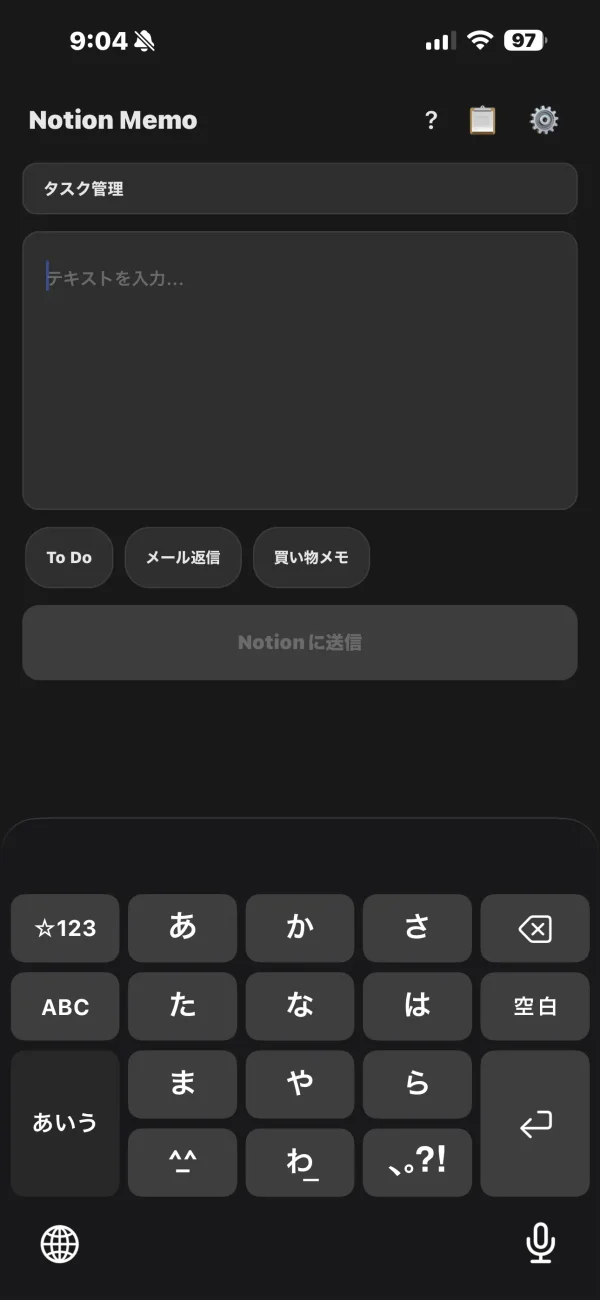
Memo Bridge lets you quickly send text to your Notion databases. No need to open the Notion app, find the right database, and create a new entry — just type and tap send.
- One-Tap Send
Type your text and tap "Send." That's it. No extra steps.
- Multiple Destinations
Register multiple Notion databases — task management, reading notes, shopping lists — and switch between them easily.
- Send History
Review, copy, or resend your past entries.
- Dark / Light Theme
Choose between a comfortable dark mode and a bright light mode.
Perfect For
- Notion users who manage tasks and notes
- Anyone who wants to jot down ideas on the go
- People who want to skip the hassle of navigating the Notion app
- Users who write to multiple databases frequently
Before You Start
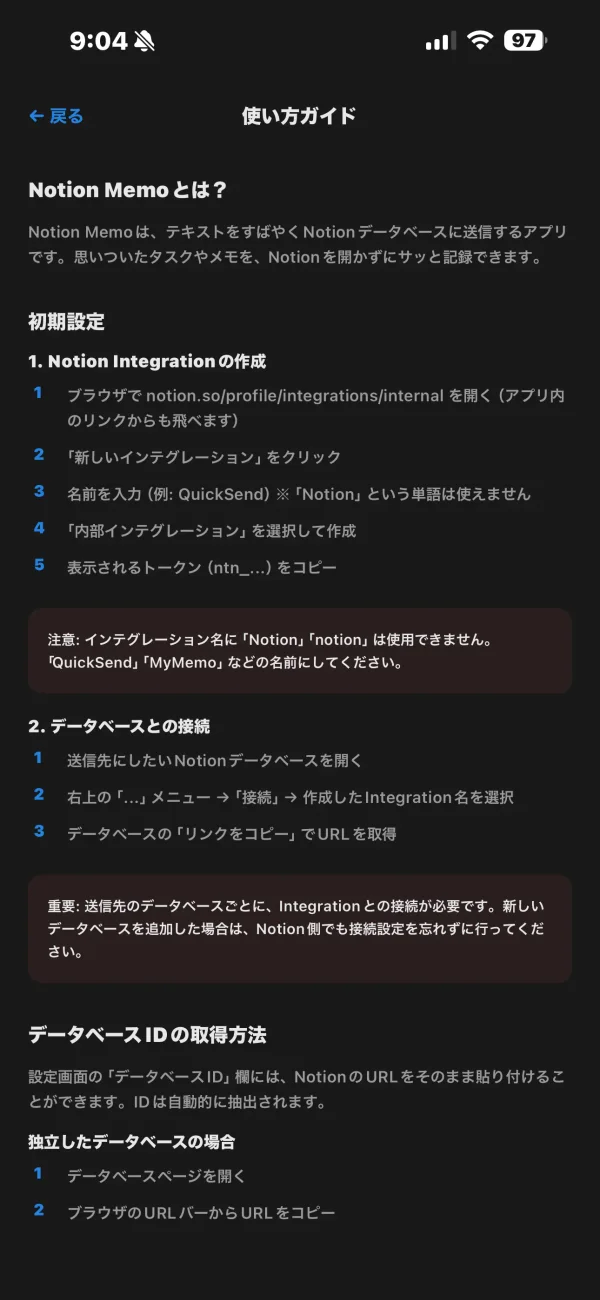
This app requires a Notion Integration to function. The in-app setup guide walks you through the process.
Note: This app is not affiliated with Notion. It is an independently developed app that uses the Notion API.
Neue Funktionen
Version 1.1.0 · 13.03.2026
Added a link to the setup guide on the initial setup screen
Moved the send confirmation notification closer to the send button
App-Datenschutz
Was TAKAMASA SHIMA im App Store zum Umgang dieser App mit Daten angibt.
-
Keine Daten erfasst
Der Entwickler erfasst keine Daten von dieser App.
Die Datenschutzpraktiken können variieren, zum Beispiel je nach den von Ihnen verwendeten Funktionen oder Ihrem Alter.
Informationen
- Anbieter
- TAKAMASA SHIMA
- Kategorie
- Produktivität
- Version
- 1.1.0
- Aktualisiert
- 13.03.2026
- Veröffentlicht
- 10.03.2026
- Größe
- 22,0 MB
- Erfordert
- iOS 15.1 oder neuer
- Altersfreigabe
- 4+
- Sprachen
- Englisch
- Copyright
- © 2026 shimataka
Das könnte Ihnen auch gefallen
-
 Inki: Quick Capture for NotionProduktivität
-
 Fast Jot for Notion: WidgetProduktivität
-
 一条塾 習慣トラッカーProduktivität
-
 Swift Note Lite for NotionProduktivität
-
 NameCheckProduktivität
-
 dumppp - Schnelle Notion AppSofortnotiz, Timeline-Ansicht
-
 TapClip for NotionProduktivität
-
 FlashNotion - Fast EntryProduktivität
-
 Lite NotionProduktivität
-
 Blurts: Voice To-Do ListProduktivität