
Memory Notes: AI Voice Memos
Zero-friction voice notes, MCP
Entwickelt für iPhone, iPad
Kostenlos · In-App-Käufe
- Altersfreigabe12+
- KategorieProduktivität
- EntwicklerEmoDino LLC
- SprachenEnglisch
- Größe53,6 MB
Verlinkt auf die offizielle App Store-Seite
Download.org hostet keine Datei von Memory Notes: AI Voice Memos. Die Schaltfläche öffnet die App-Seite bei App Store, wo EmoDino LLC die App veröffentlicht. Eintrag zuletzt geprüft am 23.11.2026.
Screenshots

Info
Der Entwickler hat diesen Text nicht in Ihrer Sprache bereitgestellt.
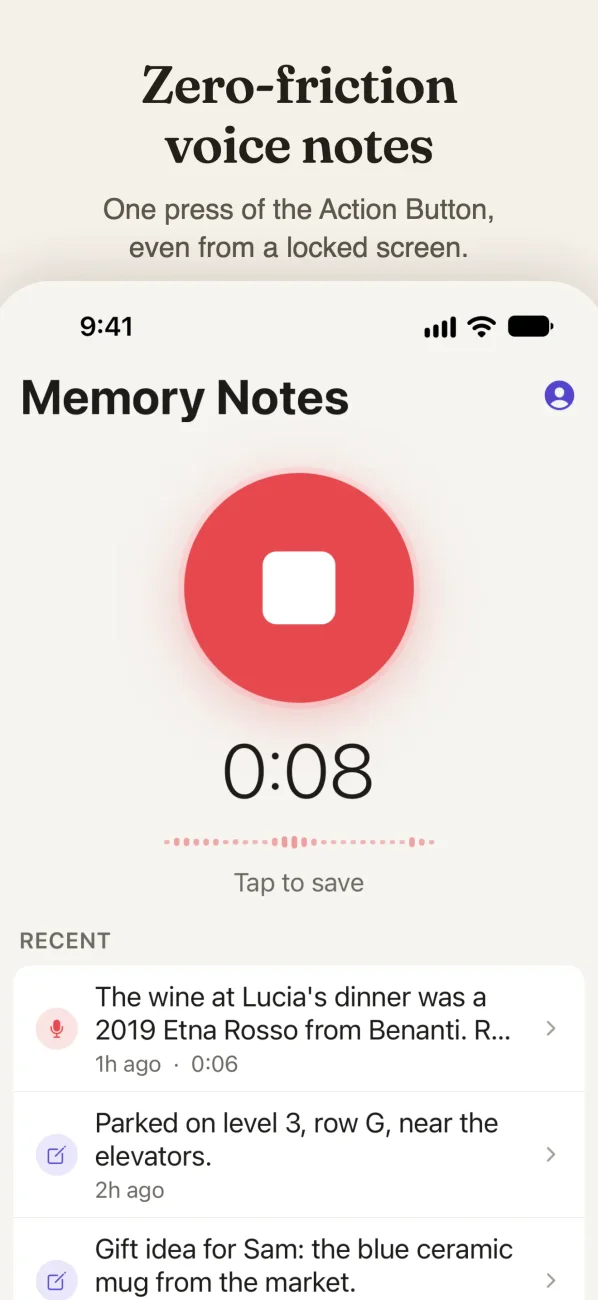
Have you found other note-taking apps to be cumbersome, bloated with features, and take too many steps to record? We've obsessively designed Memory Notes to make recording an absolute pleasure. A single press of the Action Button, even from a locked screen, and the app opens and immediately starts recording.
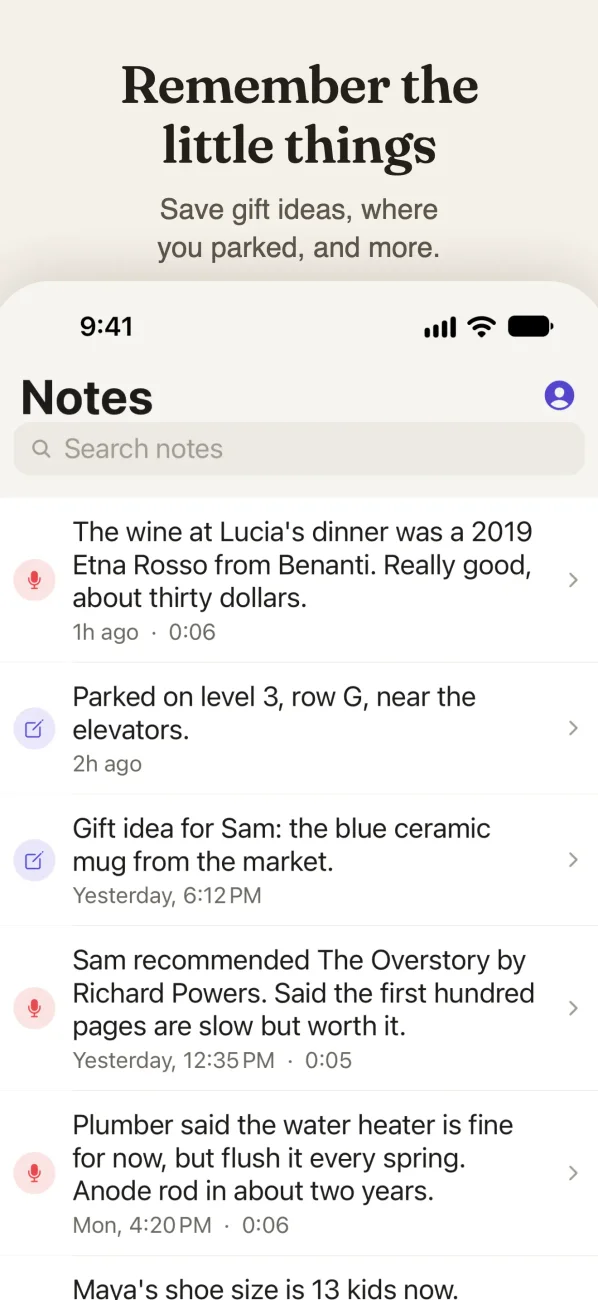
Remember the small things you mean to write down: gift ideas, what the plumber said, your kid's shoe size, where you parked or a software bug you noticed. Later, find any of them by just asking a question.
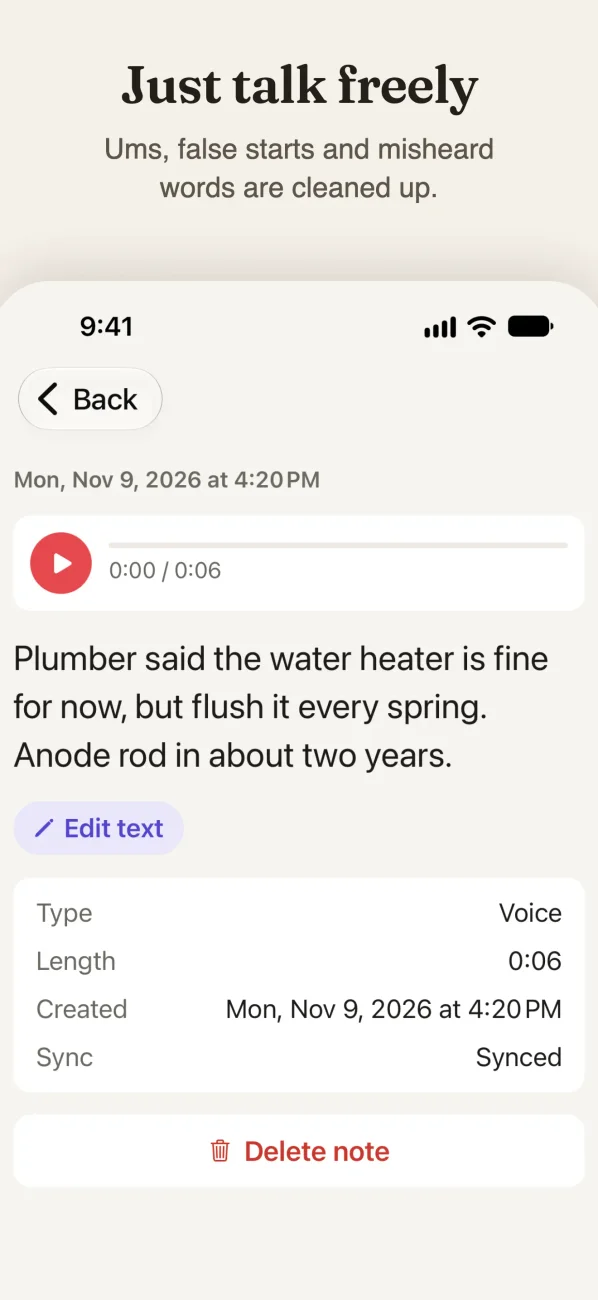
Rambling is fine. Ums and misheard words get cleaned up. You can also connect Claude or ChatGPT to read your notes to implement sophisticated AI workflows.
RECORDING
• Set the Action Button to Record Note, then press and hold it to start recording, even when the app is closed. Press and hold again to save.
• Or use the Control Center or Lock Screen control, Siri, or the record button in the app. iPads don't have an Action Button, so use Control Center or Siri there.
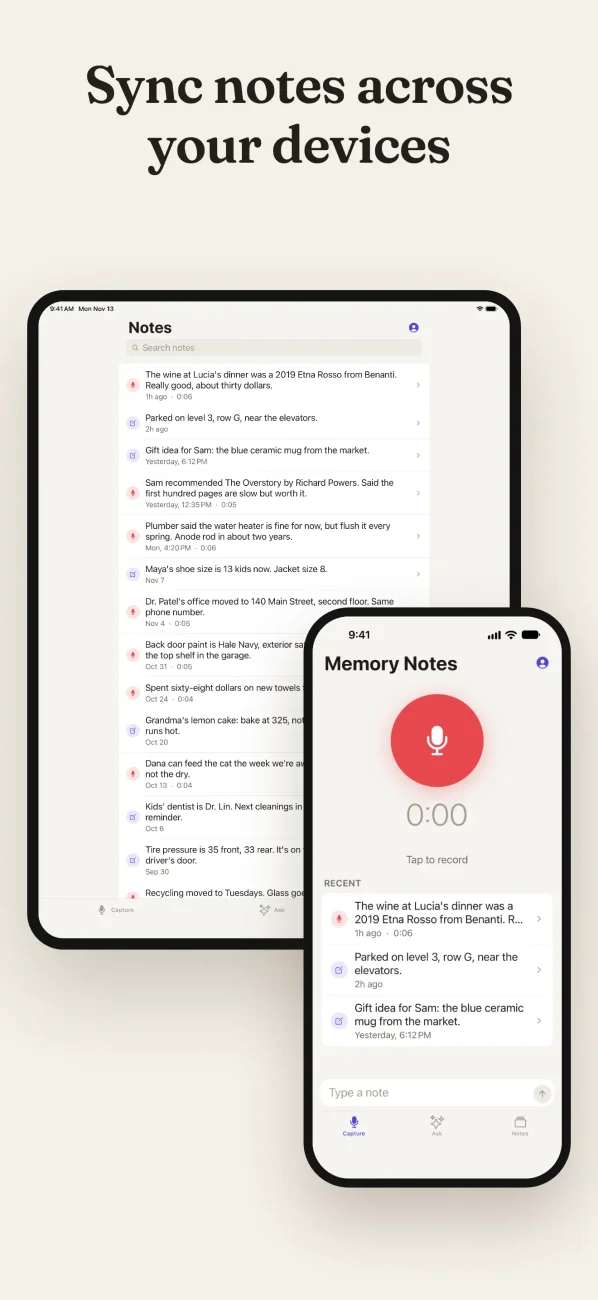
• Talk for up to two minutes, or type the note instead.
• Your iPhone or iPad turns the recording into text, even offline. You can fix any word it got wrong.
ASKING
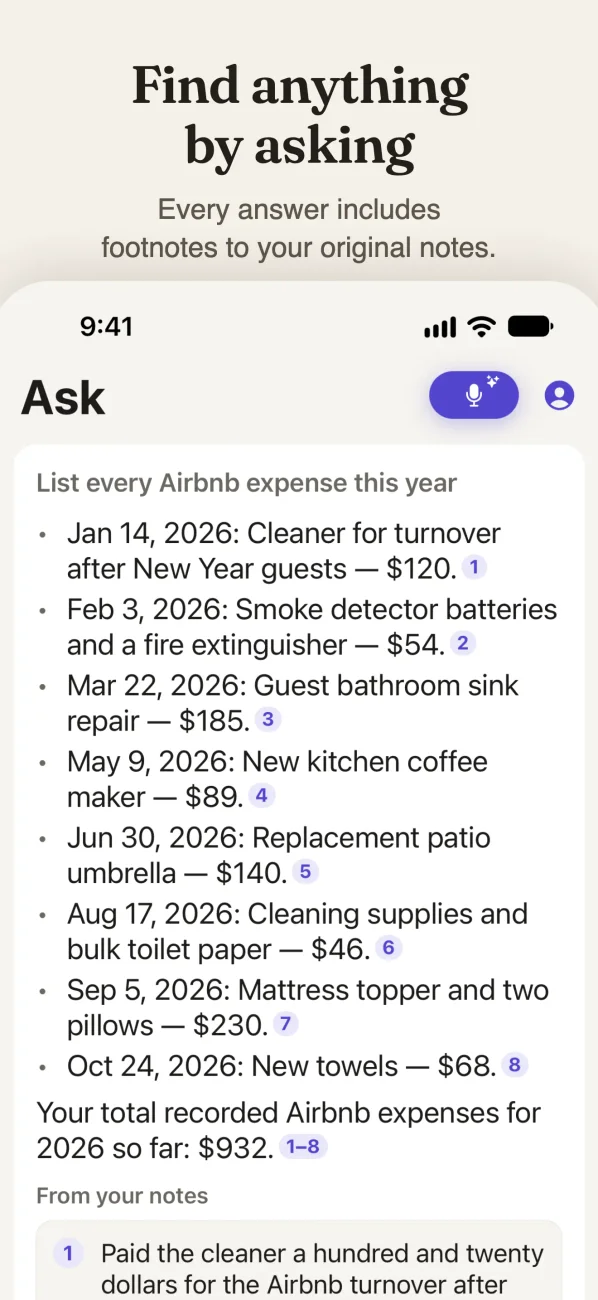
• Ask a question in plain words, typed or spoken. Every answer includes footnotes linking to your original notes. Tap one to see the note and the date you saved it.
• Ask needs an internet connection and an account.
ACCOUNT AND SYNC
• Sign in with your email and a one-time code. There's no password.
• Your notes and recordings sync between your devices.
• Edit or delete any note at any time.
CLAUDE AND CHATGPT
• Connect Claude, ChatGPT or another AI assistant, and it can search your notes while it helps you. It can only read them unless you also let it add notes. Disconnect it from the Account screen in the Memory Notes app.
HELP AND FEEDBACK
• Have a question about the app? Open Account → Help & feedback and chat with our AI assistant. It answers how-to questions right away.
• Found a bug or have an idea for a feature? Tell the assistant, and it sends a report straight to our team.
• It works whether or not you're signed in.
PRICE
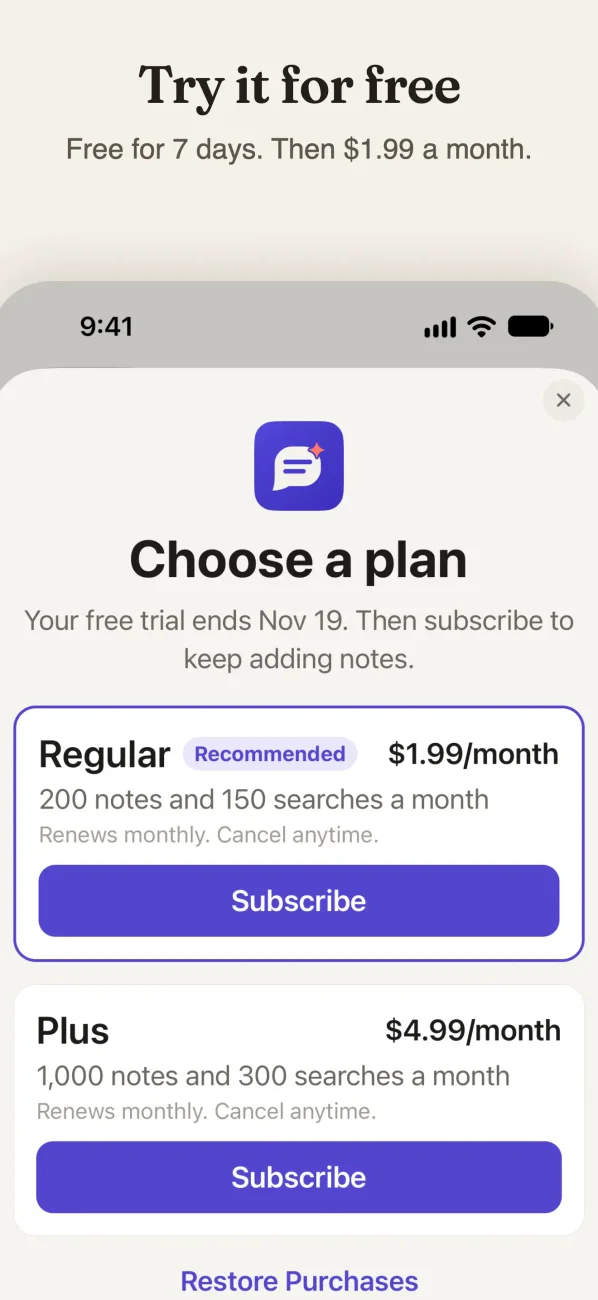
• The first 7 days are free, for up to 50 notes and 20 searches.
• After that, Regular is US$1.99 a month for up to 200 notes and 150 searches a month.
• Plus is US$4.99 a month for up to 1,000 notes and 300 searches a month.
• A note is anything you save, by voice or text. A search is a question you ask, in the app or from an assistant you've connected. Limits reset on the 1st of each month.
• Plans renew every month until you cancel in your Apple ID settings, at least 24 hours before the renewal date.
• If you don't subscribe after the trial, you can still read, edit and delete the notes you already have.
WHERE YOUR NOTES GO
• No ads. We never sell your data.
• A recording may be sent to our AI providers for a more accurate transcript.
• When you ask a question, your question and the text of your notes are sent to our AI providers to find the answer.
Terms of Use: https://memorynotes.emodino.com/terms
Privacy Policy: https://memorynotes.emodino.com/privacy
Memory Notes is made by EmoDino LLC.
Neue Funktionen
Version 1.1 · 14.11.2026
• New intro screens on first launch show what the app does and how to record.
• New Tutorials links on the Account page, with short how-to guides.
• The Heavy plan is now called Plus. Same price and limits.
• Bug fixes and improvements.
App-Datenschutz
Was EmoDino LLC im App Store zum Umgang dieser App mit Daten angibt.
-
Mit Ihnen verknüpfte Daten
Können erfasst und mit Ihrer Identität verknüpft werden.
- Käufe
- Kontaktinformationen
- Benutzerinhalte
- Kennungen
- Nutzungsdaten
- Diagnose
-
Nicht mit Ihnen verknüpfte Daten
Können erfasst werden, sind aber nicht mit Ihrer Identität verknüpft.
- Kennungen
Die Datenschutzpraktiken können variieren, zum Beispiel je nach den von Ihnen verwendeten Funktionen oder Ihrem Alter.
Informationen
- Anbieter
- EmoDino LLC
- Kategorie
- Produktivität
- Version
- 1.1
- Aktualisiert
- 14.11.2026
- Veröffentlicht
- 05.11.2026
- Größe
- 53,6 MB
- Erfordert
- iOS 26.0 oder neuer
- Altersfreigabe
- 12+
- Preis
- Kostenlos
- In-App-Käufe
- Ja
- Sprachen
- Englisch
- Copyright
- © 2026 EmoDino LLC
Das könnte Ihnen auch gefallen
-
 Archivo: Save & OrganizeProduktivität
-
 PriorioProduktivität
-
 Follow Up Until It's DoneProduktivität
-
 Dr Loay al khajaProduktivität
-
 Maelstrom - Routine BuilderProduktivität
-
 Ritual - Routine BuilderProduktivität
-
 rqmts: prioritize requirementsProduktivität
-
 Dewey: Disorganized NotesProduktivität
-
 Routine: Tag 1Lebe im täglichen Rhythmus
-
 Solus: Your Daily IntentionProduktivität