- Altersfreigabe4+
- KategorieFoto und Video
- EntwicklerHome M K Inc.
- SprachenEnglisch+ 1 weitere
- Größe15,9 MB
Verlinkt auf die offizielle App Store-Seite
Download.org hostet keine Datei von MemoryPlaces App. Die Schaltfläche öffnet die App-Seite bei App Store, wo Home M K Inc. die App veröffentlicht. Eintrag zuletzt geprüft am 18.11.2026.
Screenshots


Info
Der Entwickler hat diesen Text nicht in Ihrer Sprache bereitgestellt.
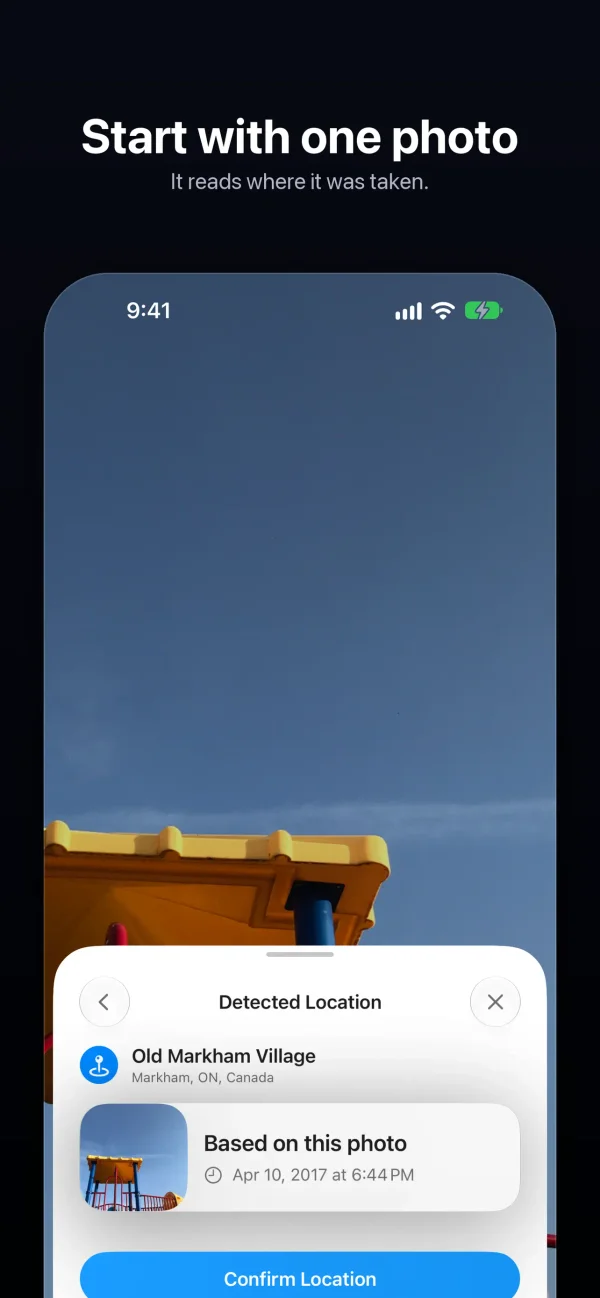
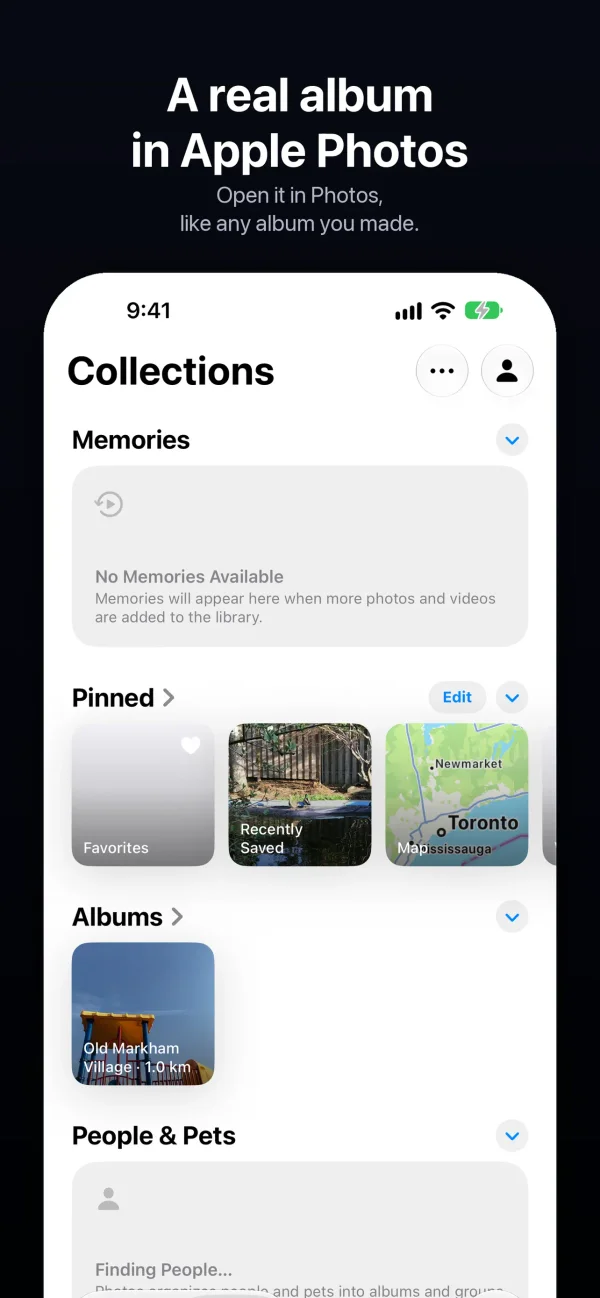
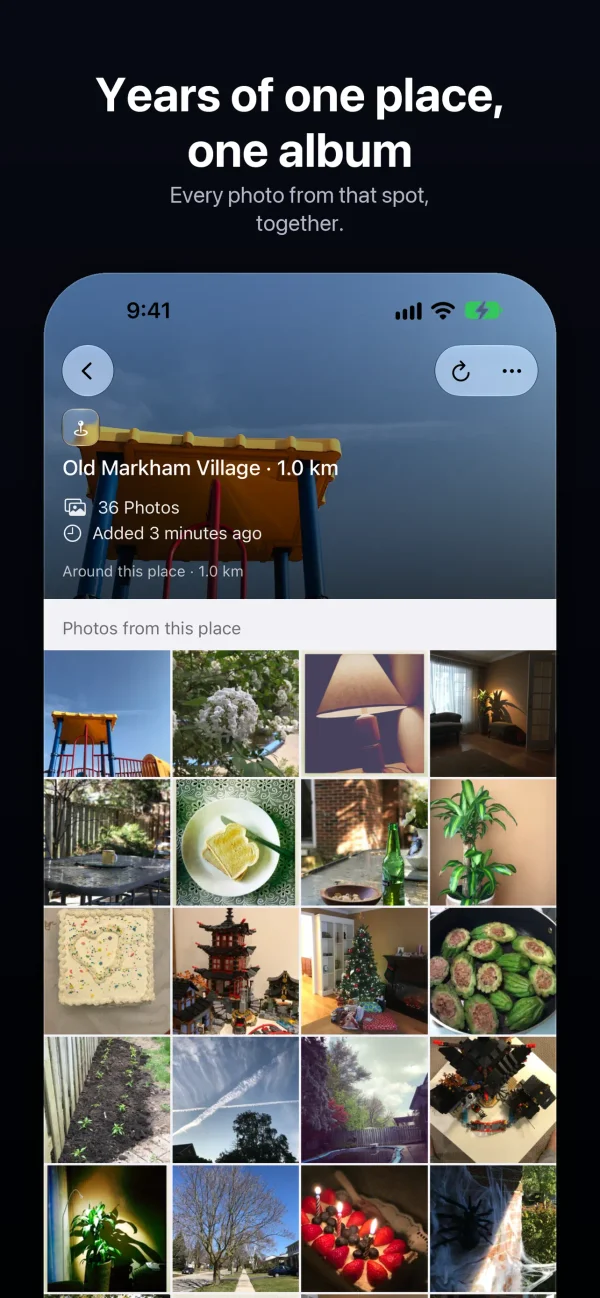
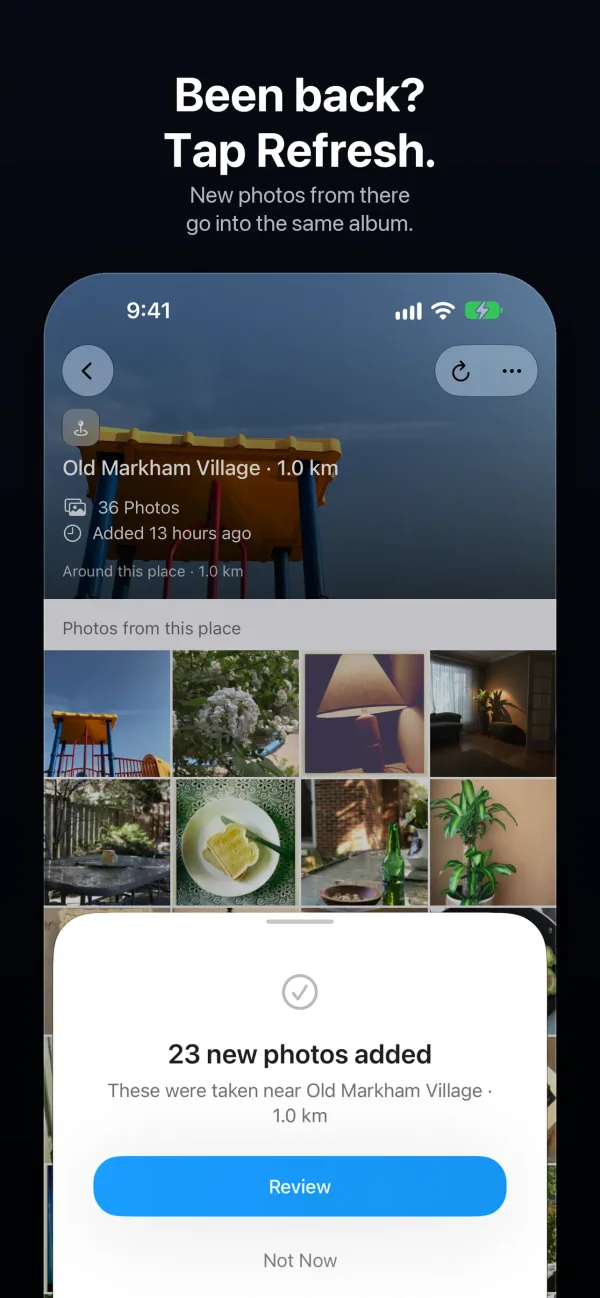
Pick one photo from a place that matters, and MemoryPlaces creates an album of every photo you took there, right inside Apple Photos. Been back since? Open the app and tap Refresh to add the new ones. Place albums include the videos you took there, too.
HOW IT WORKS
1. Start with one photo. Choose any photo with location data: your kid's school, your parents' house, the lake cabin, a city you visit every year.
2. Check the area. MemoryPlaces draws a 1 km circle around that photo and shows you every matching photo before anything is saved. Want the circle bigger or smaller, from one block to a whole city? Resizing is part of Basic and Lifetime.
3. Get an album in Apple Photos. MemoryPlaces creates a real album in your Photos library. It's a regular album: it syncs with iCloud Photos and shows up on your other devices, like any album you make yourself.
4. Refresh when you're back. Albums don't update on their own. After another visit, open MemoryPlaces and tap Refresh; photos taken inside the area are added to the same album. Refresh works on every plan, including Free.
WHY PEOPLE USE IT
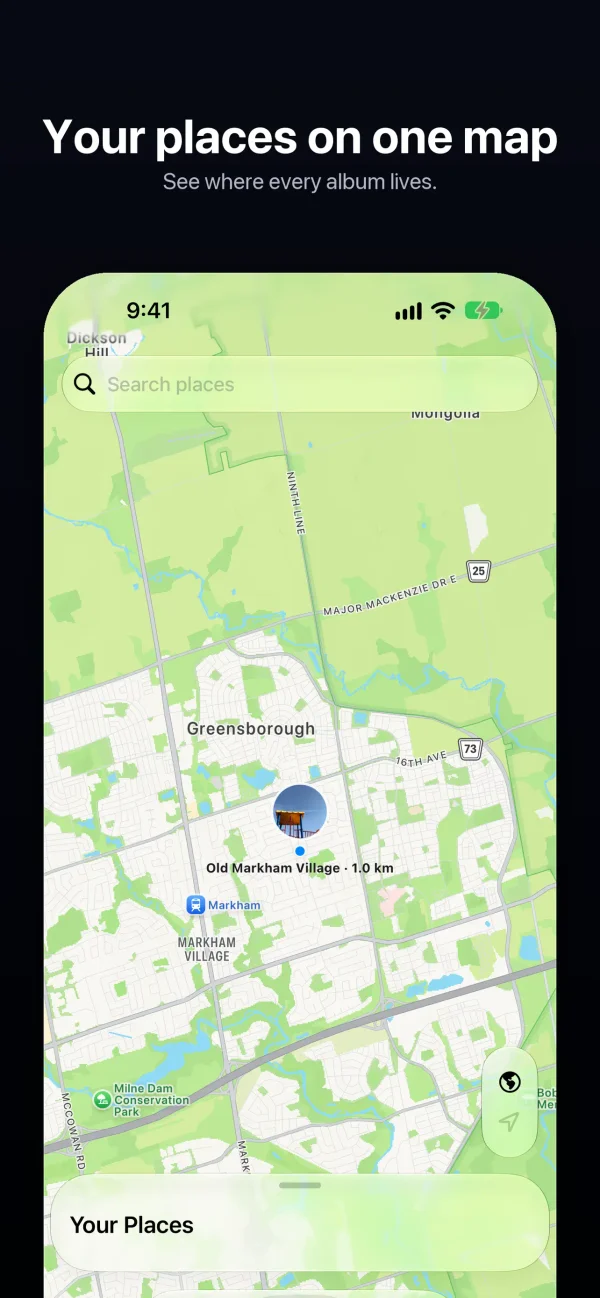
- Years of photos from one place, finally in one album. The map in Photos shows pins; MemoryPlaces gives you the album.
- Family places: home, school, grandparents' house, the park you go to every weekend.
- Trips you repeat: start from one landmark photo, and refresh the album after next year's visit.
- No more scrolling map pins to find the same spot again.
SHARE WITH FAMILY
- Tap Family to add a place's photos to an Apple Shared Album. Family members see them in Photos; they don't need MemoryPlaces.
- Give a place its own shared album named after the place, or keep everything in one Family album.
- After a Refresh, only the new photos are offered, so nothing is sent twice.
- Shared albums live in your own iCloud. MemoryPlaces never uploads your photos.
PRIVATE BY DESIGN
- Everything runs on your device. No account, no sign-up, no upload.
- MemoryPlaces reads your photo library only to find photos inside the areas you choose, and only writes albums you asked for.
- No third-party SDKs: no analytics, no trackers, no ad networks.
- App Store privacy label: no data collected.
FREE, ANNUAL, LIFETIME
- Free: create up to 3 place albums and refresh them as often as you like. No time limit.
- Basic Annual: unlimited place albums, plus resize the area around any place.
- Lifetime: everything in Basic, forever, with a one-time purchase and no subscription.
Subscriptions renew automatically unless cancelled at least 24 hours before the end of the current period; manage them in your Apple ID settings.
ALSO ON MAC
Same albums, same library. Build and refresh place albums on your Mac with the bigger map.
GOOD TO KNOW
- Only photos with location data can be matched. Photos without GPS won't appear in place albums.
- Albums are standard Apple Photos albums: you can rename, share or delete them in Photos at any time.
- Refresh is manual. We chose that on purpose so nothing changes in your library without you asking.
Questions or ideas? support@memoryplaces.app
Privacy policy: https://memoryplaces.app/privacy/
Terms of use: https://memoryplaces.app/terms/
Neue Funktionen
Version 1.0.10 · 28.10.2026
• MemoryPlaces no longer asks for your location when it opens. It reads it only when you tap the globe button for World View.
• Before you share, a short note reminds you that shared photos include where they were taken.
• Fixes and stability improvements.
App-Datenschutz
Was Home M K Inc. im App Store zum Umgang dieser App mit Daten angibt.
-
Keine Daten erfasst
Der Entwickler erfasst keine Daten von dieser App.
Die Datenschutzpraktiken können variieren, zum Beispiel je nach den von Ihnen verwendeten Funktionen oder Ihrem Alter.
Informationen
- Anbieter
- Home M K Inc.
- Kategorie
- Foto und Video
- Version
- 1.0.10
- Aktualisiert
- 28.10.2026
- Veröffentlicht
- 02.07.2026
- Größe
- 15,9 MB
- Erfordert
- iOS 17.0 oder neuer
- Altersfreigabe
- 4+
- Preis
- Kostenlos
- In-App-Käufe
- Ja
- Sprachen
- Englisch, Vereinf. Chinesisch
- Copyright
- © 2026 Home M K INC
Das könnte Ihnen auch gefallen
-
 AlbumizeFoto und Video
-
 Perfect Day: Create Daily VlogFoto und Video
-
 Keystone Photo LabFoto und Video
-
 ImagePilotFoto und Video
-
 ClassiPic - AI Photo OrganizerFoto und Video
-
 Albumify: Fotos sortierenSmart-Alben, Galerie aufräumen
-
 Camlog: Record. Pause. Resume.Foto und Video
-
 Bilder löschen: DeleepFotos sortieren per Swipe
-
 Simple AI CameraFoto und Video
-
 PortraitMode.ioFoto und Video