
meshTerm Secure SSH Client
Terminal,Agent,Herdr,Tailscale
Entwickelt für iPhone, iPad
Kostenlos · In-App-Käufe
- Altersfreigabe4+
- KategorieEntwickler-Tools
- EntwicklerAG Applications Ltd
- SprachenEnglisch+ 1 weitere
- Größe93,3 MB
Verlinkt auf die offizielle App Store-Seite
Download.org hostet keine Datei von meshTerm Secure SSH Client. Die Schaltfläche öffnet die App-Seite bei App Store, wo AG Applications Ltd die App veröffentlicht. Eintrag zuletzt geprüft am 21.11.2026.
Screenshots
Info
Der Entwickler hat diesen Text nicht in Ihrer Sprache bereitgestellt.
meshTerm: your agents, servers and security updates from your phone.
A fast, private, secure SSH and SFTP client built around the coding agents you run on your own servers. Keep Claude, Codex, Opencode, Gemini and any other supported agent working in herdr, see what needs you at a glance, and answer from your phone. Your sessions keep running when your phone does not, so your shell and scrollback are still there tomorrow.
SECURITY UPDATES
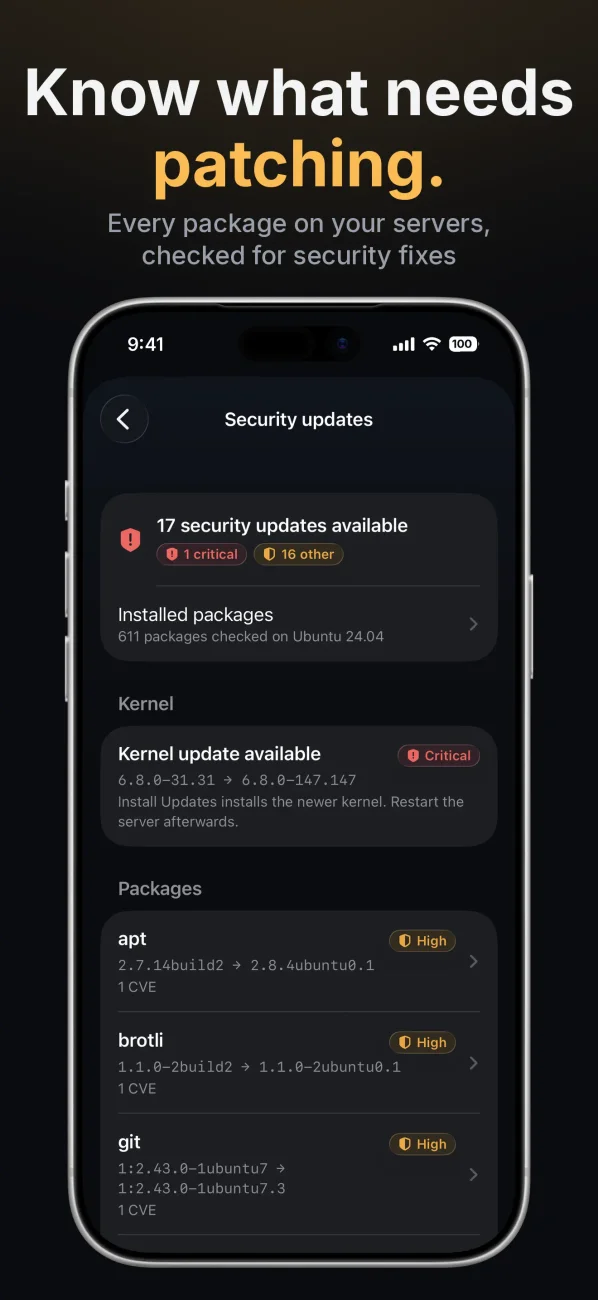
Know if your packages require security updates.
Every host gets a free check of its Tailscale version. With Pro, meshTerm also checks installed packages and the running kernel against the published security fixes, entirely on device.
HERDR, BUILT IN
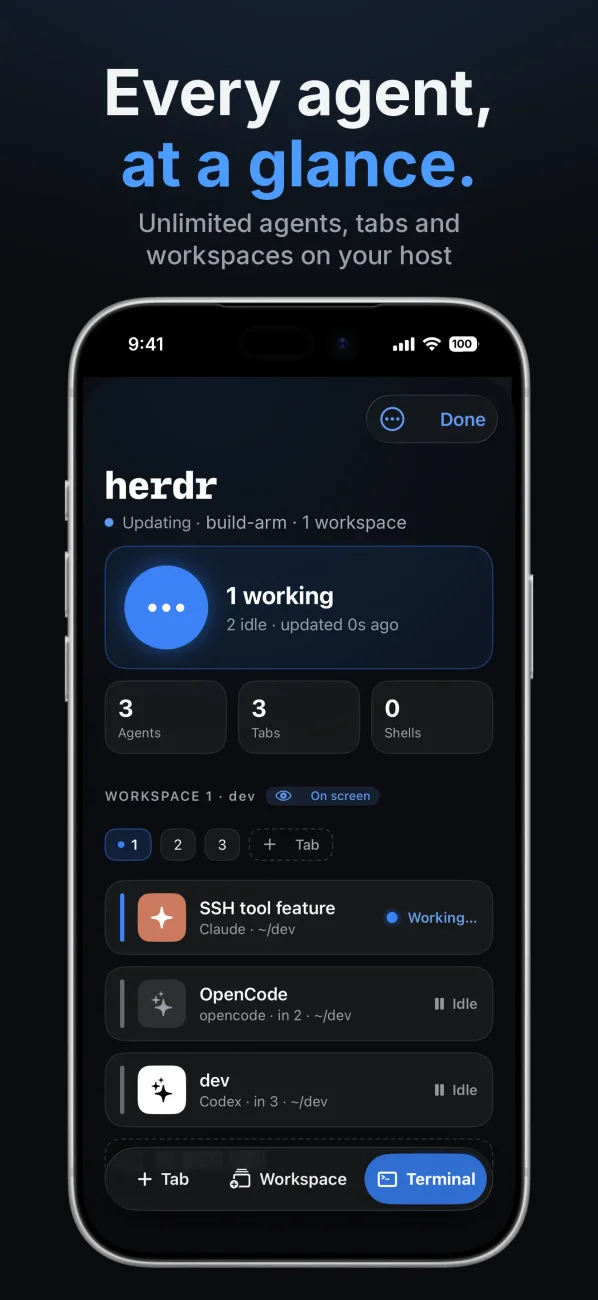
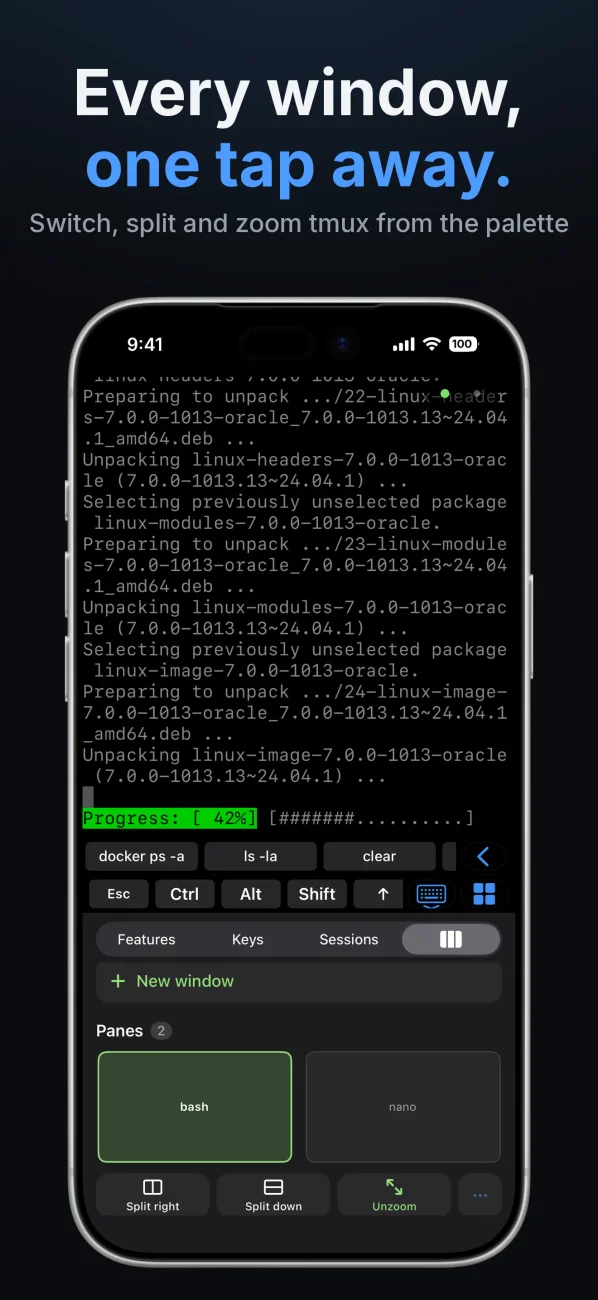
herdr is the open-source workspace that keeps your coding agents running on your host whether or not your phone is connected, and meshTerm is built for it.
herdr is free on your host: One unlimited session, run multiple agents, tabs, workspaces. You only need Pro to use herdr on more than one host.
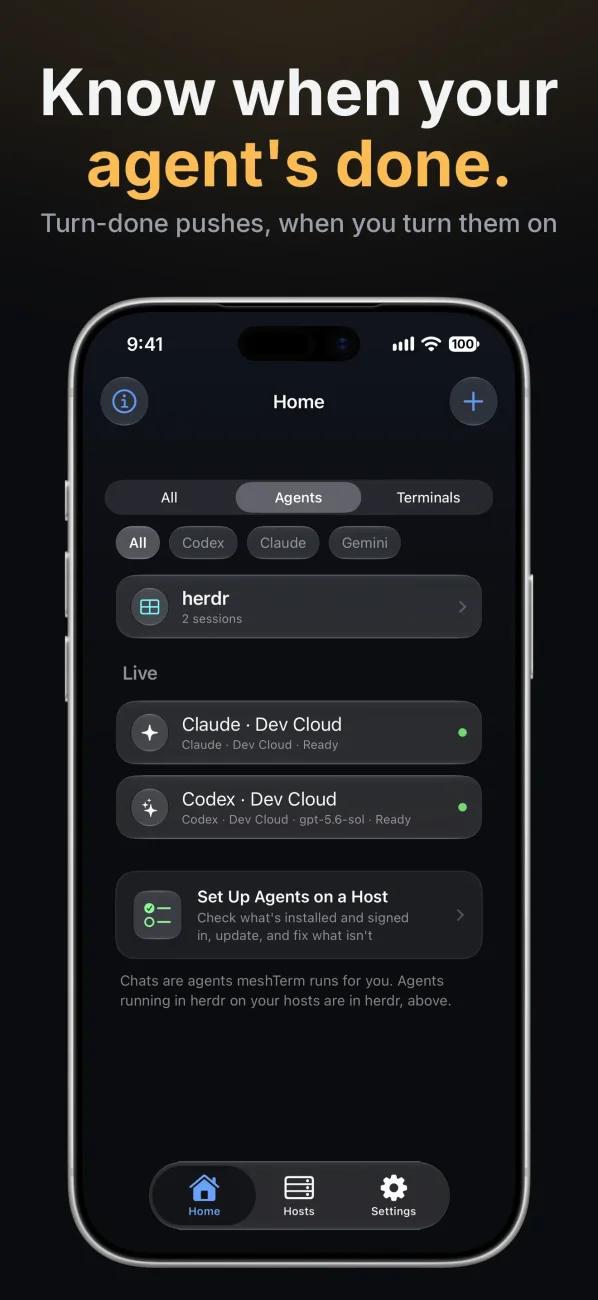
The herdr side of the Agents tab puts what needs you first, then every session on every host. Tap Review to read an agent's request and approve it from your phone, or open the terminal right at its pane. Set Up herdr checks a host, installs herdr in one tap, turns on notifications and starts your first session.
TMUX, THE WAY TMUX MEANT IT
On any host with tmux 3.2 or newer, meshTerm speaks tmux's control protocol. It knows every window and pane, sizes them to your screen, and reattaches to the exact session you left, at the size you left it, with the scrollback intact. A tmux page in the keyboard palette creates, splits, zooms, renames, resizes and closes windows and panes in a tap, and on iPad the panes of a window sit side by side with dividers you can drag. Nothing to install on your server.
BUILT-IN TAILSCALE
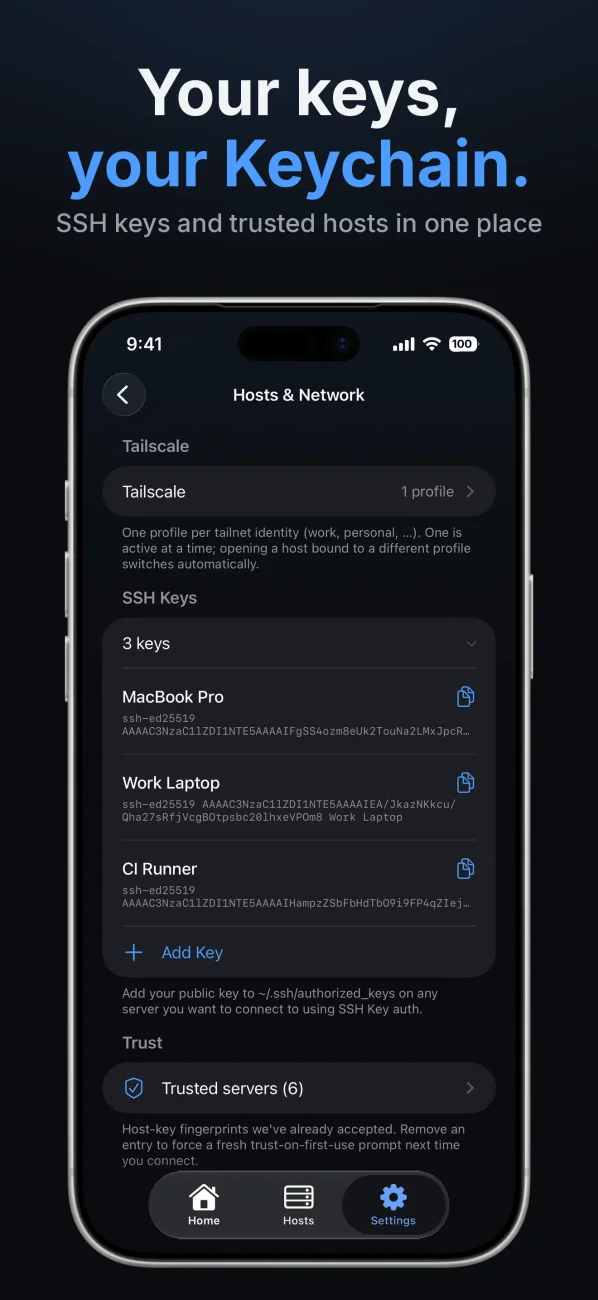
meshTerm has its own Tailscale stack, running entirely in the app, so there is no separate Tailscale app and no conflict with any other VPN. Sign in or add an auth key and your device joins your tailnet over WireGuard. Add a tailnet device as a host in one tap. Multiple profiles switch between work and personal tailnets.
AGENT CHAT
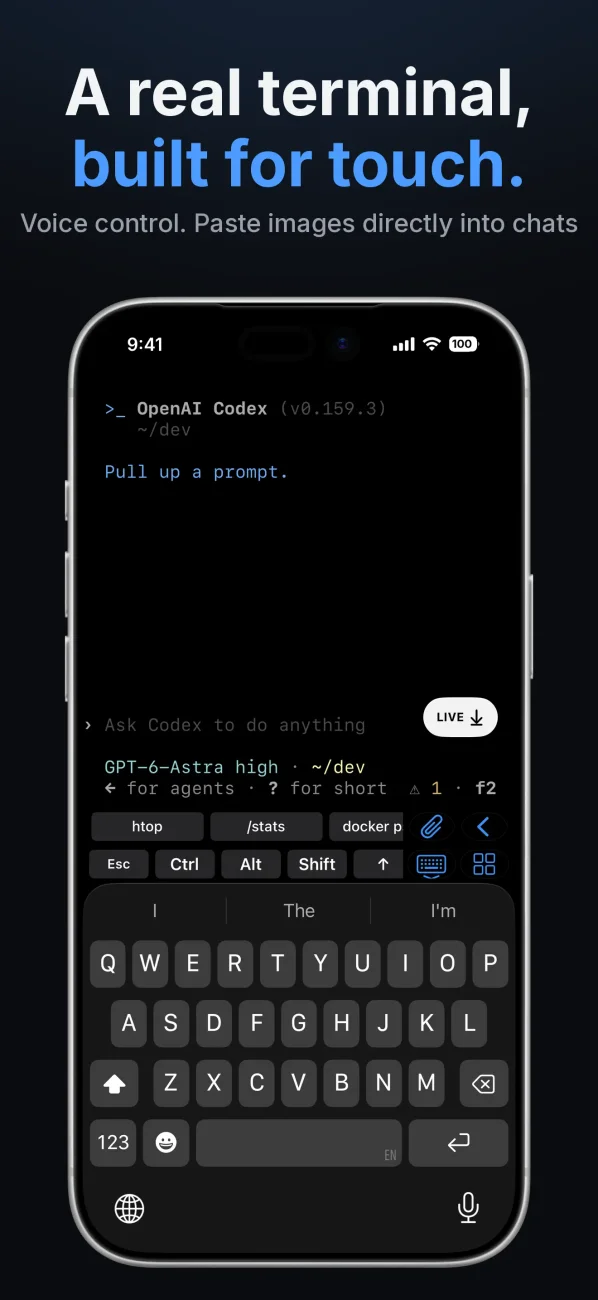
Run Claude Code, Codex and Gemini on your own servers from a native chat: streaming replies, approvals that stay pinned until you answer, plan mode, usage chips, slash commands and file attachments. Get notified when an agent needs you, and resume past chats.
DOCKER AND PODMAN (Pro)
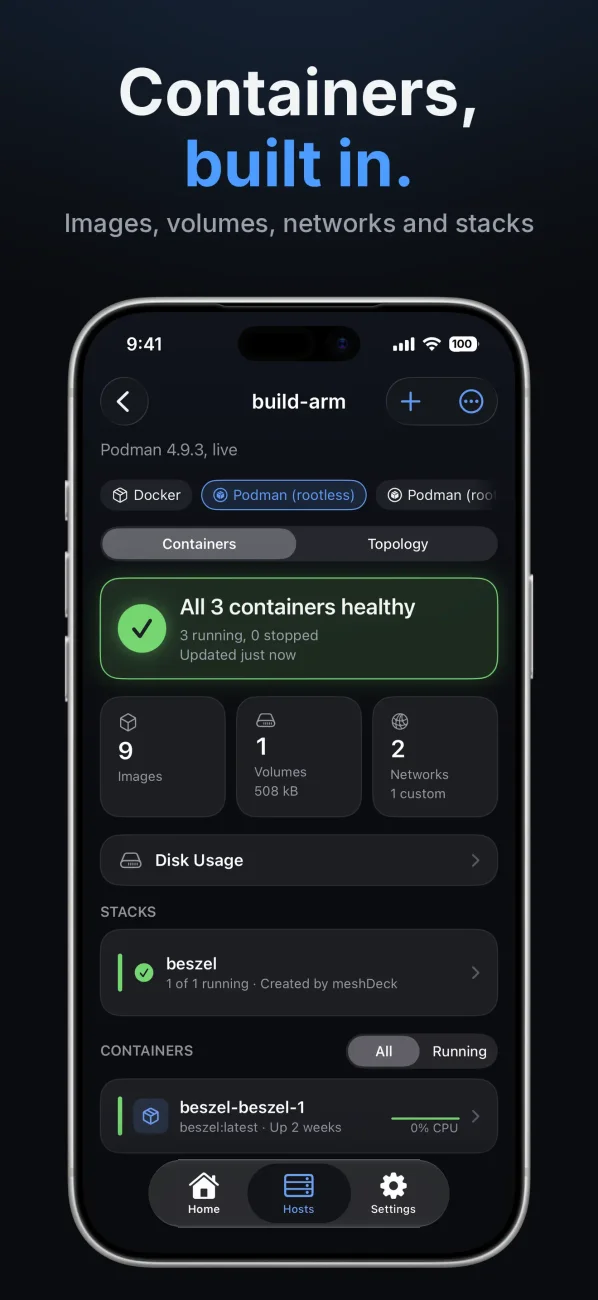
Manage containers on any host you have added: containers, images, volumes and networks, Compose stacks, logs, exec and prune. Nothing to install and nothing to expose, just the docker or podman CLI already on your server, over SSH.
A KEYBOARD BUILT FOR THE TERMINAL
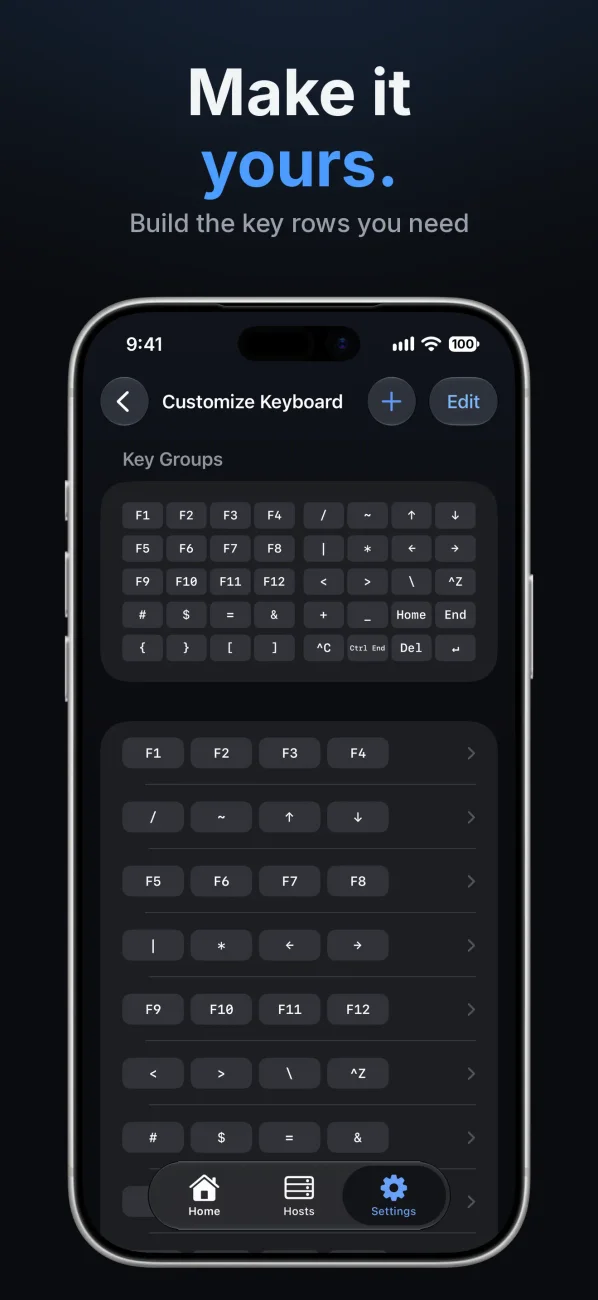
A palette of features, your own key groups and one-tap session switching. A predictive strip suggests commands from your shell history, and a pill takes you back to the live prompt in full-screen tools.
FILES, FORWARDS, SECRETS
Browse, upload and download files over SFTP with iOS Files integration. Local forwards and SOCKS5 proxies per host. A Snippet Vault and a one-tap macro bar, with secret values kept in the iOS Keychain behind Face ID. Secret Profiles (Pro) inject keys into a running session, and a hidden key is brokered only to the commands you allow, so an agent can use it without ever reading it.
SSH KEYS, SEARCH, ACCESSIBILITY
Generate Ed25519 or ECDSA keys on-device, import passphrase-protected keys and install public keys in one tap. Search scrollback, tag and filter hosts, and read the terminal with VoiceOver. Full Spanish throughout.
PRIVACY BY DESIGN
No analytics, no telemetry, no tracking SDKs. Credentials and keys live in the iOS Keychain, hardware-encrypted and device-only. Your terminal never routes through us. Agent alerts, if you turn them on, come through Apple Push Notification service (APNs) via our relay, over encrypted connections, and carry nothing that identifies you, your hosts or your work.
Neue Funktionen
Version 2.5.0 · 20.11.2026
UX simplification. Three tabs: Home, Hosts and Settings
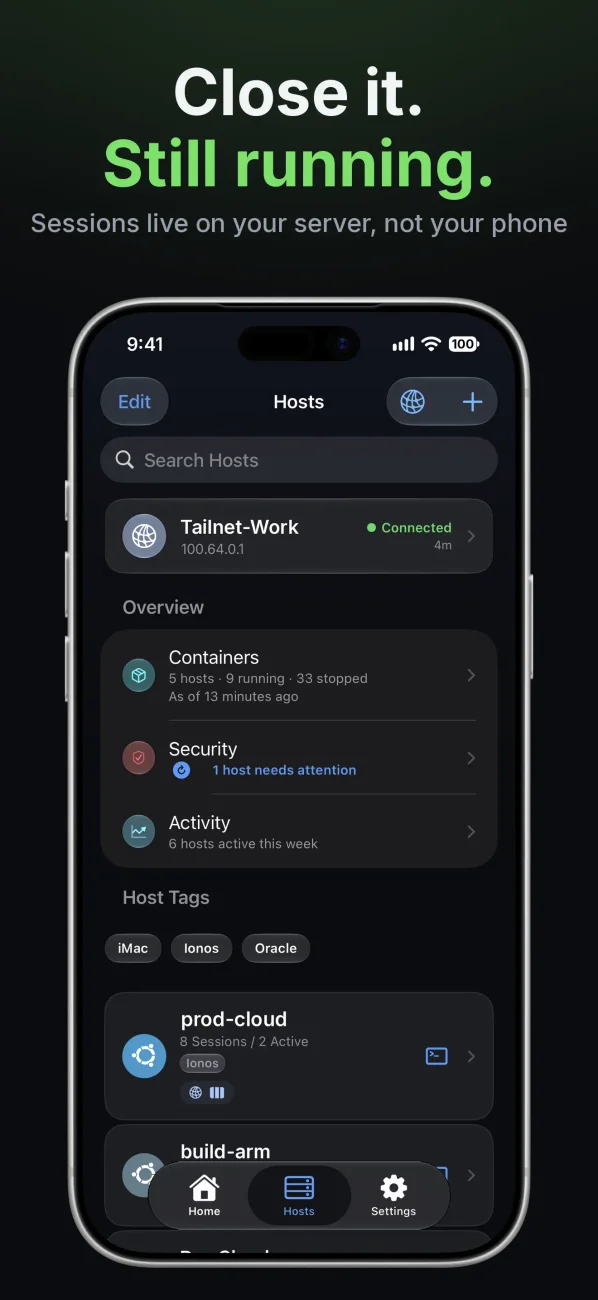
meshTerm 2.5 is reorganised around what you are doing. Home brings your terminals and agent chats together, Hosts displays needs action indicators for Vulnerabilities & Containers and gives every server its own page with Sessions, Host settings, Tunnels, Vulnerability Scanning, Containers, Agent setup, Activity and SFTP (file sharing) all at your fingertips, and Settings is simpler. The Sessions, Agents, Containers, Security and Activity tabs are now better integrated as part of these three.
Home
Everything that is running, in one list. Chats waiting for your approval or an answer come first, then your favorites, then everything live and sleeping. Filter by All, Agents or Terminals, or by your session tags, and start a new session or agent from the + button.
Favorites
Swipe a session or agent chat to make it a favorite, or long-press a host in Hosts and choose Add to Home. Favorites stay at the top of Home in your order. When a favorite session or chat ends, it stays as a one-tap Start row.
A page for every host
Tap a host for its page: Connect, then its sessions, files, tunnels, containers, agents, security, activity and settings. Containers, Security and Activity for all your hosts are under Overview in Hosts.
Back to your terminal in one tap
Leave a session running and a bar above the tabs takes you straight back to it, or press Command-Shift-T on a keyboard. Prefer it hidden? Turn off Show Return Bar in Settings > Terminal.
Simpler settings
Agents, herdr and Containers are together under Settings > Agents & Containers. In a terminal, the session menu lists the host page's actions first, in the same order as the host page.
Made for iPad
On iPad, Hosts is a split view: your hosts in the sidebar and the host's page beside them, in portrait and landscape.
1 Tap or Manual
Server fixes everywhere now follow one choice, in Settings > Hosts & Network > Server Fixes. 1 Tap installs, updates and fixes things on your servers for you, in a terminal you can watch. Manual shows the command instead and leaves the change to you. If you chose Manual for Containers, it now applies everywhere.
Safer security updates - Pro
Install Updates now runs on the server itself, so an update that restarts SSH or Tailscale can no longer cut it off half way, and you can leave and come back to it. If an earlier update was left half finished, Finish Update completes it in one tap, and Restart Server first checks that nothing is still installing. Hosts that are due a security check are now checked when you open meshTerm, without connecting first. Turn it off in Settings > Privacy & Security.
Tunnels without a terminal
The Tunnels tile on a host's page starts the host's tunnels straight away, with no terminal, so you can tap Open and reach the service. When you add a tunnel, meshTerm lists the services running on the host and fills the tunnel in from one tap.
App-Datenschutz
Was AG Applications Ltd im App Store zum Umgang dieser App mit Daten angibt.
-
Nicht mit Ihnen verknüpfte Daten
Können erfasst werden, sind aber nicht mit Ihrer Identität verknüpft.
- Kennungen
Die Datenschutzpraktiken können variieren, zum Beispiel je nach den von Ihnen verwendeten Funktionen oder Ihrem Alter.
Informationen
- Anbieter
- AG Applications Ltd
- Kategorie
- Entwickler-Tools
- Version
- 2.5.0
- Aktualisiert
- 20.11.2026
- Veröffentlicht
- 01.04.2026
- Größe
- 93,3 MB
- Erfordert
- iOS 26.0 oder neuer
- Altersfreigabe
- 4+
- Preis
- Kostenlos
- In-App-Käufe
- Ja
- Sprachen
- Englisch, Spanisch
- Copyright
- © James Betchley 2026
Das könnte Ihnen auch gefallen
-
 Tailscode: Claude Code RemoteCodex, opencode, Hermes agents
-
 NovaScale für Tailscale gebautSSH/SFTP, Remote Codex & Herdr
-
 VVTerm: Nativer SSH-ClientSSH-Terminal, SFTP, Mosh
-
 Base44 IDE, AI Code AssistantKI Vibecoding Agent: Codierung
-
 Xcasca - SSH, SFTP ClientTerminal, SSH, and SFTP Client
-
 La Terminal: Mosh & SSH-ClientSFTP, Dateien + KI-Agent
-
 Locker SSHPures SSH-Terminal-Erlebnis
-
 Mobile SSH TerminalSSH-Client für Ihre Server
-
 rootshell: Local Terminal, SSHVPN over SSH and tssh
-
 Macky: Fernzugriff & TerminalMac Remote Desktop vom iPhone