MIDI Device Manager
Pads, Patches, Setlists, SysEx
Entwickelt für iPhone, iPad
Kostenlos · In-App-Käufe
- Altersfreigabe4+
- KategorieMusik
- EntwicklerChristian Mc Cormick
- SprachenEnglisch
- Größe14,3 MB
Verlinkt auf die offizielle App Store-Seite
Download.org hostet keine Datei von MIDI Device Manager. Die Schaltfläche öffnet die App-Seite bei App Store, wo Christian Mc Cormick die App veröffentlicht. Eintrag zuletzt geprüft am 17.11.2026.
Screenshots


Info
Der Entwickler hat diesen Text nicht in Ihrer Sprache bereitgestellt.
Control Your Entire MIDI Environment
MIDIDeviceManager is a professional MIDI control and management application built around an intuitive one-touch pad interface. Control individual devices, multiple devices simultaneously, complete Live Scenes and entire Live Setlists from a single application.
Pads can be triggered directly from the screen or remotely using compatible MIDI foot controllers, external MIDI controllers and other MIDI-enabled applications.
Unlike traditional patch editors, MIDIDeviceManager is designed to control devices rather than edit sounds.
Your Patch Names, Already There
Typing hundreds of patch names by hand is the reason most musicians never finish setting up their rig.
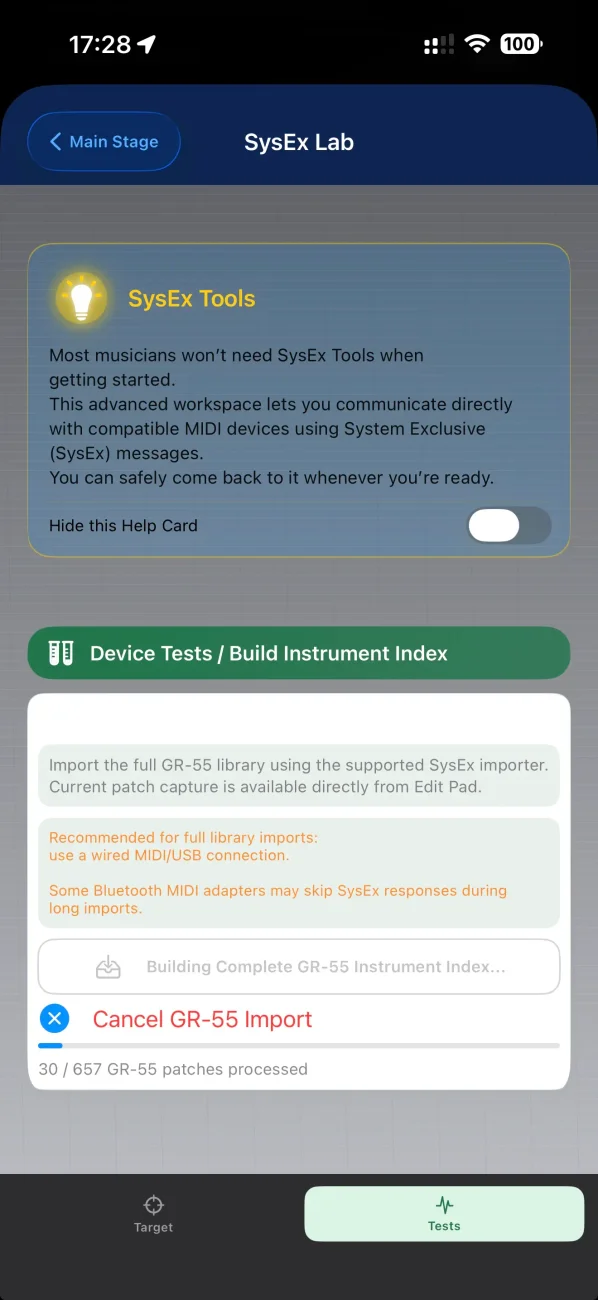
MIDIDeviceManager can read a backup or bulk dump file produced by your instrument's own software and turn it into a searchable index — every patch name, in the right bank and slot, without connecting anything.
Where an instrument supports SysEx communication, MIDIDeviceManager can also request its patch list directly over MIDI. And where neither is possible, it can step through the equipment's patches and capture the names automatically as it goes. Confirmed with equipment like Line 6 Helix, ASM Hydrasynth and Korg minilogue xd, with more added regularly.
Universal MIDI Compatibility
MIDIDeviceManager works with virtually any MIDI-compatible hardware using standard MIDI messages including:
• Program Change
• Control Change
• Bank Select (MSB/LSB)
• MIDI Learn
• Passive MIDI Monitoring
• External MIDI Triggering
• Standard and device-specific SysEx communication
Device Pads, Scene Pads and Live Setlist Pads can all be triggered from external MIDI controllers, foot pedals or other MIDI applications, allowing MIDIDeviceManager to integrate naturally into virtually any MIDI setup.
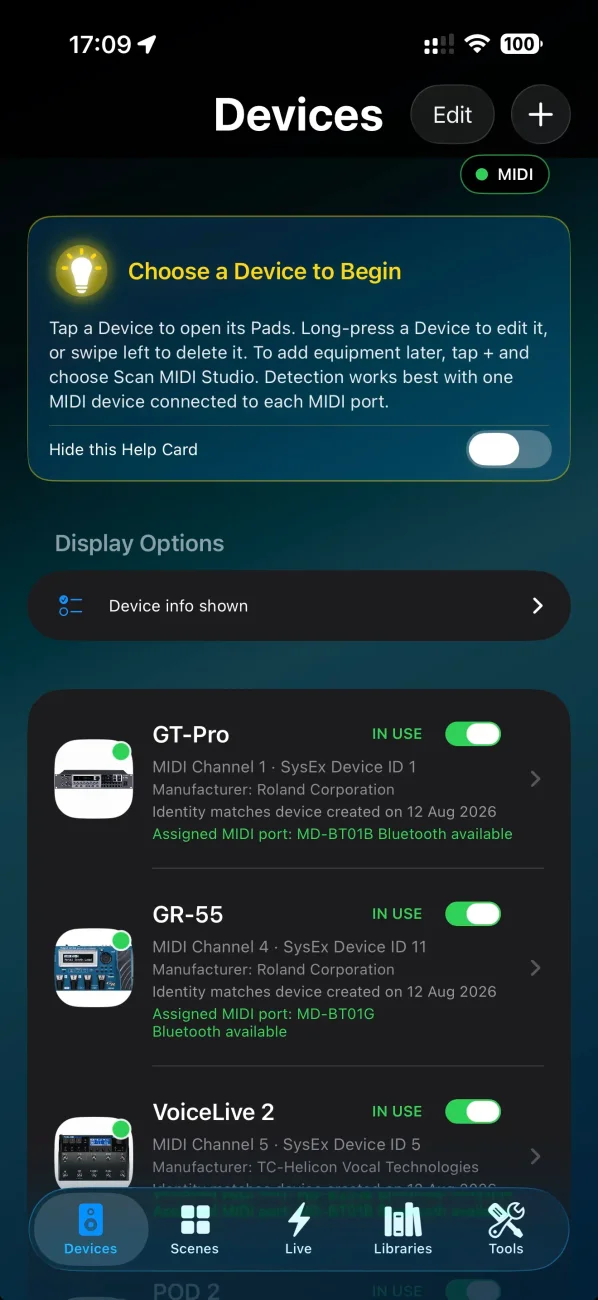
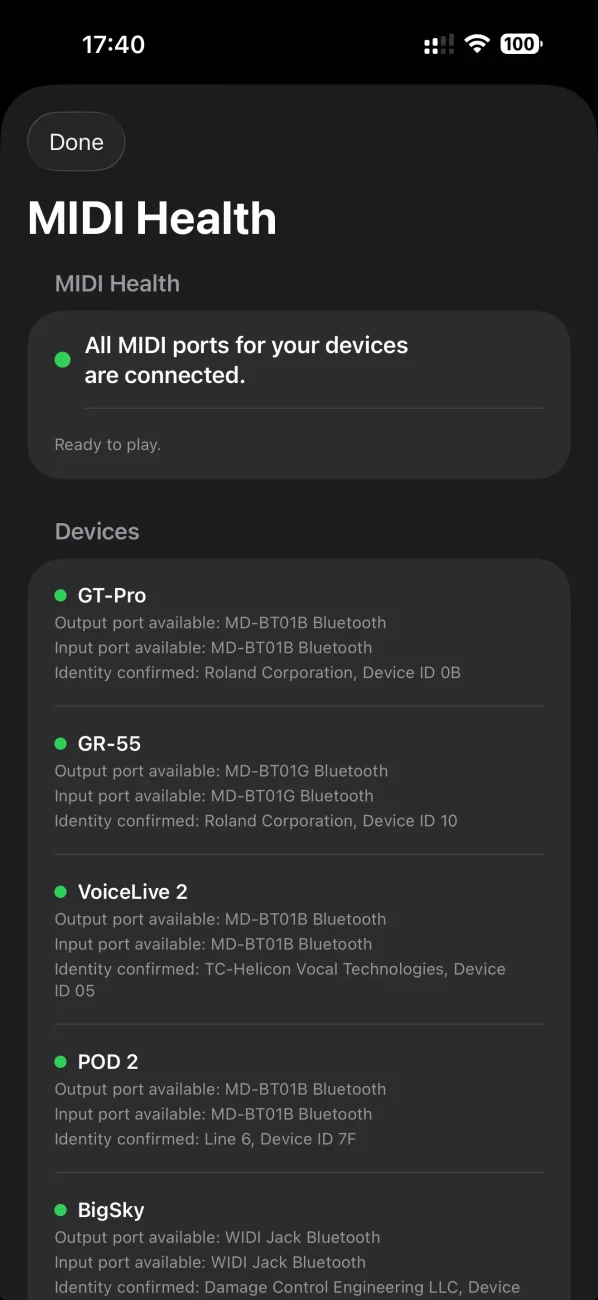
MIDIDeviceManager recognises multi-port MIDI interfaces and Bluetooth adaptors, and identifies your equipment correctly even when it is connected behind one.
Selected devices get deeper, dedicated support — from the classic POD 2 and GT-Pro to the modern GR-55 and BigSky — with more added regularly. And it isn't only hardware: MDM can drive other MIDI-enabled apps too. If it speaks MIDI, MDM can talk to it.
Key Features
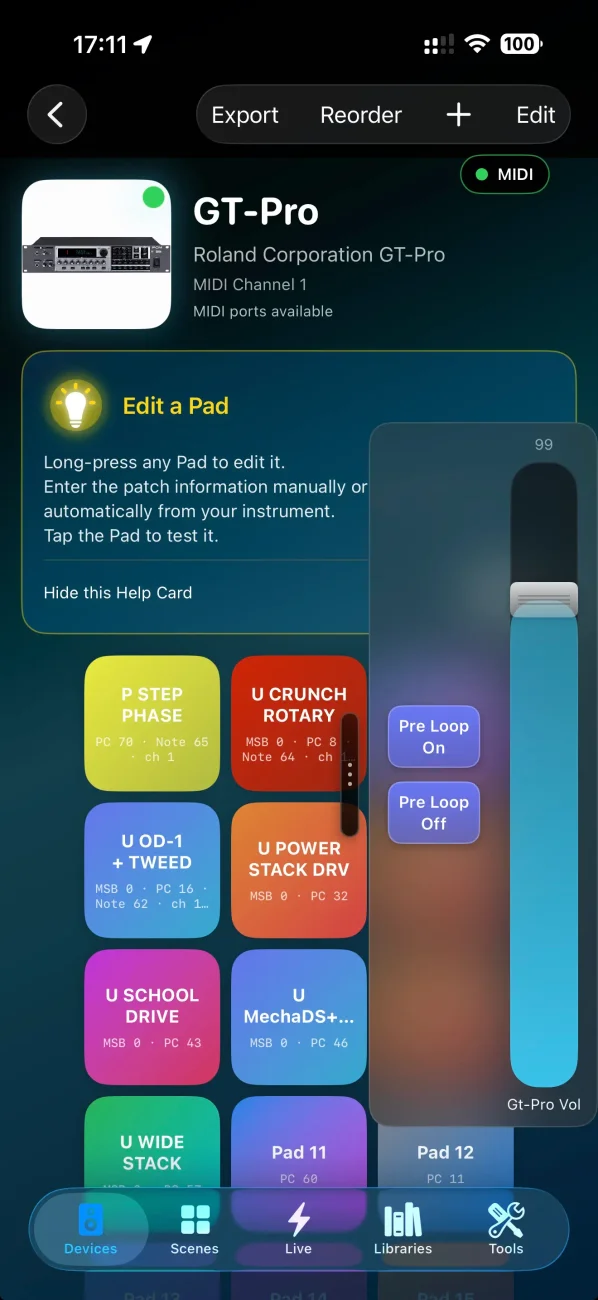
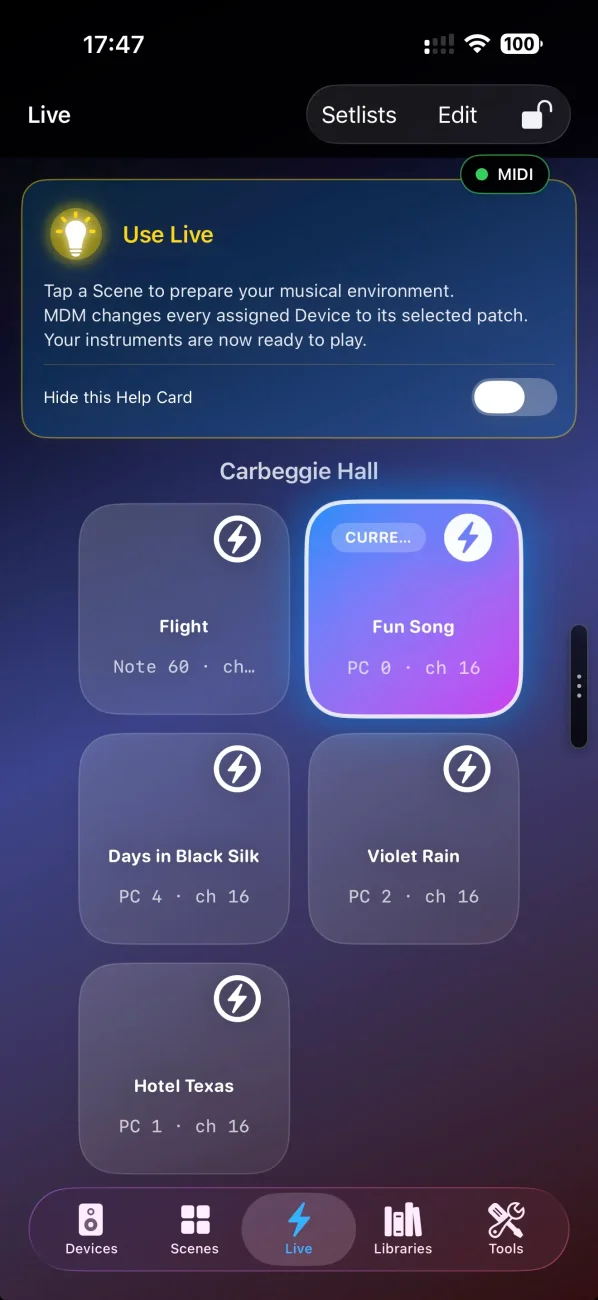
• One-touch programmable control pads
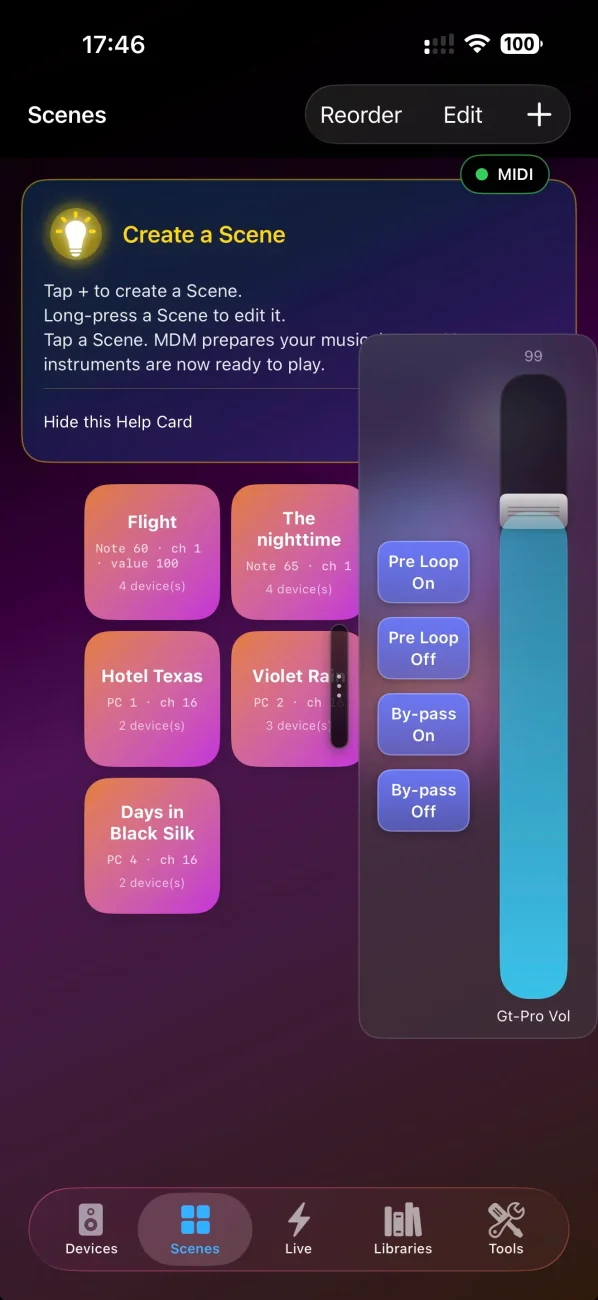
• Sliders and Buttons for continuous and on/off control
• Custom Pad colours for at-a-glance identification
• Control one or multiple MIDI devices simultaneously
• Device management
• Import patch names from instrument backup files
• Capture patch names automatically by stepping through your instrument
• Search, sort and filter patch lists using categories or custom text
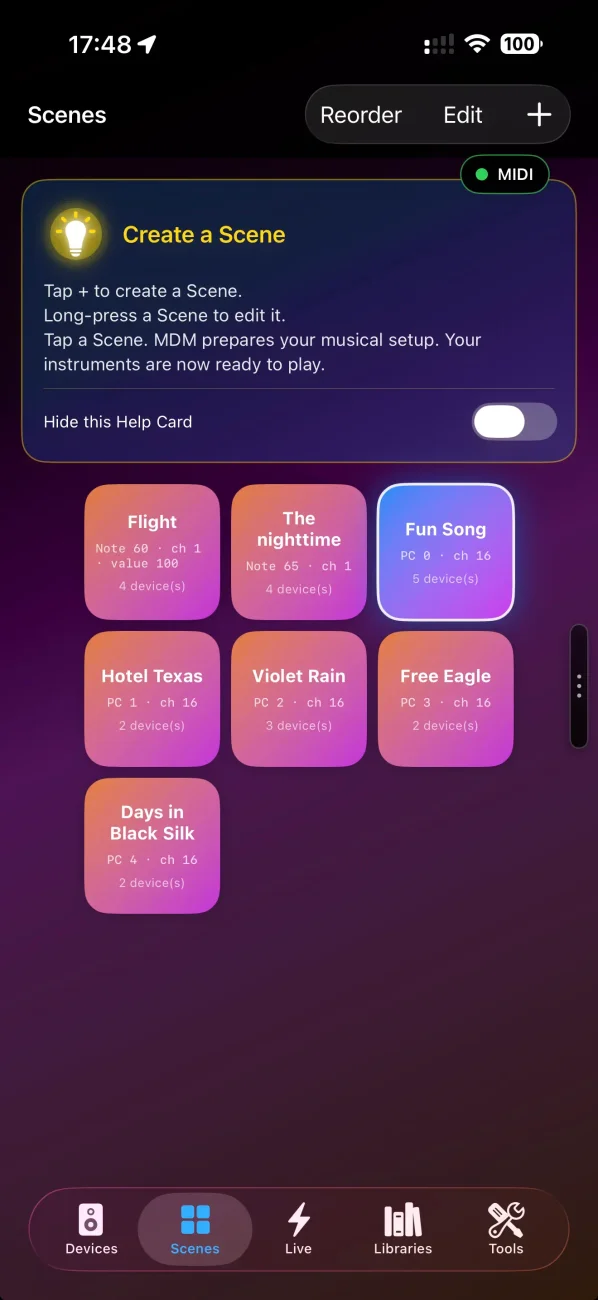
• Create reusable Live Scenes
• Create Live Setlists for performances
• Trigger pads from external MIDI pedals and controllers
• Trigger pads from other MIDI-enabled applications
• MIDI Learn
• Bluetooth MIDI and USB MIDI support
• Keeps receiving MIDI in the background on iPhone and iPad (iOS 26+)
• Continues receiving MIDI alongside another app in iPad Split View
• Automatic detection of the patch currently selected on your instrument
• Live connection status for every device
• Built-in help at each step
• SysEx Lab for advanced device work
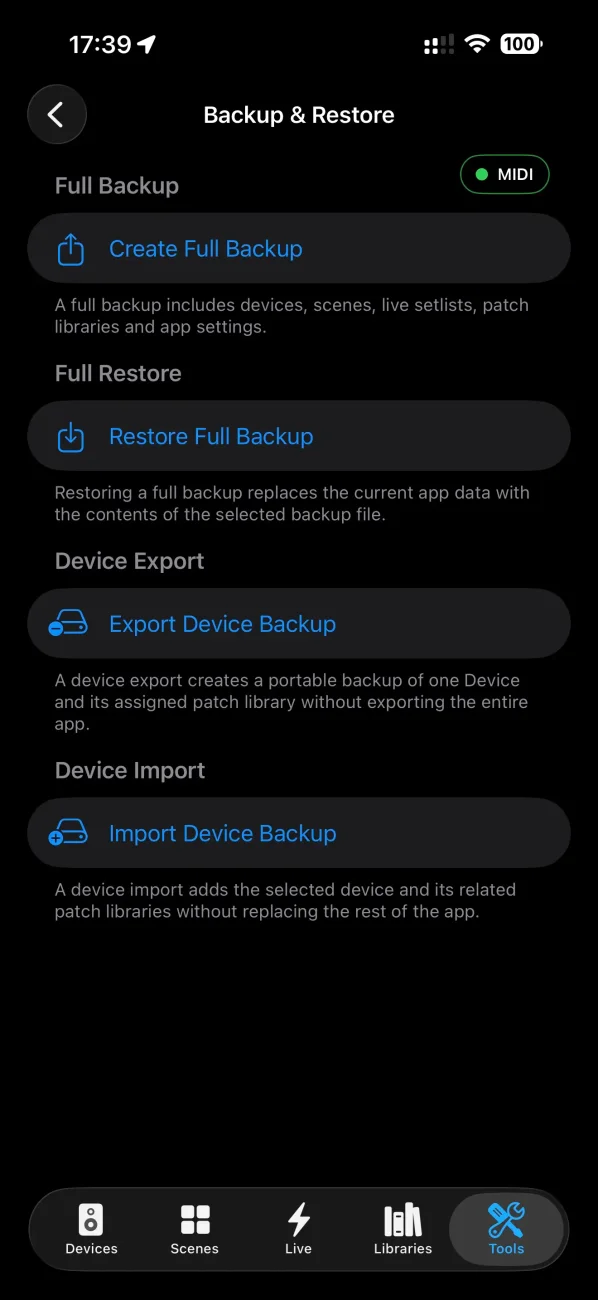
• Backup and Restore
Why SysEx Matters
Standard MIDI devices are normally controlled using one of the available MIDI channels.
When compatible devices support SysEx communication, MIDIDeviceManager can communicate directly with individual devices using their unique manufacturer and device identifiers. Multiple compatible devices can therefore share the same MIDI connection while remaining individually addressable.
This enables more scalable MIDI systems and advanced device management beyond the limitations of standard MIDI messaging.
Requirements
Compatible with iPhone and iPad.
Supports USB MIDI and Bluetooth MIDI.
Some advanced features require compatible external MIDI hardware.
Background MIDI reception requires iOS 26 or later. On earlier versions, MIDIDeviceManager must stay on screen to receive MIDI.
Neue Funktionen
Version 1.08 · 14.11.2026
Fixes sharing and saving backups on iPad.
New: the Pads screen.
See all your Devices on one screen and switch patches without going back to Devices each time.
• Each Device has its own row of Pads. Swipe the row to reach the next Pads.
• Remove any Device you don't need on this screen. Nothing is deleted, and you can add it back.
• Tap a Device's name or picture to open its own Pads and edit them.
• On iPad, Pads is a new tab between Devices and Scenes. On iPhone, open it from the top of the Devices list.
Plus small improvements.
App-Datenschutz
Was Christian Mc Cormick im App Store zum Umgang dieser App mit Daten angibt.
-
Nicht mit Ihnen verknüpfte Daten
Können erfasst werden, sind aber nicht mit Ihrer Identität verknüpft.
- Nutzungsdaten
Die Datenschutzpraktiken können variieren, zum Beispiel je nach den von Ihnen verwendeten Funktionen oder Ihrem Alter.
Informationen
- Anbieter
- Christian Mc Cormick
- Kategorie
- Musik
- Version
- 1.08
- Aktualisiert
- 14.11.2026
- Veröffentlicht
- 24.08.2026
- Größe
- 14,3 MB
- Erfordert
- iOS 17.6 oder neuer
- Altersfreigabe
- 4+
- Preis
- Kostenlos
- In-App-Käufe
- Ja
- Sprachen
- Englisch
- Copyright
- © 2026 Christian Mc Cormick
Das könnte Ihnen auch gefallen
-
 RegLiveMusik
-
 Graviton M1 and M2 EditorMusik
-
 MIDI MagnetMusik
-
 Memory MIDIMusik
-
 ClockBridgeMusik
-
 Rootless VoicingsMusik
-
 GEAR-Guitar Effects & Amp RackMusik
-
 Final RadioInternetradio mit Kassette
-
 SoundBoard+ Jingles & EffekteSoundpads für Bühne, DJ & Live
-
 SUS4 Drum Pad: Beat Maker16-Step-Sequencer und 25 Kits